




Online admissions system that follows every family to enrolment
Applications from the website land in the system at once, the admissions team sees every family at each stage, and on enrolment the details become the student record with nothing typed twice.
What is the admissions system?
The Bluweo School Plus admissions system takes applications and enquiries from the school website and follows each family through six stages: enquiry, visit, application, test, offer and enrolment. Once enrolled, the student and guardian details sit in the same student records used for attendance, grades and invoices.
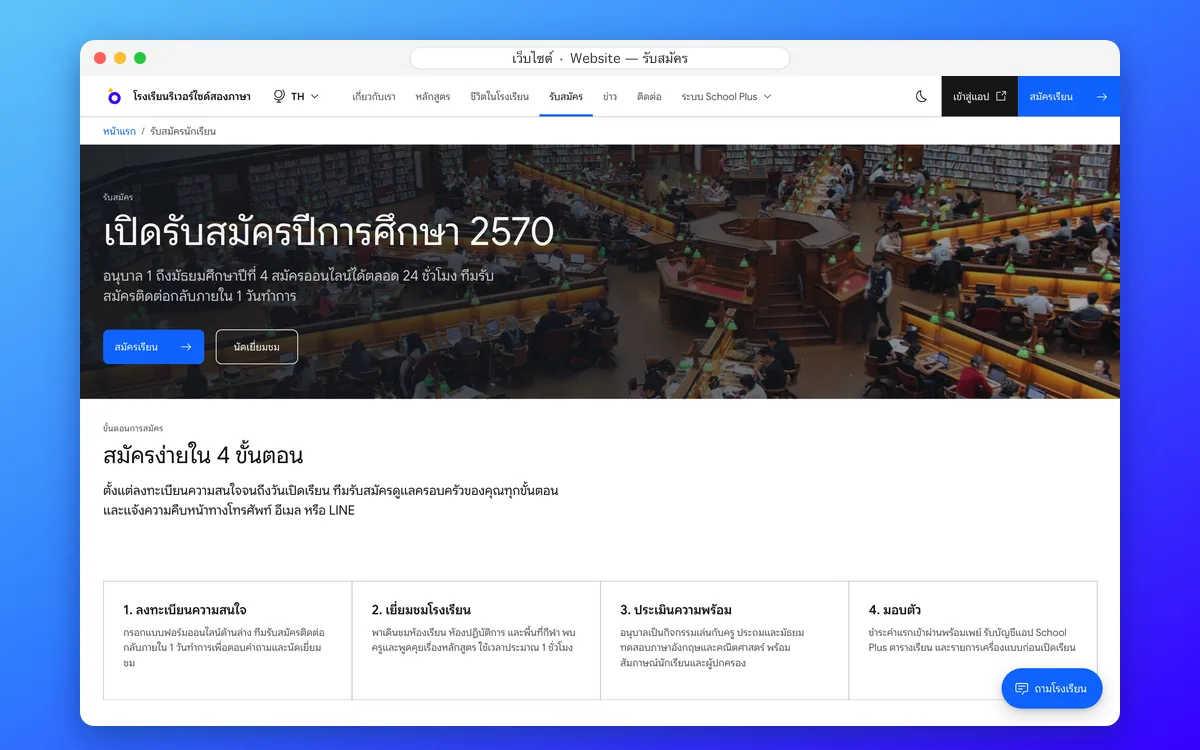
Website: the admissions page and form
Parents read the steps, key dates, fees and documents, then fill in the form on the website straight away. It reaches the admissions system with nothing copied by hand.
- Steps and key dates on one page
- A form with the level they want
- Every apply button jumps to the form
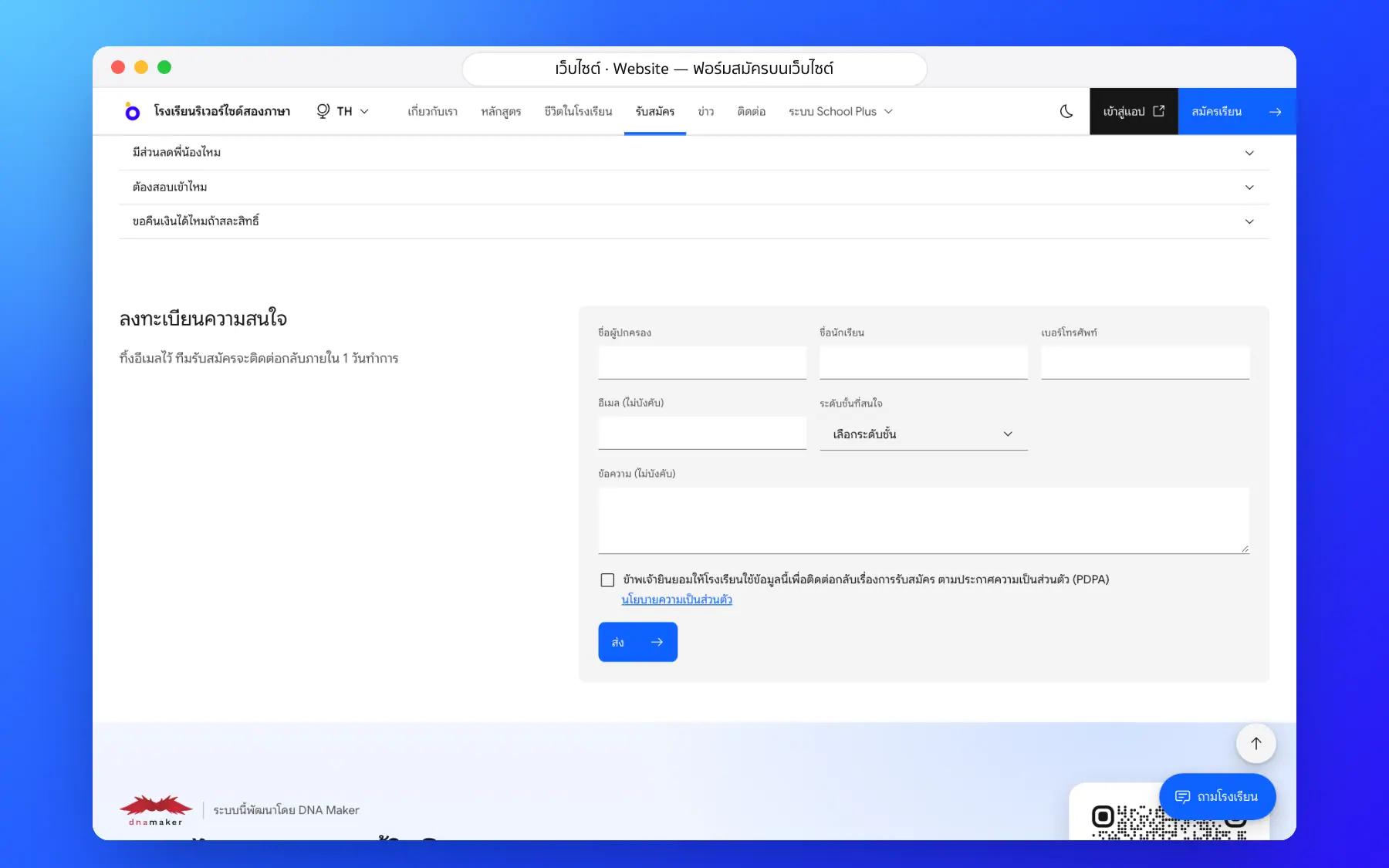
- Submitted forms land in the admissions system
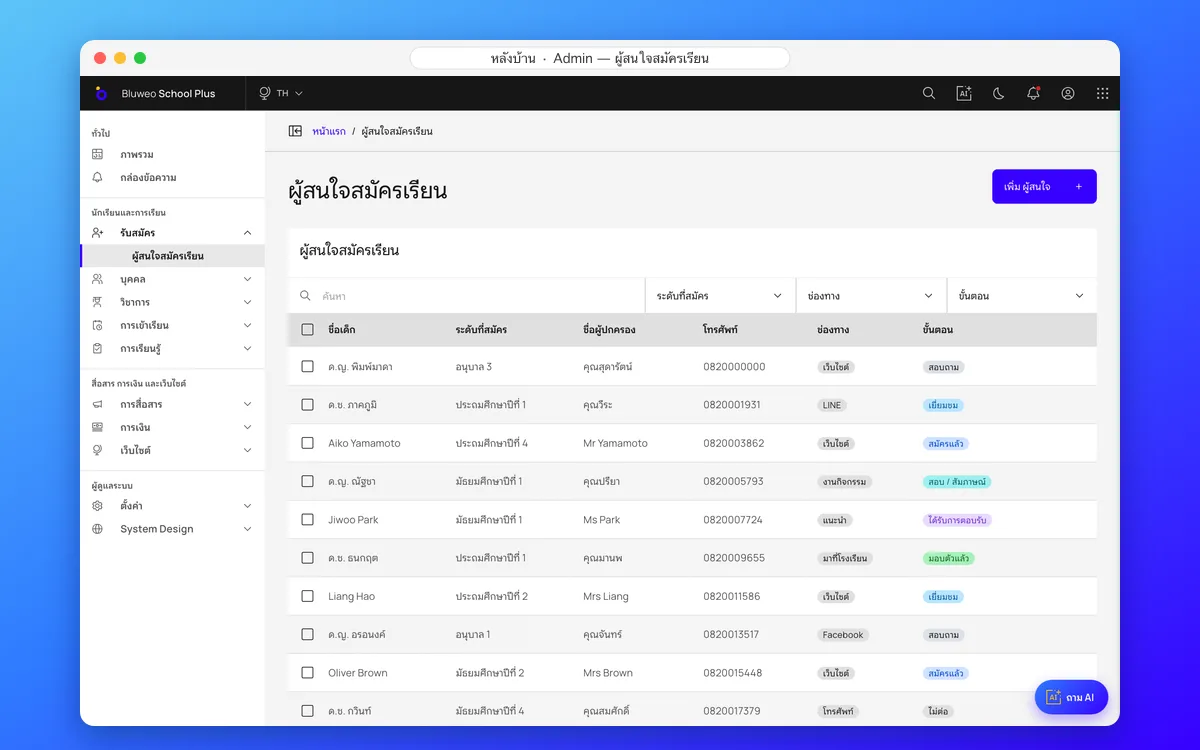
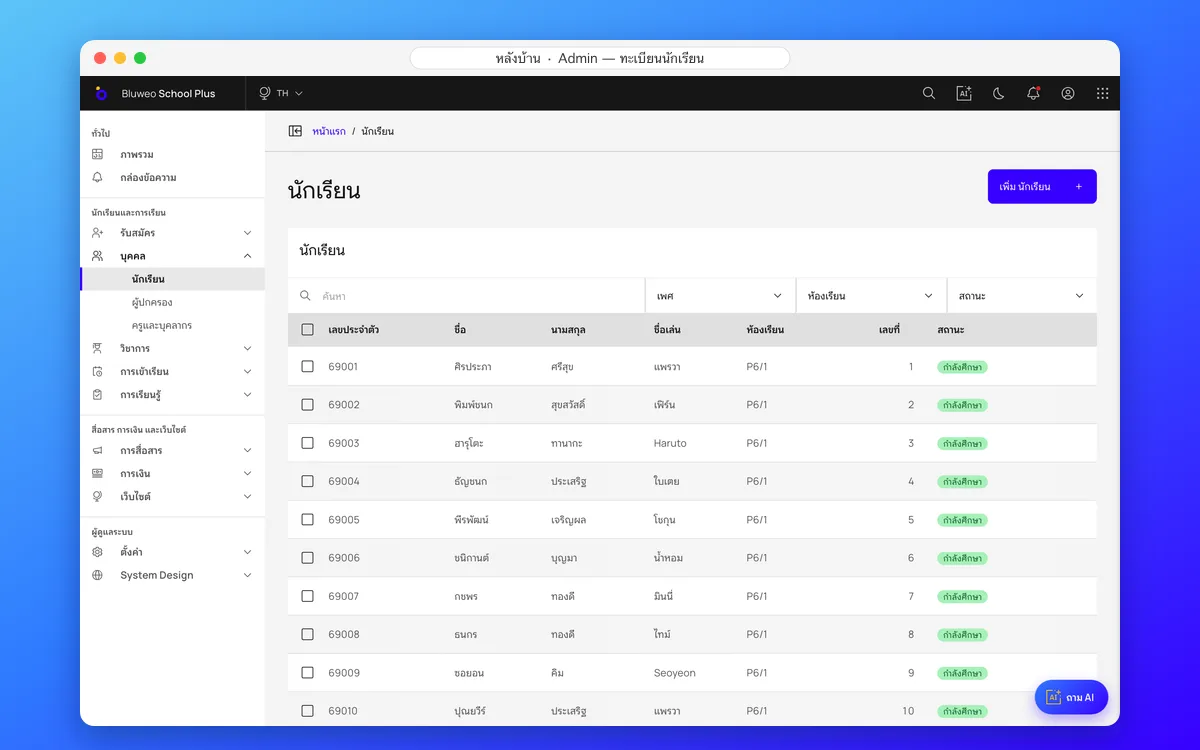
Back office: from enquiry to student record
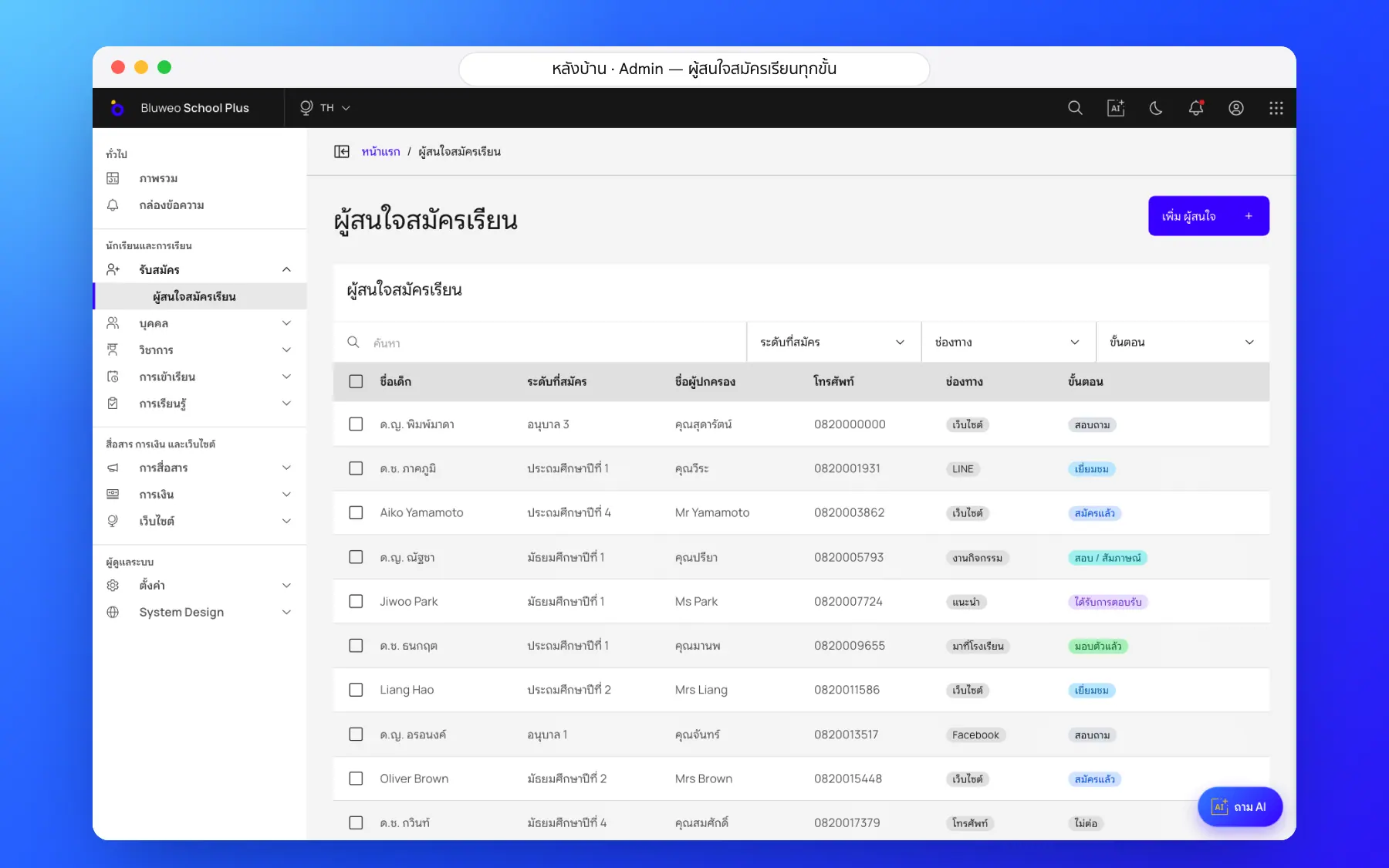
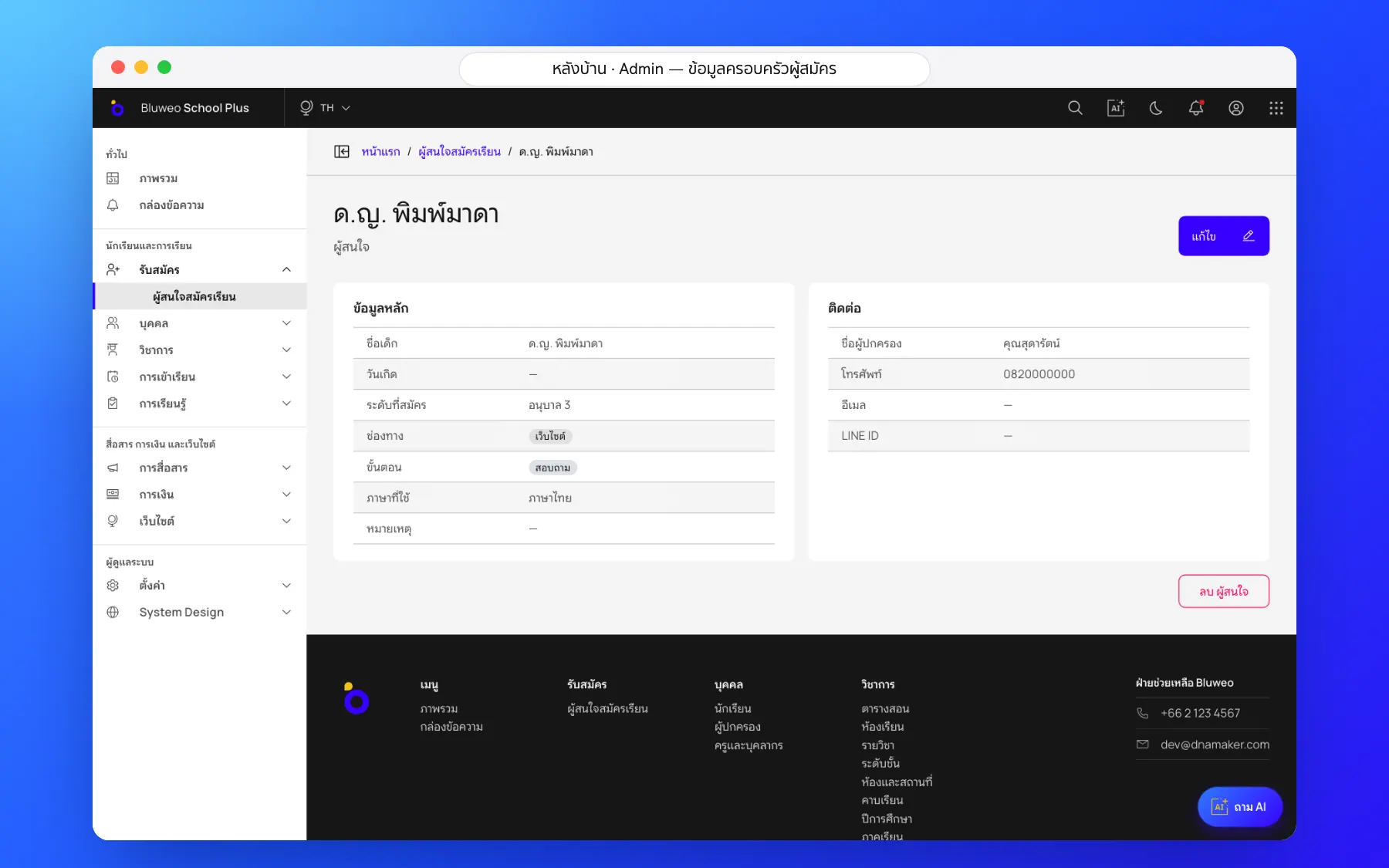
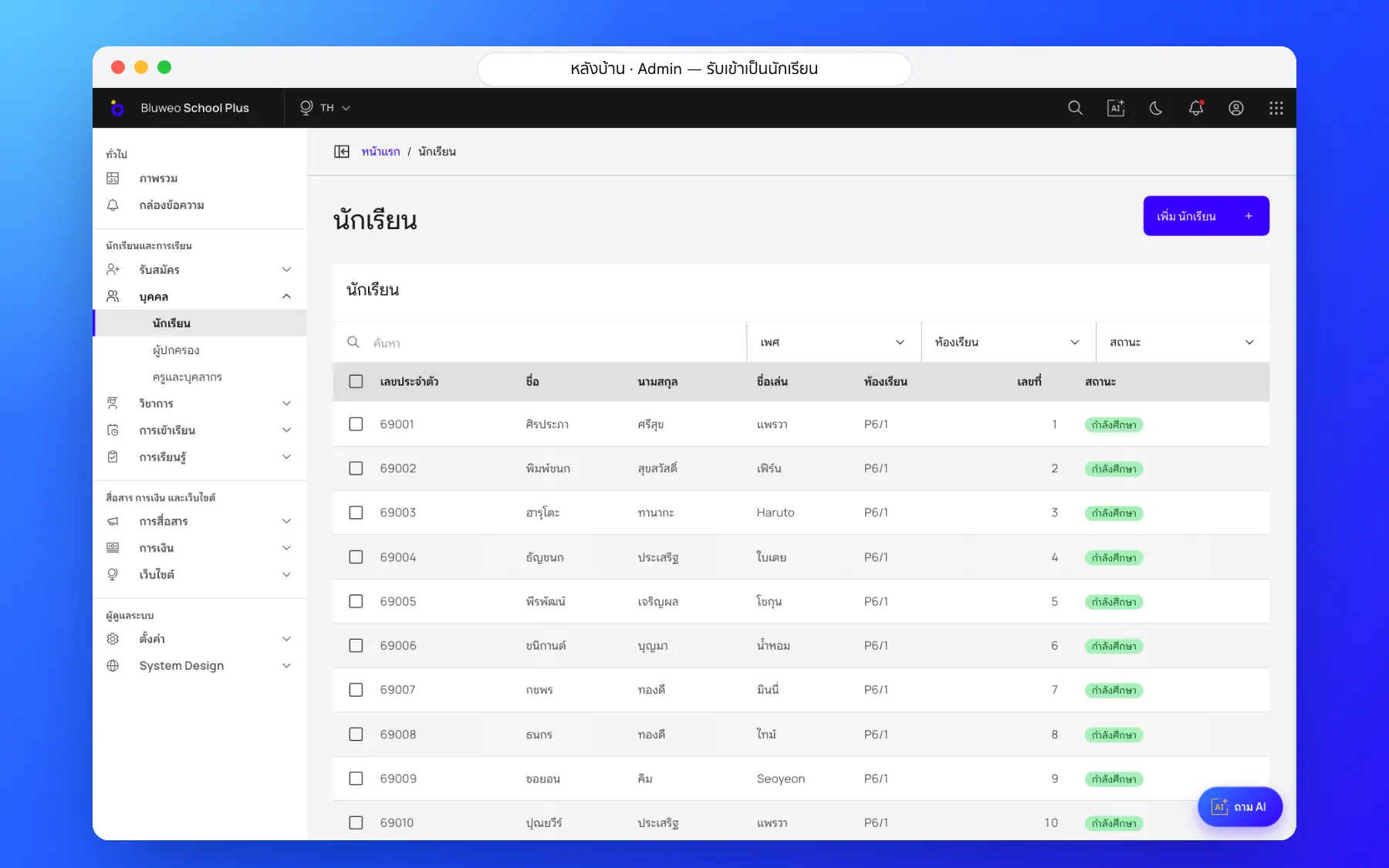
The admissions team sees every family by stage, from enquiry, visit, application and test to an offer and enrolment. On enrolment the details become the student record with guardians.
- Each family’s stage and last contact
- Searchable, filterable student records
- Several guardians per student
- Sensitive data encrypted and shown by role
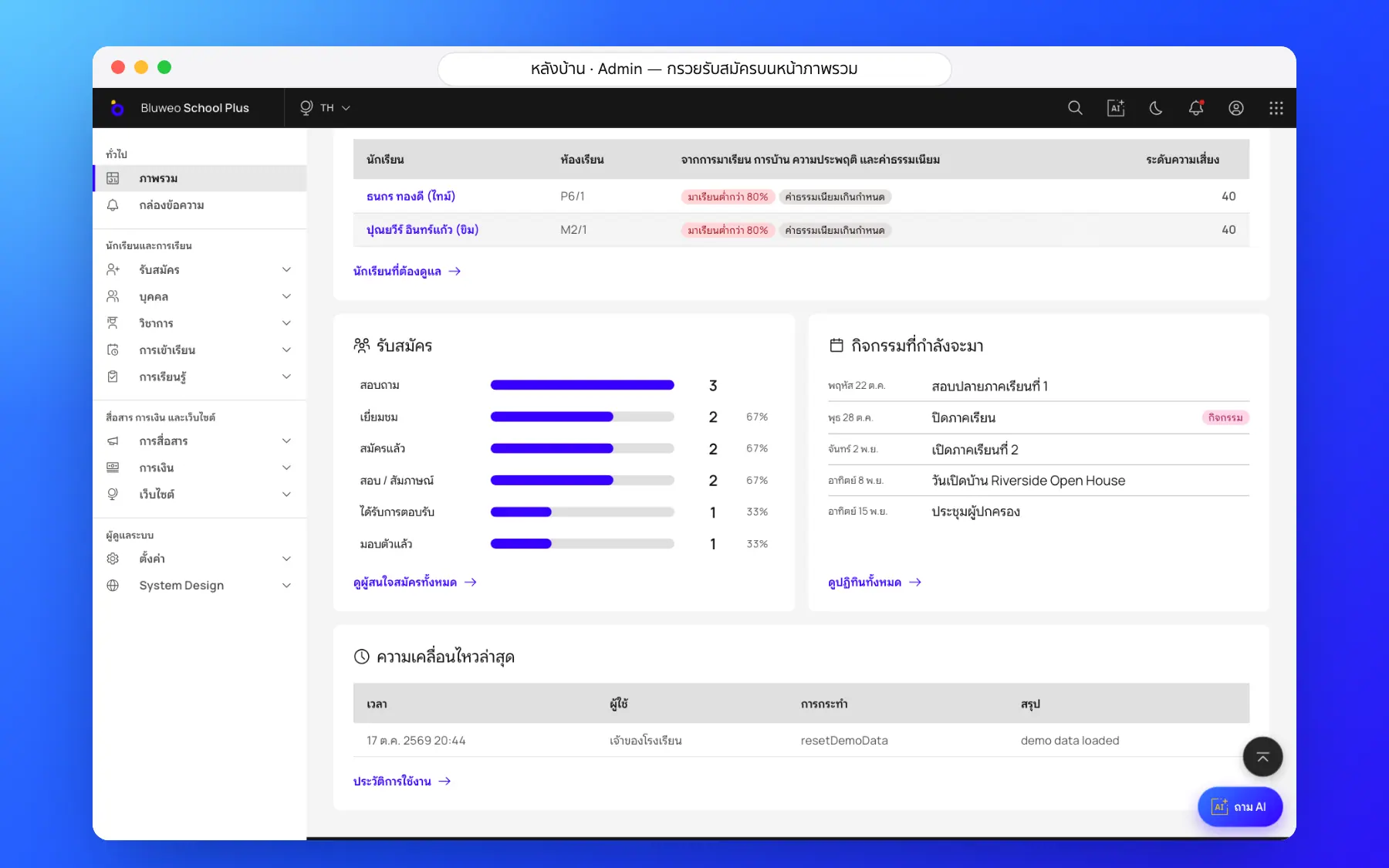
Admissions and student records screenshots
Real screens from the live demo. Click a screenshot to see it large and step through them.
How it works
How a school uses the admissions and student records
1. Parents apply online
They fill in the form on the school website and it lands in the system.
2. Admissions follows up
Book visits, log contacts and move families on.
3. Assess and offer
Record assessments and send the offer.
4. Enrol as a student
Child and guardian details move into the student register.
What it does
Everything it can do today
Applications from the website
The admissions form on the school website sends details straight into the system; nothing is copied from e-mail.
Every stage followed
See how many families are at each stage and who needs a call back.
Complete student records
Student history, class, several guardians and contact details in one place.
Sensitive data encrypted
National ID numbers and health details are encrypted and shown only to those allowed.
Know the source
Website, LINE, Facebook, events or referrals.
No family forgotten
See who has not been contacted at each stage.
Admissions funnel
Leaders see the numbers at each stage and how many move on.
PDPA consent
The form asks for consent before any data is kept.
Who uses it
Everyone shares one set of data but sees only their part
Admissions
Follow every family from enquiry to enrolment.
Registrar
Bring new students into the register without retyping.
Leaders
See applications and trends every day.
Related features
Every feature shares one set of data, so they work together from day one
School website and CMS
Drag-and-drop pages, full SEO and five languages.
Learn more — School website and CMSSchool fee collection
Invoices with PromptPay QR, a slip-checking queue, receipts and duplicate-slip blocking.
Learn more — School fee collectionSchool communication
Announcements, an events calendar, notifications and teacher–parent chat.
Learn more — School communicationAdmissions questions
Yes. Parents fill in the admissions form on the school website and it reaches the admissions team at once.
Each family sits at one stage, from enquiry to enrolment; the team moves them on and logs every contact.
Yes. The DNA Maker team imports students and guardians from Excel or your old system.
In the school’s admissions system, visible only to the admissions team and leaders by role.
No. The application details become the student and guardian records with nothing typed twice.