




A teacher’s day, done on one phone
Roll call, timetable, classes, leave and chat with parents.
What is the teacher app?
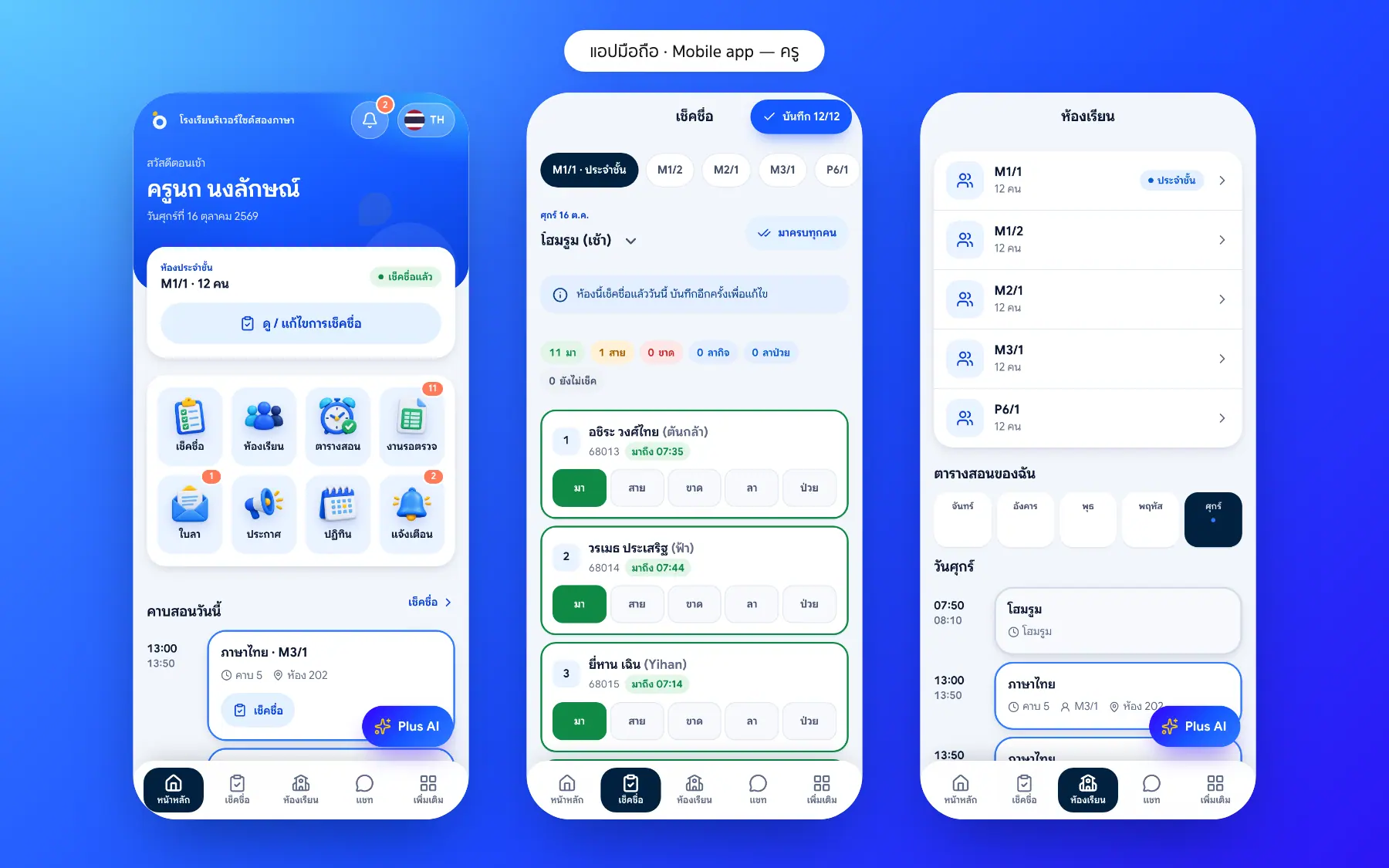
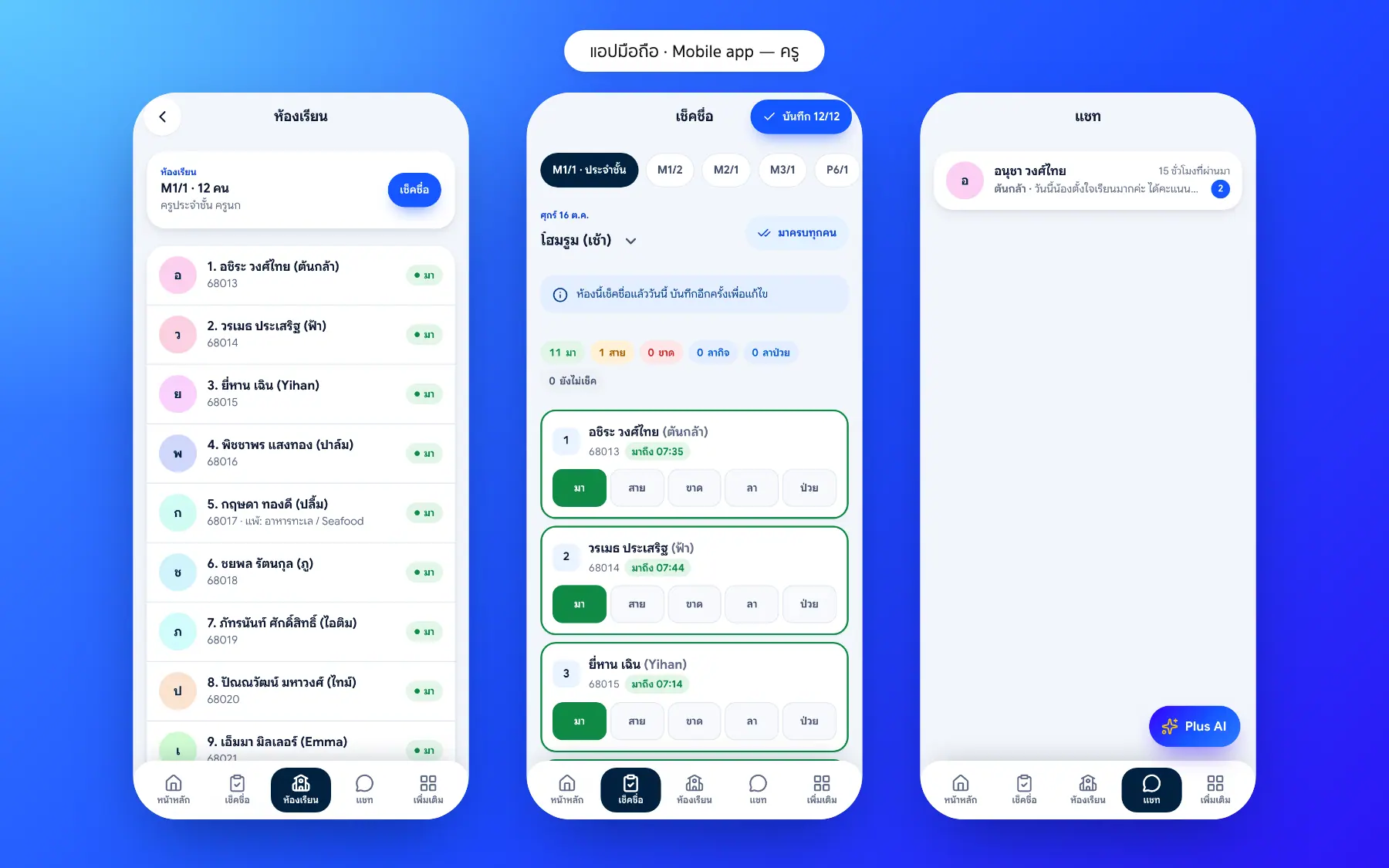
The Bluweo School Plus teacher app puts a teacher’s daily work on the phone, from the morning roll call to answering parents after school.
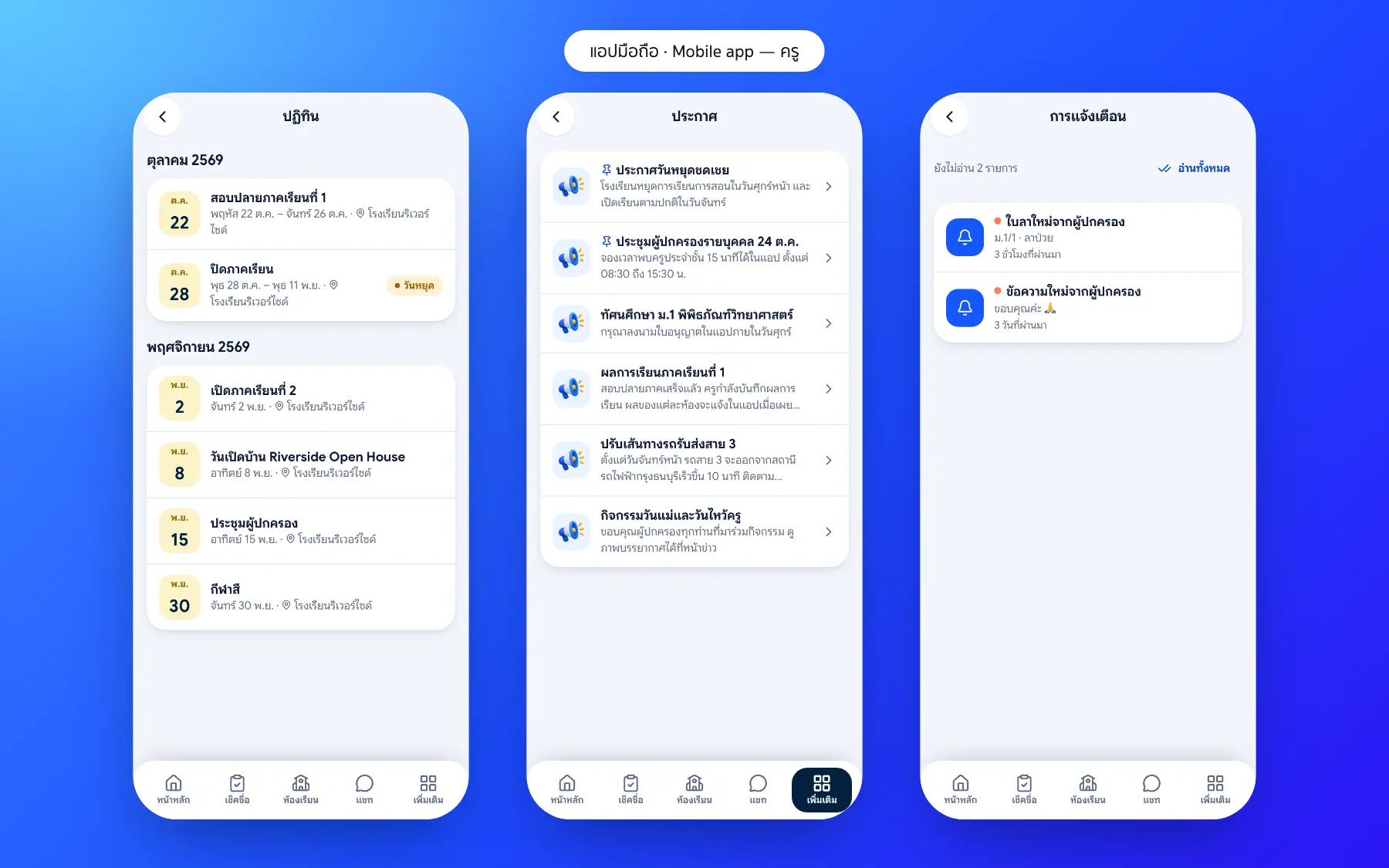
Teacher app screenshots
Real screens from the live demo. Click a screenshot to see it large and step through them.
How it works
How a school uses the teacher app
1. Open in the morning
See your periods and classes still to check.
2. Roll call in class
Tap names; it works without a signal.
3. Answer parents
Chat about that one child.
4. News and calendar
Never miss school events or meetings.
What it does
Everything it can do today
Roll call offline
Saved on the phone and sent when back online.
Today’s timetable
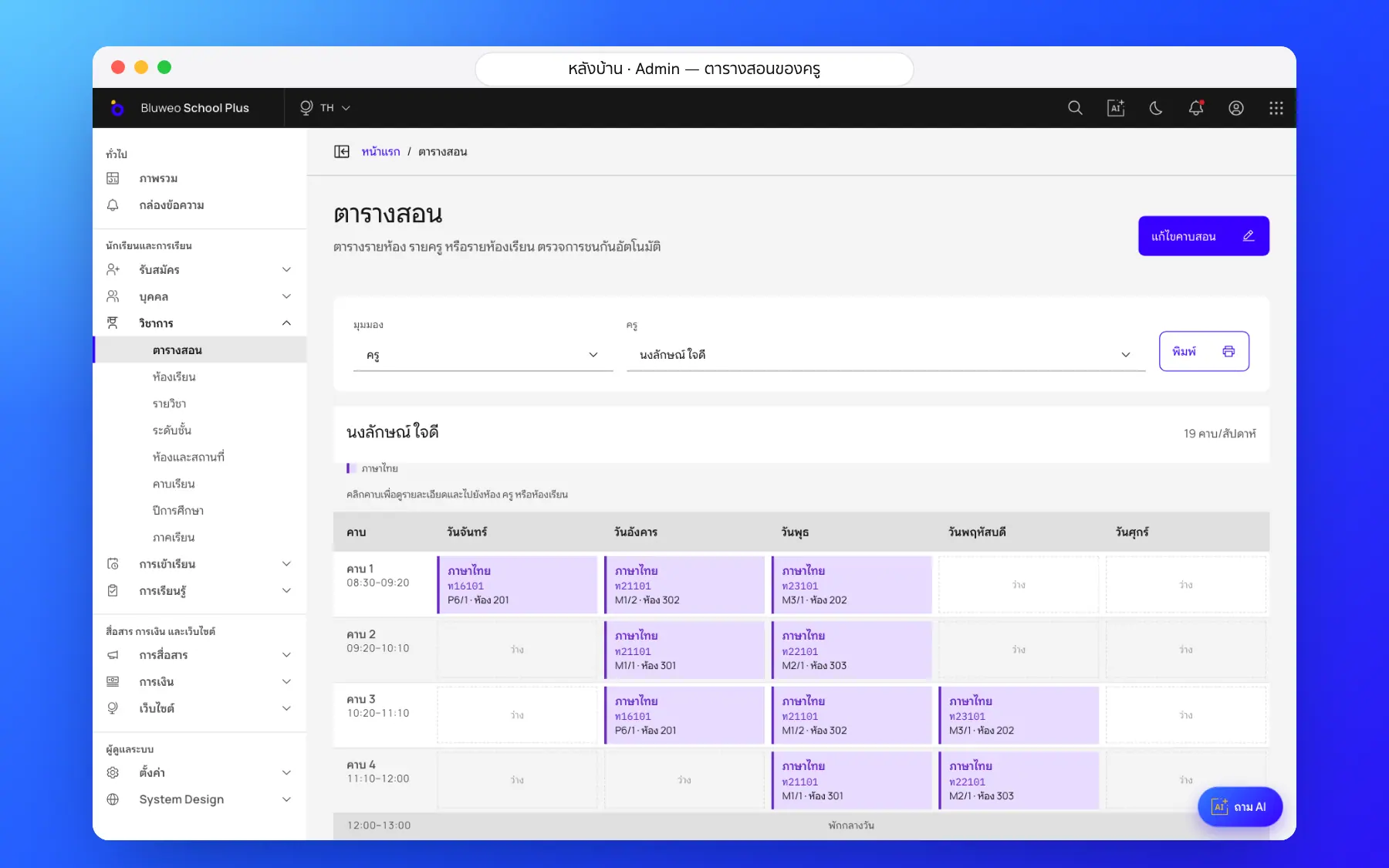
Periods, classes and rooms to go to.
Homeroom class
The class list, attendance and leave.
Chat with parents
Talk about students without giving out a private number.
Homeroom class
Your class list and today’s attendance.
Approve leave
Your students’ leave requests wait in the app.
Every class you teach
Switch classes in a tap.
No install
Open in the browser or add to the home screen.
Who uses it
Everyone shares one set of data but sees only their part
Homeroom teachers
Look after their class from a phone.
Subject teachers
Know their timetable and rooms every day.
All teachers
Talk to parents without a personal LINE account.
Related features
Every feature shares one set of data, so they work together from day one
Student attendance
Morning roll call on a phone in seconds; parents are told at once when a child is absent.
Learn more — Student attendanceTimetable
Timetables by class, teacher and room, with a warning when a teacher or room clashes.
Learn more — TimetableSchool communication
Announcements, an events calendar, notifications and teacher–parent chat.
Learn more — School communicationTeacher app questions
No, open it in the browser or add it to the home screen.
Both, any phone with a browser.
No, only the classes they teach or look after.