




Student attendance system: roll call in seconds, parents told at once
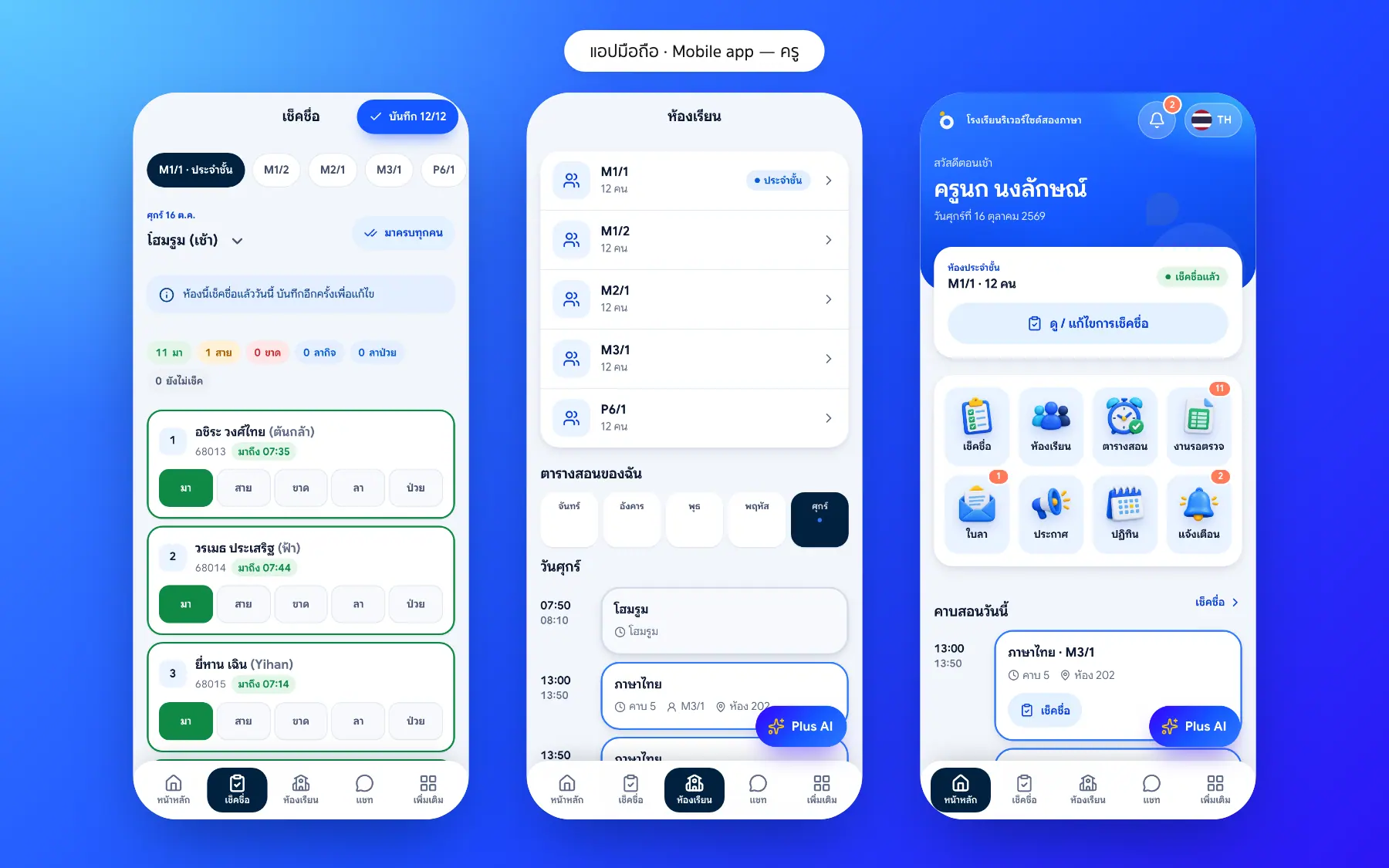
Teachers tap “Mark all present”, change only the late, absent, leave or sick students, and parents of absent students are told the moment it is saved.
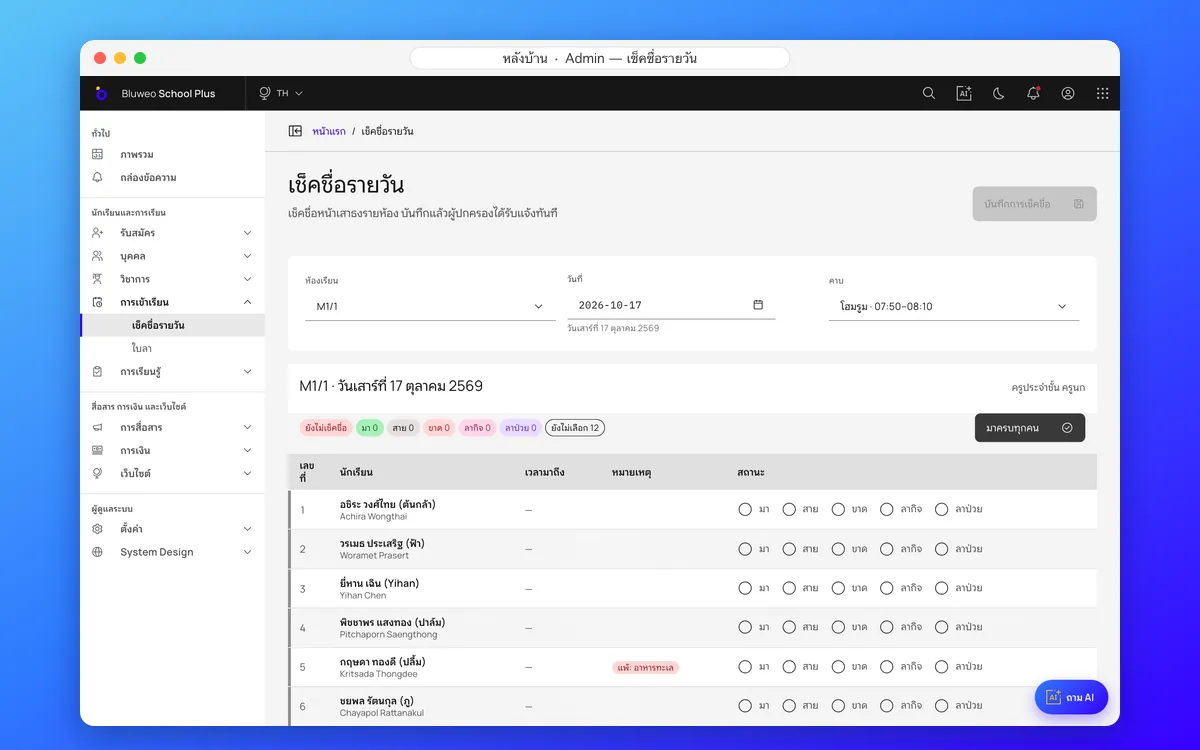
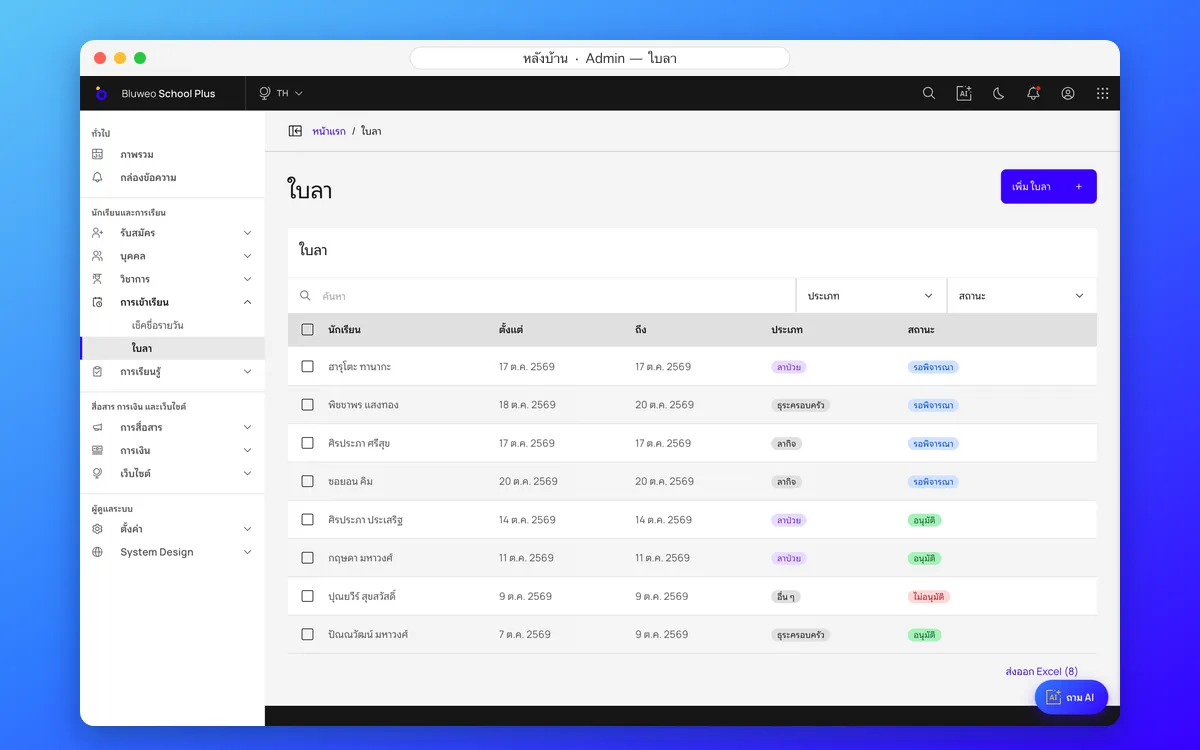
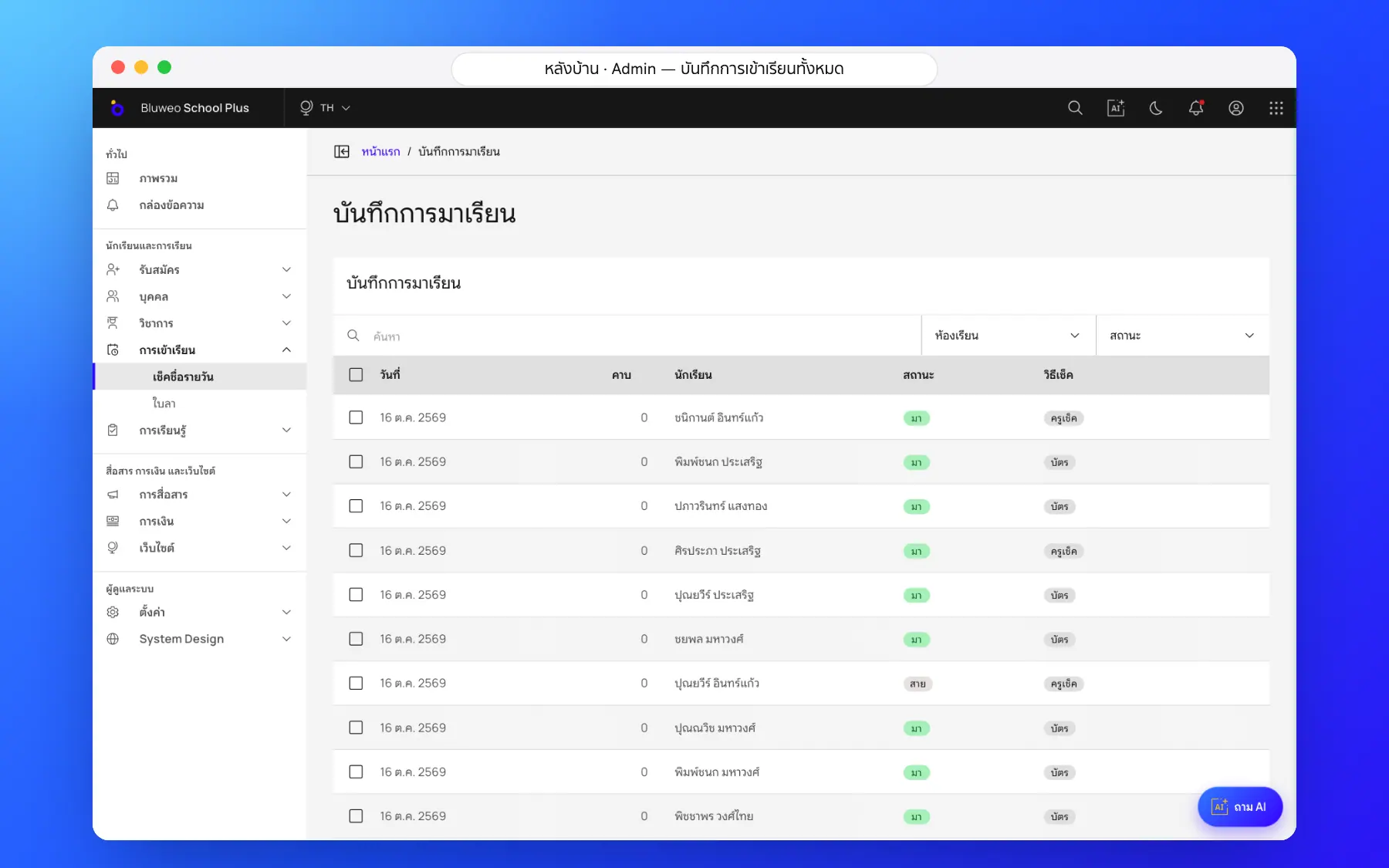
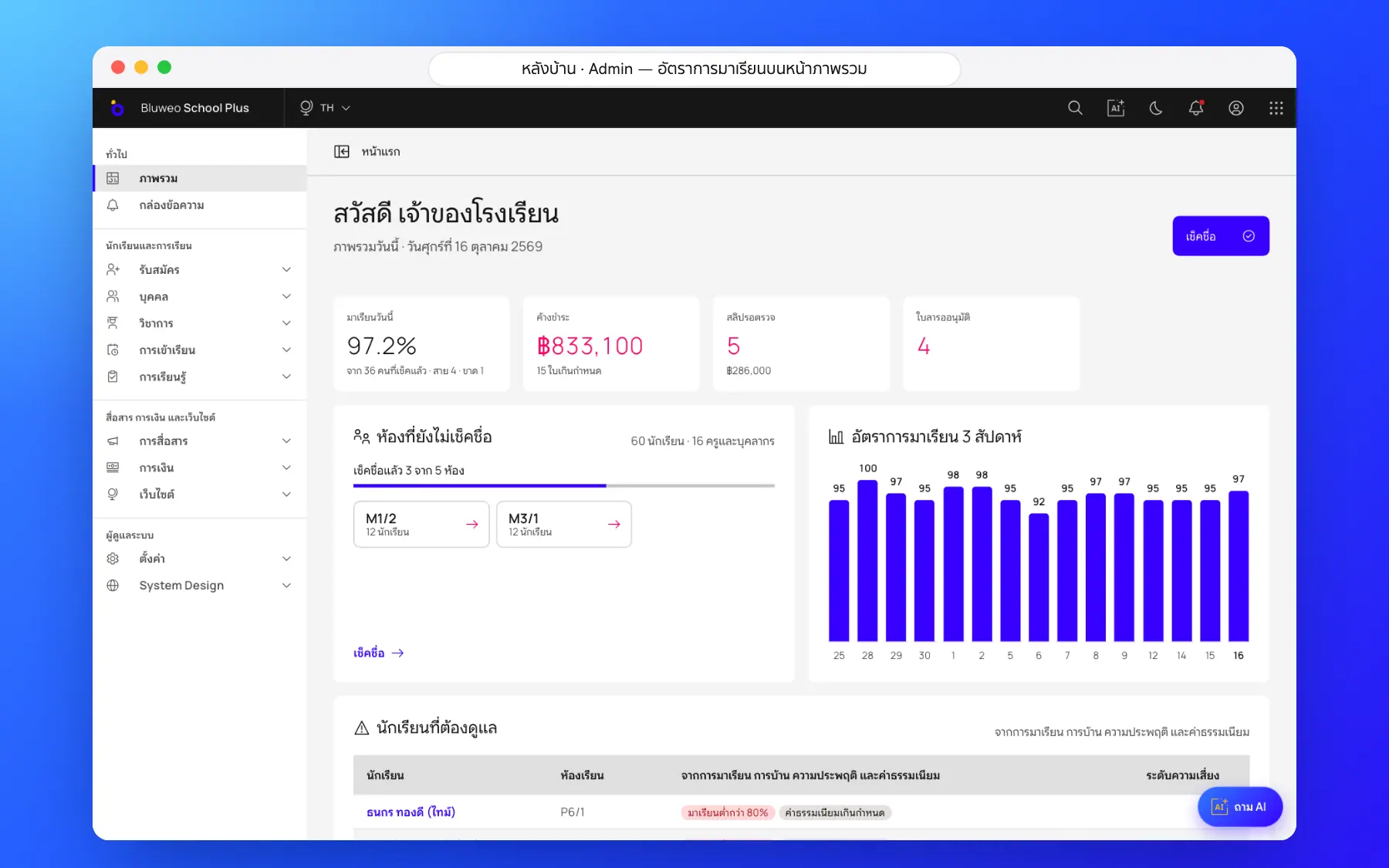
Back office: the whole school’s attendance, live
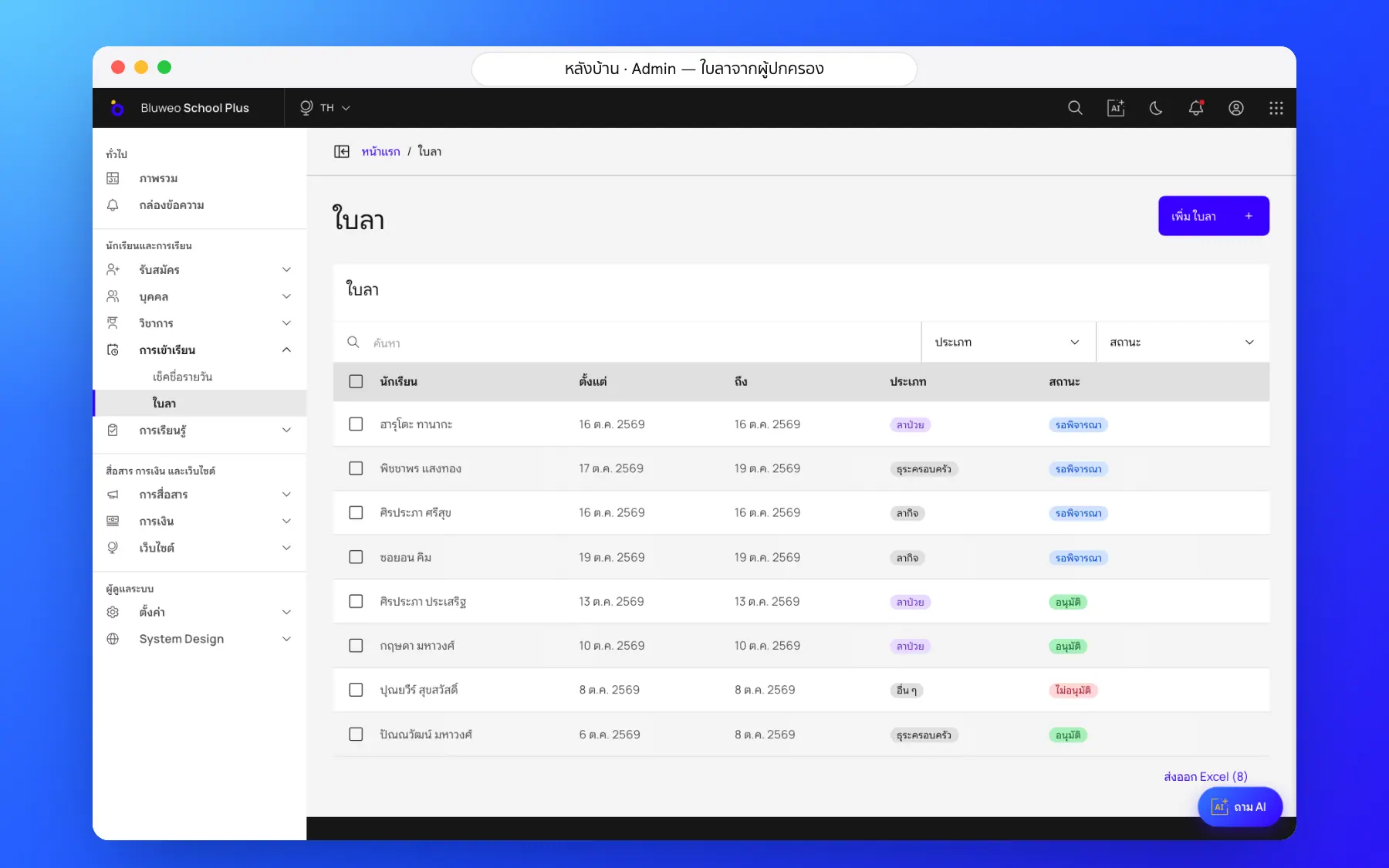
The academic office and leaders see which classes have taken roll call, which have not, and who is absent, late or on leave, on one screen. Leave requests from parents sit alongside, and once approved they appear on the roll call by themselves.
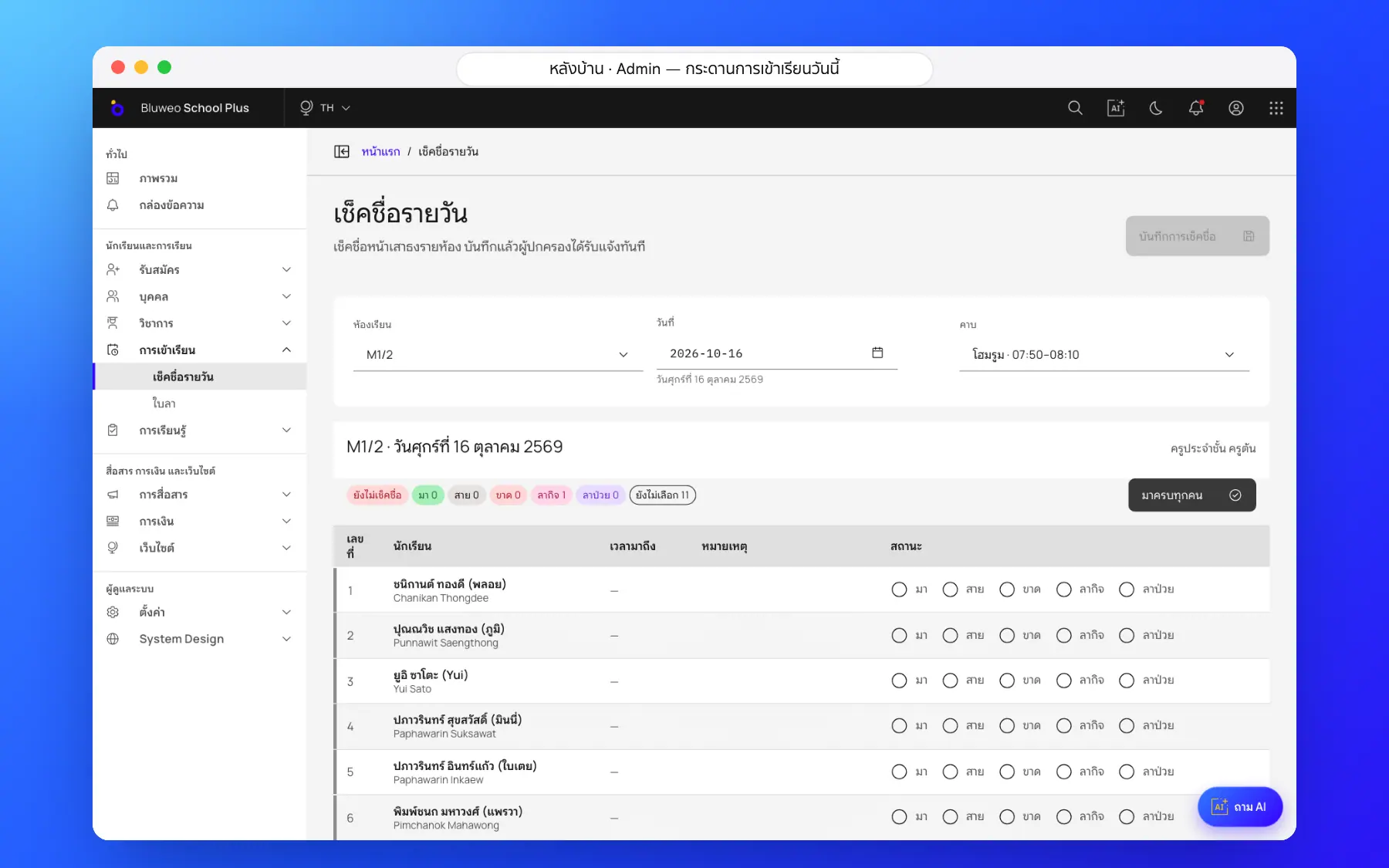
- Daily and per-period roll call by class and date
- Classes still to take roll call, at a glance
- Approved leave appears on the roll call automatically
- Attendance history for the 80% rule
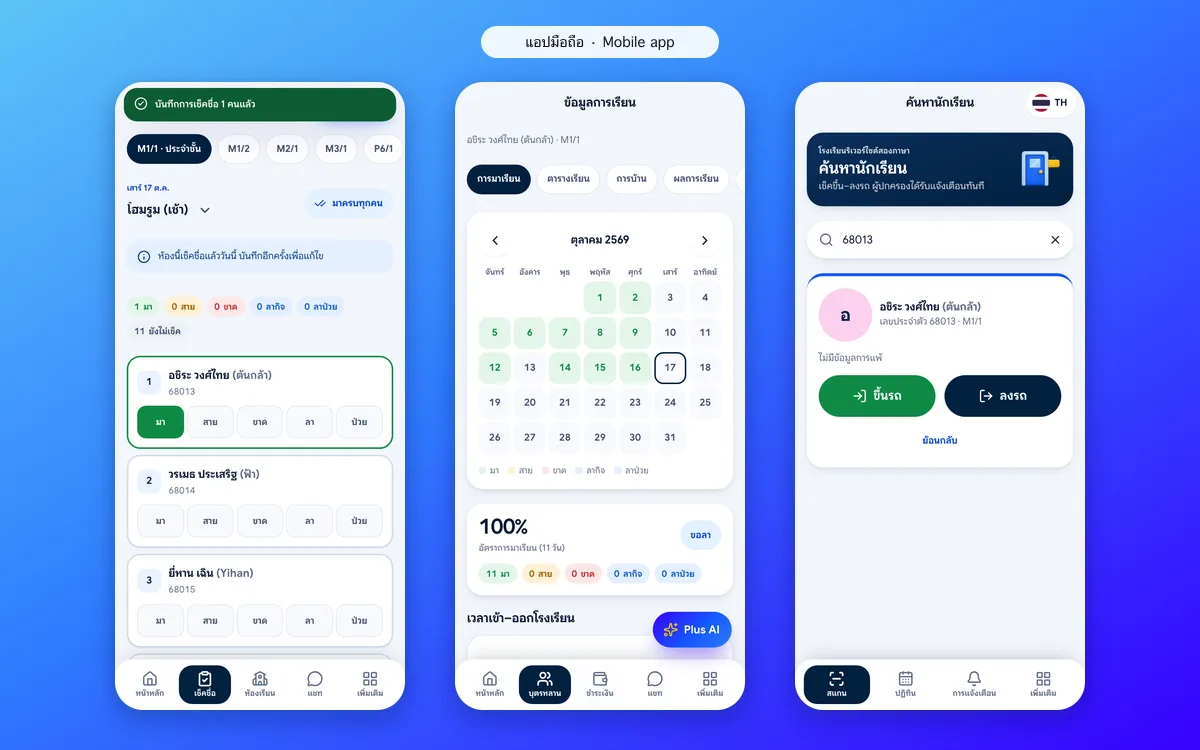
Teacher and parent apps: roll call in seconds, parents told at once
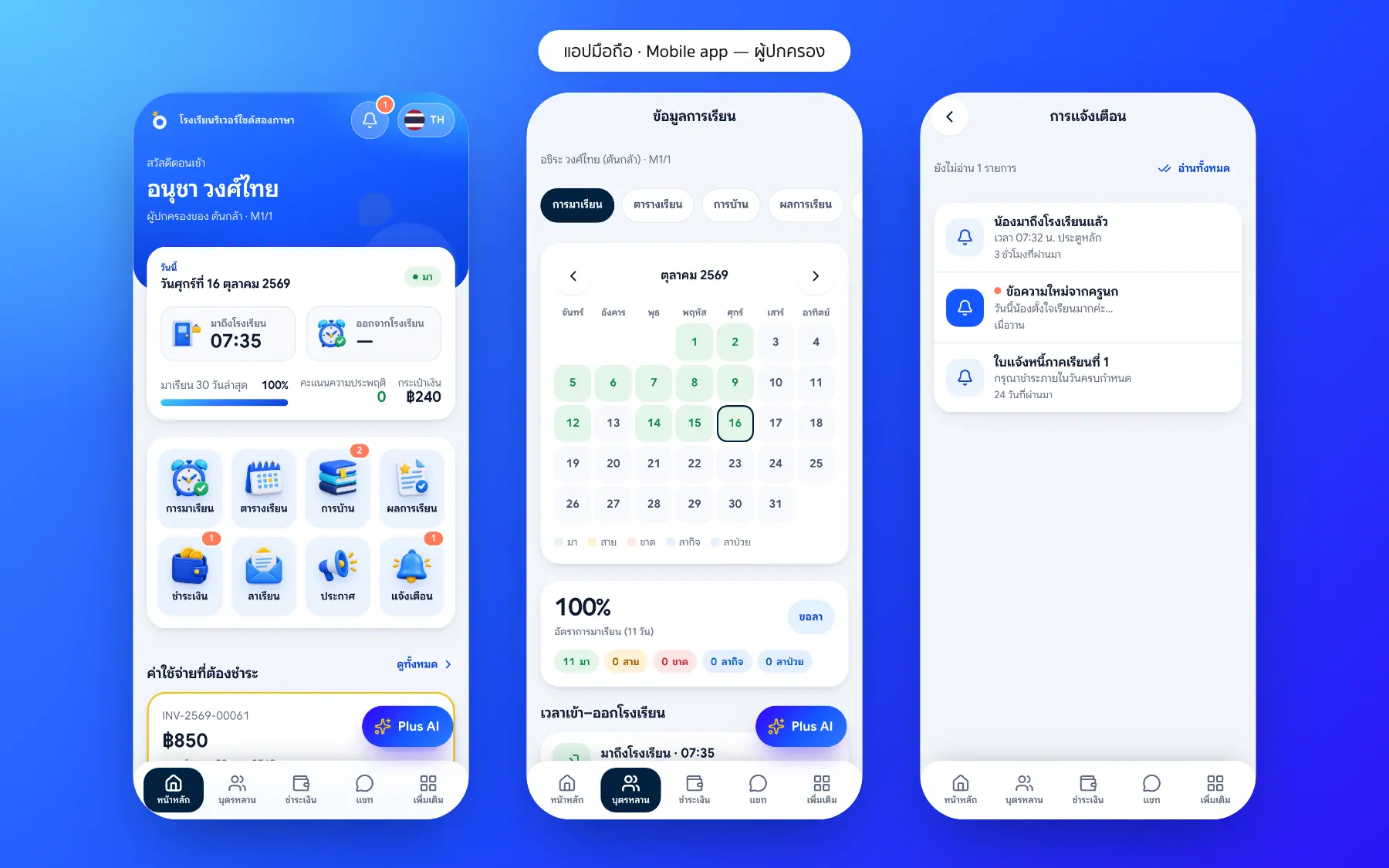
Teachers tap “Mark all present” and change only those absent, late or on leave. Parents of absent students are told straight away and see a month of their child’s attendance on a calendar.
- Everyone starts present; change only the exceptions
- Parents alerted the moment a child is marked absent
- A monthly attendance calendar in the parent app
- Arrival times from the school bus or the gate
Student attendance screenshots
Real screens from the live demo. Click a screenshot to see it large and step through them.
How it works
How a school uses the student attendance
1. Morning roll call
Open the app, tap "All present", then change only those who are late, absent or on leave.
2. Parents are told
Parents of absent or late children get an in-app alert straight away.
3. Leave flows in
Approved leave changes the roll call automatically.
4. Leaders see the picture
The attendance rate and classes still to check are on the dashboard every morning.
What it does
Everything it can do today
Five standard marks
Present, late, absent, leave and sick, as Thai schools record them.
Works when the network drops
The app keeps the roll call on the phone and sends it when it is back online.
Leave flows in by itself
Approved leave shows on the roll call automatically.
Corrections leave a trail
Every change needs a reason and goes into the audit log.
Per period or per day
Choose to check homeroom only or every lesson.
The 80% exam rule
Lesson attendance is counted per subject, with a warning for students at risk of losing exam eligibility.
Gate scans count
Gate and bus scans can be used as the arrival time.
Exportable reports
Attendance by class, month and term, exported as a file.
Who uses it
Everyone shares one set of data but sees only their part
Homeroom teachers
Take the register in seconds and approve their class’s leave.
Parents
Know at once when their child is absent or late, and send leave themselves.
Leaders
See attendance rates and trends across the school.
Related features
Every feature shares one set of data, so they work together from day one
Student care
Behaviour records, leave requests and a list of students to follow up from attendance and grades.
Learn more — Student careSchool bus and arrival
Scan on and off the bus or at the gate; parents know at once that their child has arrived.
Learn more — School bus and arrivalParent and student app
Attendance, homework, grades, fees and chat with teachers in one app.
Learn more — Parent and student appAttendance questions
When a teacher marks a student absent, the parents get an in-app alert at once, with a button to send a leave request.
Yes. Students below the threshold get มส on the term report card, and the school can change the threshold.
No. Teachers take the roll on a phone, and gate or bus staff record arrivals on a phone too.
Yes. Teachers take daily roll call (flagpole or homeroom) and per-period attendance from the timetable.
The app keeps the roll call on the phone and sends it to the system by itself when it is back online.