




Timetable system: build it once, everyone sees their own
Place lessons on the grid, get an instant warning when a teacher or room clashes, and the timetable appears in each teacher’s and student’s app.
What is the timetable system?
The Bluweo School Plus timetable places each class’s lessons in the school’s own periods, linked to subjects, teachers and rooms. It checks teacher and room clashes automatically and is the basis for per-period attendance.
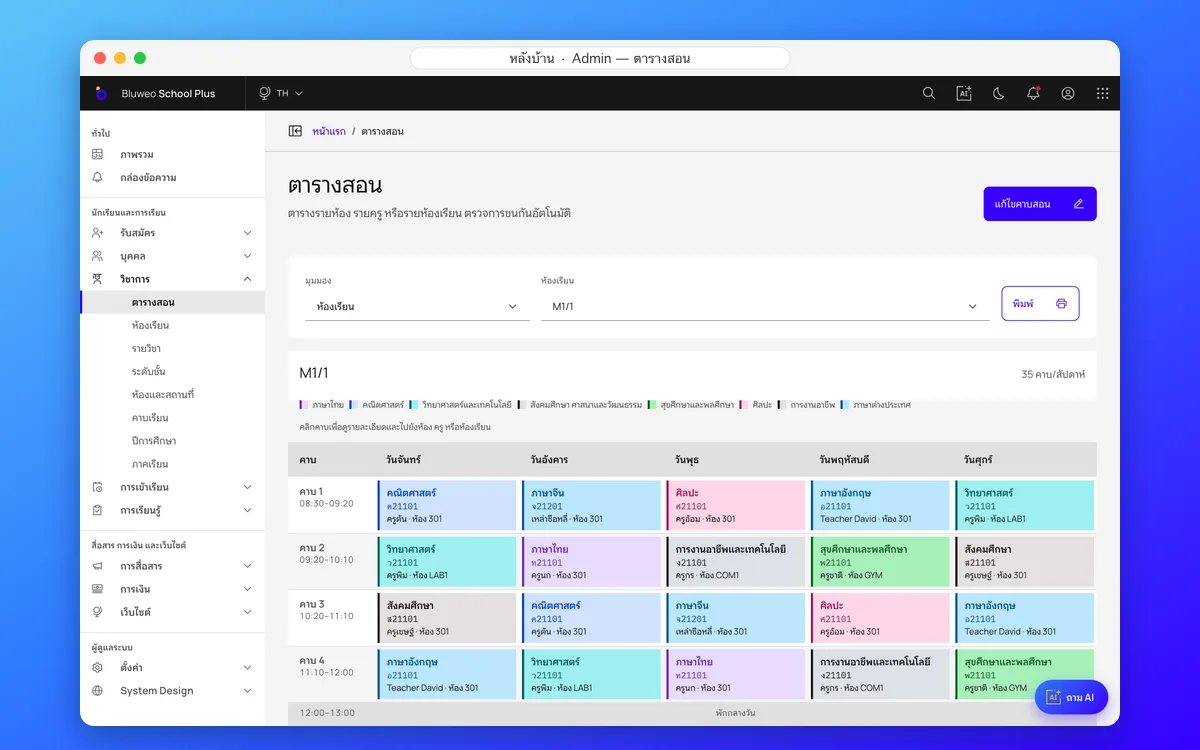
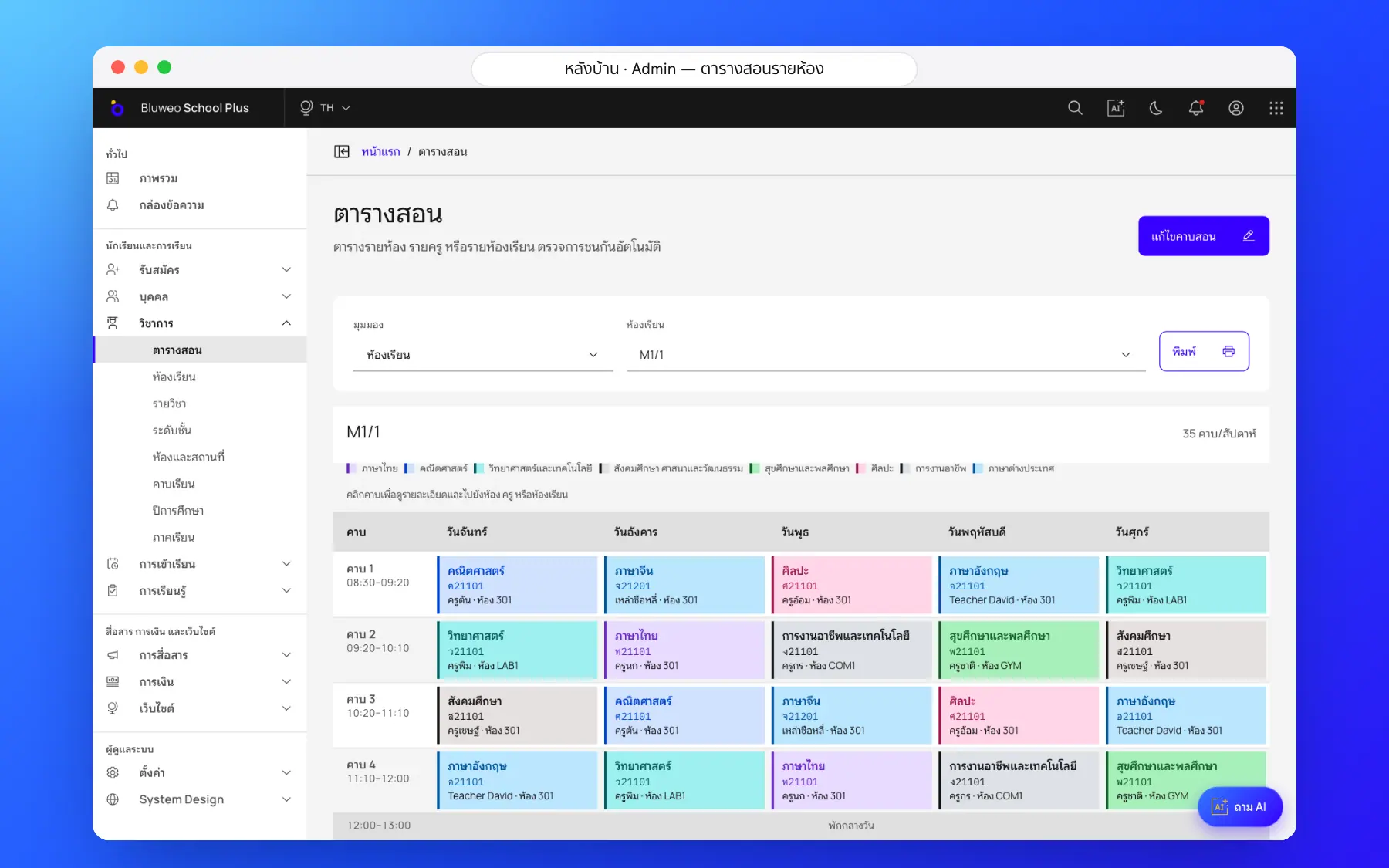
Back office: the whole week on one screen
The academic office sees each class’s week, places lessons by subject, teacher and room, gets an instant warning when a teacher or room clashes, and opens any lesson for details.
- Views by class, teacher and room
- Instant teacher and room clash warnings
- Colour by subject for easy reading
- Periods set by the school
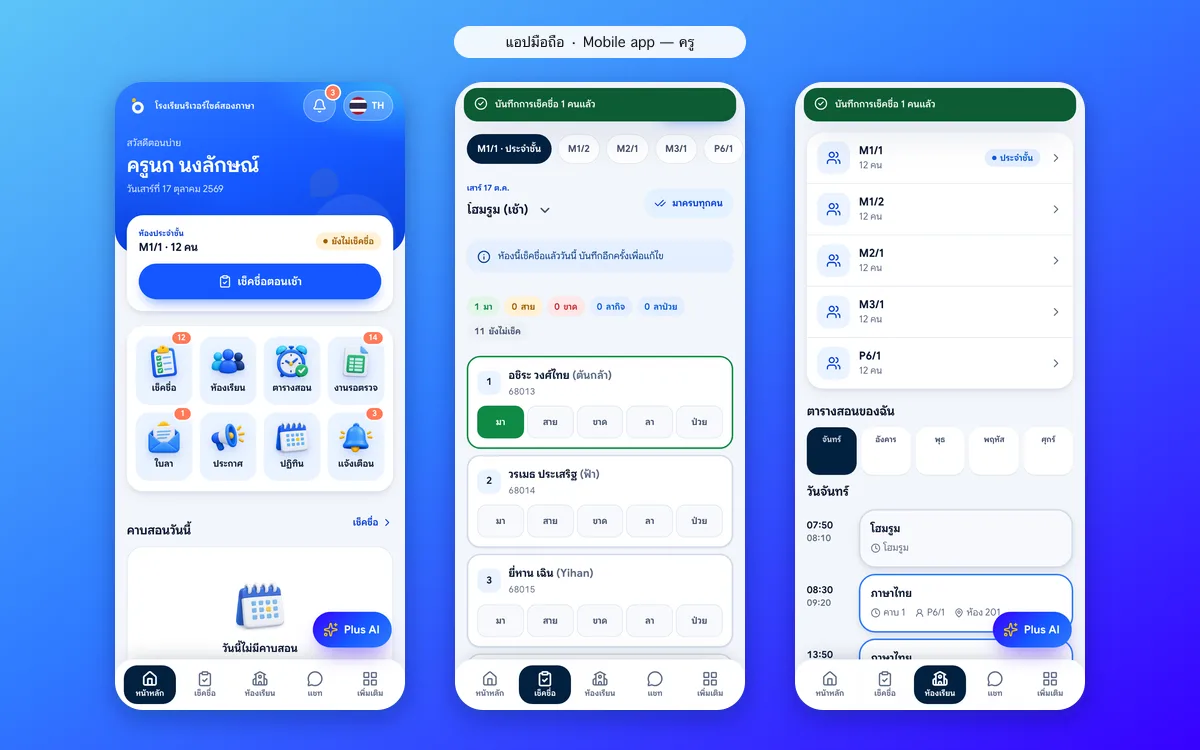
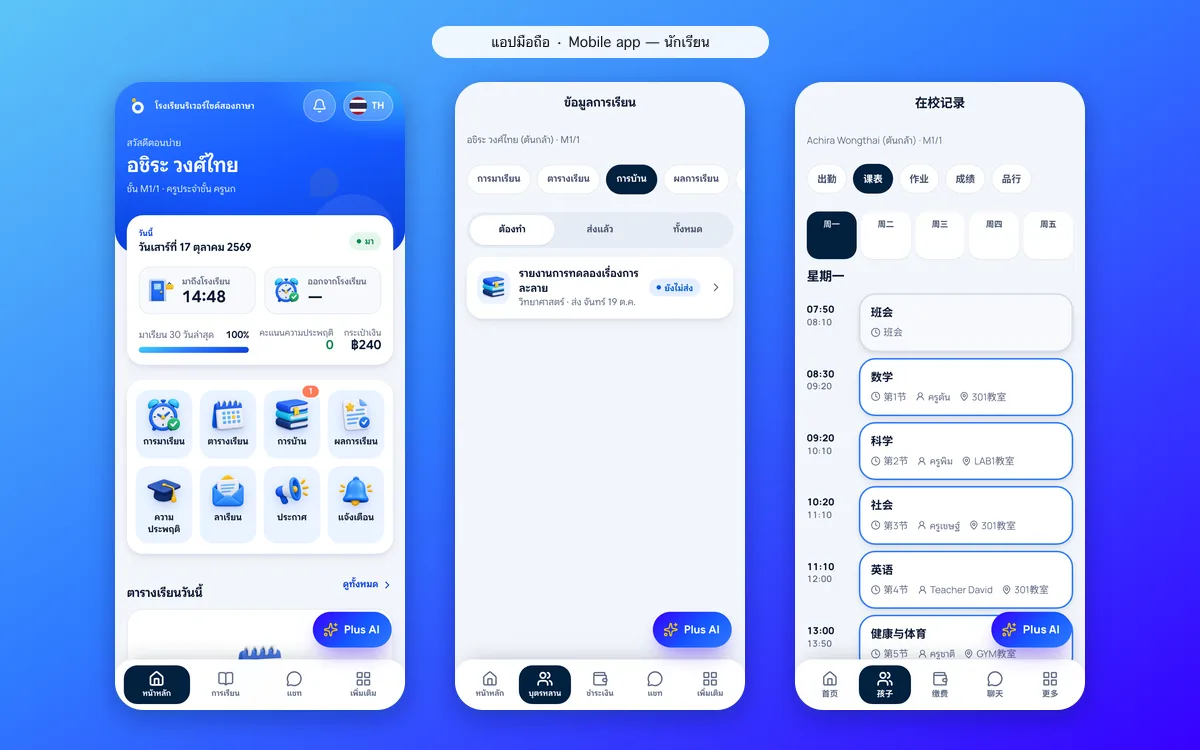
Teacher and student apps: their own timetable every day
Teachers see today’s lessons and the classes to take roll call for; students see each day’s timetable with room and teacher, in the language they choose.
- Today’s lessons on the teacher’s home screen
- Per-period roll call from the timetable
- Each student’s daily timetable
- Shown in the user’s chosen language
Timetable screenshots
Real screens from the live demo. Click a screenshot to see it large and step through them.
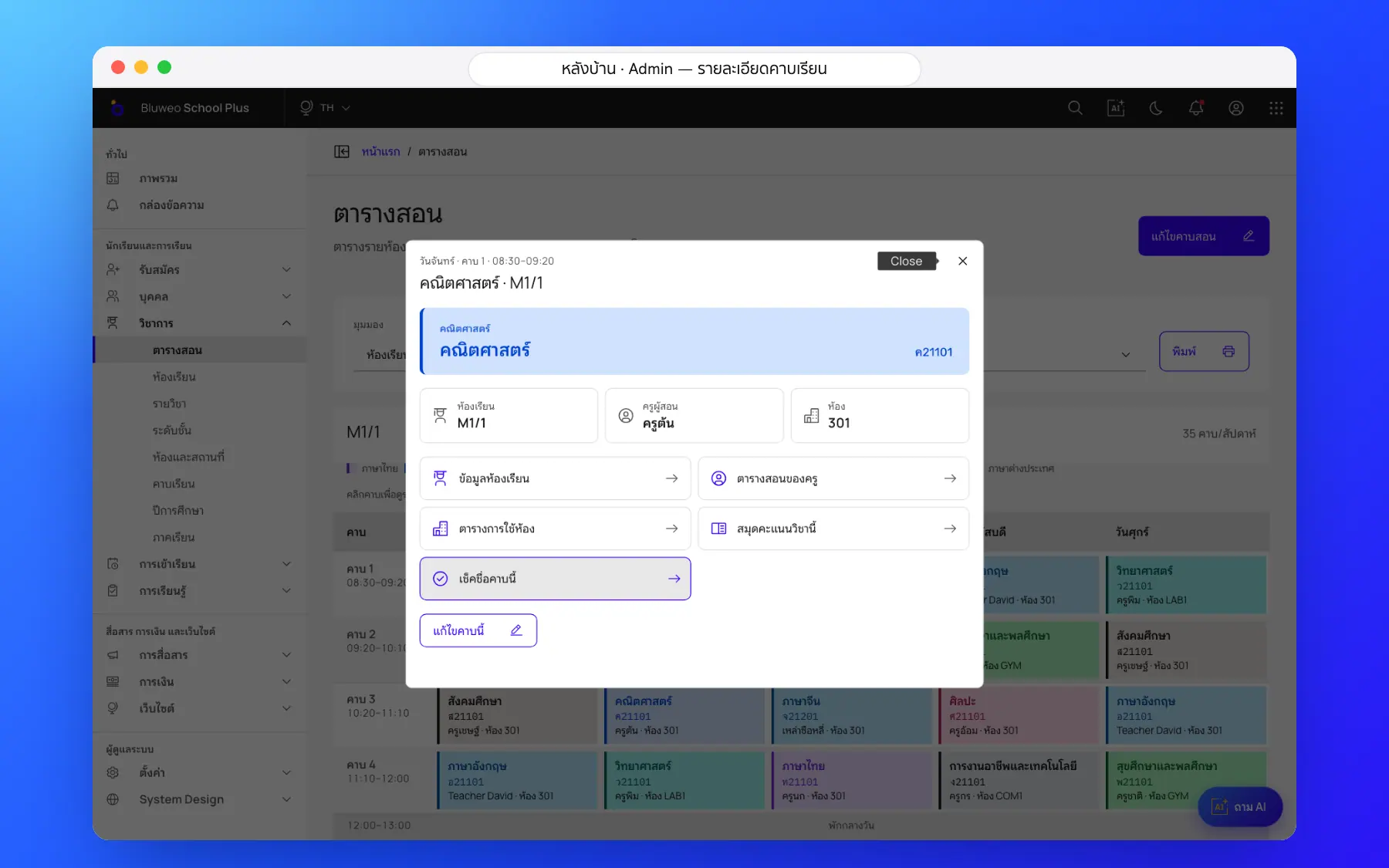
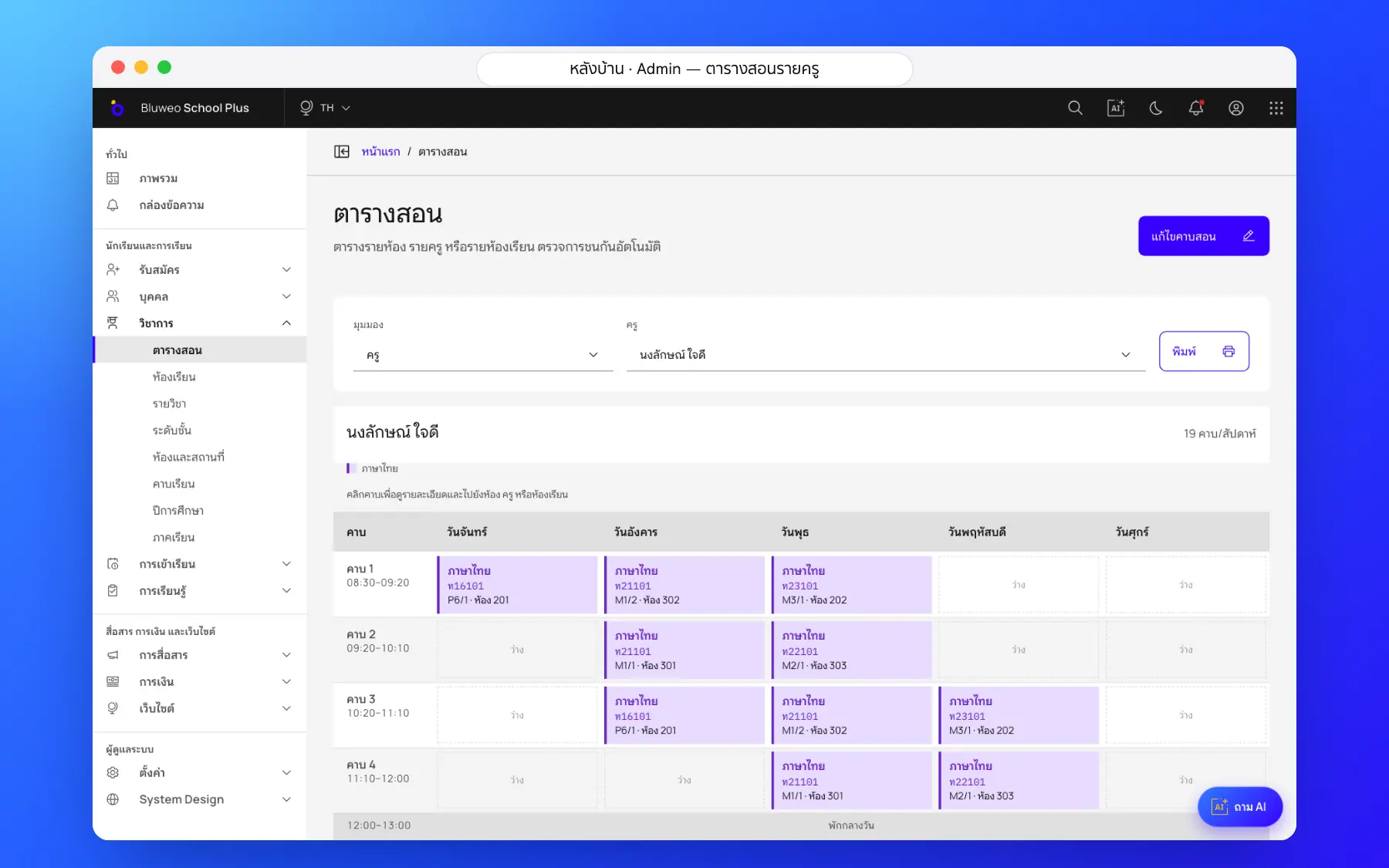
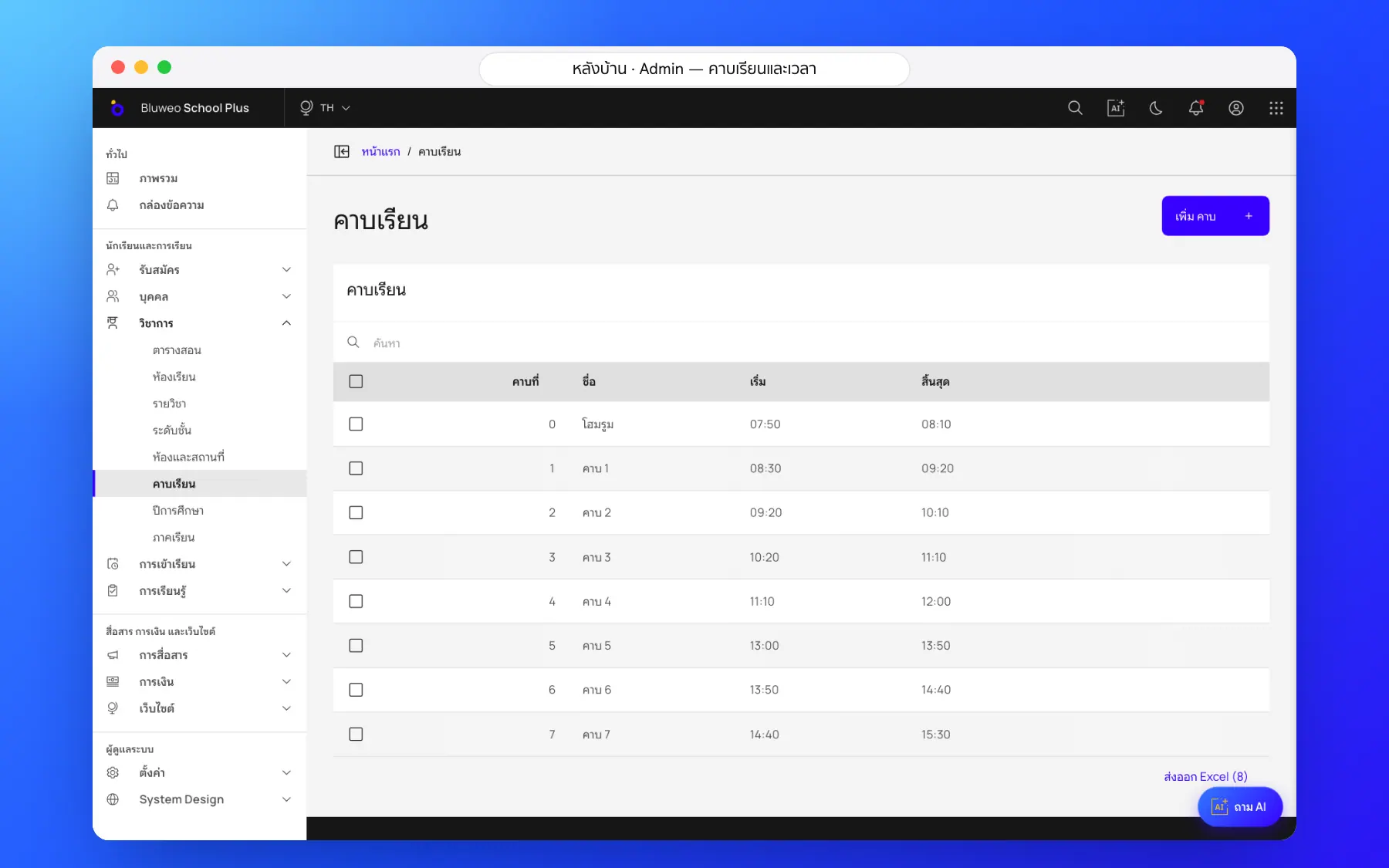
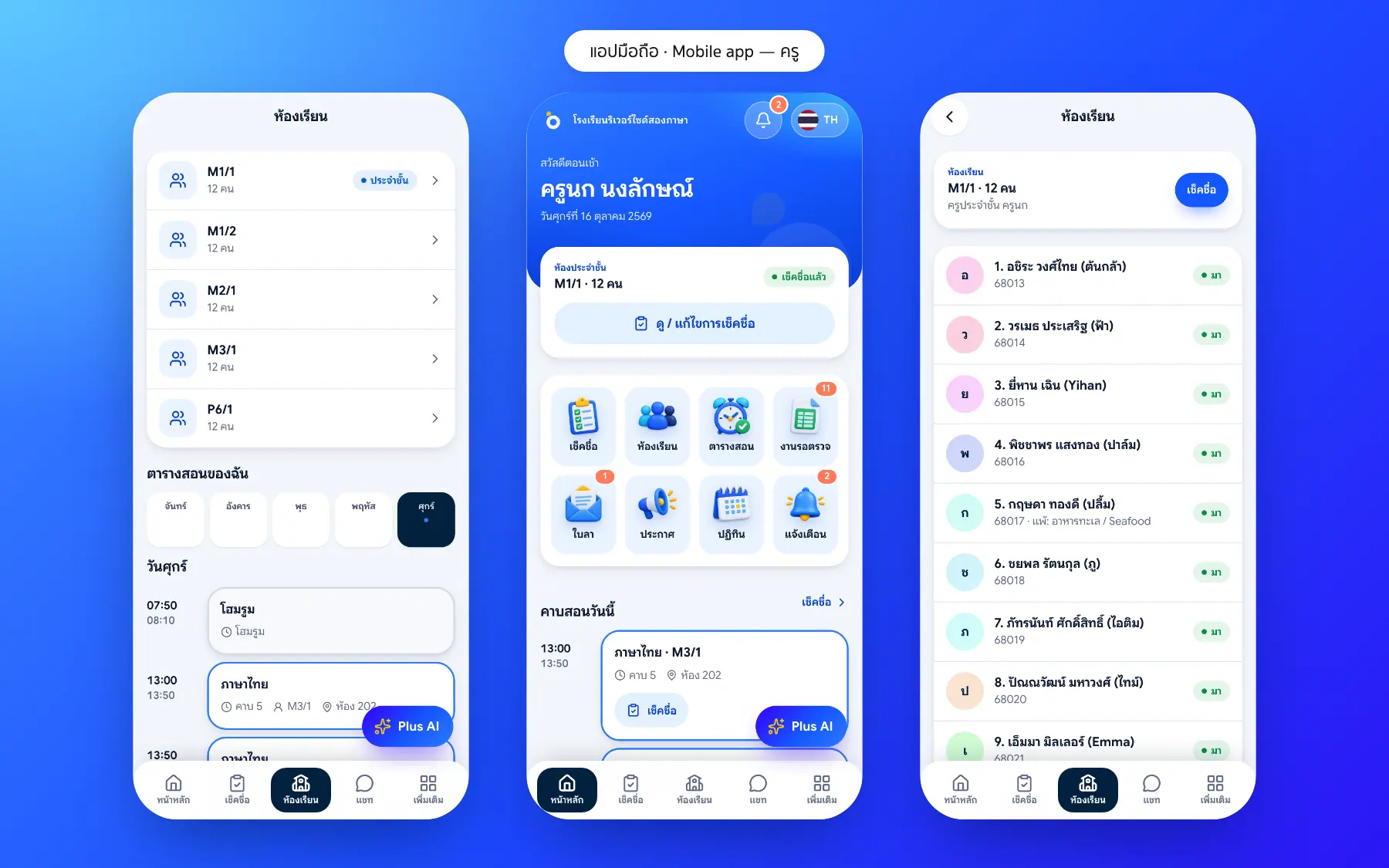
How it works
How a school uses the timetable
1. Set the periods
Times for each period, homeroom and lunch.
2. Build class timetables
Place a subject, teacher and room in each period.
3. Clash warnings
A teacher or room booked twice is flagged at once.
4. Everyone sees it
Teachers see their periods; parents see their child’s timetable.
What it does
Everything it can do today
Automatic clash checks
A warning when a teacher is in two classes at once or a room is double-booked.
Your school’s periods
Set your own periods, start and end times, including homeroom.
Three views
By class, by teacher and by room, from the same data.
Straight to the app
Teachers see today’s lessons and students see their timetable on their phones.
Three views
By class, by teacher or by room.
Teaching load
Periods per week for each teacher.
Linked to roll call and grades
Tap a period to open its roll call or gradebook.
Per term
Each term has its own timetable, kept for reference.
Who uses it
Everyone shares one set of data but sees only their part
Academic office
Build the school timetable without clashes.
Teachers
Know which class, period and room today.
Parents and students
See the timetable in the app.
Related features
Every feature shares one set of data, so they work together from day one
Student attendance
Morning roll call on a phone in seconds; parents are told at once when a child is absent.
Learn more — Student attendanceHomework
Teachers set work with due dates, students and parents see it in the app, and teachers review submissions in one place.
Learn more — HomeworkParent and student app
Attendance, homework, grades, fees and chat with teachers in one app.
Learn more — Parent and student appTimetable questions
The academic office places the lessons and the system checks teacher and room clashes at once. Automatic timetable generation is on the roadmap.
Yes. Teachers see the lessons they teach and take per-period attendance from the timetable.
In the student and parent app, in five languages.
Yes. The academic office edits lessons in the back office and the timetable in the teacher and student apps updates at once.
Yes. Every room, labs and computer rooms included, is checked so it is not double-booked in the same period.