




Parent app: follow your child day by day in one app
Attendance, arrival time, homework, grades, fees and chat with teachers; it opens in the browser and installs on the home screen like a real app.
What is the parent app?
The Bluweo School Plus parent app is a school app on the phone that parents use to follow their child day by day: arrival time, attendance, homework, grades, fees, leave requests and messages with teachers. The same app serves parents, students and teachers, each seeing only their own information. It opens from a link or QR code with no store download, in five languages.
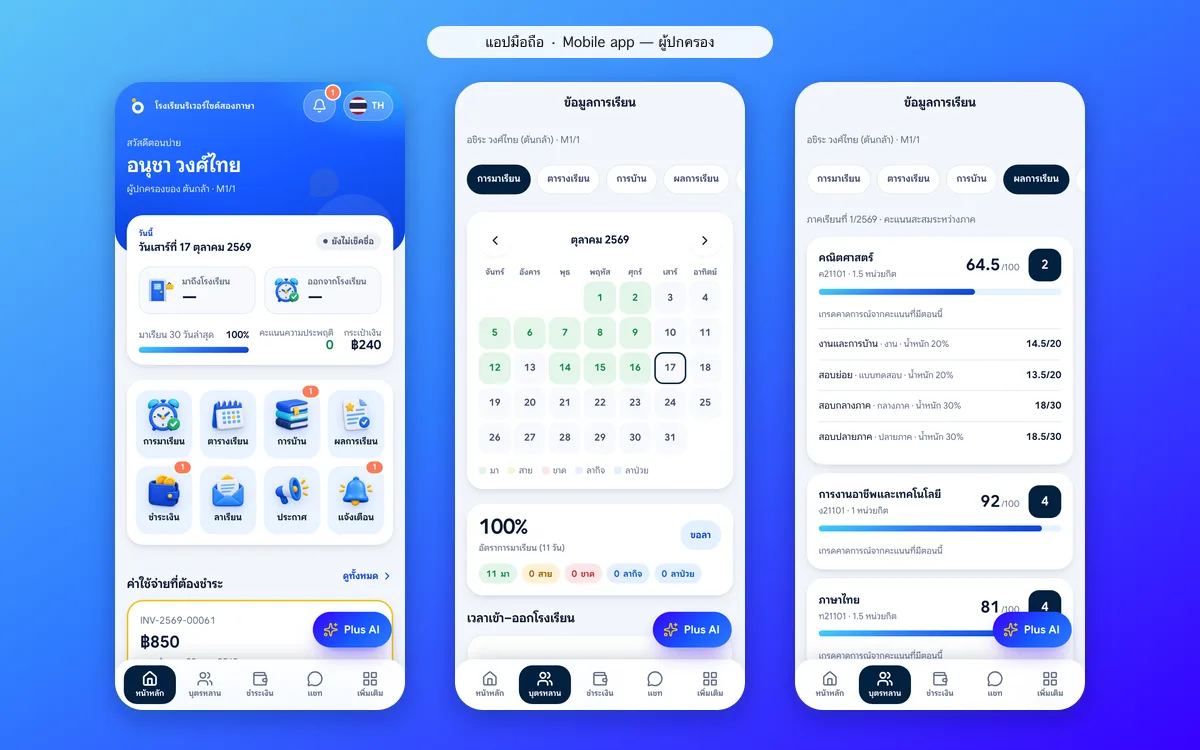
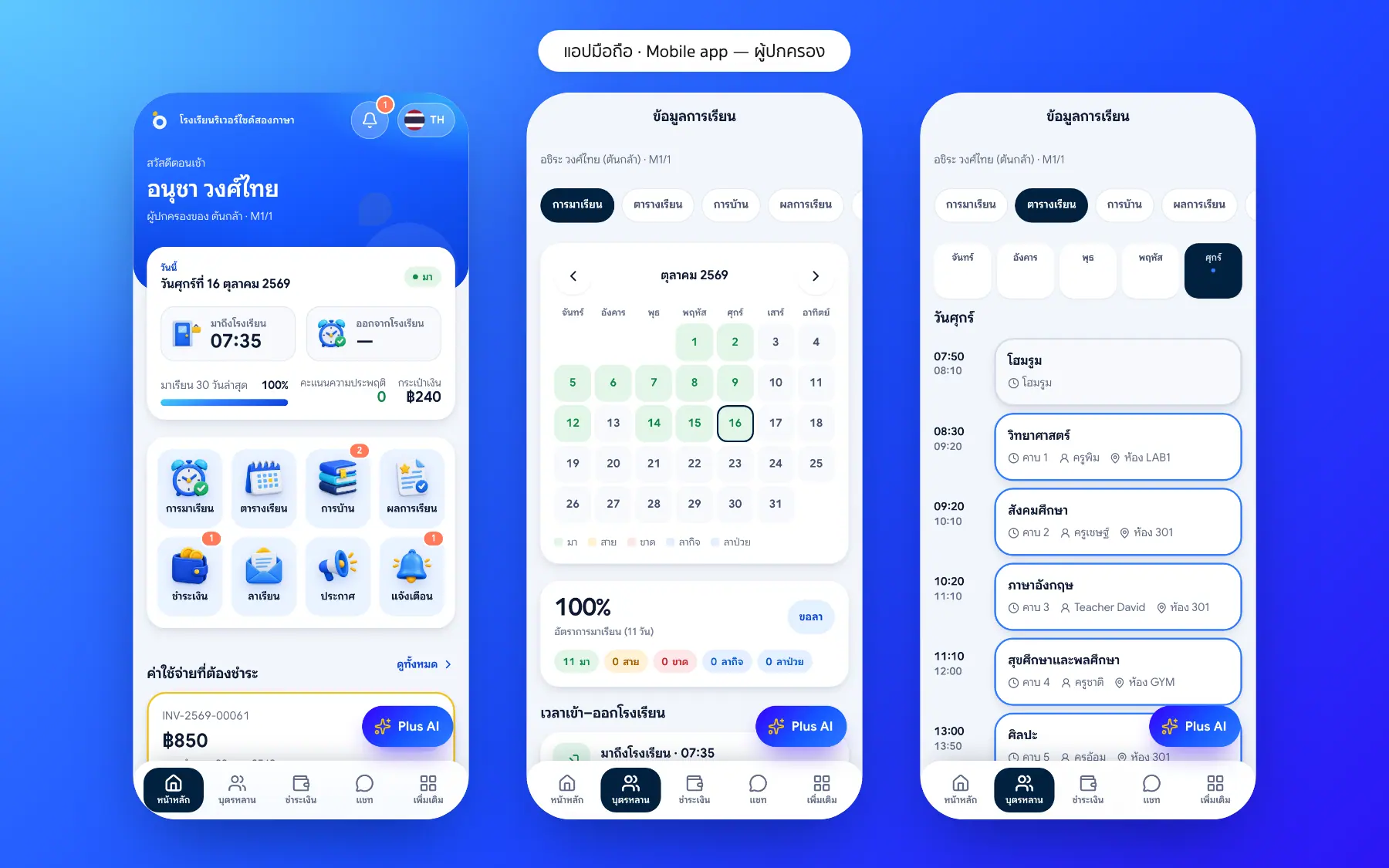
The parent home screen: everything about your child today
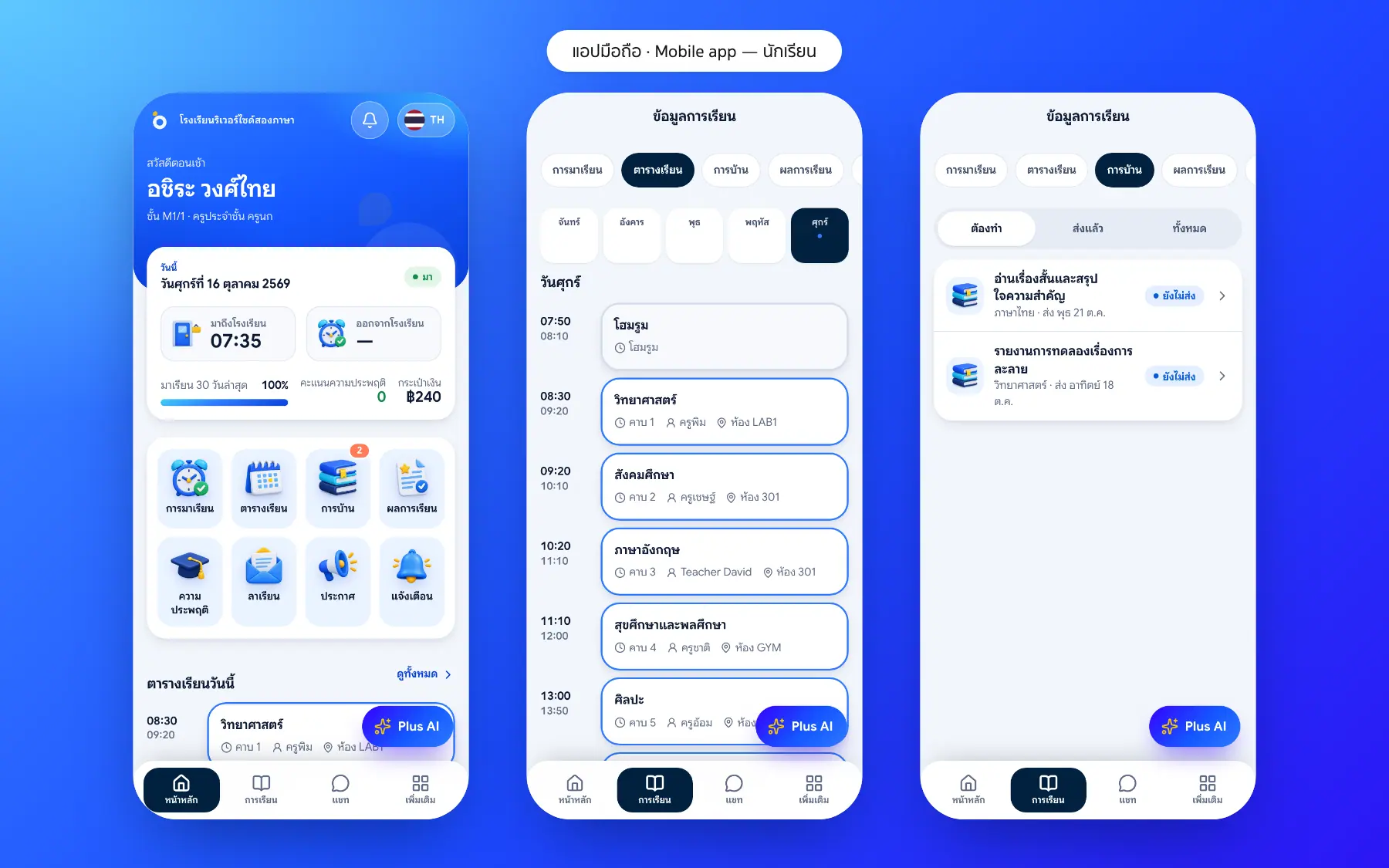
Open the app to see arrival time, the last 30 days of attendance, behaviour points and anything to pay, with shortcuts to the timetable, homework and grades.
- Arrival and departure times
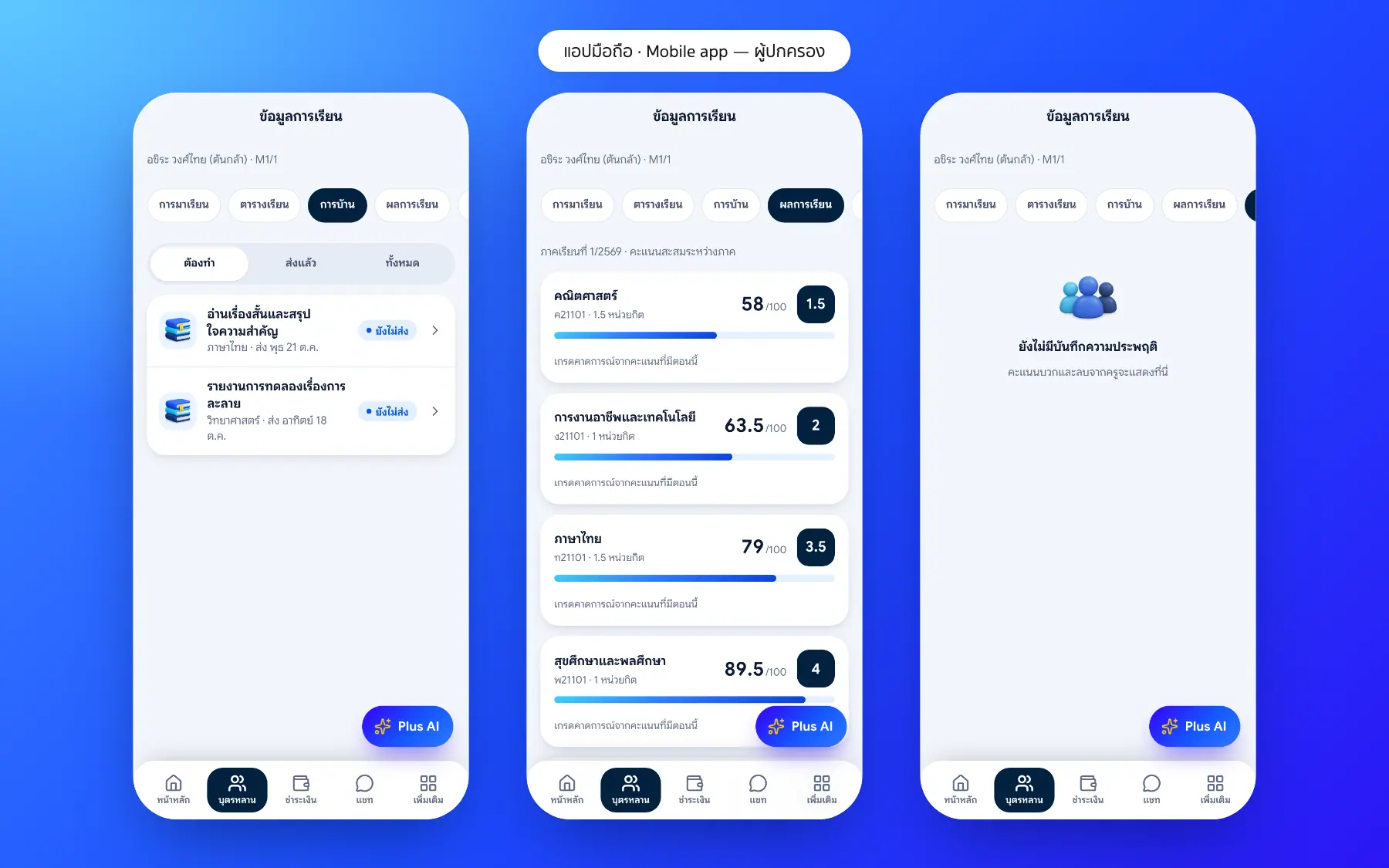
- Attendance calendar and subject grades
- Alerts for absences, published results and new notices
- The Plus Assistant answers about your child in plain language
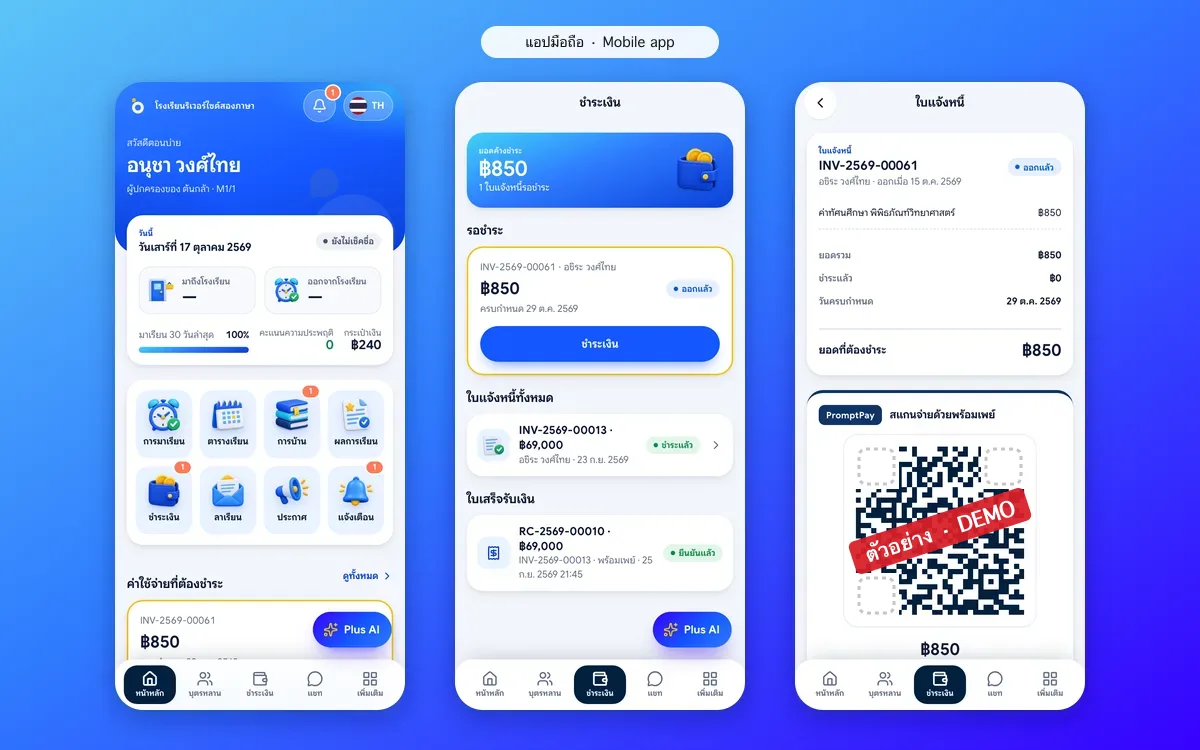
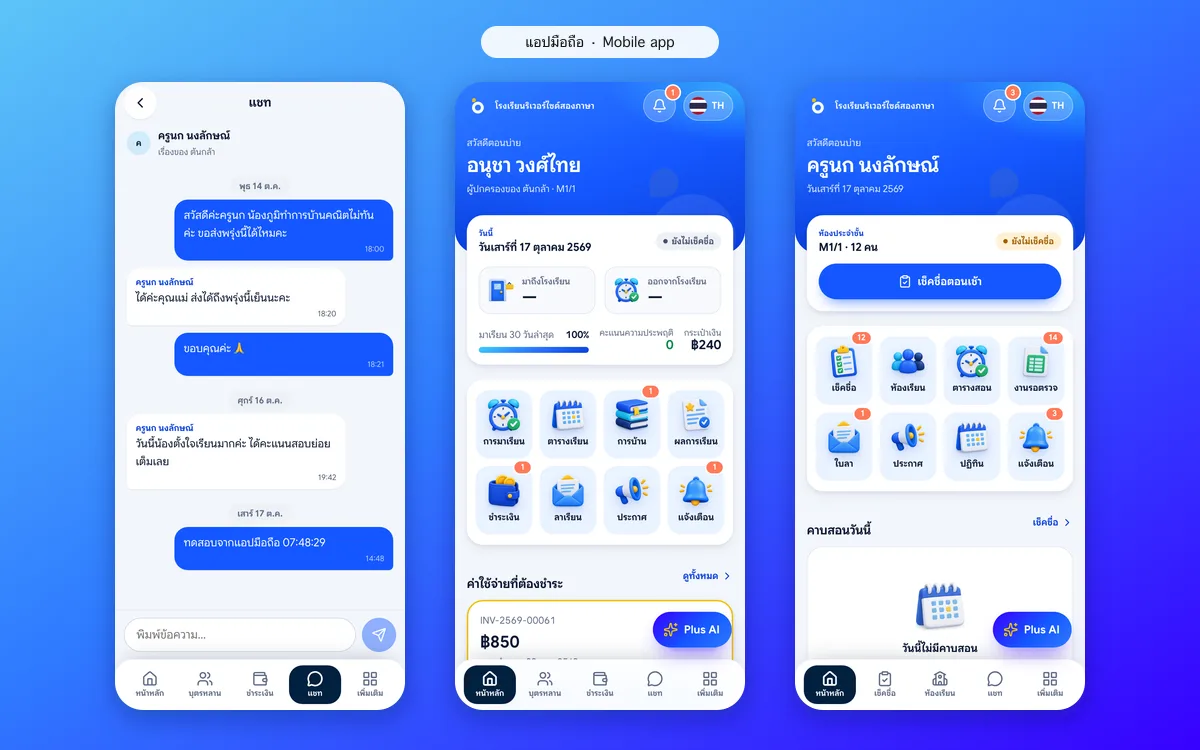
Pay fees, send leave and talk to teachers
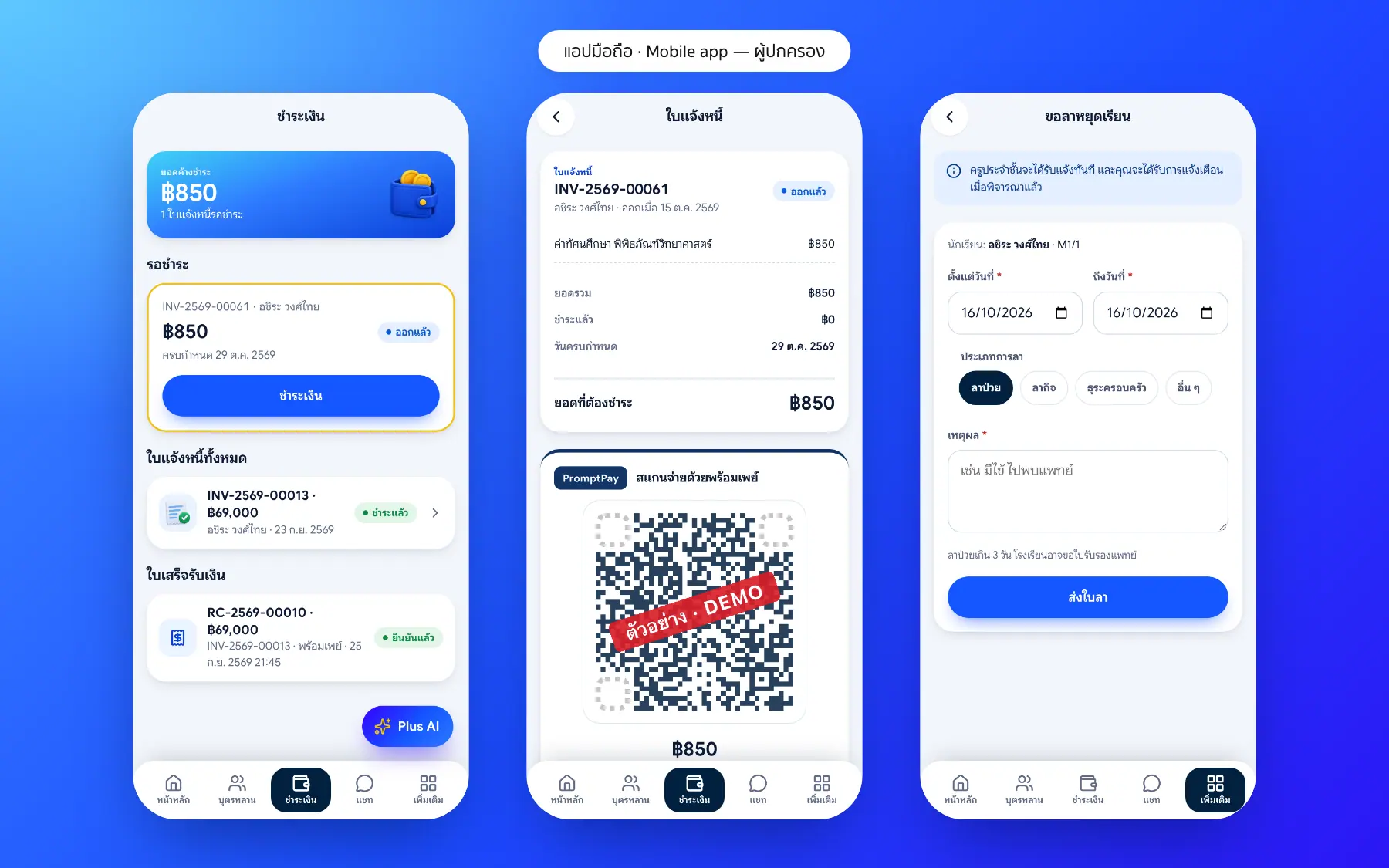
Parents pay fees by PromptPay QR and attach the slip in the app, send a leave request when their child is ill or away, and chat with the homeroom teacher without swapping personal numbers. Everything keeps its history.
- A PromptPay QR for each invoice, with receipts in the app
- Leave requests with their approval status
- Chat with teachers without personal numbers
- Payment and conversation history
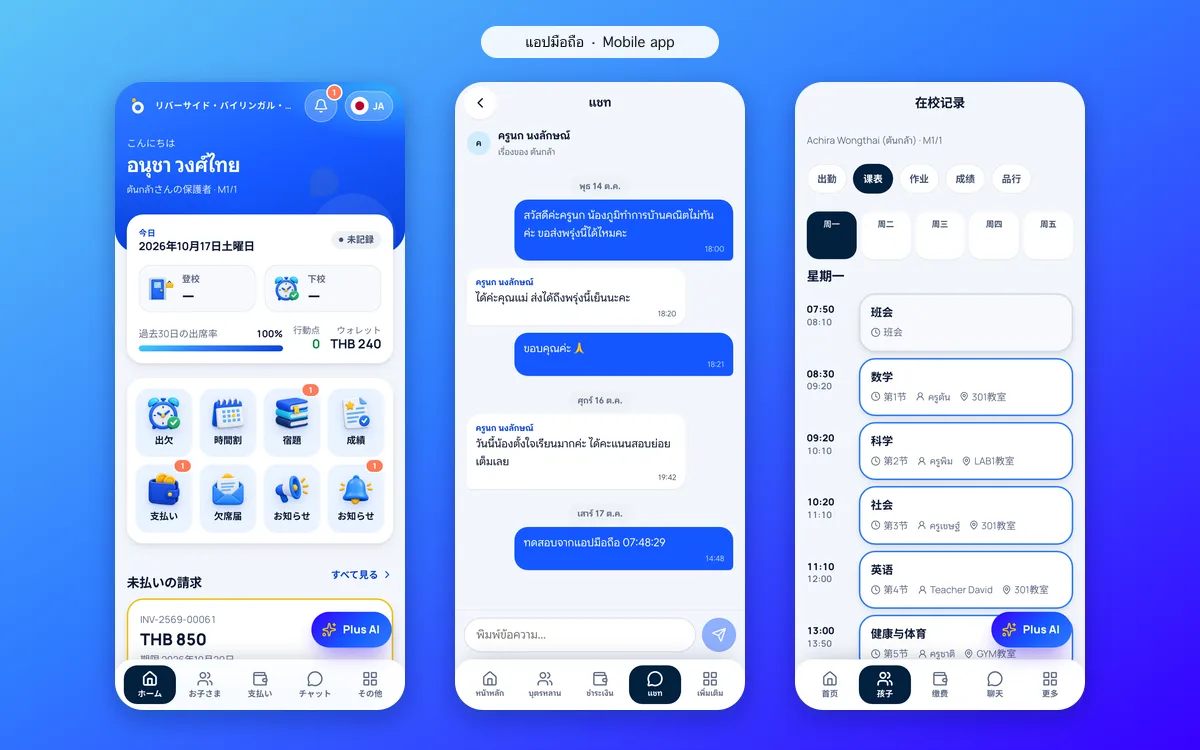
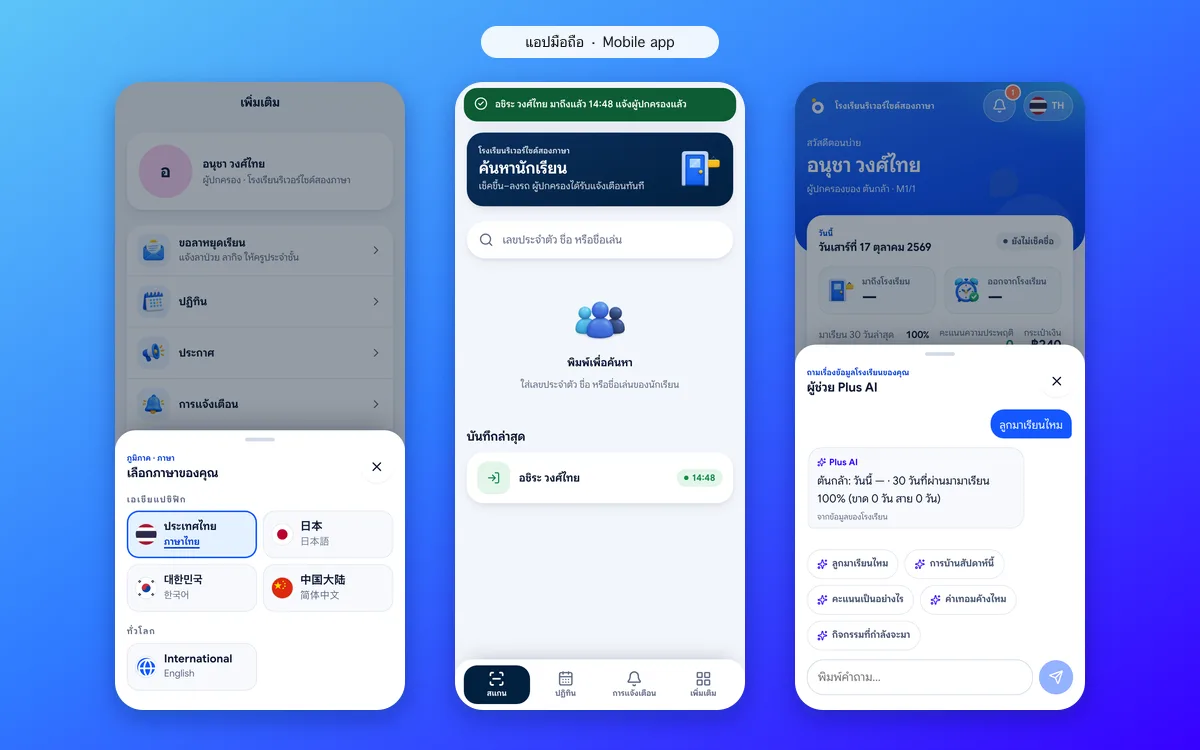
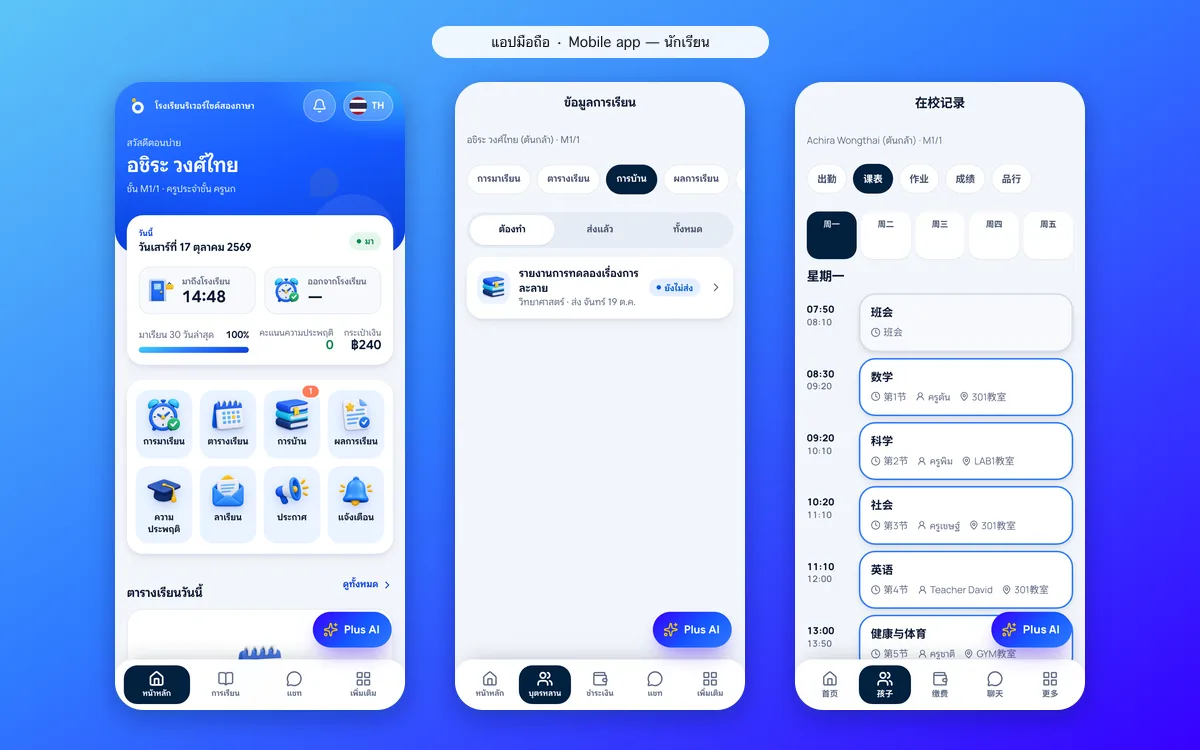
Five languages, one app for parents, students and teachers
International families choose Thai, English, Japanese, Korean or Chinese. Students use the same app for their timetable and homework, and teachers use it for roll call and setting work.
- Choose the language in the app
- Students see timetable, homework and grades
- Teachers take roll call, set work and approve leave
- Works on any phone and installs on the home screen
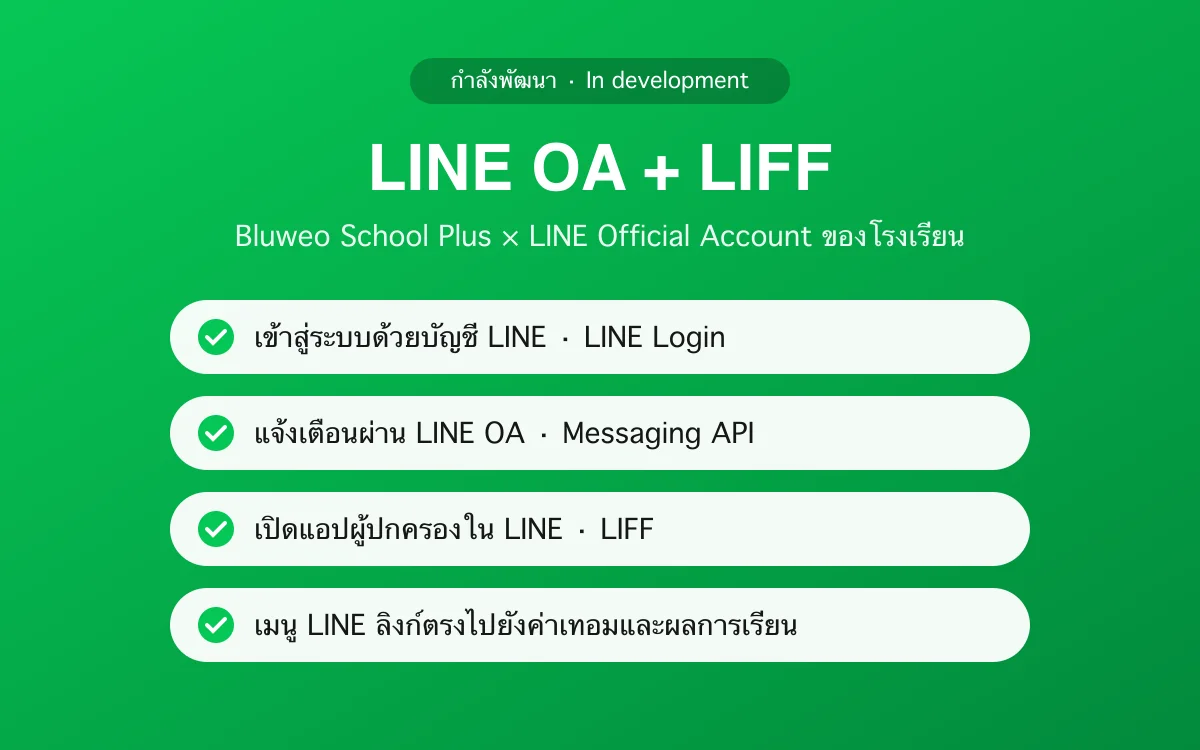
LINE integration: the parent app inside LINE through LIFF (in development)
Most Thai parents use LINE every day, so School Plus is building a connection to the school’s LINE Official Account: parents will open the app’s key screens from the LINE menu through LIFF (LINE Front-end Framework), without leaving LINE or installing anything.
- Sign in with a LINE account
- Notifications through the school’s LINE Official Account (Messaging API)
- LINE OA menu links straight to attendance, fees and grades
- App screens open inside LINE through LIFF, on the same data
- Today the demo notifies through the app; LINE integration is on the roadmap
0
baht for parents to use the app
5
languages in one app
3
roles in one app: parent, student, teacher
0
apps to download from a store
Parent and student app screenshots
Real screens from the live demo. Click a screenshot to see it large and step through them.
How it works
How a school uses the parent and student app
1. The school invites parents
Send an invite code, or let parents sign up with their registered phone.
2. Parents open the app
In the browser or on the home screen; no app store needed.
3. Everything about their child
Attendance, timetable, homework, grades and fees.
4. Talk to teachers
Chat with teachers and get school news in one app.
What it does
Everything it can do today
For parents
Absence alerts, an attendance calendar, fee payment, leave requests and switching between children.
For students
Timetable, homework with hand-in, grades and behaviour points.
For teachers
Roll call, their own teaching week, leave approval and chat with parents.
Five languages
International families read everything in their own language.
Several children, one account
Switch between children in a tap.
Five languages
Thai, English, Japanese, Korean and Chinese, as the parent chooses.
Every alert
Arrival, absence, homework, grades and fees.
A student app too
Students see their own timetable, homework and grades.
Who uses it
Everyone shares one set of data but sees only their part
Parents
Know about their child every day without asking in group chats.
Students
See their own timetable, homework and grades.
Teachers
Answer parents about that one child.
Related features
Every feature shares one set of data, so they work together from day one
School fee collection
Invoices with PromptPay QR, a slip-checking queue, receipts and duplicate-slip blocking.
Learn more — School fee collectionStudent attendance
Morning roll call on a phone in seconds; parents are told at once when a child is absent.
Learn more — Student attendanceSchool communication
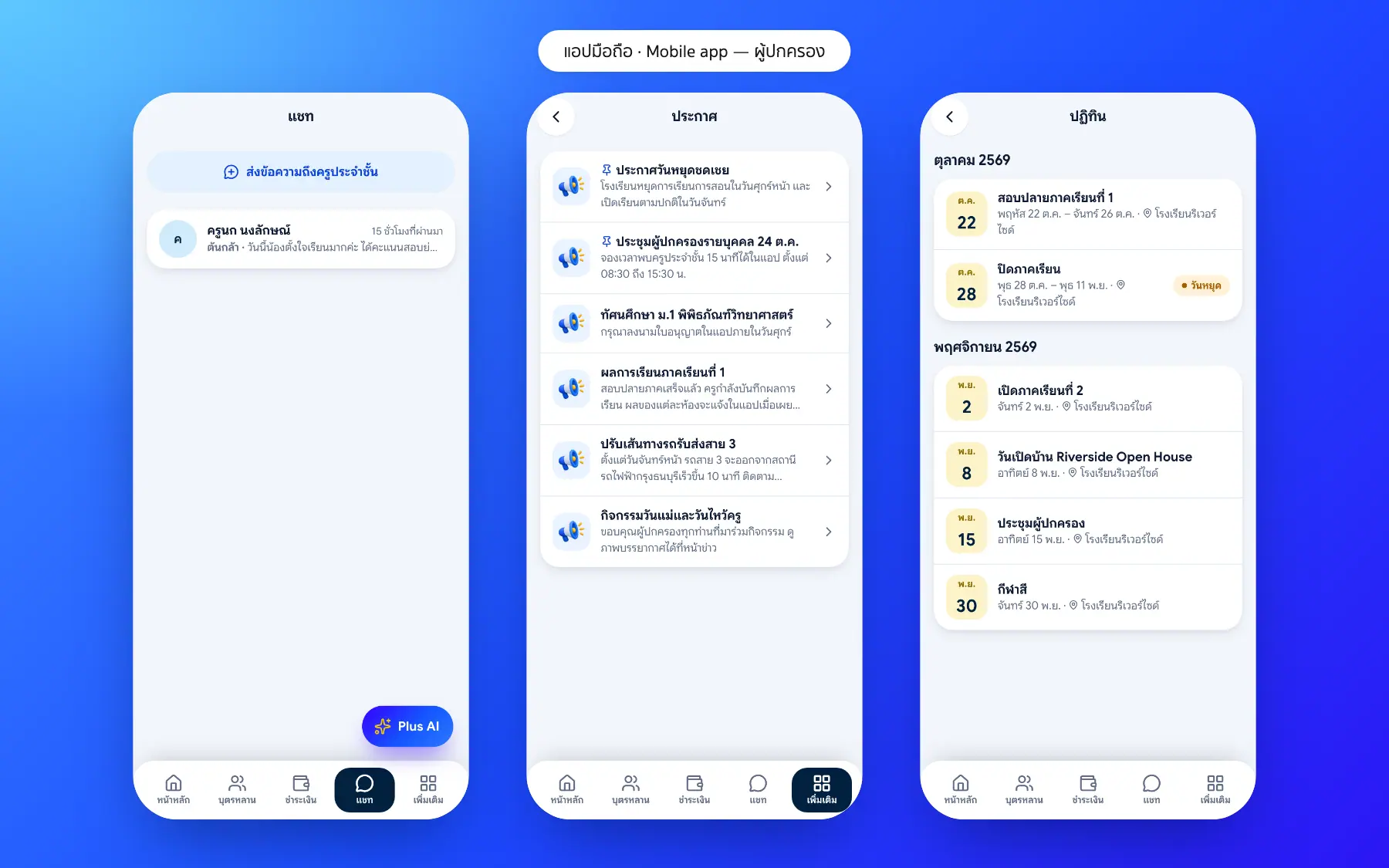
Announcements, an events calendar, notifications and teacher–parent chat.
Learn more — School communicationParent app questions
Short answers for parents and schools
No. Scan the QR code or open the school’s link, then add it to the home screen like any app. It works on iPhone and Android.
With the mobile number registered at the school. LINE sign-in is in development.
In development. School Plus will connect to the school’s LINE Official Account so key app screens open inside LINE through LIFF, with notifications through LINE.
No. Parents see only their own children, and students only themselves.
One account, switching between children in the app.
No. The school pays for the system.
Five: Thai, English, Japanese, Korean and Chinese; each parent picks their own.