




Student care system: see who needs help before problems grow
The system brings attendance, grades and behaviour together to show which students need following up, and homeroom teachers record their care in one place.
What is student care in School Plus?
Bluweo School Plus records positive and negative behaviour points, takes leave requests from parents, and lists students to follow up, such as attendance under 80% or falling grades, so homeroom teachers and pastoral staff can act in time.
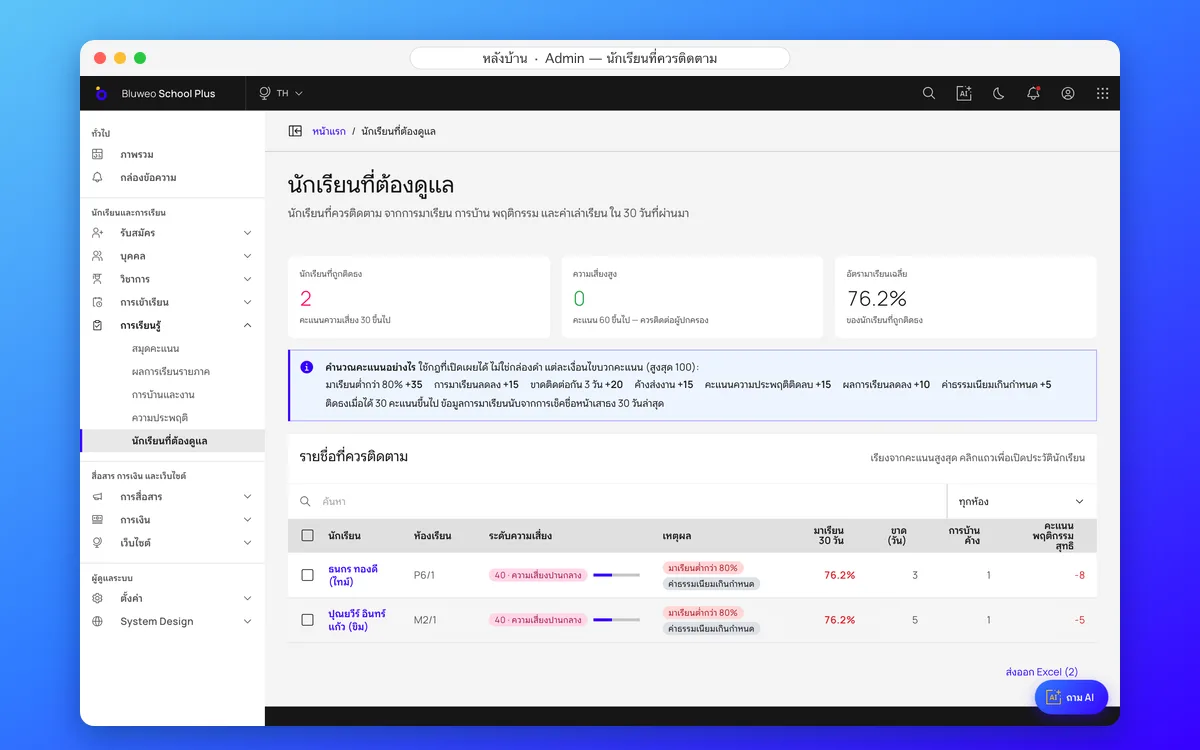
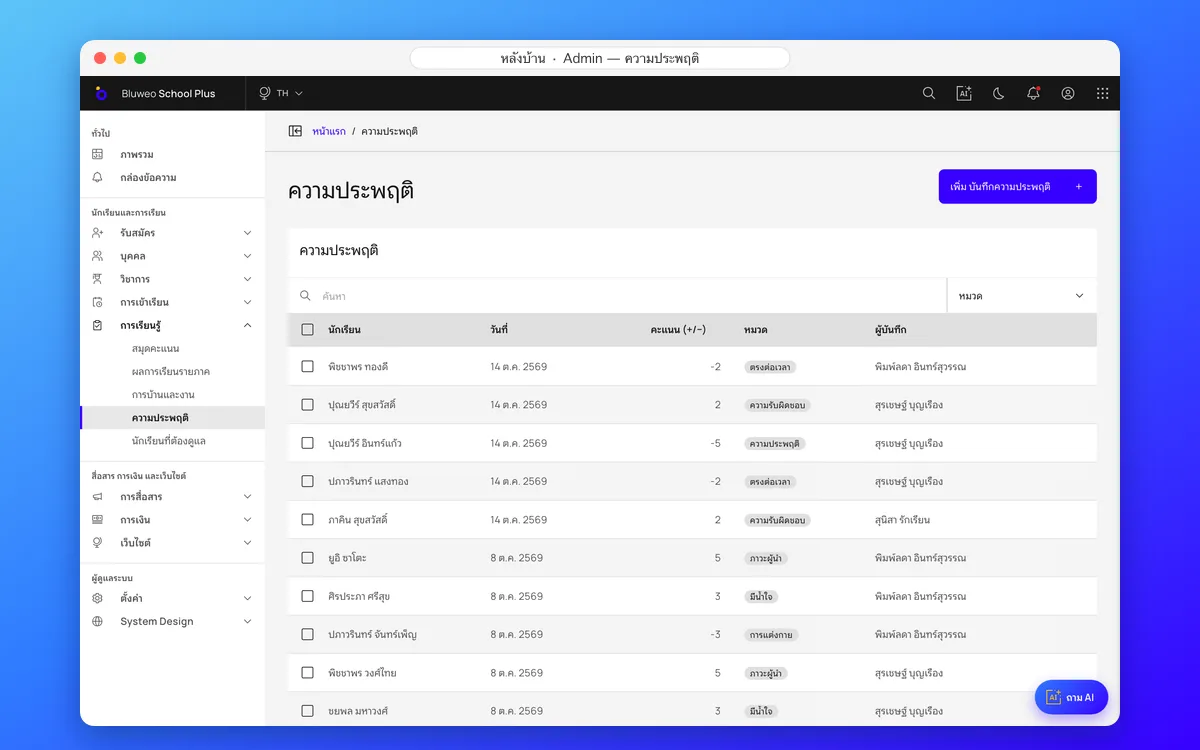
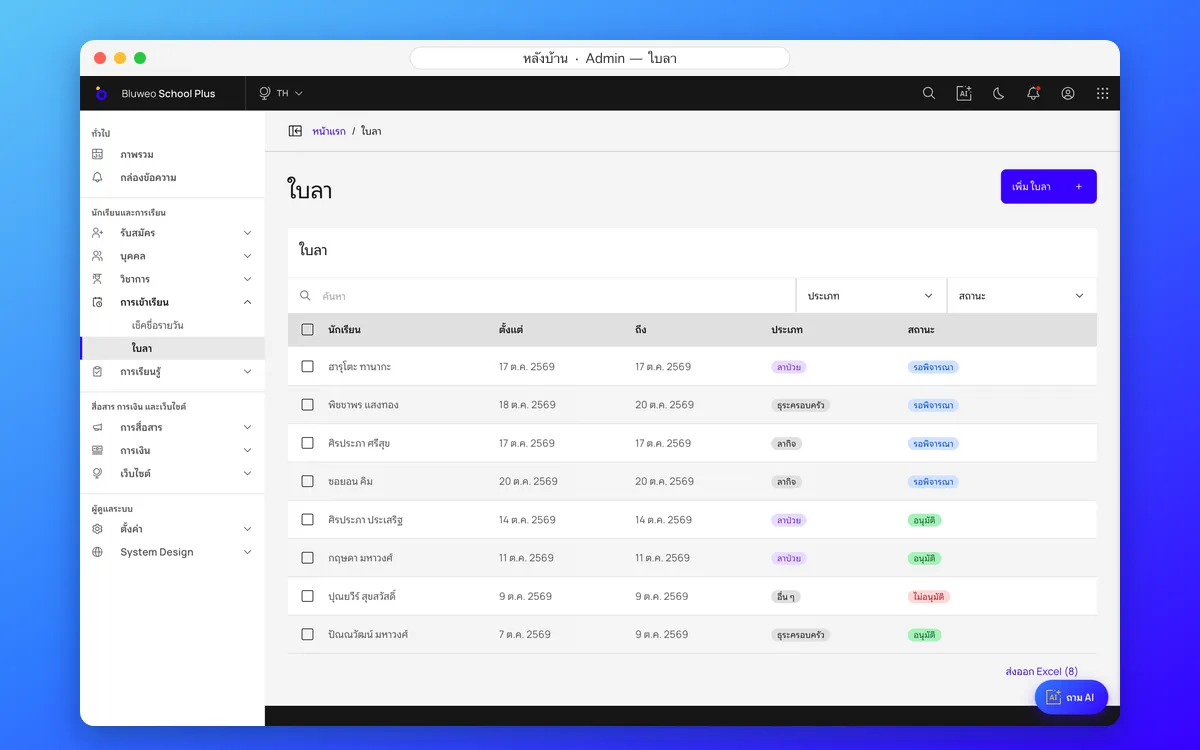
Back office: students to follow up, behaviour and leave
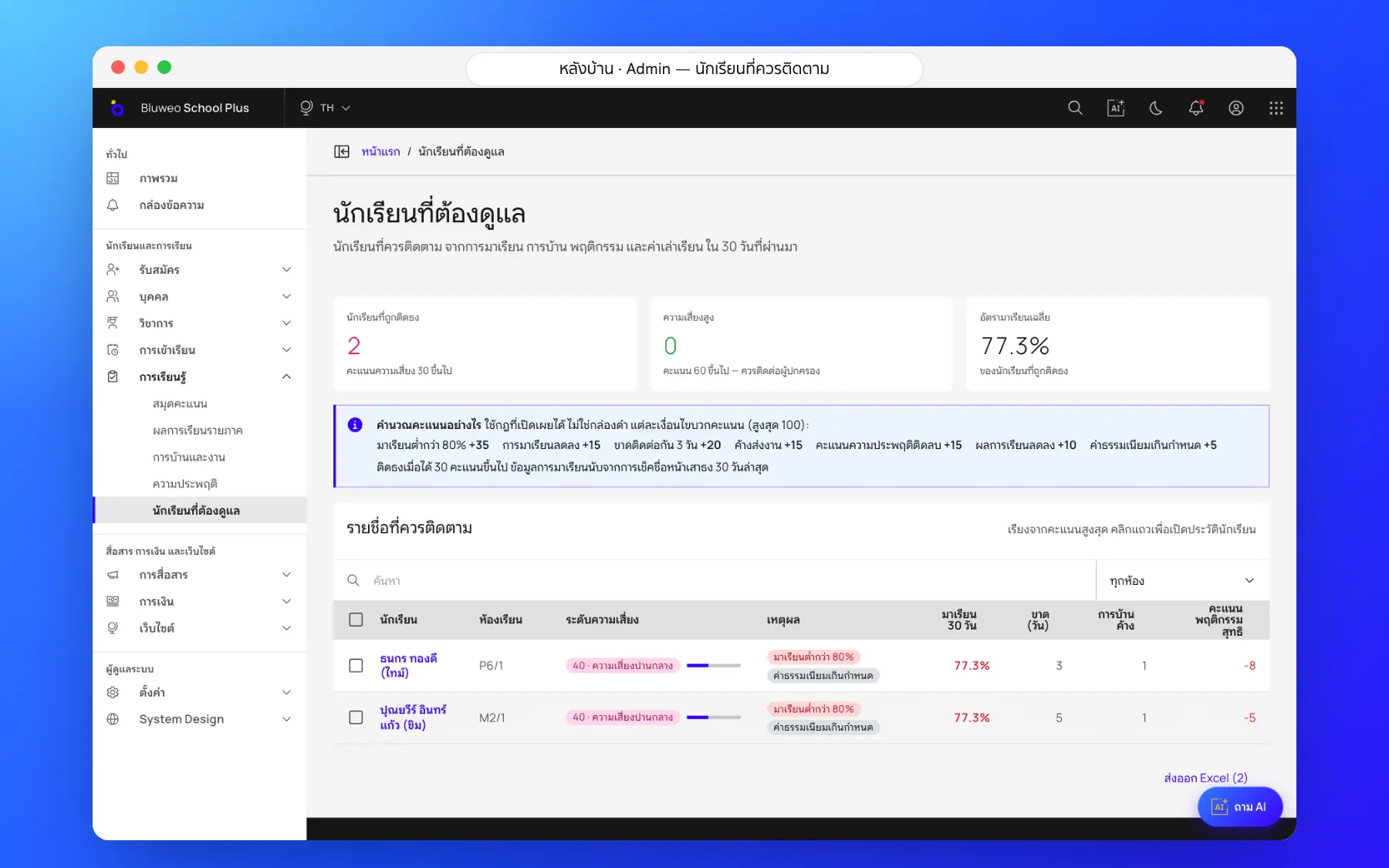
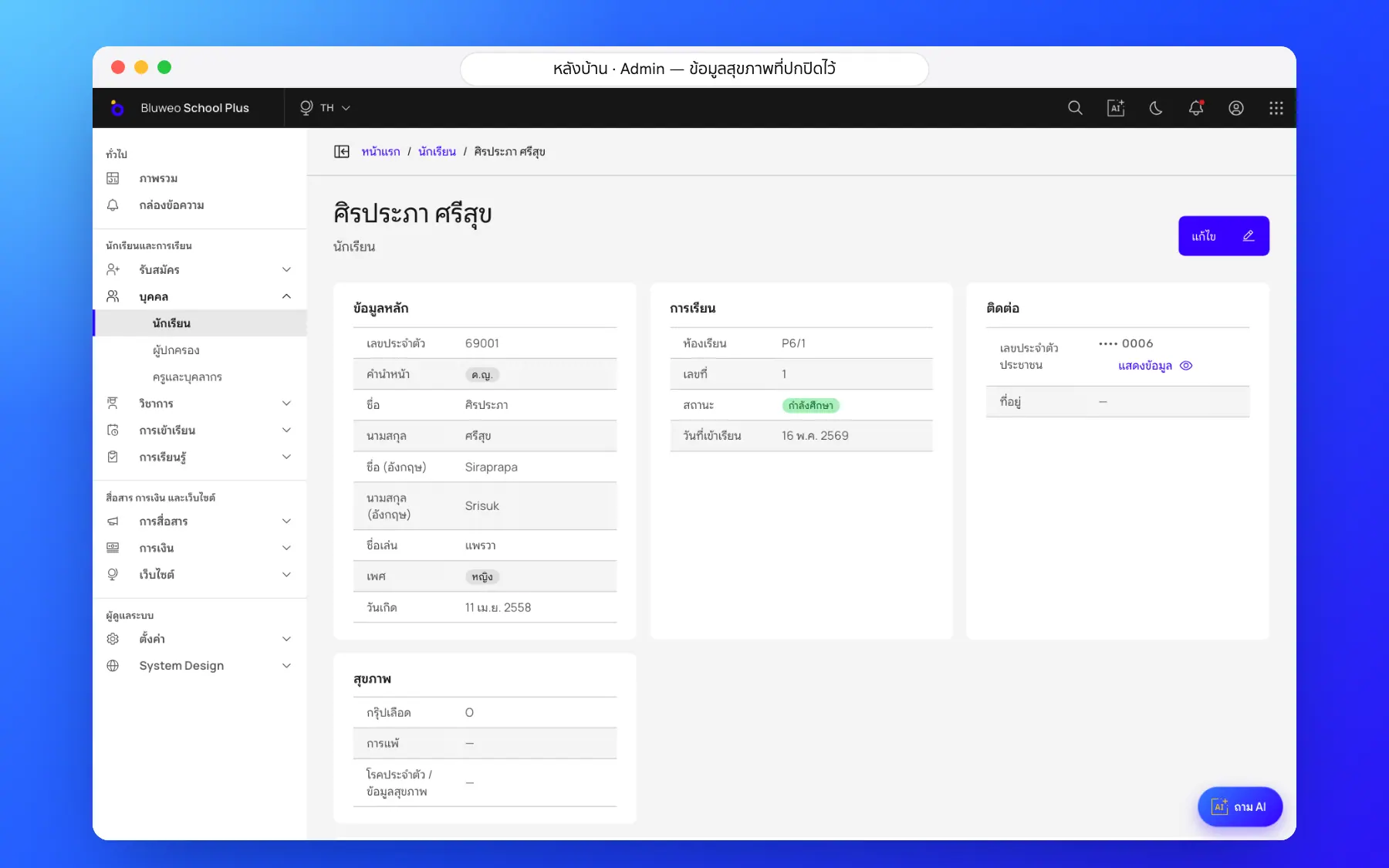
Homeroom and pastoral staff see students to follow up from attendance, grades and behaviour, ordered by risk, with behaviour records and leave requests in the same place.
- A list ordered by risk, with the reasons
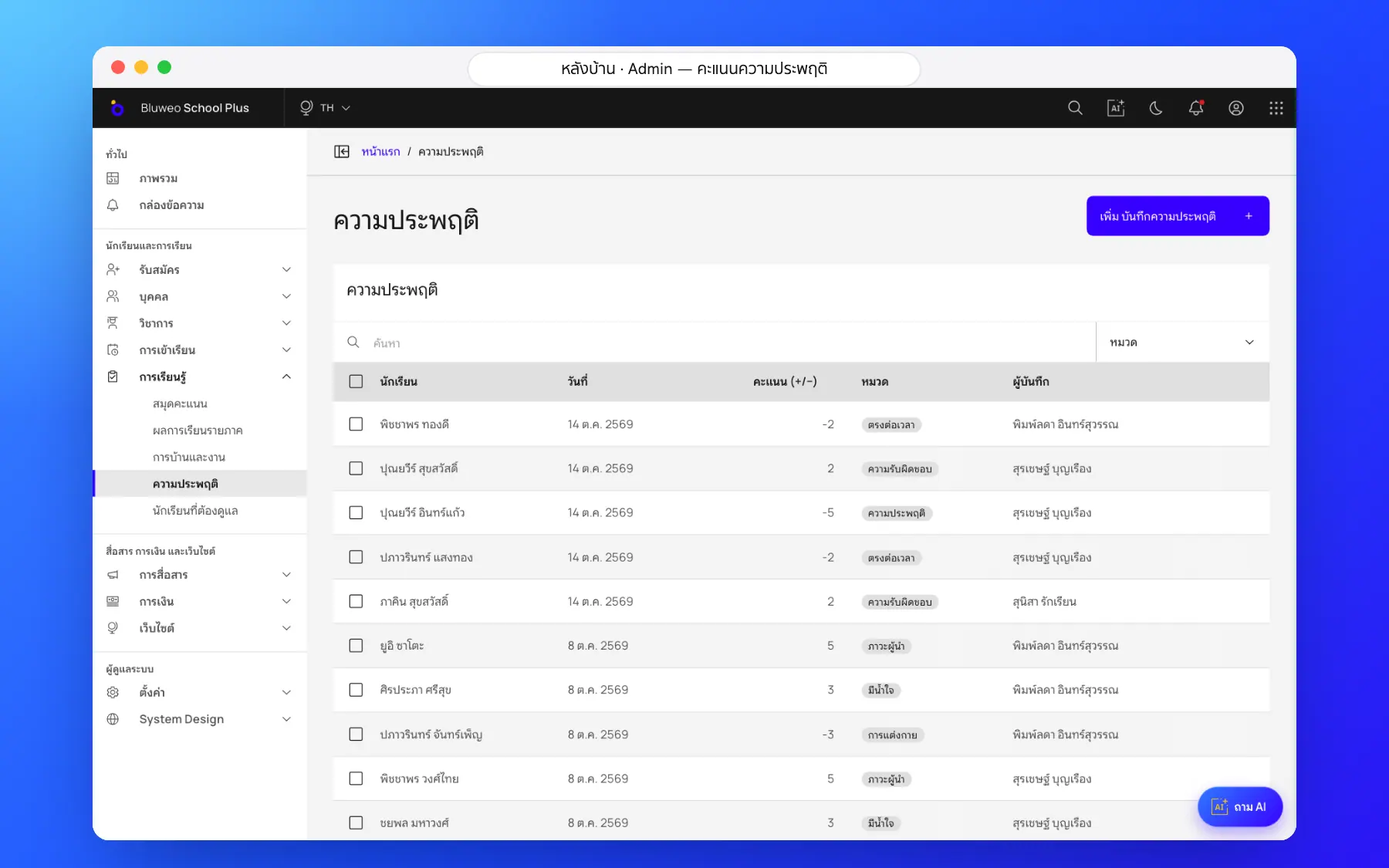
- Positive and negative behaviour records
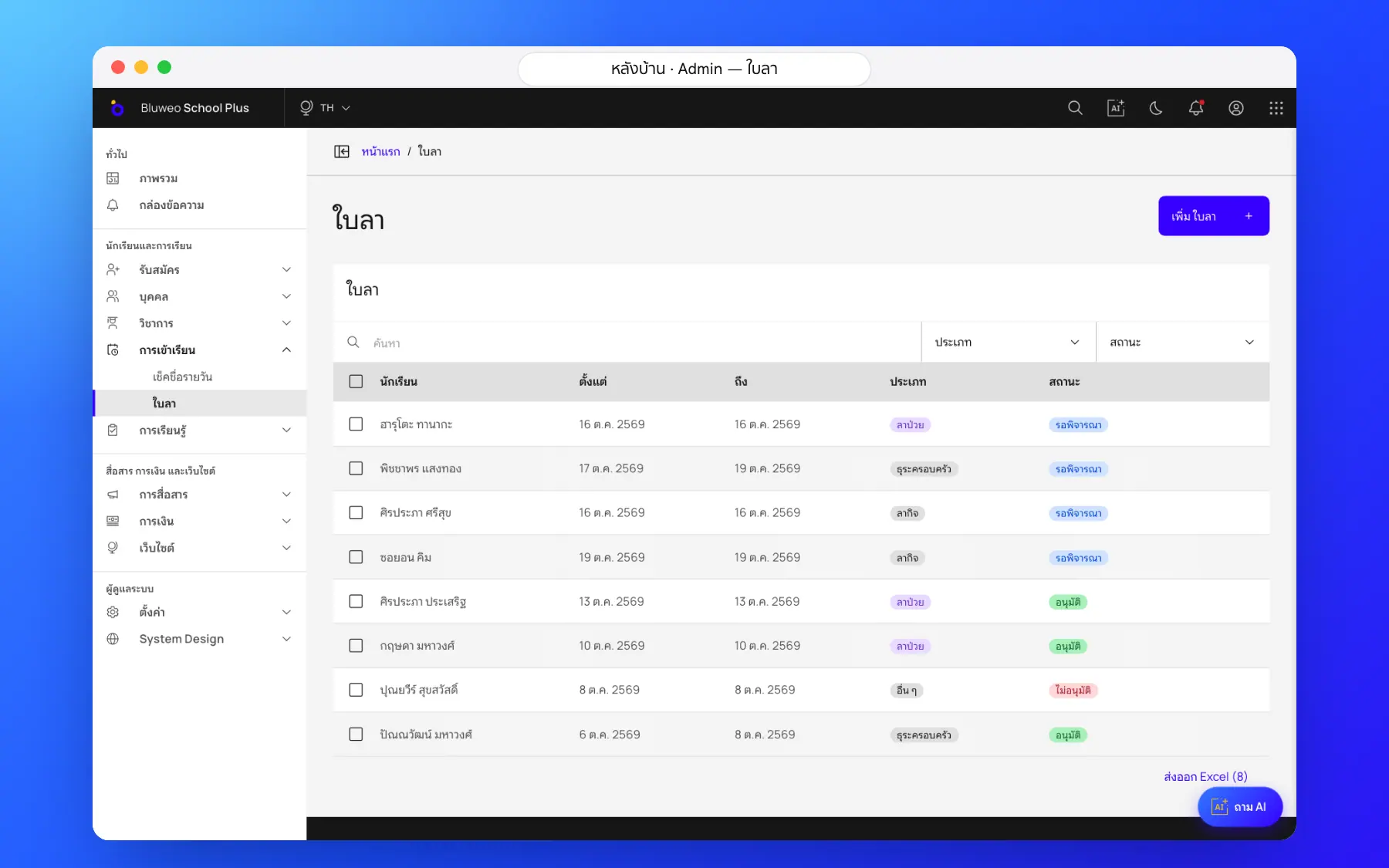
- Leave requests and their status
- Open to authorised staff only, with every view logged
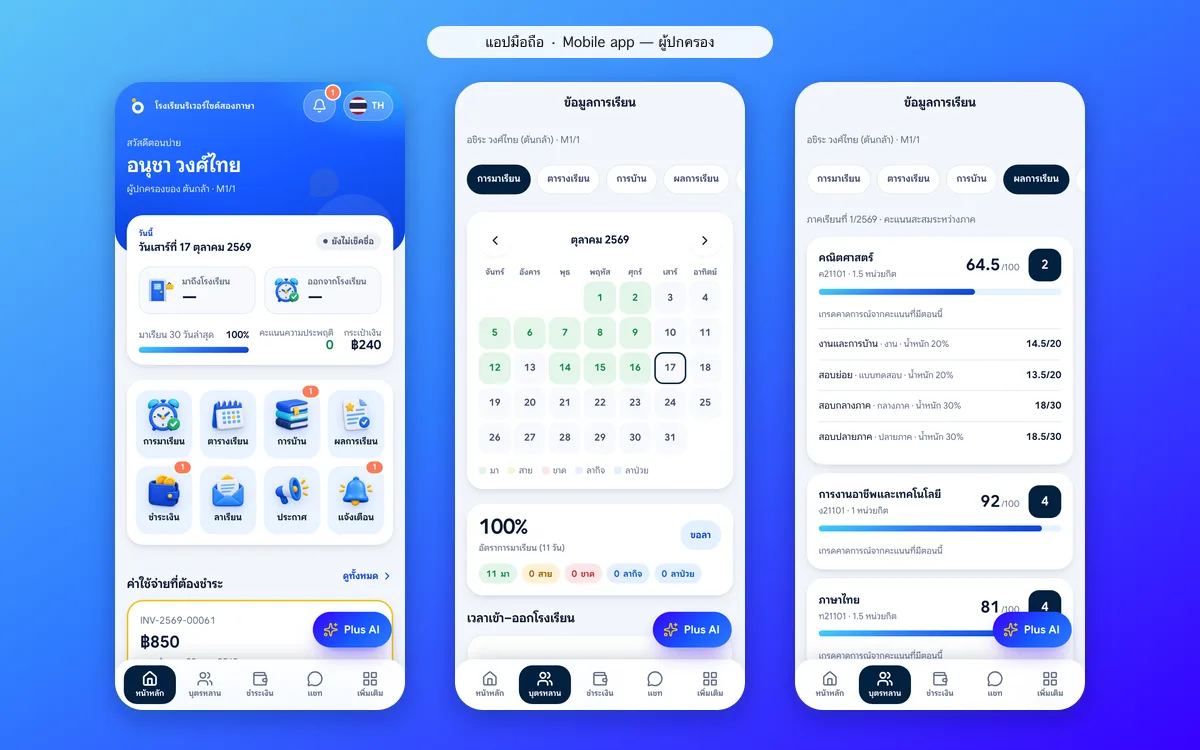
App: parents and students see what teachers see
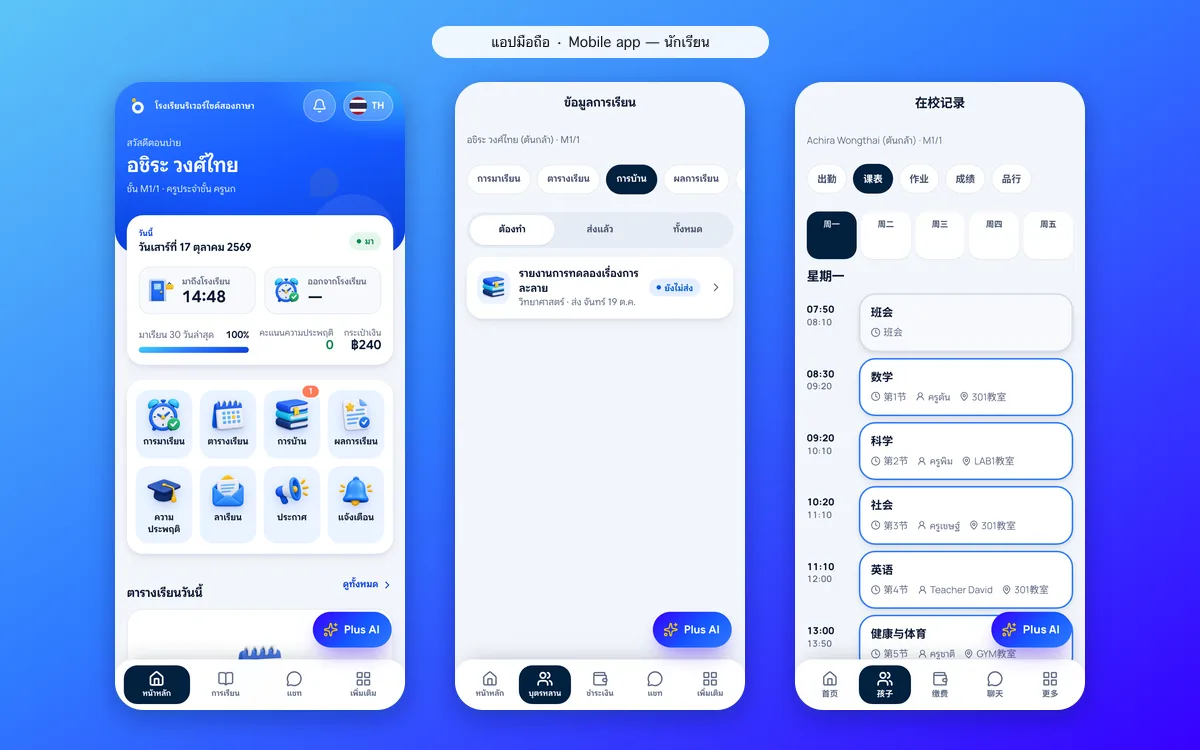
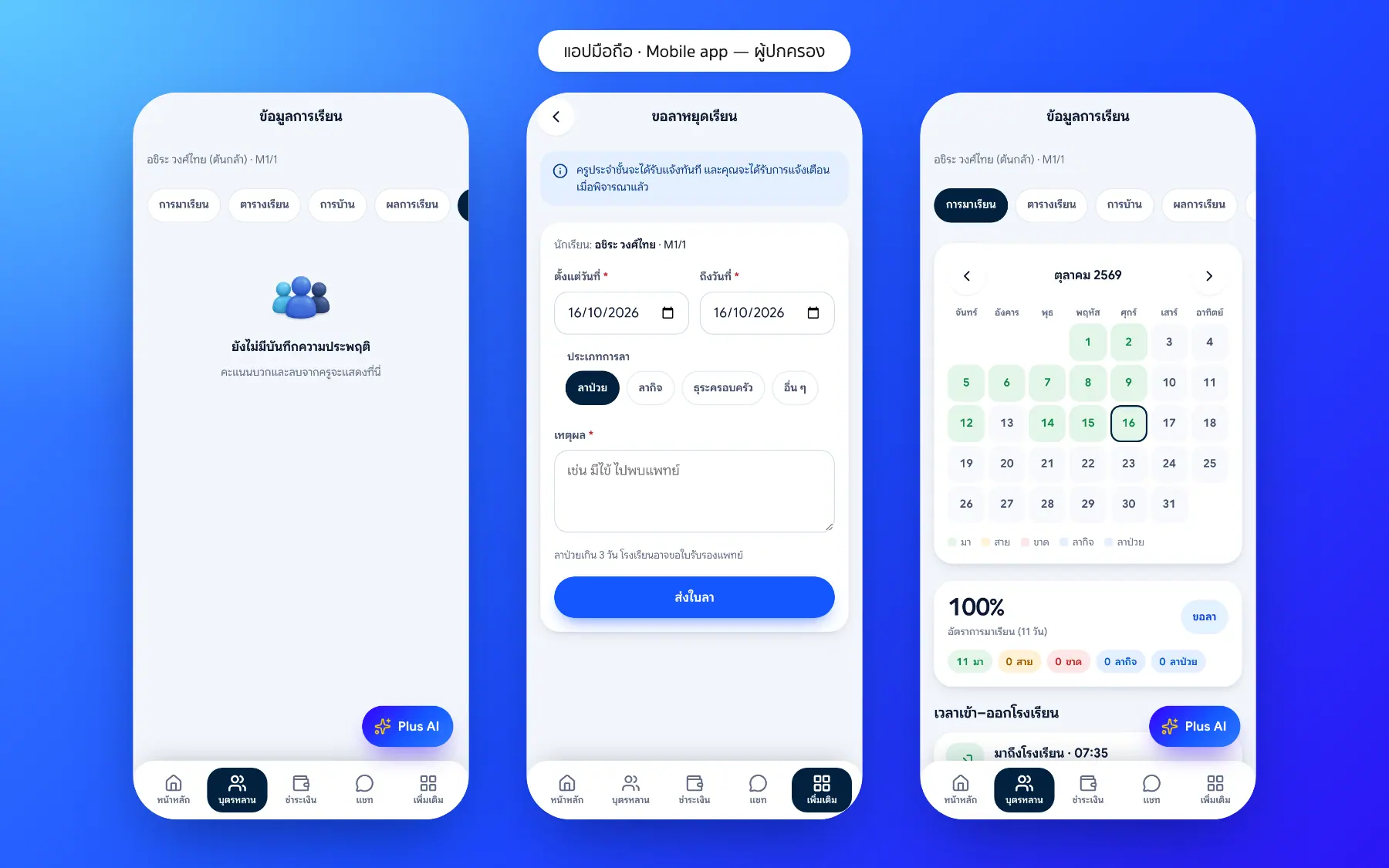
Parents see their child’s attendance, grades and behaviour points and send leave requests in the app; students see their own behaviour points. Home and school talk from the same facts.
- Behaviour points in the parent and student apps
- Send leave and follow its approval
- Attendance and grades in one place
- Message the homeroom teacher straight away
Student care screenshots
Real screens from the live demo. Click a screenshot to see it large and step through them.
How it works
How a school uses the student care
1. Teachers record behaviour
Good conduct and concerns in seconds.
2. Warning signs combined
Absence streaks, falling grades and behaviour.
3. Counsellors follow up
A list of students to help, with the reasons.
4. Parents take part
Parents see behaviour and send leave in the app.
What it does
Everything it can do today
Behaviour points
Record good deeds and behaviour to work on; parents see them in the app.
Students to follow up
A list from attendance, grades and behaviour, ordered by level of risk.
Online leave requests
Parents send leave in the app, teachers approve, and it shows on the roll call.
Only for those allowed
Care records are open to the homeroom teacher and the staff involved only.
Safe health data
Medical notes and allergies are encrypted and seen only by permitted staff.
A continuous record
A student’s care history across every year.
Homeroom alerts
Teachers are told when a student needs follow-up.
Nurse room linked
Nurse visits are recorded and parents told.
Who uses it
Everyone shares one set of data but sees only their part
Counsellors
Know who needs help before it is too late.
Homeroom teachers
Record and follow their students.
Parents
Work with teachers for their child.
Related features
Every feature shares one set of data, so they work together from day one
Student attendance
Morning roll call on a phone in seconds; parents are told at once when a child is absent.
Learn more — Student attendanceAI for schools
Ask school data in plain language, draft report comments and follow students at risk.
Learn more — AI for schoolsReport cards (ปพ.6)
Thai 8-level grades with the มส and ร rules and AI-drafted teacher comments; grading scales and report forms can be set up for each country and school.
Learn more — Report cards (ปพ.6)Student care questions
It looks at attendance against the 80% rule, grades and behaviour points and lists students for teachers to review. A person always decides.
Yes. Parents see their child’s behaviour points in the app.
The homeroom teacher, pastoral staff and leaders, by role. Every view of sensitive records is logged.
Yes. Record good deeds as well as behaviour to work on, and parents see both in the app.
Leave a teacher has approved appears on the roll call as leave automatically and is not counted as an absence.