




AI for schools that understands Thai schools and sees only what you see
The Plus Assistant answers from the school’s own data within each user’s permissions, drafts work for teachers, and always leaves the decision to a person.
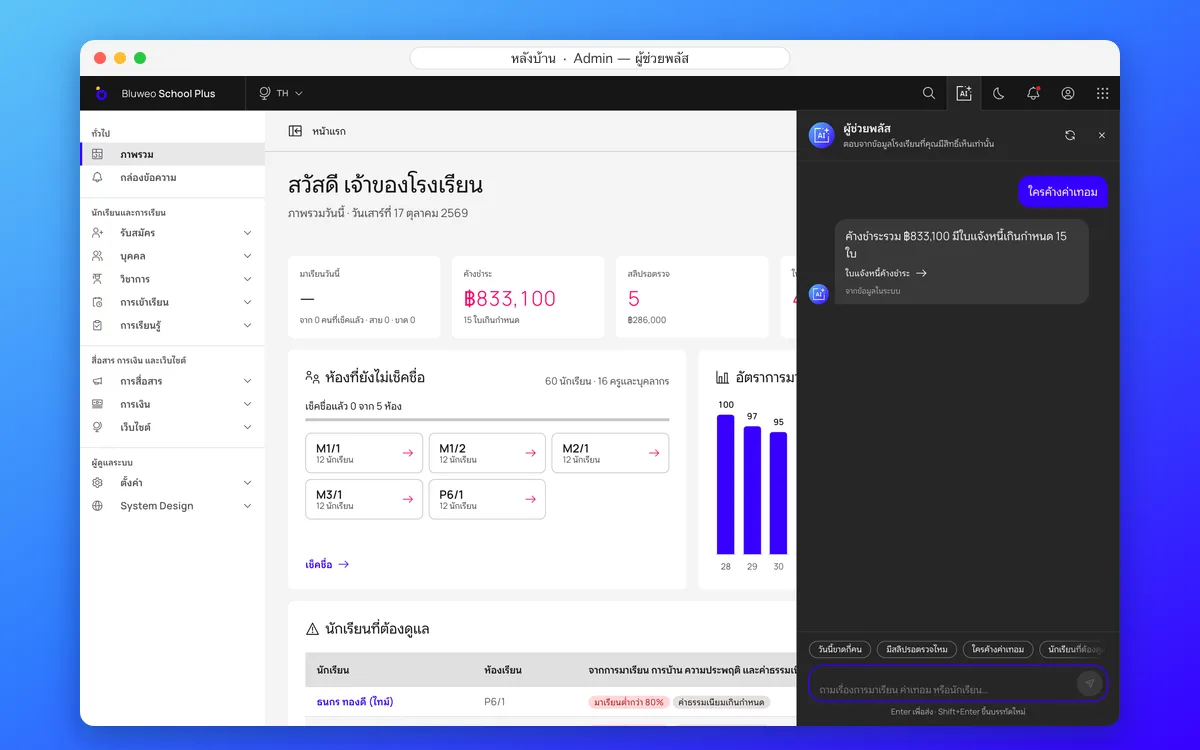
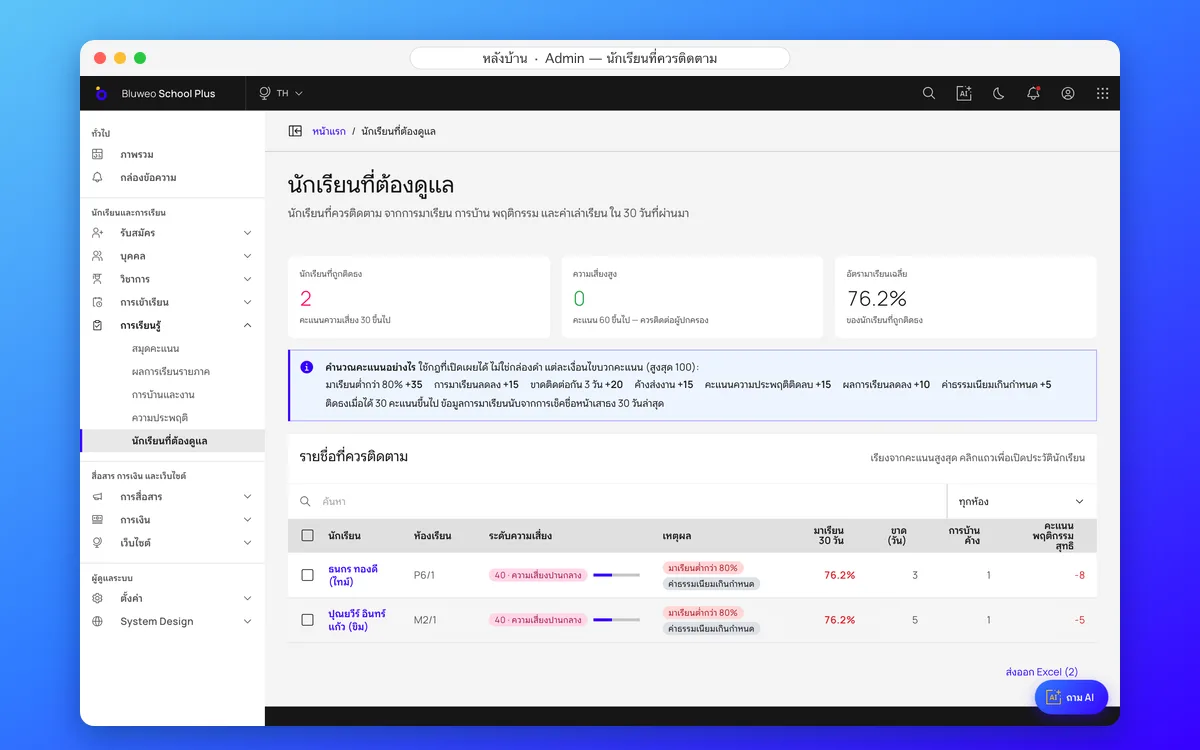
The Plus Assistant in the back office
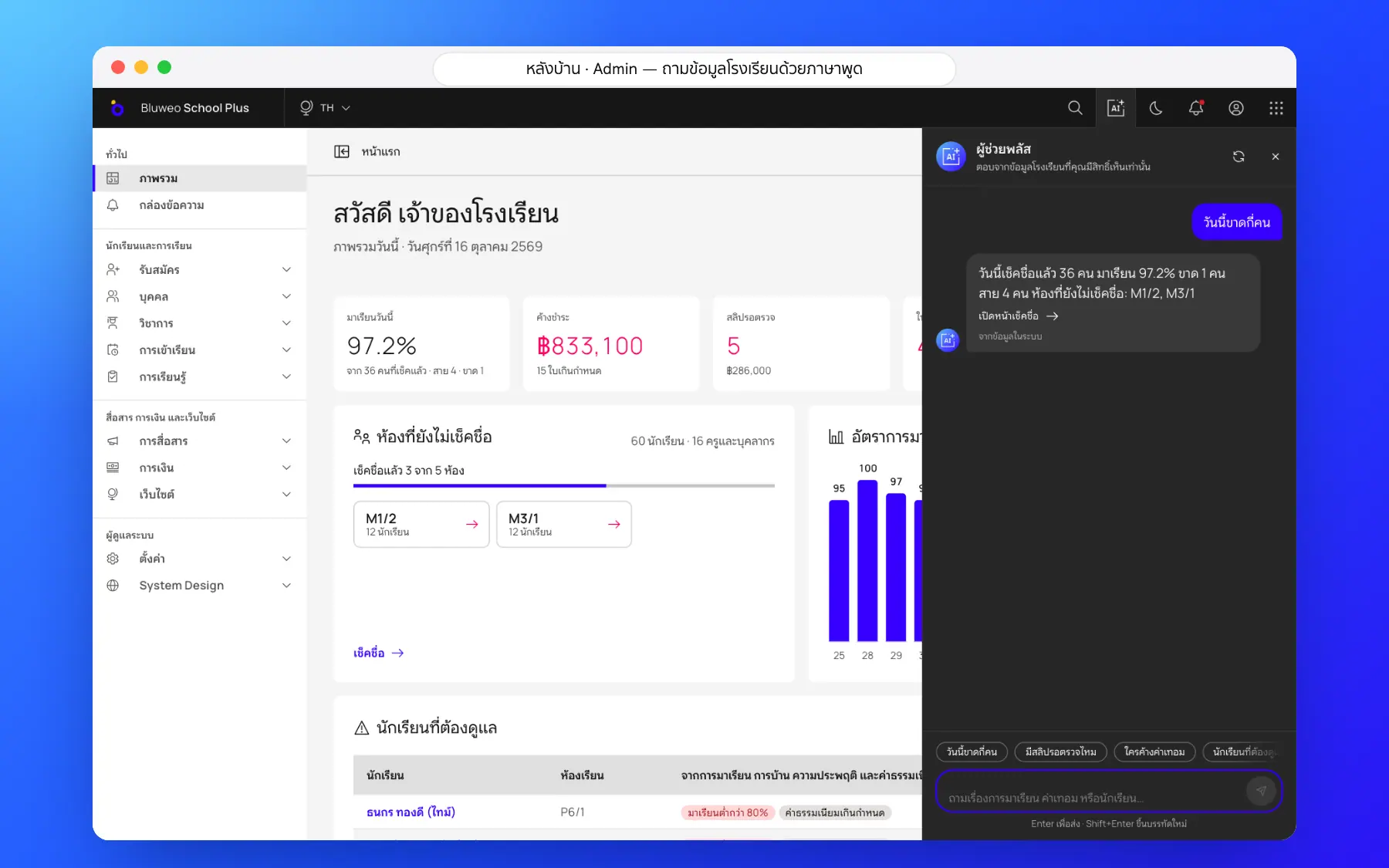
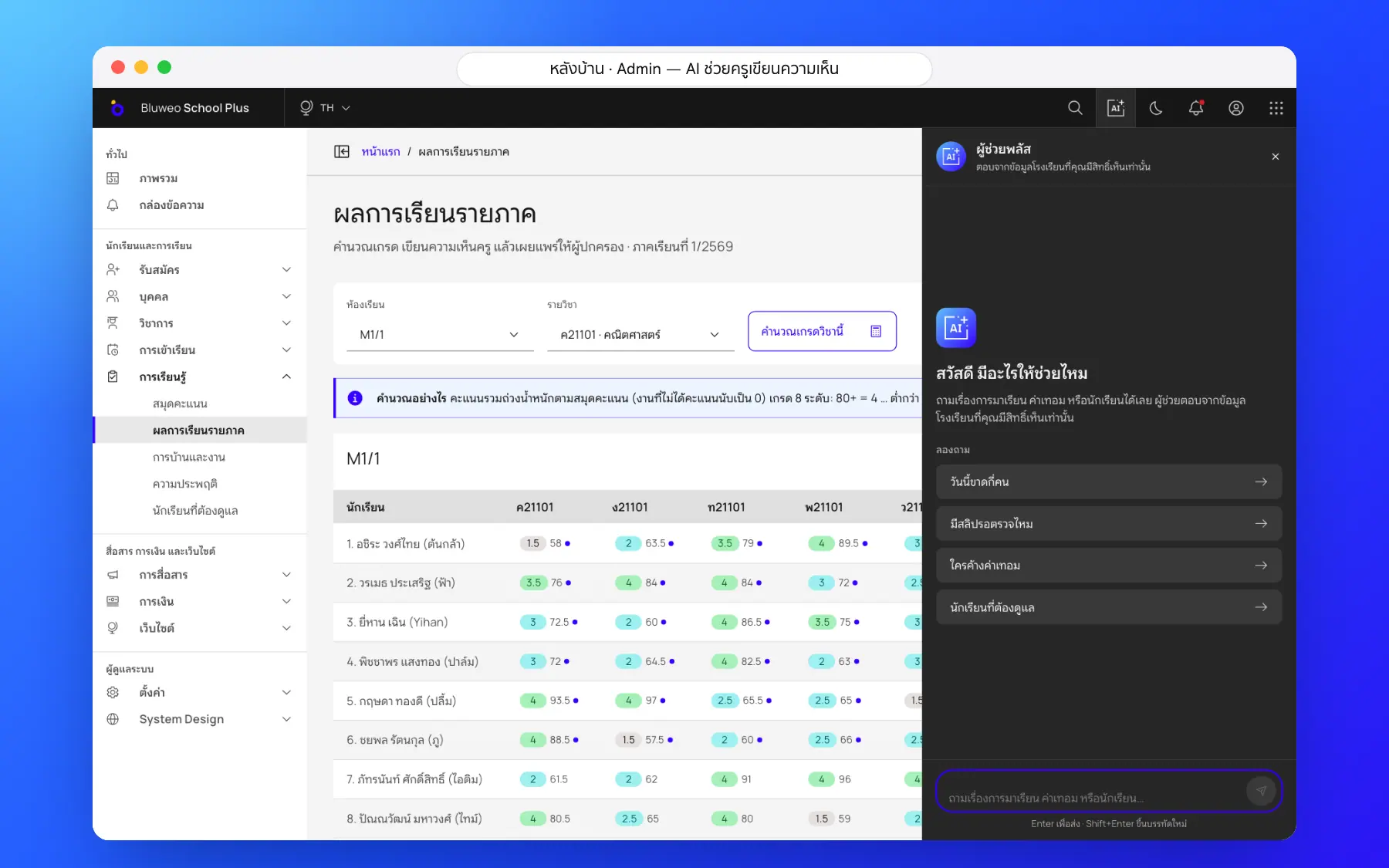
Leaders and the office ask in plain language, such as who owes fees or who is absent today. The assistant answers from the school’s data within the asker’s permissions, says where the answer came from and links to the right screen.
- Plain-language questions in five languages
- Answers only from data the asker may see
- Sources and links to the right screen
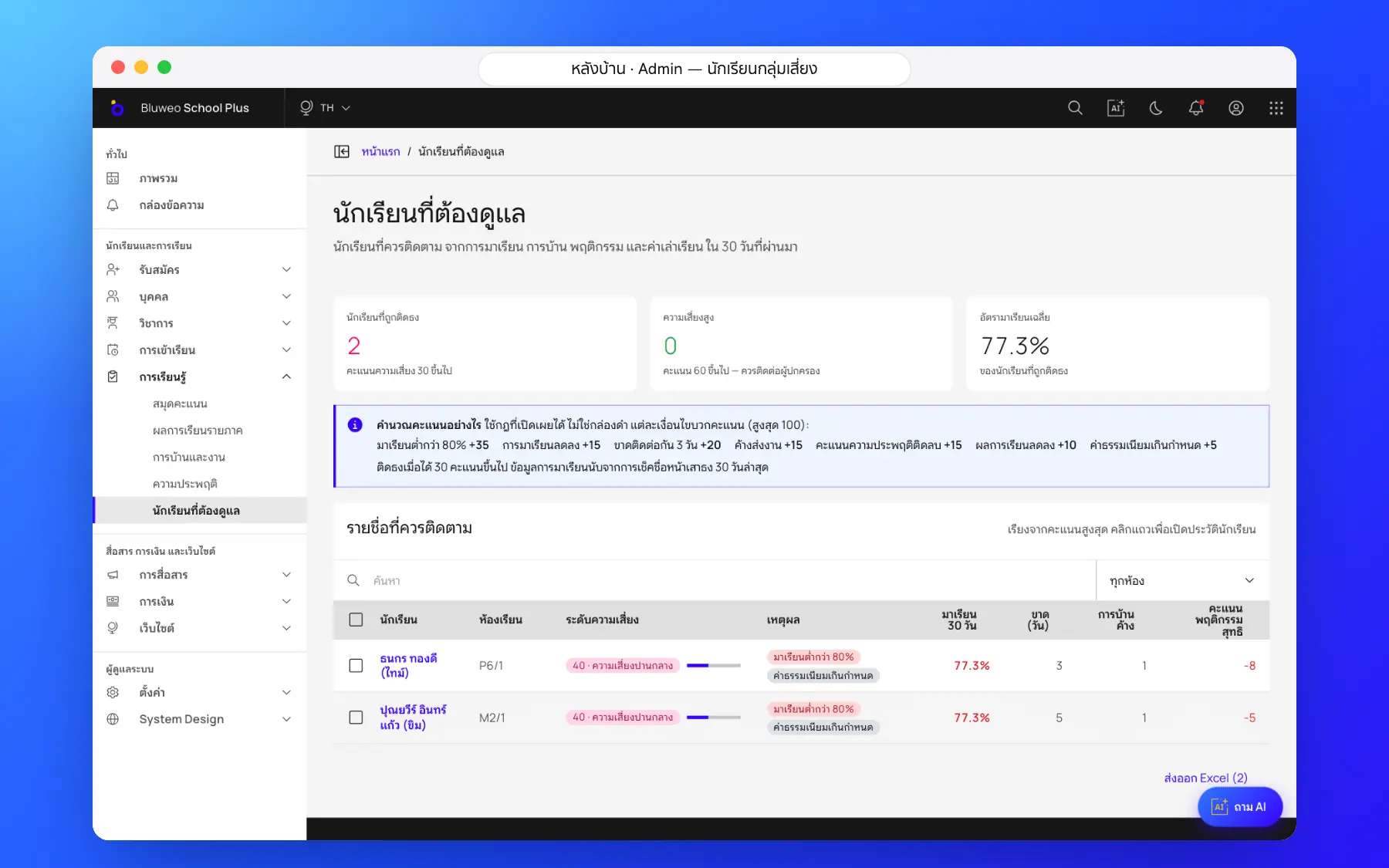
- A list of students to follow up; a person decides
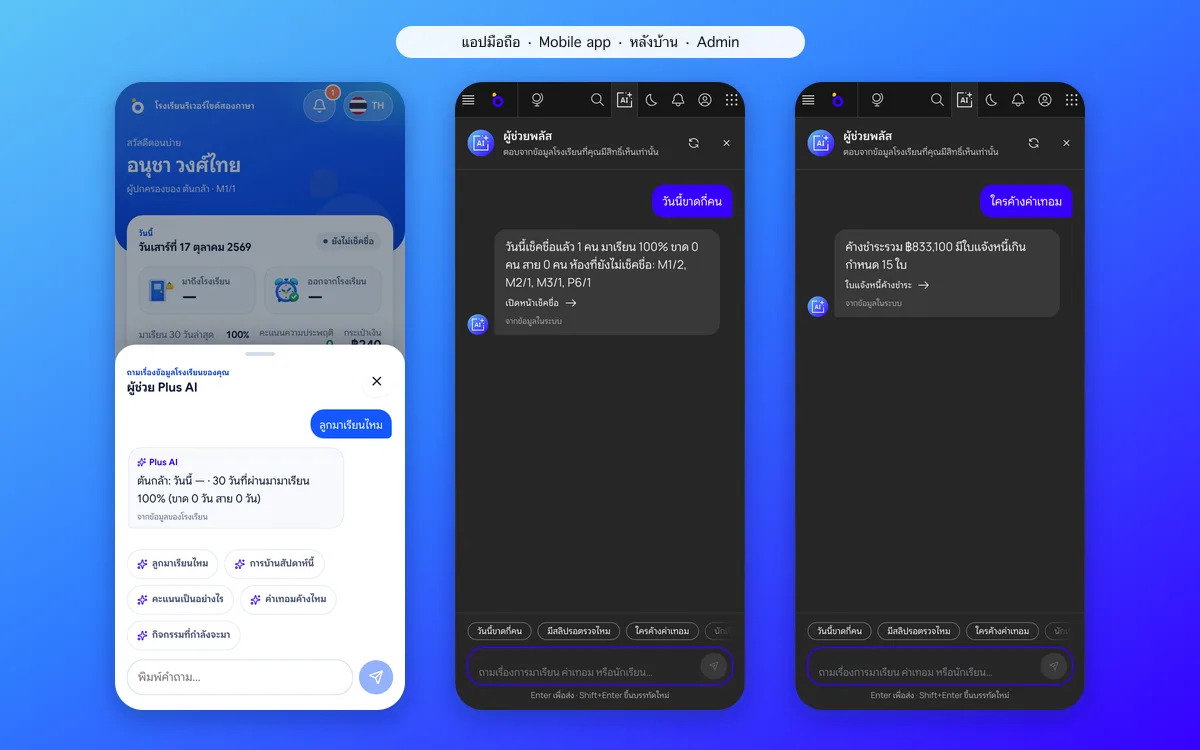
The assistant on phones, and AI behind the scenes
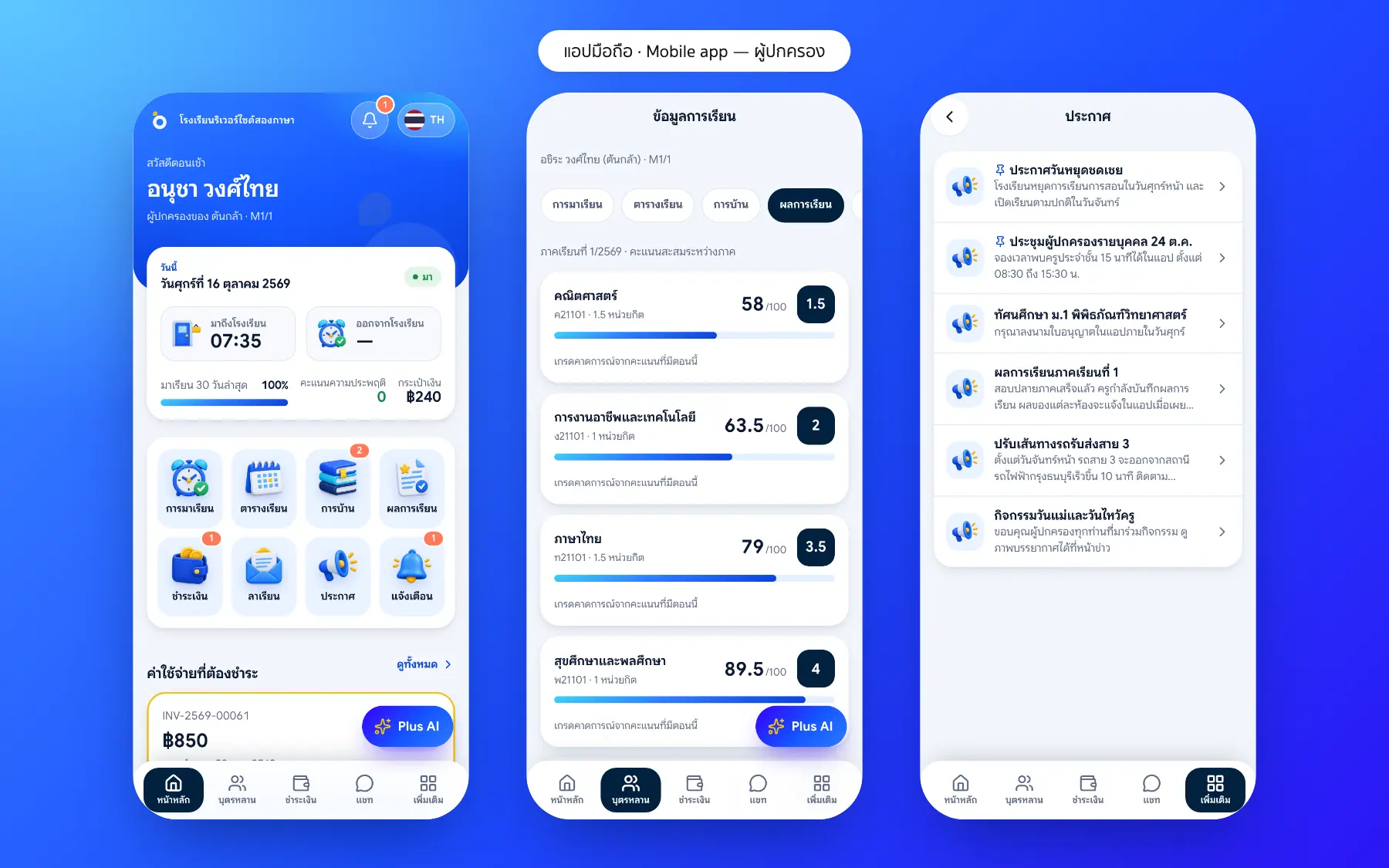
Parents and teachers can ask the assistant in the app too, and AI helps behind the scenes, drafting report comments and listing students to follow up, always checked and confirmed by a person.
- A Plus AI button in the app for every role
- Lists students to follow up
- Drafts report comments for teachers
- Every AI result is confirmed by a person
AI for schools screenshots
Real screens from the live demo. Click a screenshot to see it large and step through them.
How it works
How a school uses the ai for schools
1. Type a question
Ask in plain language, such as "which classes haven’t taken the register?"
2. Only permitted data
The AI reads only what the asker is allowed to see.
3. An answer with links
A short answer with links to the real data.
4. People decide
The AI drafts and suggests; a teacher or leader saves.
What it does
Everything it can do today
Ask in plain language
“Who is absent today?”, “Any slips to check?”, “Who owes fees?”, answered with links to the right screen.
Report-card comment drafts
Thai and English from real results; teachers edit before saving.
Students at risk
A risk score from attendance, homework, behaviour and fees, with the reasons.
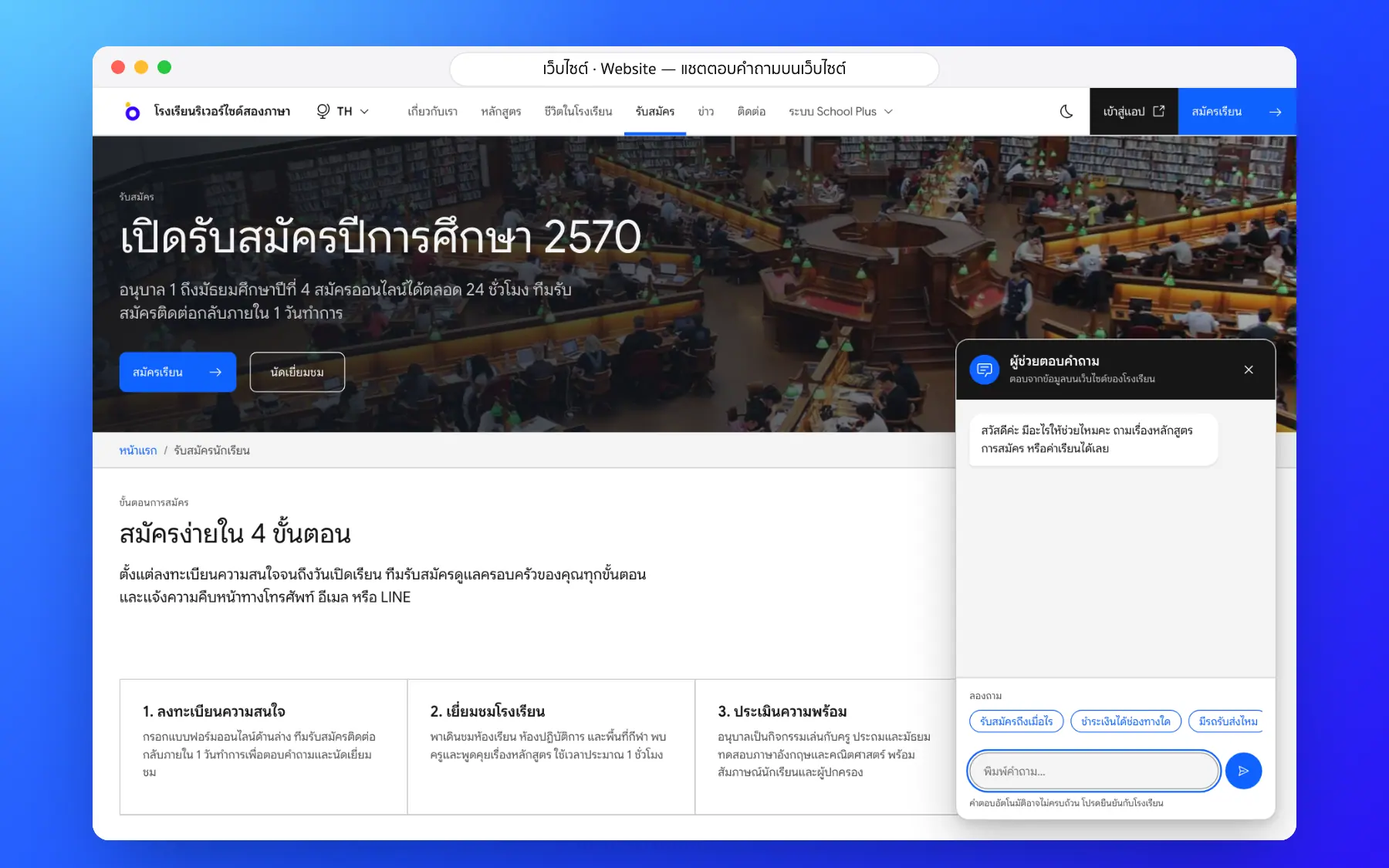
Website chatbot
Answers visitors from what the school publishes, never from student data.
Answers in your language
Replies come in the asker’s language.
No made-up numbers
Answers come only from the system’s data, and say so when there is none.
Web and app
Leaders, teachers and parents ask from where they work.
Logged use
Every question is logged for review and cost control.
Who uses it
Everyone shares one set of data but sees only their part
Leaders
Ask for a number instead of opening reports.
Teachers
Draft report comments and follow students at risk.
Parents
Ask about their child at any time.
Related features
Every feature shares one set of data, so they work together from day one
Student care
Behaviour records, leave requests and a list of students to follow up from attendance and grades.
Learn more — Student careReport cards (ปพ.6)
Thai 8-level grades with the มส and ร rules and AI-drafted teacher comments; grading scales and report forms can be set up for each country and school.
Learn more — Report cards (ปพ.6)School fee collection
Invoices with PromptPay QR, a slip-checking queue, receipts and duplicate-slip blocking.
Learn more — School fee collectionAI questions
No. It works with the user’s own permissions and never receives national ID numbers or health data.
Yes. Plus AI is an add-on, and answers from the school’s data still work without an external model.
Reading slip amounts, automatic timetabling and lesson plans aligned to the Thai core curriculum.
The assistant answers in five languages, Thai, English, Japanese, Korean and Chinese, in the language the user chooses.
Yes. Plus AI is an add-on the school chooses to switch on; the school management system works fully without it.