




Run the whole school from one system, with an AI assistant
A mobile app for teachers, parents and students, a back office for the school office and the school website, on one set of data, in five languages. Made by DNA Maker.
What is Bluweo School Plus?
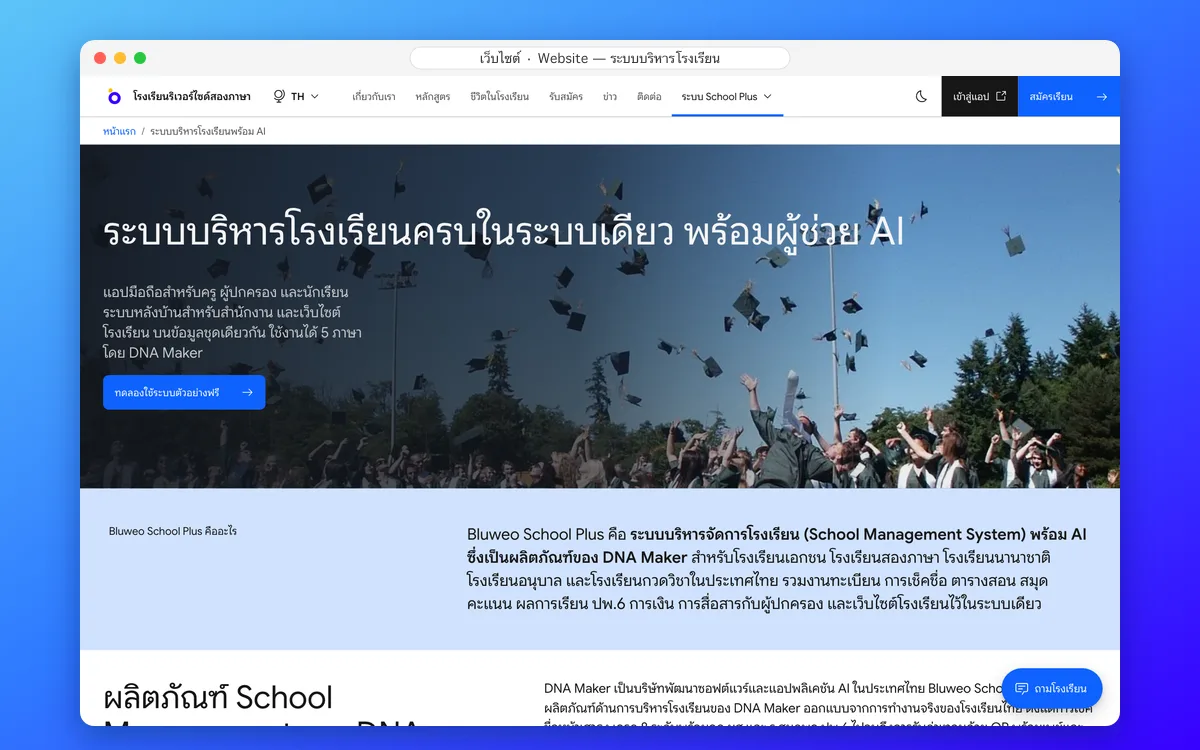
Bluweo School Plus is an AI school management system, a product of DNA Maker, for private, bilingual and international schools, kindergartens and tutoring schools in Thailand. It brings student records, attendance, timetables, gradebooks, Thai report cards (ปพ.6), fees, parent communication and the school website into one system.
A school management product from DNA Maker
DNA Maker is a Thai software and AI application company. Bluweo School Plus is its school management product, designed around how Thai schools actually work: morning roll call at the flagpole, 8-level grades with the มส and ร rules, ปพ.6 report cards, and fee collection with PromptPay QR and slip checking.
It runs in the cloud, so there is no server to install and nothing extra to buy. Teachers and parents use the web app on their phones straight away, with no download. The DNA Maker team moves your data from Excel or your old system, sets up the school and trains your staff until it is in daily use.
The site you are on is the product’s live demo, run with a made-up school, Riverside Bilingual School. All students, teachers and fees here are sample data.
Student attendance
Morning roll call on a phone in seconds; parents are told at once when a child is absent.
Learn more — Student attendanceSchool fee collection
Invoices with PromptPay QR, a slip-checking queue, receipts and duplicate-slip blocking.
Learn more — School fee collectionReport cards (ปพ.6)
Thai 8-level grades with the มส and ร rules and AI-drafted teacher comments; grading scales and report forms can be set up for each country and school.
Learn more — Report cards (ปพ.6)Parent and student app
Attendance, homework, grades, fees and chat with teachers in one app.
Learn more — Parent and student appSchool website and CMS
Drag-and-drop pages, full SEO and five languages.
Learn more — School website and CMSAI for schools
Ask school data in plain language, draft report comments and follow students at risk.
Learn more — AI for schoolsAdmissions and student records
Online applications from the website, every enquiry followed to enrolment, with guardian records.
Learn more — Admissions and student recordsTimetable
Timetables by class, teacher and room, with a warning when a teacher or room clashes.
Learn more — TimetableHomework
Teachers set work with due dates, students and parents see it in the app, and teachers review submissions in one place.
Learn more — HomeworkSchool communication
Announcements, an events calendar, notifications and teacher–parent chat.
Learn more — School communicationStudent care
Behaviour records, leave requests and a list of students to follow up from attendance and grades.
Learn more — Student careSchool bus and arrival
Scan on and off the bus or at the gate; parents know at once that their child has arrived.
Learn more — School bus and arrivalStudent and staff records
Students, guardians, staff and classes in one register, with sensitive data encrypted.
Learn more — Student and staff recordsGradebook
Spreadsheet-style score entry, weighted totals and grades worked out, with the 80% exam rule.
Learn more — GradebookLeadership dashboard
Attendance, money, admissions and what is waiting, on one page every morning.
Learn more — Leadership dashboardTeacher app
Roll call, timetable, classes and chat with parents on the phone.
Learn more — Teacher appCanteen, nurse room and gate app
Staff scan student cards with a phone; parents are told at every point.
Learn more — Canteen, nurse room and gate appRoles, security and PDPA
Role-based access, encrypted sensitive data and a full audit log.
Learn more — Roles, security and PDPA3
screens on one set of data: app, back office, website
5
languages: Thai, English, Japanese, Korean, Chinese
19
user roles with clear permissions
40+
ready-made blocks for website pages
See the real screens of all three systems
Every picture is a real screen from the live demo: the website and back office on a desktop, the app on a phone. Slides change every 5 seconds, or use the dots under each picture.
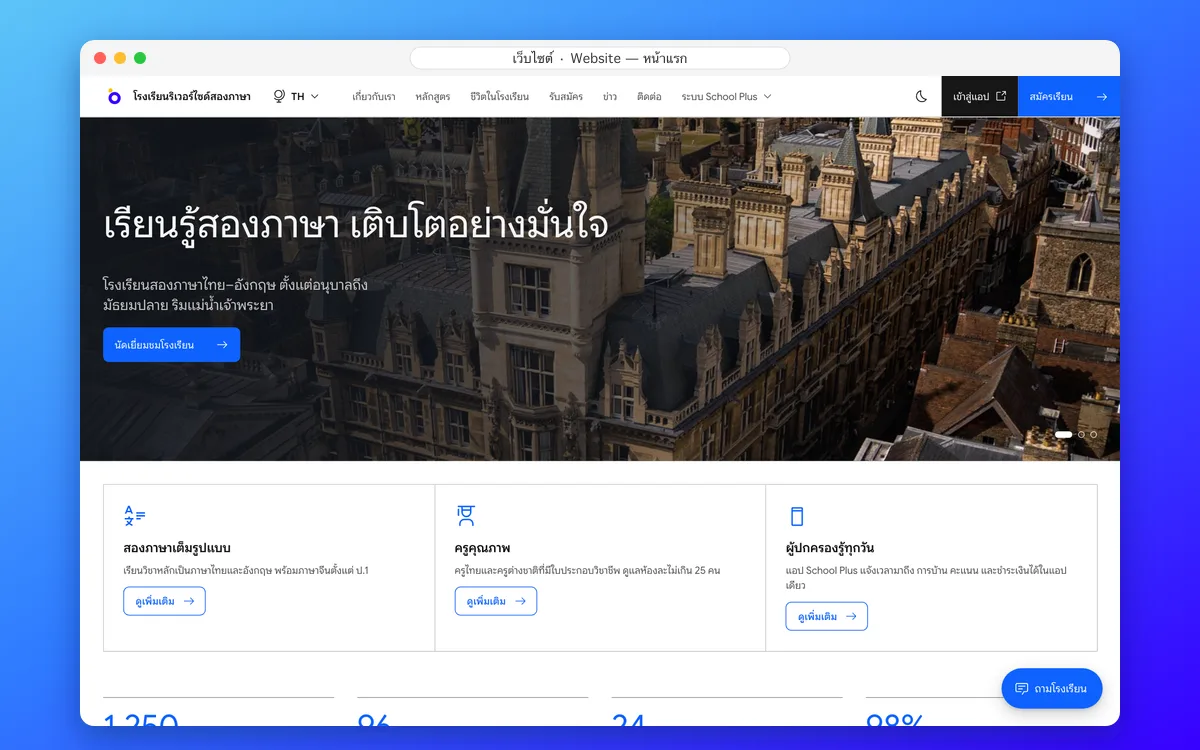
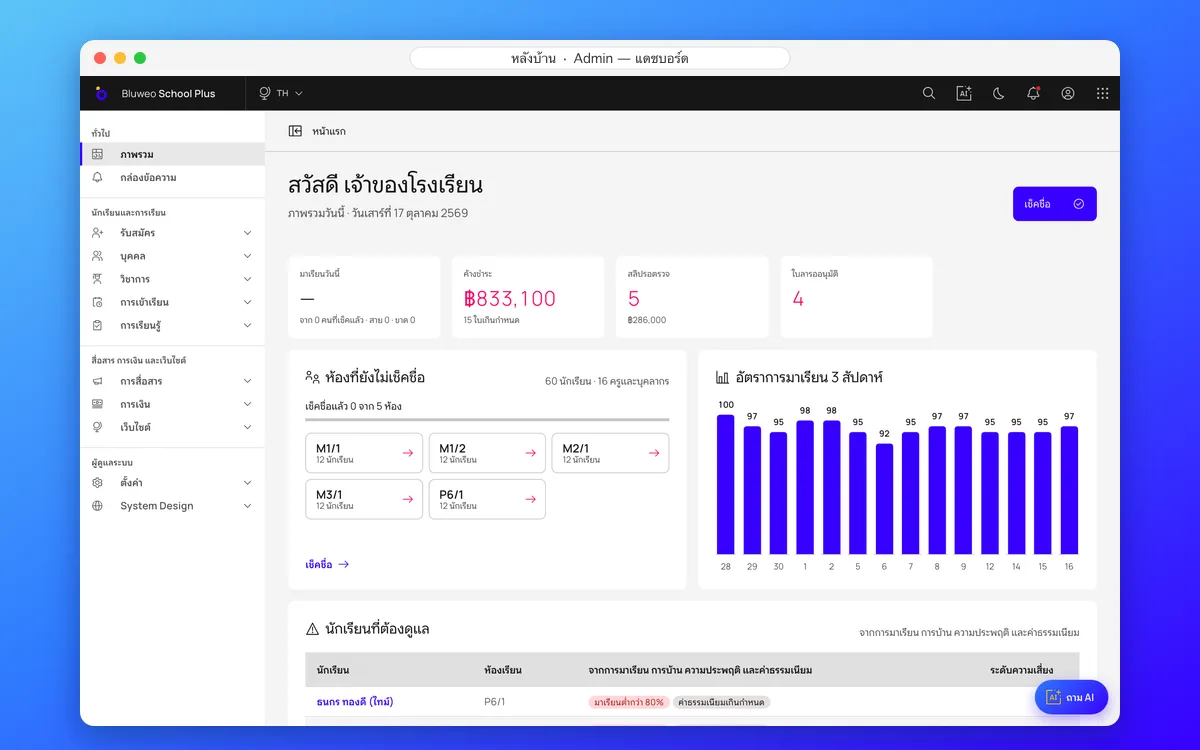
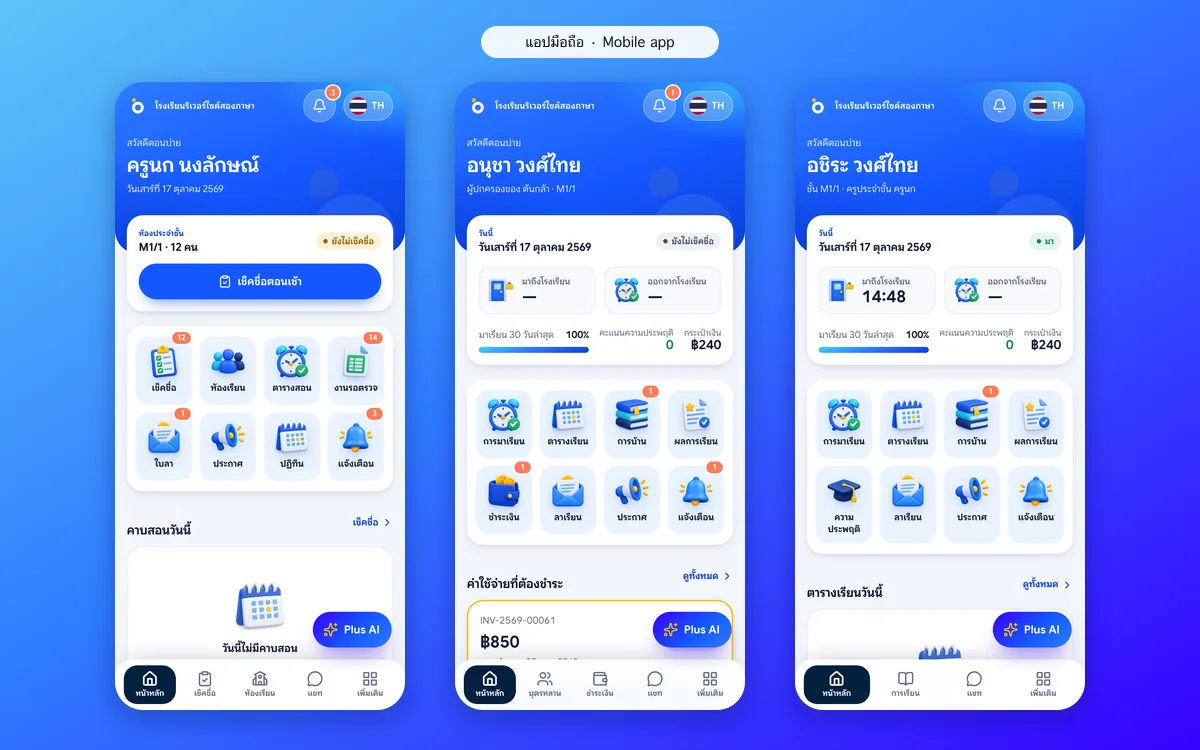
Three systems on one set of data: website, back office and mobile app
A school website for new families, a desktop back office for the office and leaders, and a mobile app for teachers, parents and students, all sharing one set of data: enter it once, see it everywhere.
Try all three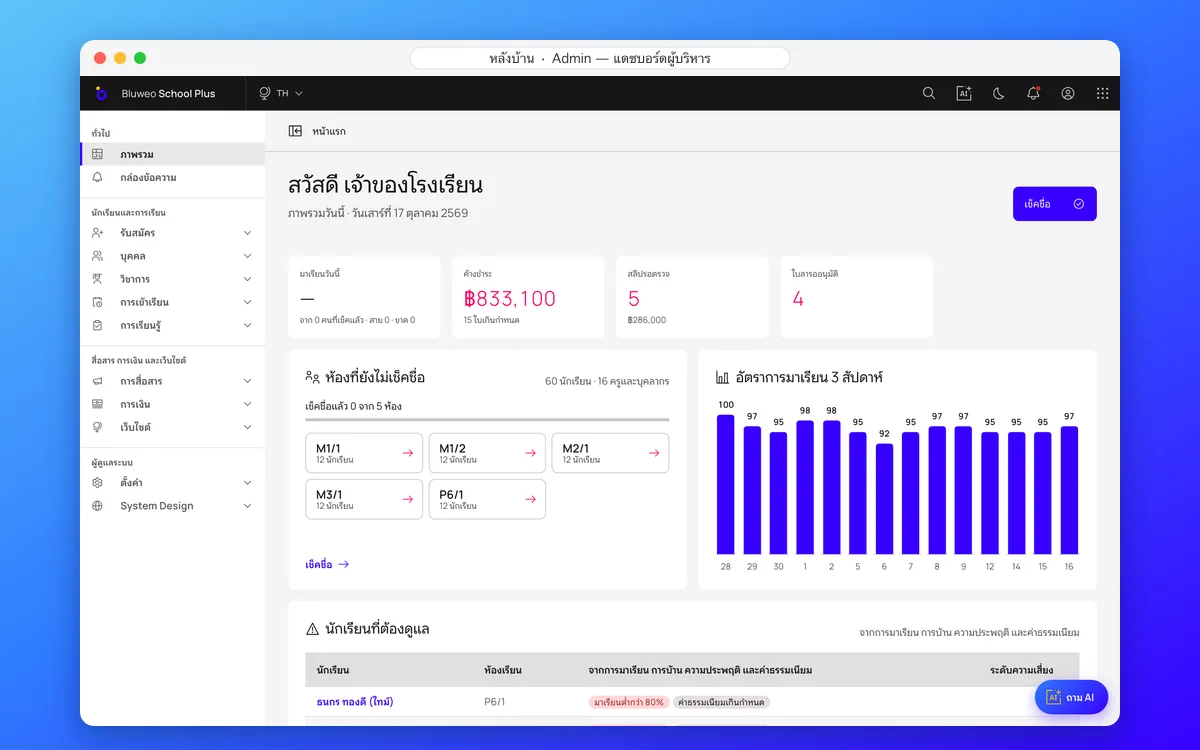
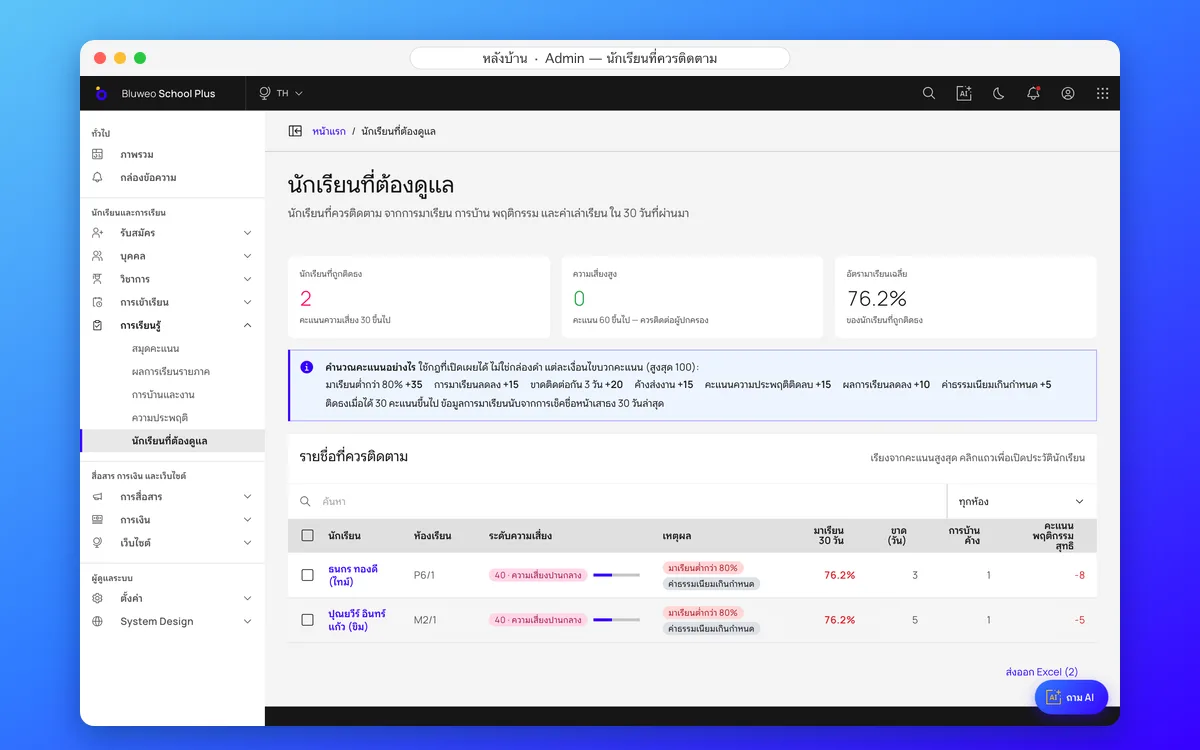
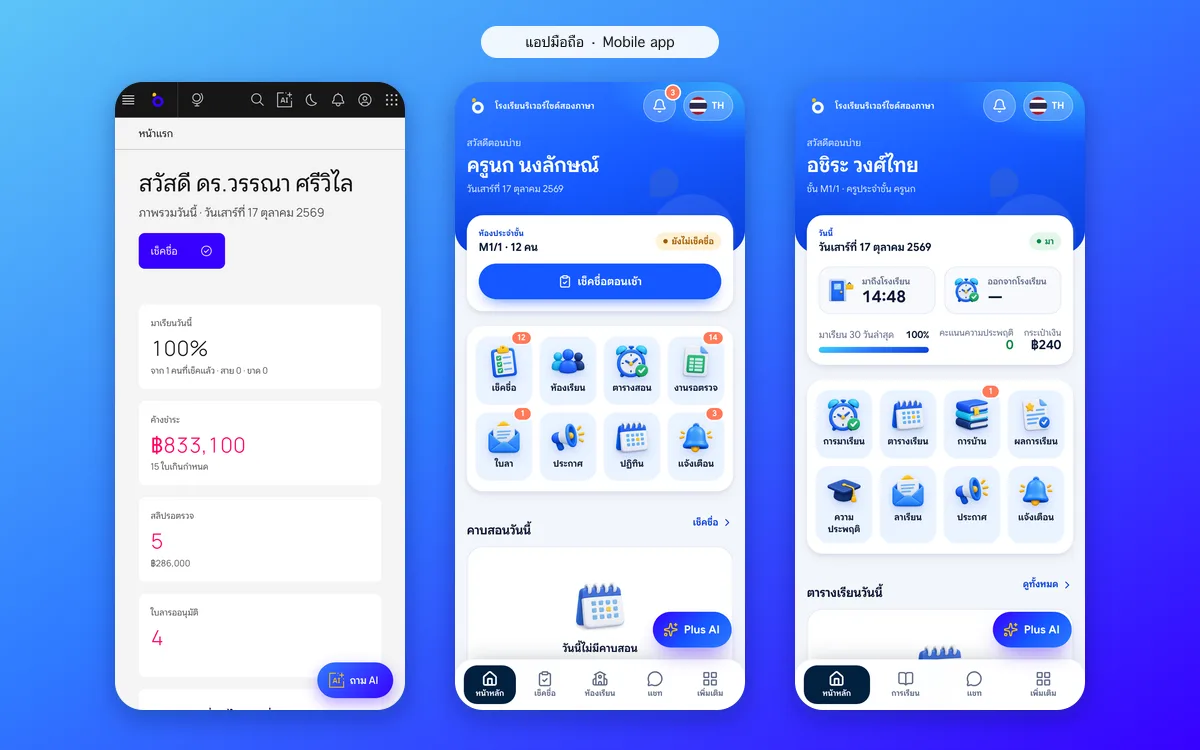
A leadership dashboard, and a home for every role
Leaders see today’s attendance rate, fees owed, slips waiting and approvals the moment they sign in. Teachers see the class to take roll call for and today’s lessons; students see their timetable and homework. Every role sees only what it is allowed to.
Sign in as the principal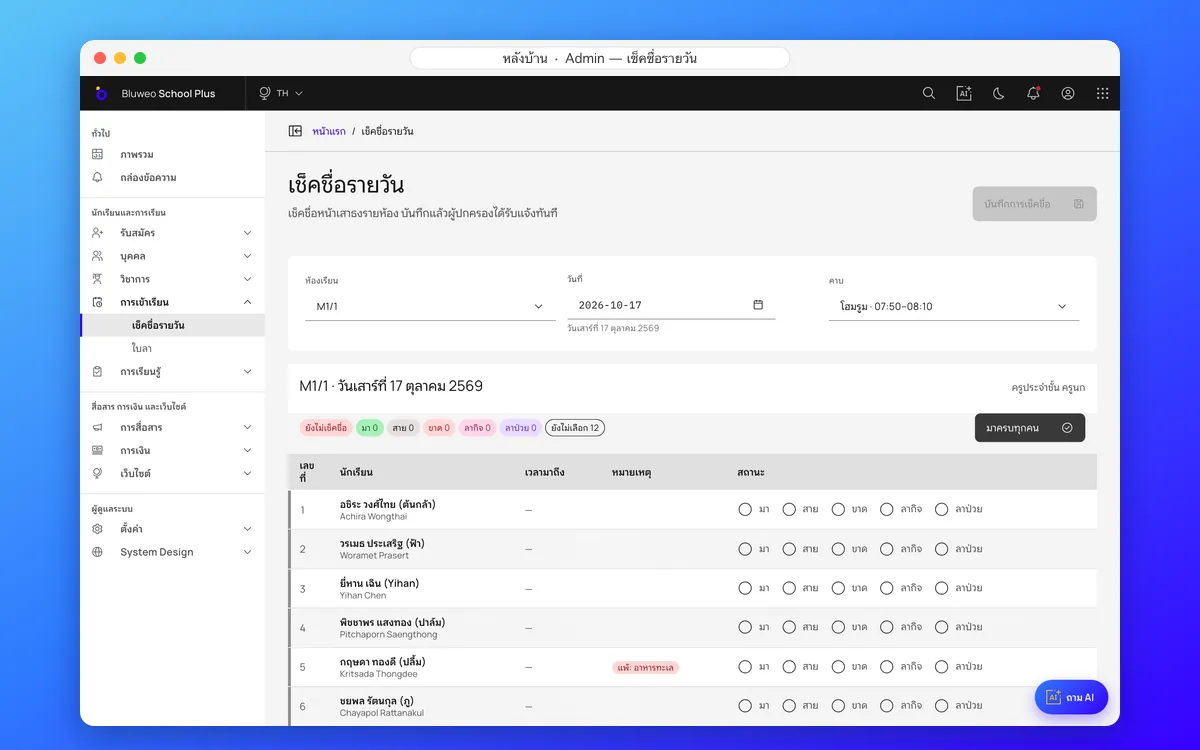
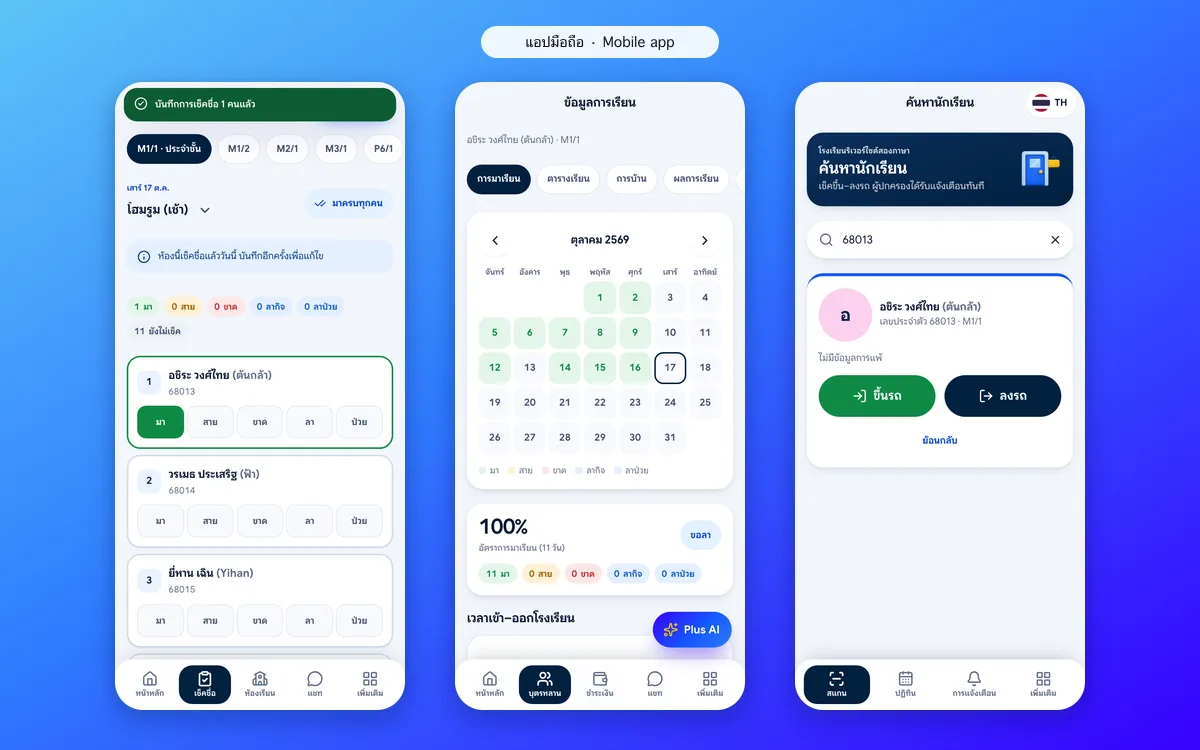
Daily and per-period attendance with automatic parent alerts
Teachers take a whole class in seconds: everyone starts present, tap only who is absent, late or on leave. Parents are told at once, and attendance is counted against the 80% rule used for มส.
Student attendance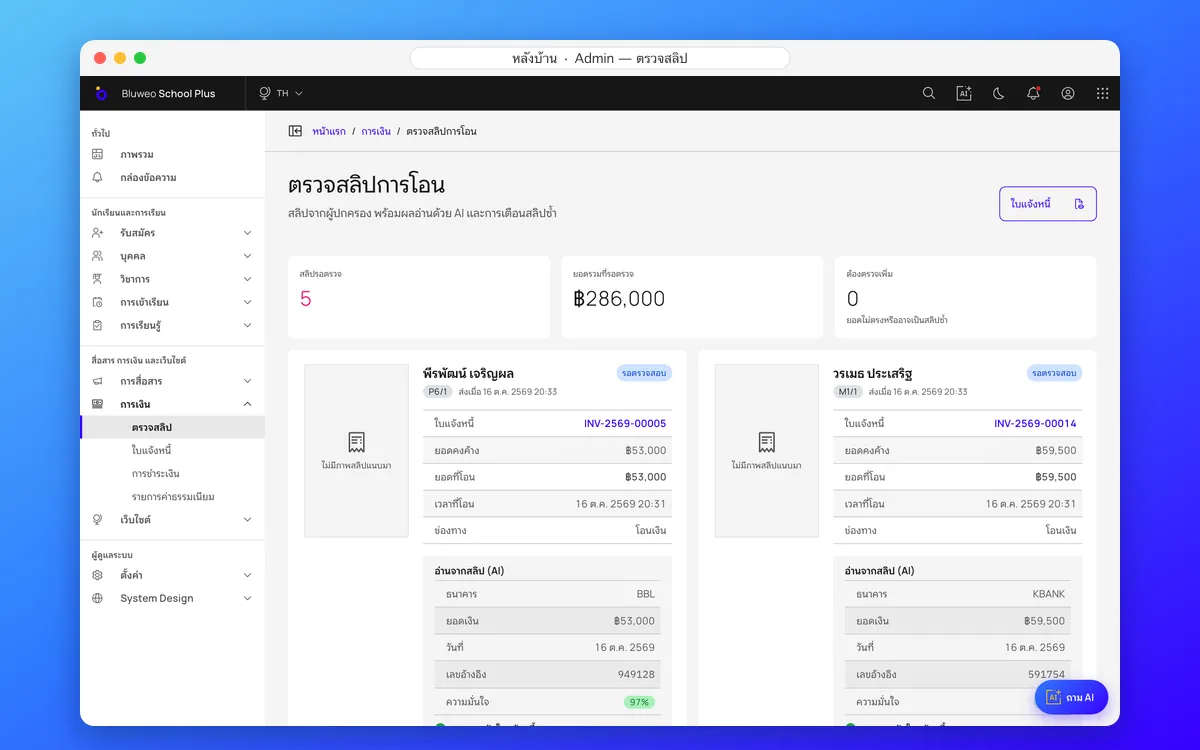
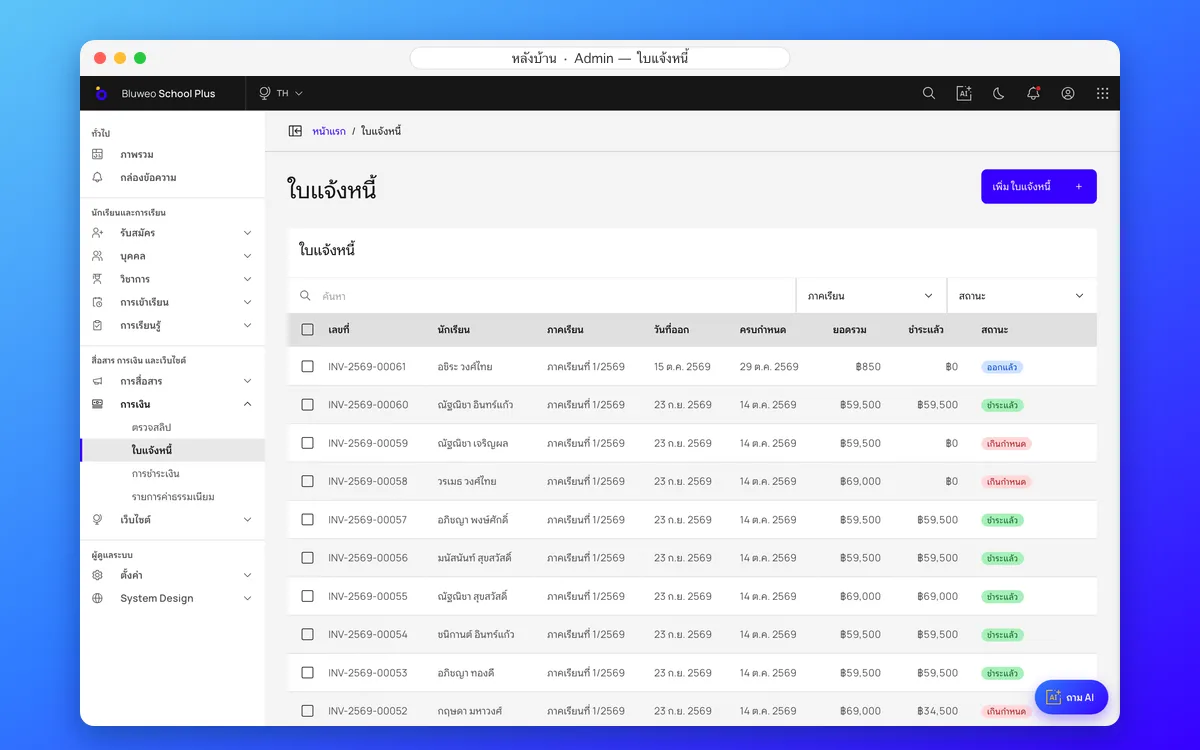
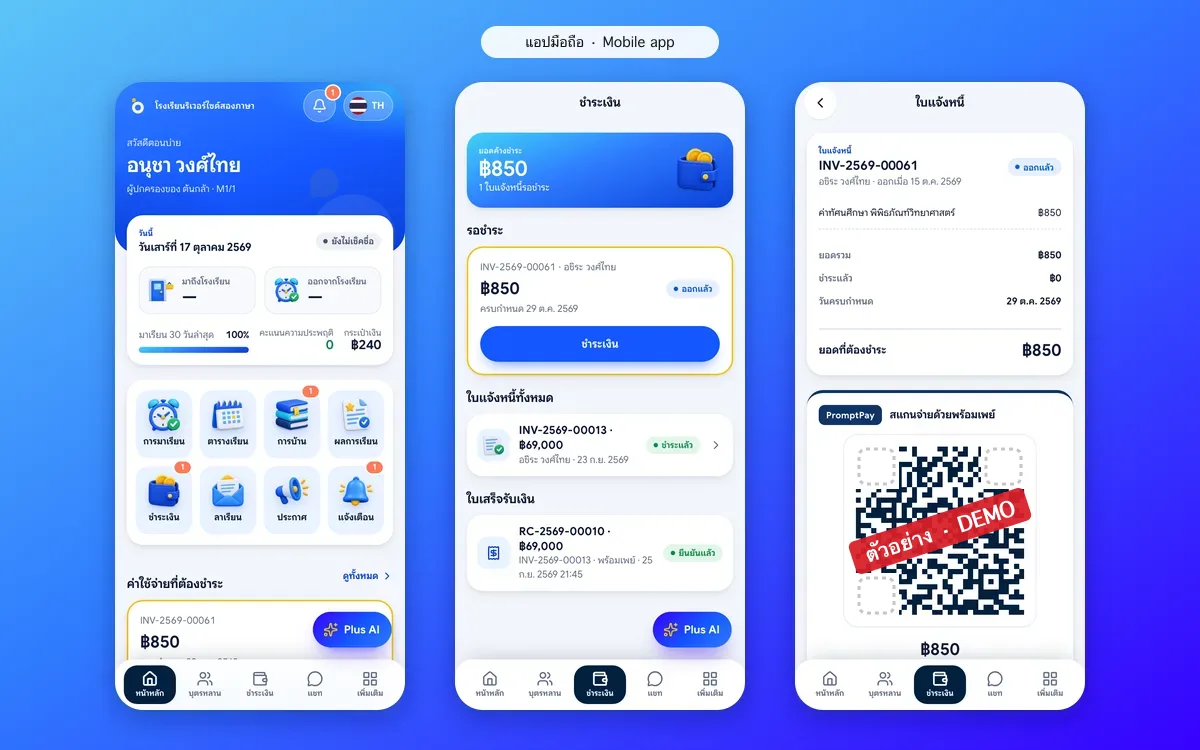
PromptPay QR fees and one slip-checking queue
Invoices total themselves, parents scan a PromptPay QR in the app and attach the slip, and finance checks every slip in one queue. Duplicate slips are blocked, receipts issued and arrears followed up.
School fee collection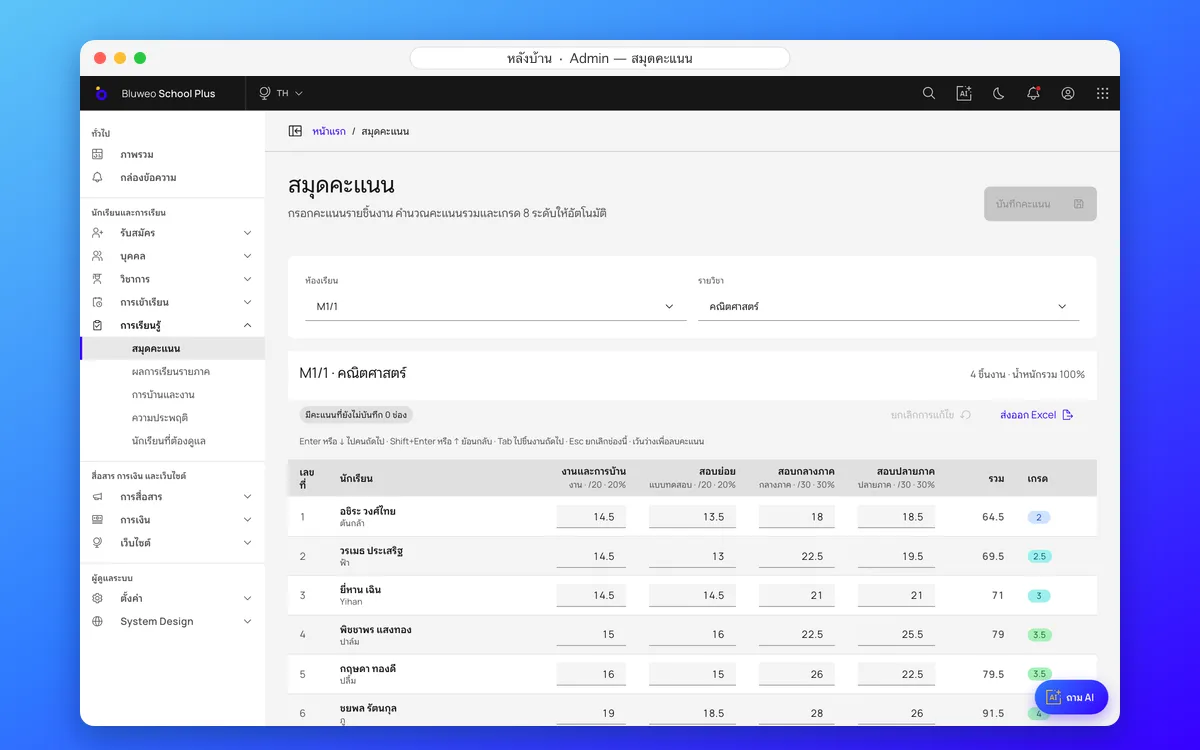
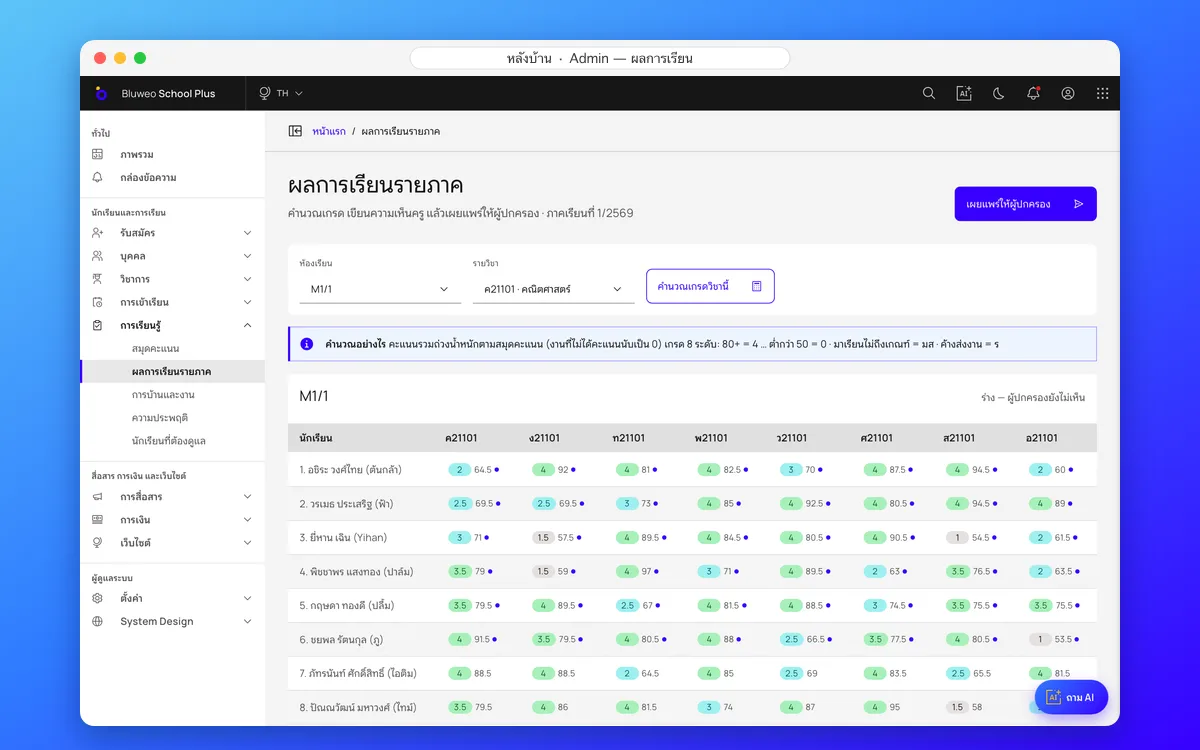
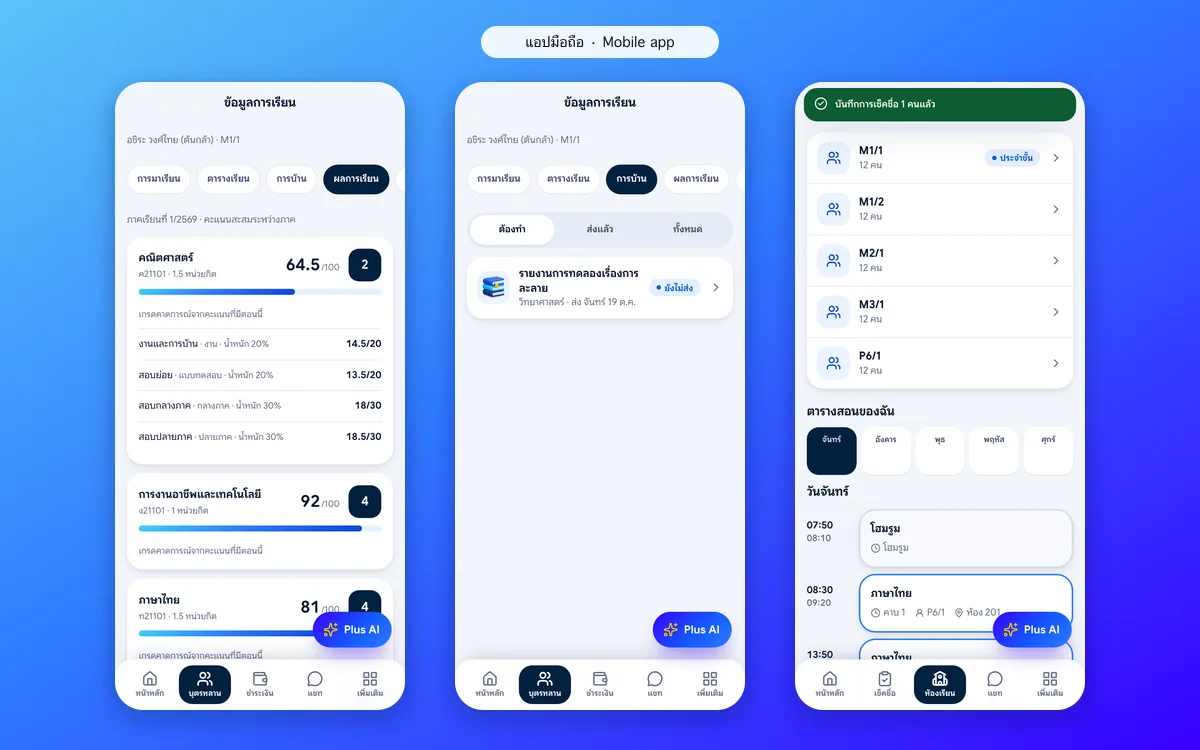
ปพ.6 report cards, adaptable to any country’s curriculum
The gradebook works out 8-level grades and the ร and มส rules. Teachers draft report comments with AI and edit them, and leaders approve before parents see them. Grading scales, subjects and report forms can be set up for each country’s curriculum and each school’s setting.
Report cards (ปพ.6)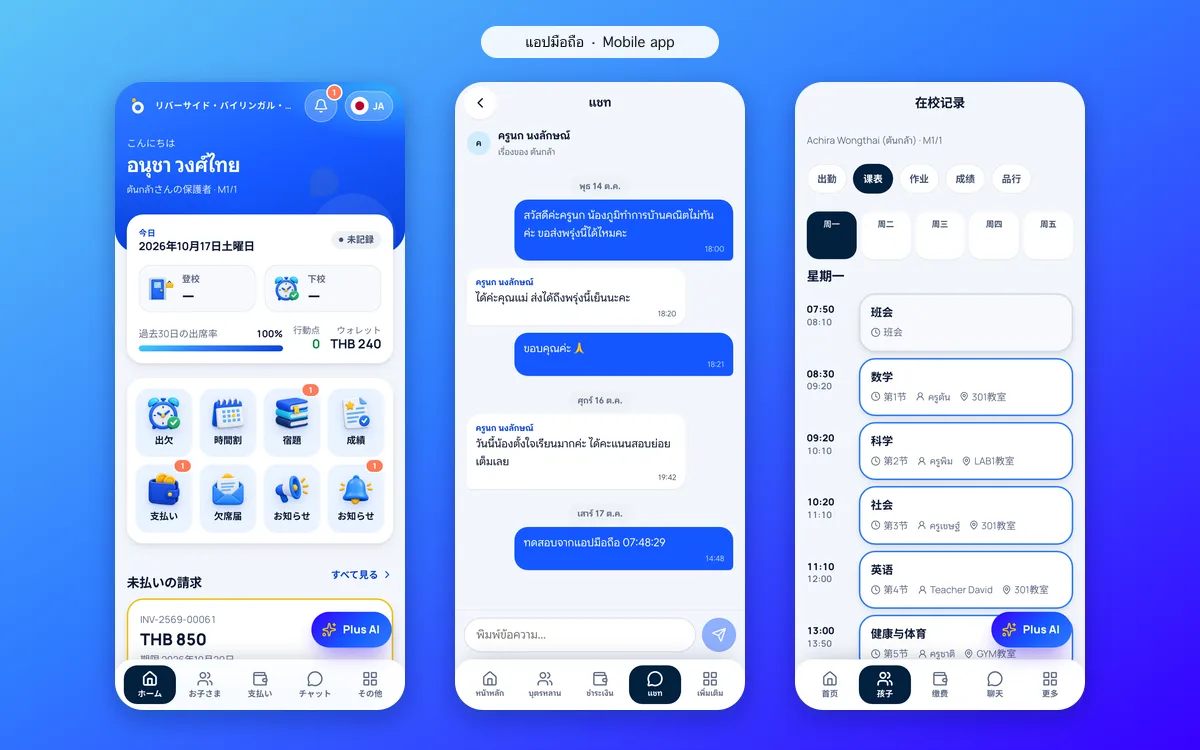
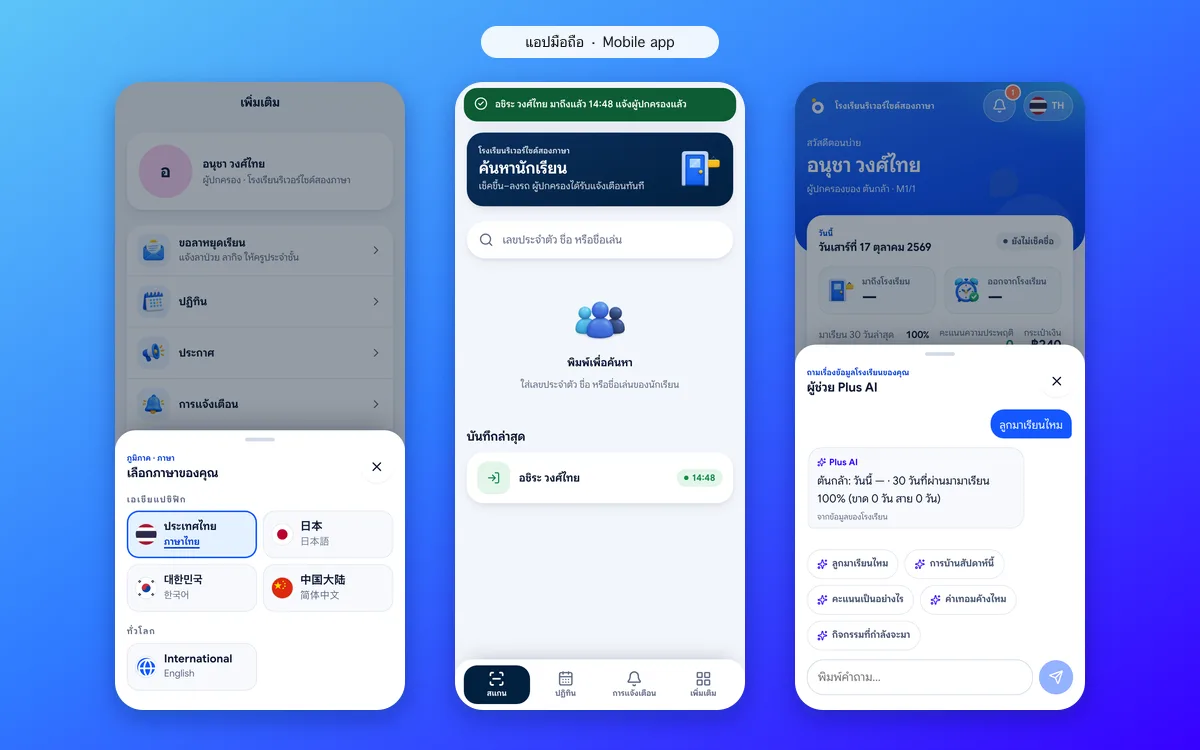
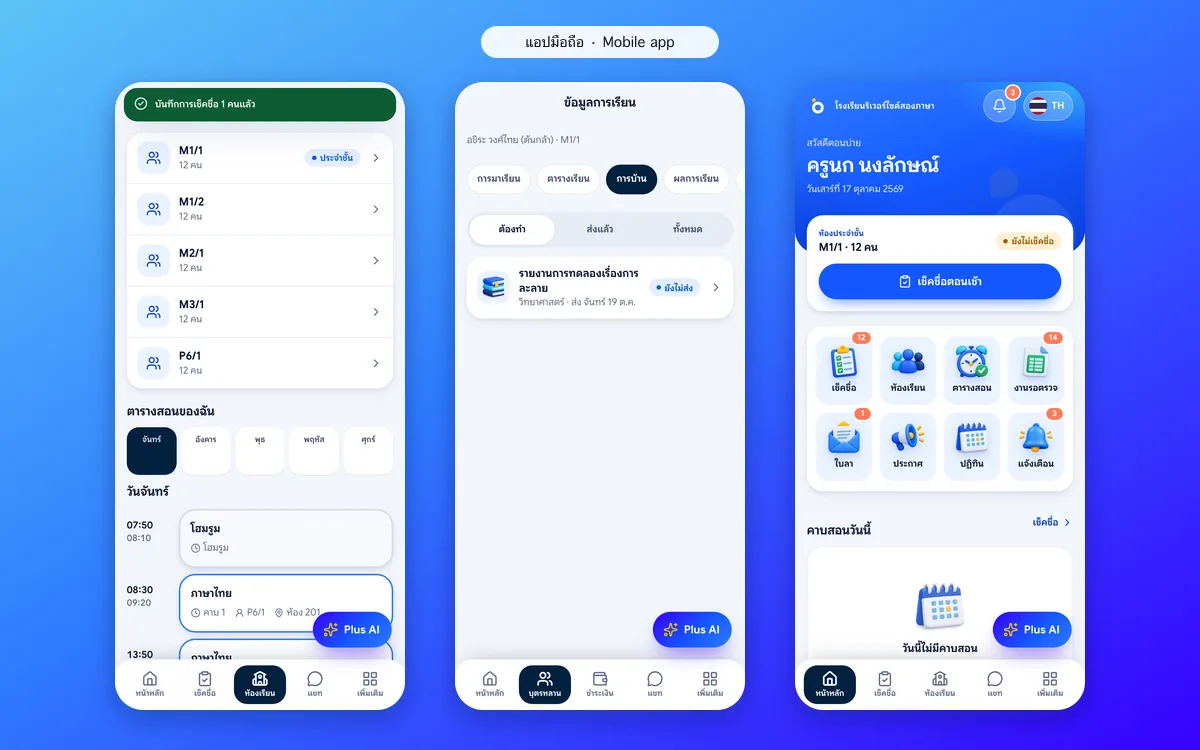
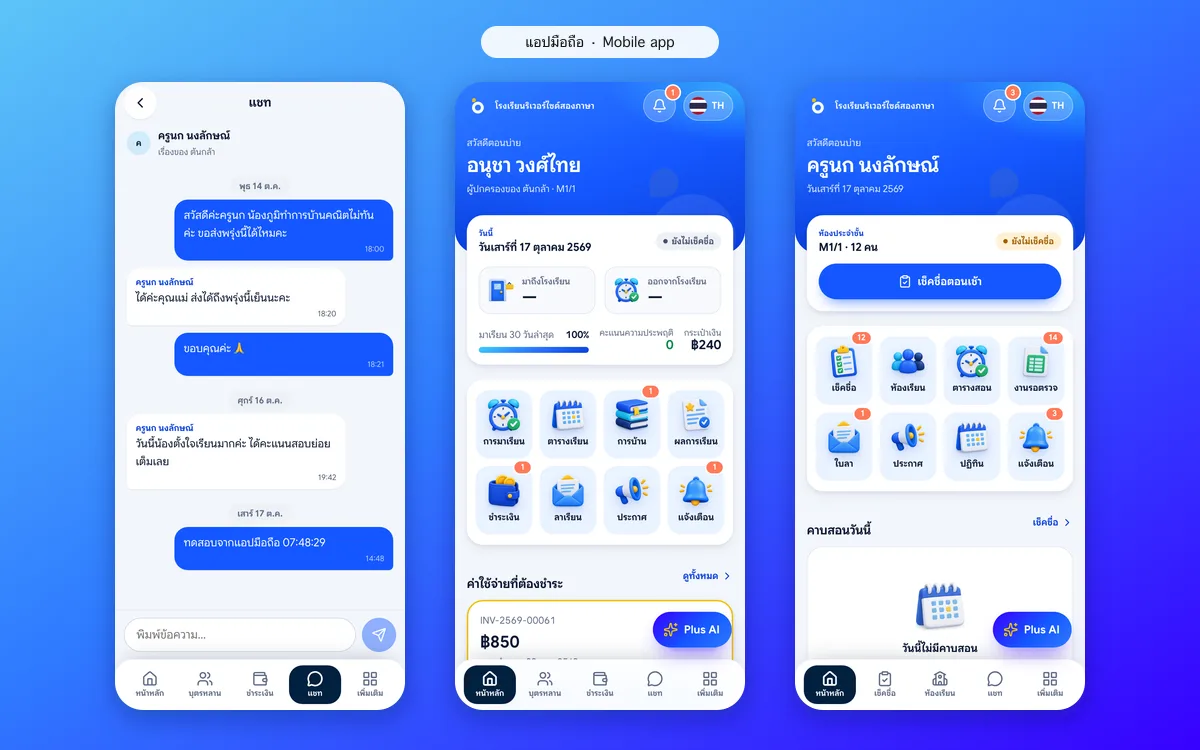
A mobile app for teachers, parents and students
Parents see attendance, homework and grades, pay fees, send leave requests and chat with teachers. Teachers take roll call and set homework; students see their timetable. It runs on any phone with no download.
Parent app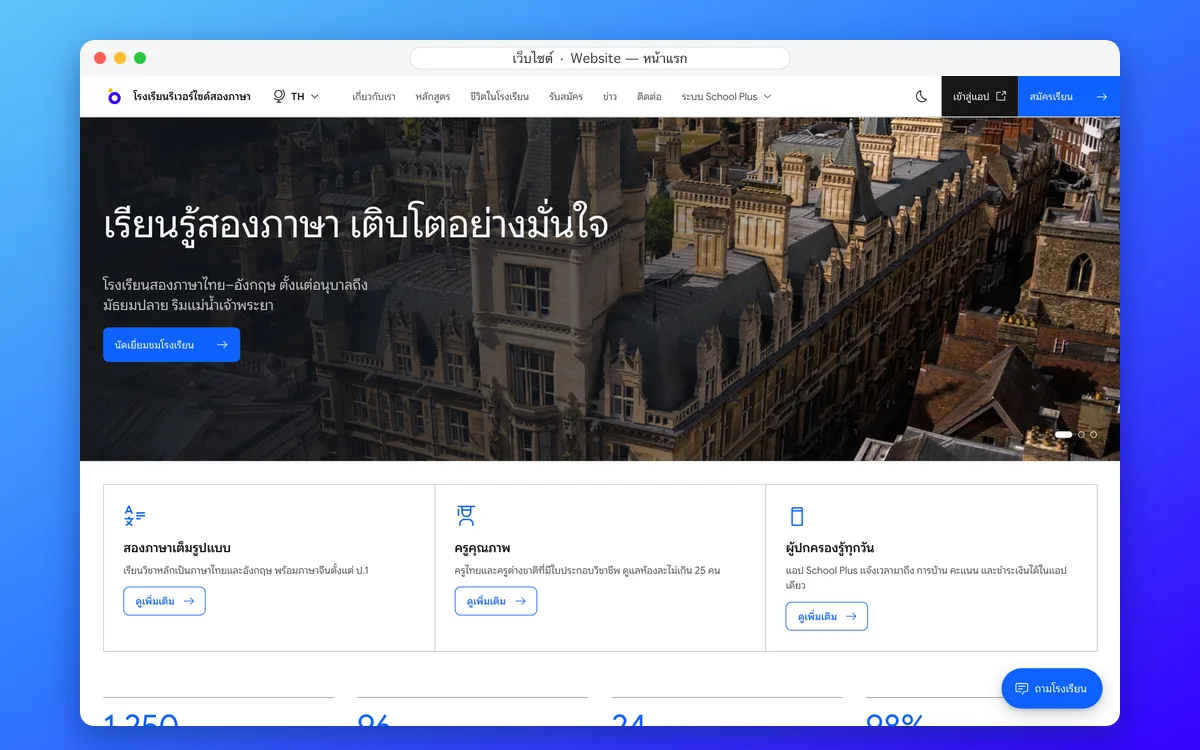
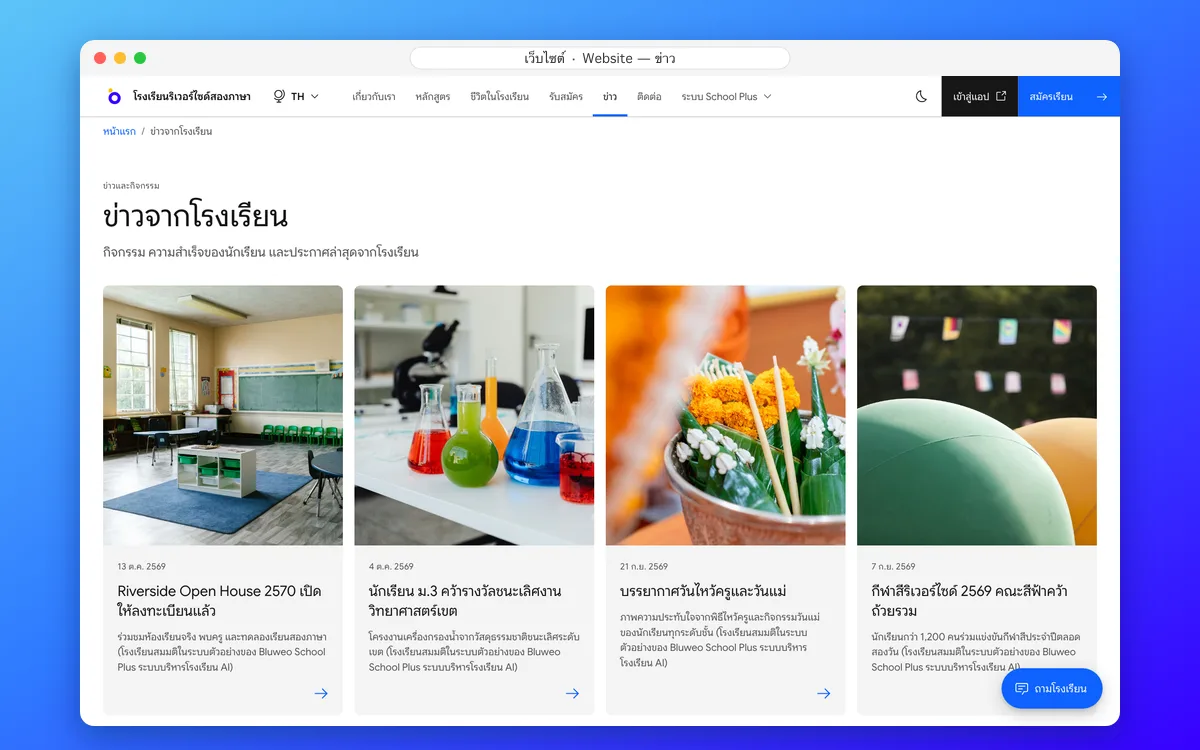
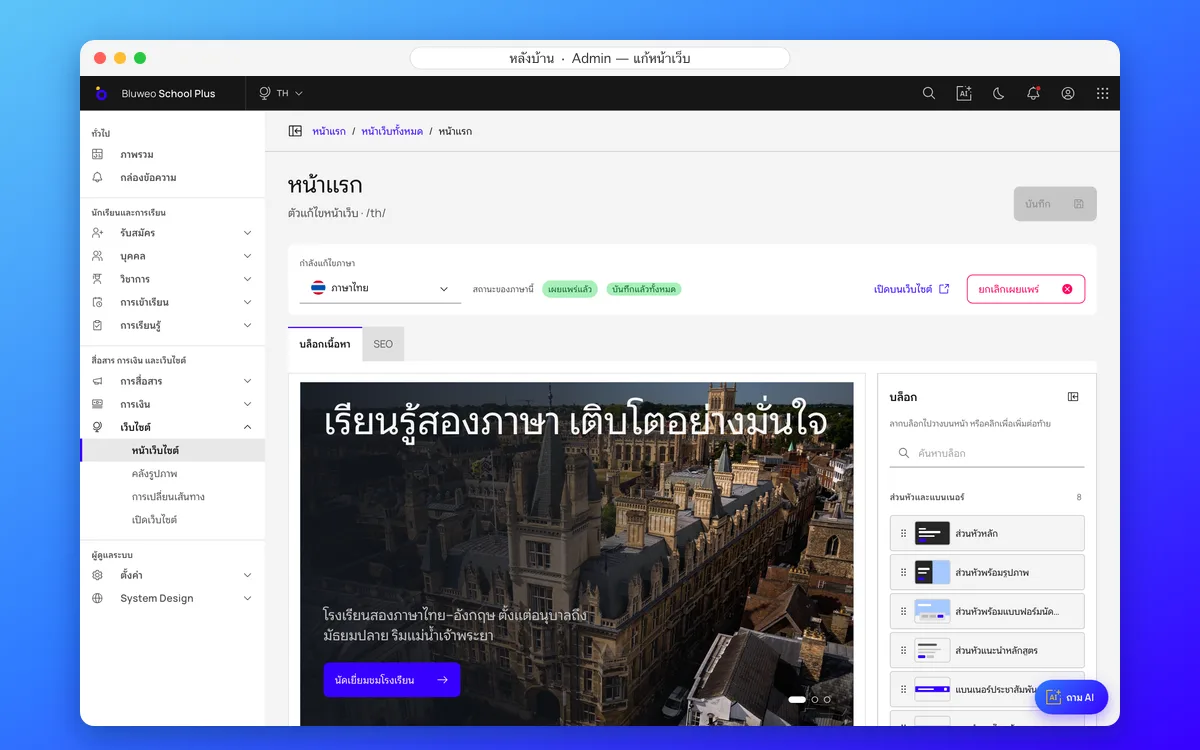
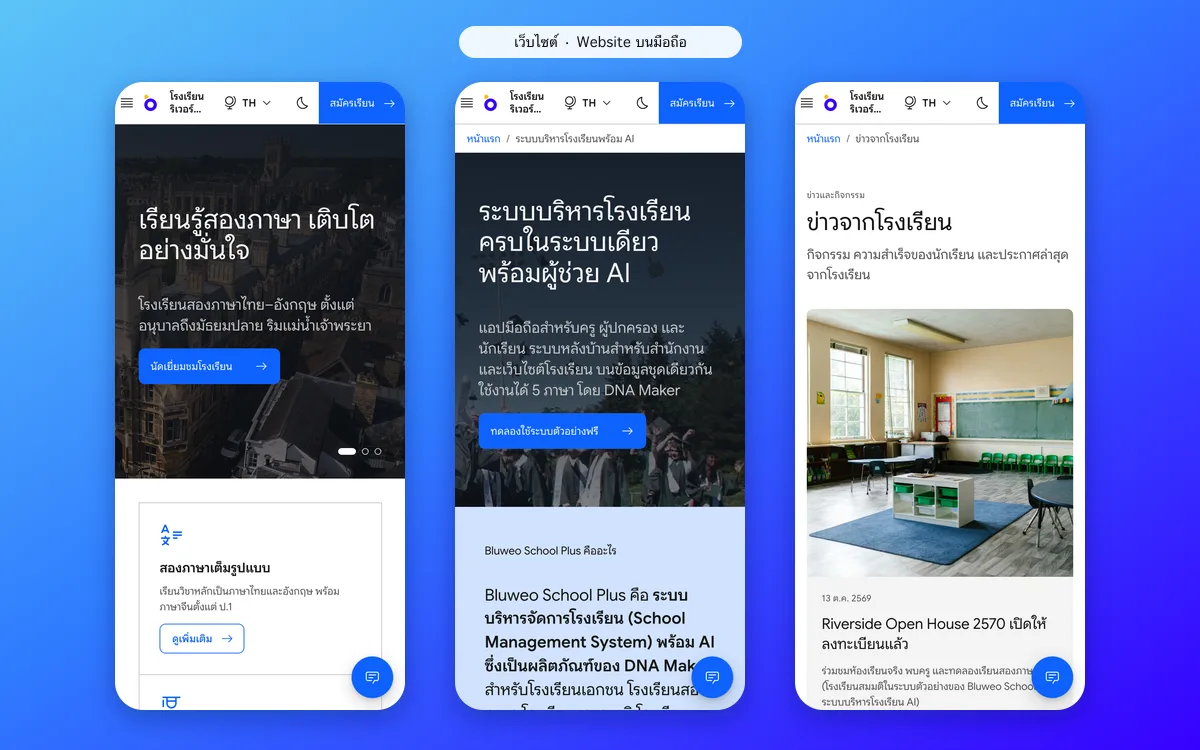
A school website you edit yourself, in five languages, on phone and desktop
The communications team builds pages from more than 40 ready-made blocks and posts news, notices and events. Every page has full SEO, a sitemap and structured data for Google.
School website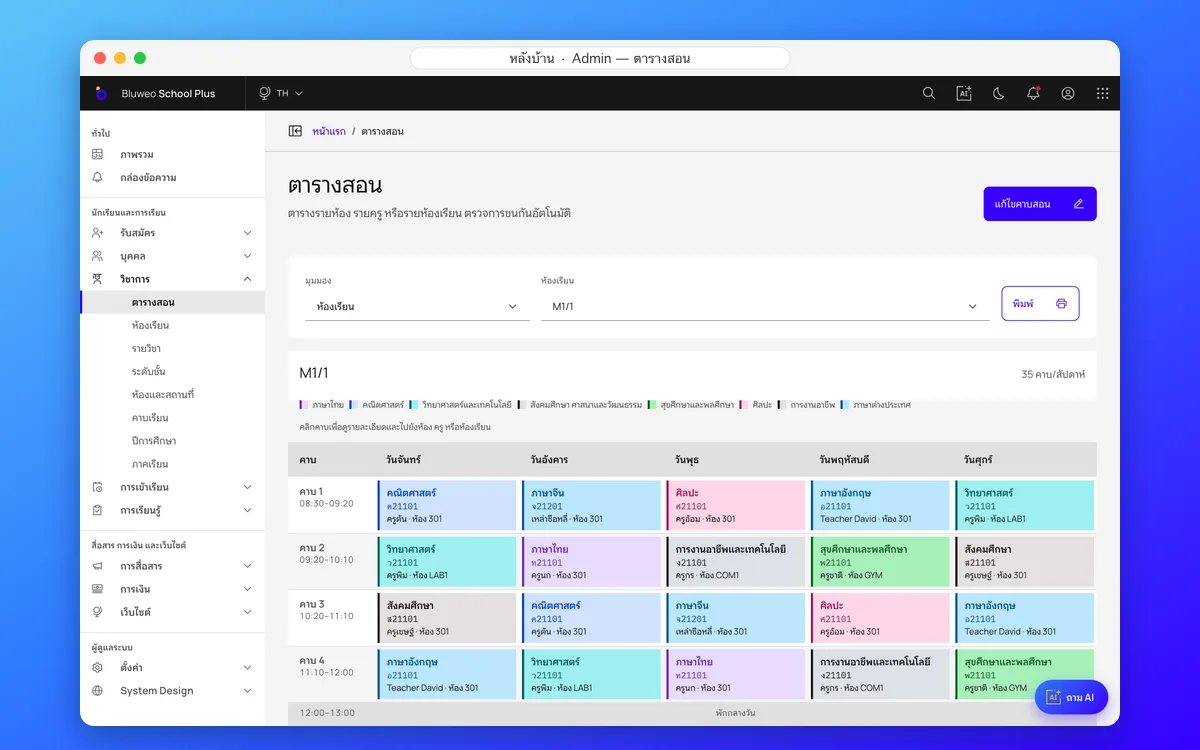
Timetable and homework, from the back office to the phone
The academic office builds the timetable on a desktop and gets a warning when a teacher or room clashes; teachers see their lessons and work to review in the app; students and parents see the timetable and homework.
Timetable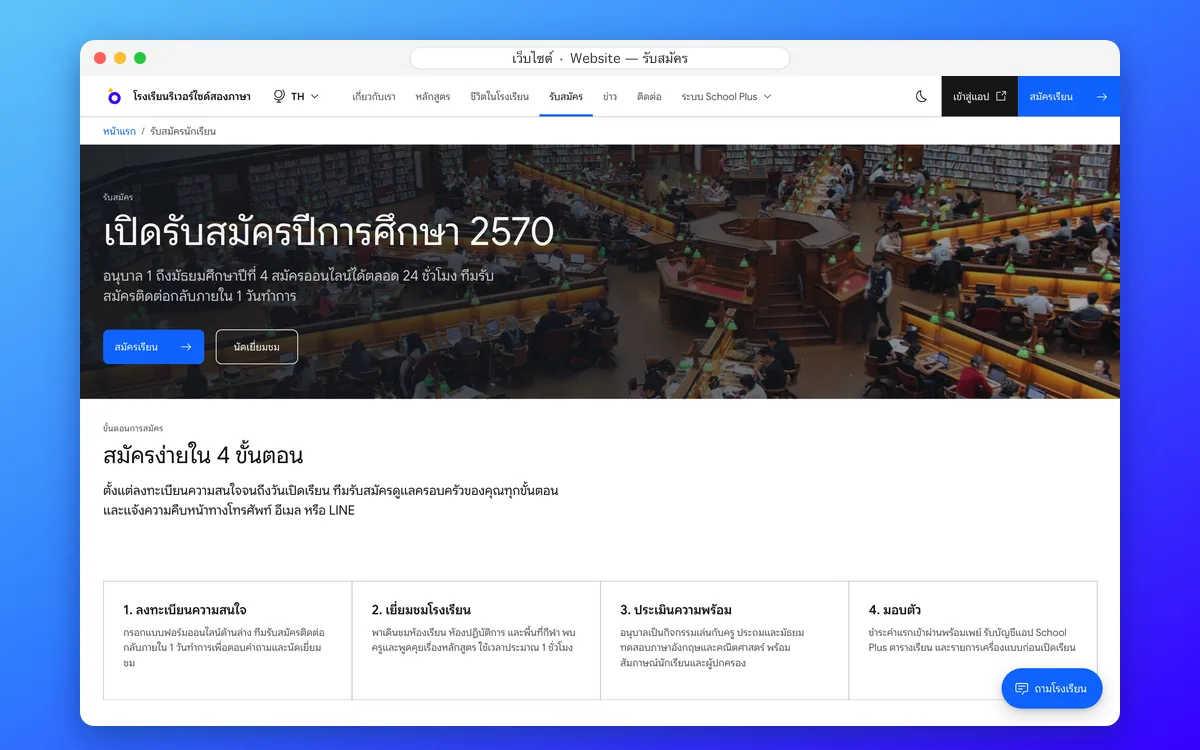
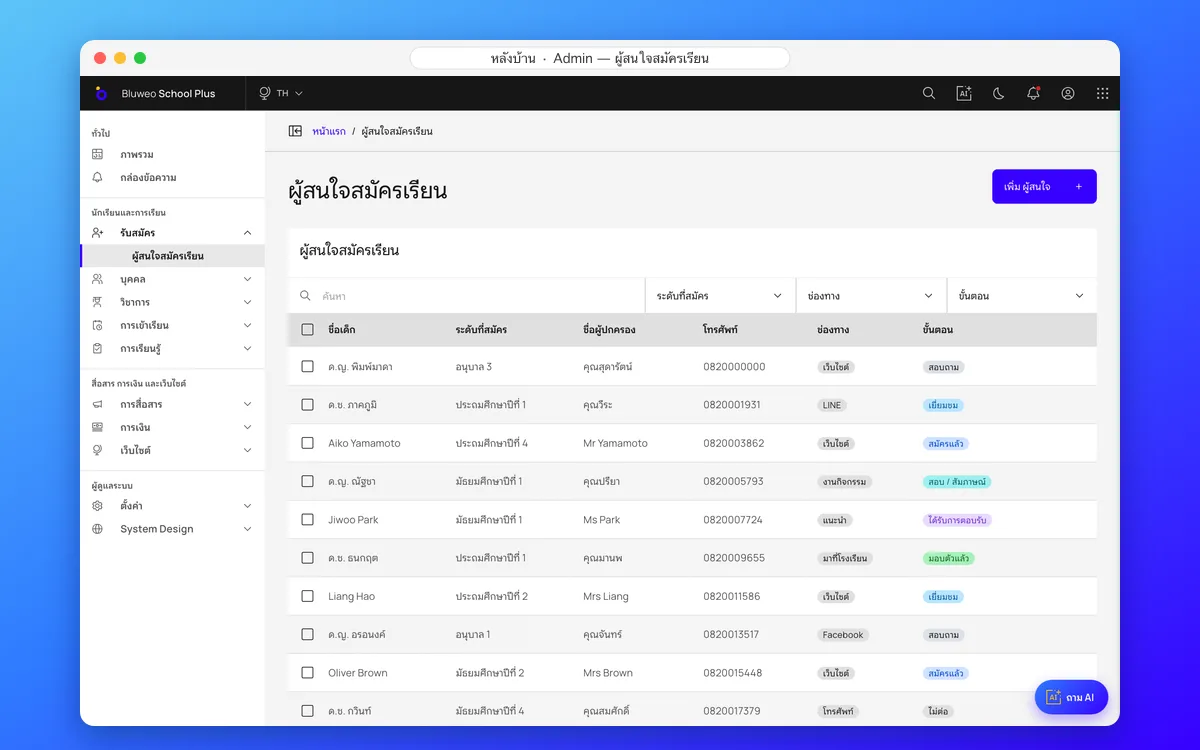
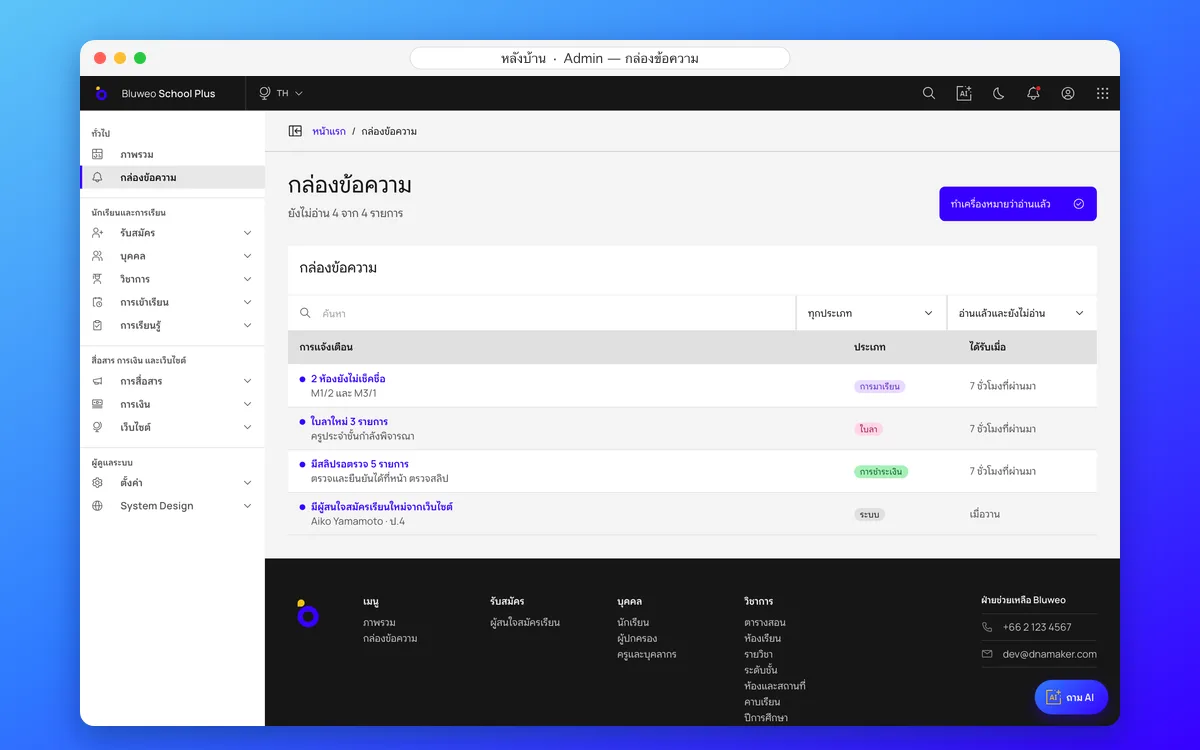
Online admissions and parent communication
Applications from the website land in the admissions system at once, the team follows every family, and once a child is enrolled teachers and parents talk in the inbox and the mobile app.
Admissions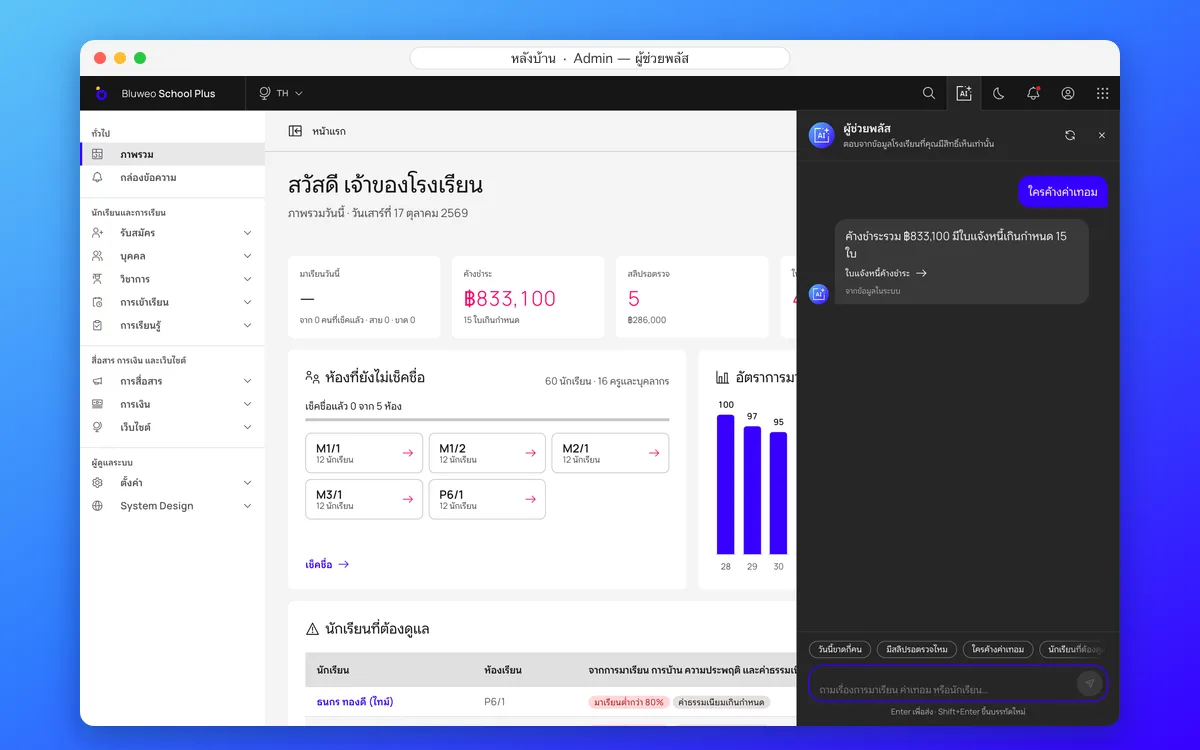
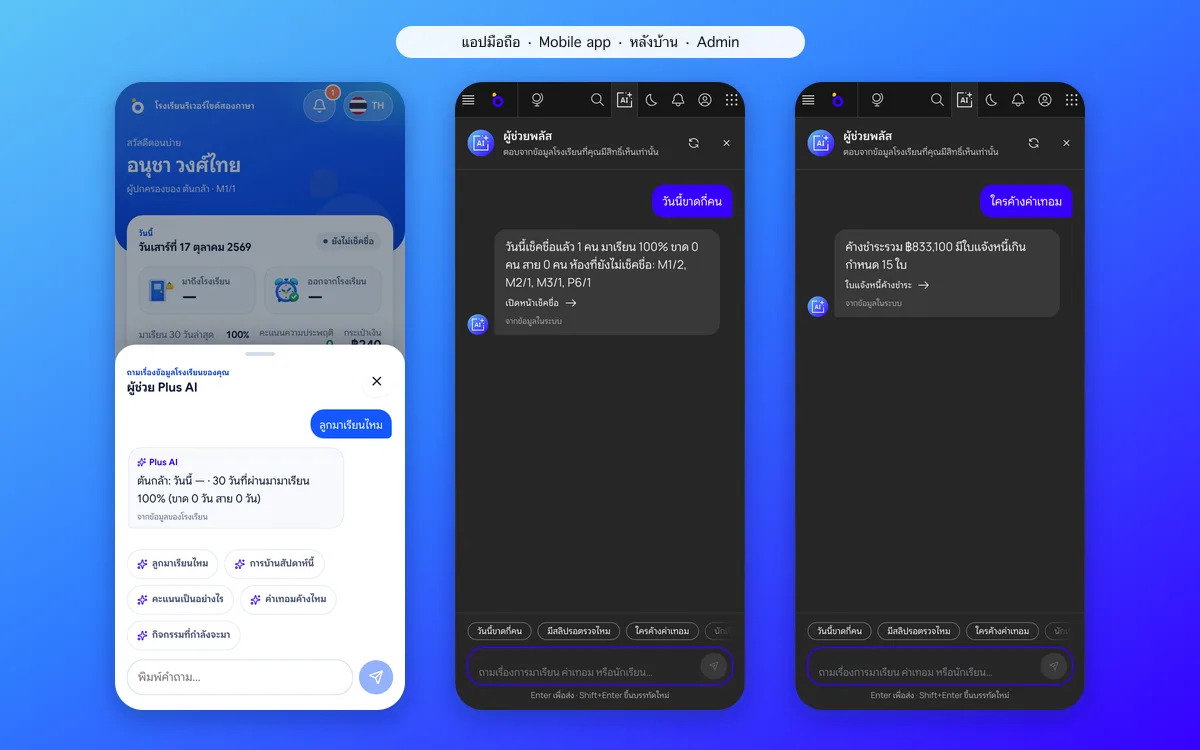
An AI assistant that answers from the school’s own data
Ask in plain language, such as who is absent today or which class owes the most fees. The AI answers only from the school’s data that the person asking may see, and links to the right screen.
AI for schoolsBuilt for everyone in the school
19 user roles; each person sees only their own work and data
School leaders
A daily overview: attendance rate, fees owed, students at risk, and report-card approval.
Registrar and academic office
Student records, admissions, a timetable that checks clashes, and term report cards.
Finance
Invoices that total themselves, PromptPay QR, a slip queue and receipts.
Teachers
Roll call, homework, marks, AI-drafted report comments and chat with parents.
Parents and students
A mobile app for attendance, homework, grades, fees, leave and chat.
Website and communications team
Edit pages, write news, send for review and publish, with a translator per language.
Secure and PDPA-ready
Student data is sensitive personal data, so security is designed in from the start
Role-based access
Every request is checked on the server: teachers see only their classes, parents only their own children.
Sensitive data encrypted
National ID numbers and health data are encrypted in the database.
Audit log
Every change, and every view of sensitive records, is logged for later review.
Each school kept apart
Every database query is limited to one school, so schools’ data never mixes.
Up and running in four steps
The DNA Maker team stays with you from day one until the school uses it every day
Step 1
Talk through your needs and see a demo
The team learns how your school works and shows the system with sample data.
Step 2
Set up the school and move your data
Students, teachers, classes, subjects and fees come in from Excel or your old system.
Step 3
Train your staff and go live
Leaders, registrar, finance and teachers are trained, then parents get the app link.
Step 4
Ongoing support and improvement
A support team, new features, and changes based on how the school really uses it.
Pay once, for the whole school
The School Package is one payment, with unlimited users and no yearly licence fee. The price and everything it covers are in the quotation (in Thai), ready to download.
School Package with source code
One payment No yearly licence fee
- All 18 features: website, back office and mobile app
- Unlimited users in every role
- Source code handed over, for the school to develop further
- Installation, school setup and Excel import
- Manuals and video training for each role
- 3-month warranty on defects
Optional services
Not required Choose only what the school needs
- Yearly support, starting after the warranty
- A cloud server the school chooses, paid to the provider directly, or a server it already has
- AI API for the Plus AI assistant, paid to the provider directly, only if switched on
Explore School Plus
Every page about the product, from the features to the demo and the team
All features
Attendance, fees, report cards, the parent app, the website and AI on one page
Open — All featuresServices from DNA Maker
The system tailored to your school, with a team from day one
Open — Services from DNA MakerQuestions about school management systems
Short answers for schools choosing a system
A school management system is software that keeps a school’s work in one place: student records, attendance, timetables, grades and report cards, fees and parent communication. Bluweo School Plus adds a mobile app, the school website and an AI assistant to the same system.
Bluweo School Plus is an AI school management system. It is the school management product of DNA Maker, a Thai software and AI application company. Contact the team at www.dnamaker.com/en/contact.
One set of data serves the mobile app, the back office and the website; the AI understands Thai schools (8-level grades, มส, ร, ปพ.6); it works in five languages; and nothing has to be installed or bought.
Private, bilingual and international schools, kindergartens and tutoring schools in Thailand.
It answers questions about school data in plain language, drafts report-card comments, helps follow students at risk of absence or failing, and drafts and translates notices. It answers only from data the user is allowed to see.
No hardware to buy. It runs on a cloud server the school chooses, paid to the provider directly, or on a server the school already has, and we install it. Leaders and the office use a browser; teachers, parents and students use the web app on their phones straight away, with no download.
Yes. The DNA Maker team imports students, teachers, classes, subjects and fees, and checks them before you go live.
Access is limited by role, sensitive data such as national ID numbers and health records is encrypted, views of sensitive records are logged, and each school’s data is kept apart.
You pay once, for unlimited users, with no yearly licence fee, and the school receives the source code to use and develop further. Server costs depend on the hosting the school chooses, and yearly support is optional. The price and all the details are in the quotation. Download the quotation
No. Riverside Bilingual School is a made-up school used to demonstrate the system. All students, teachers and fees on this site are sample data.
Open the demo page, choose a role and sign in straight away. Every demo account uses the password Demo#2026.