




Report card system (ปพ.6) that works out grades for you
Teachers enter scores, the system grades to the Ministry of Education scale, drafts comments, and the principal publishes.
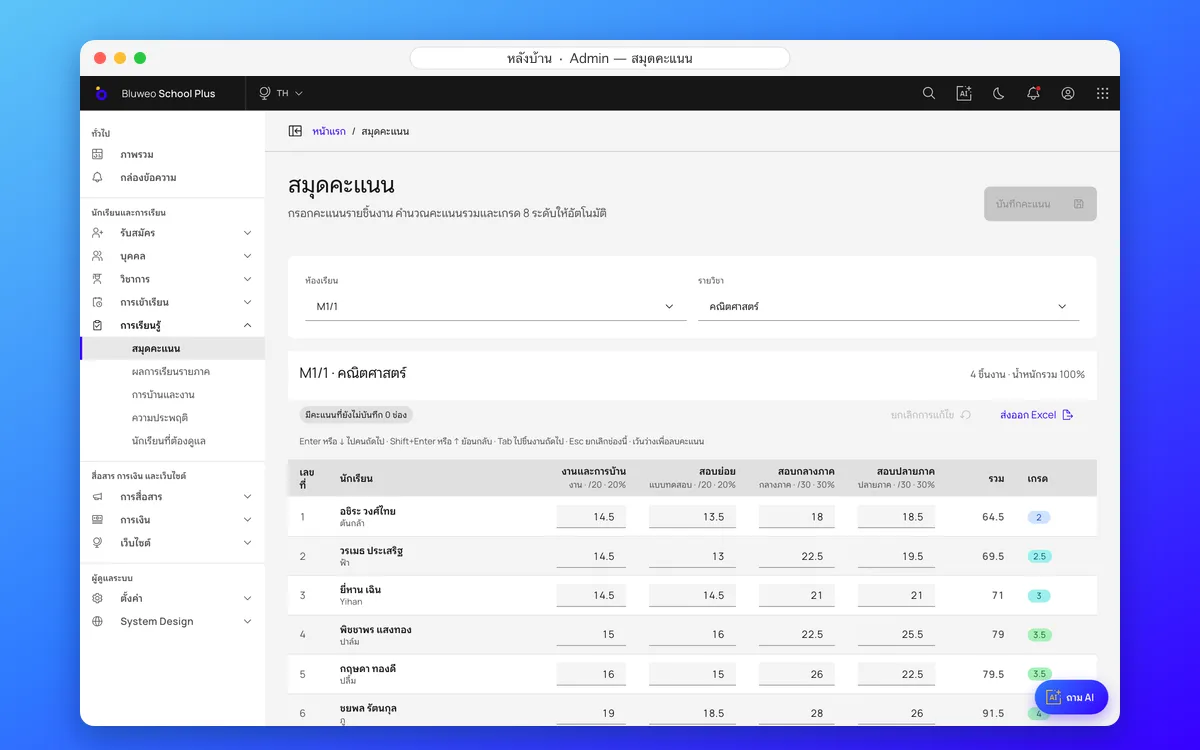
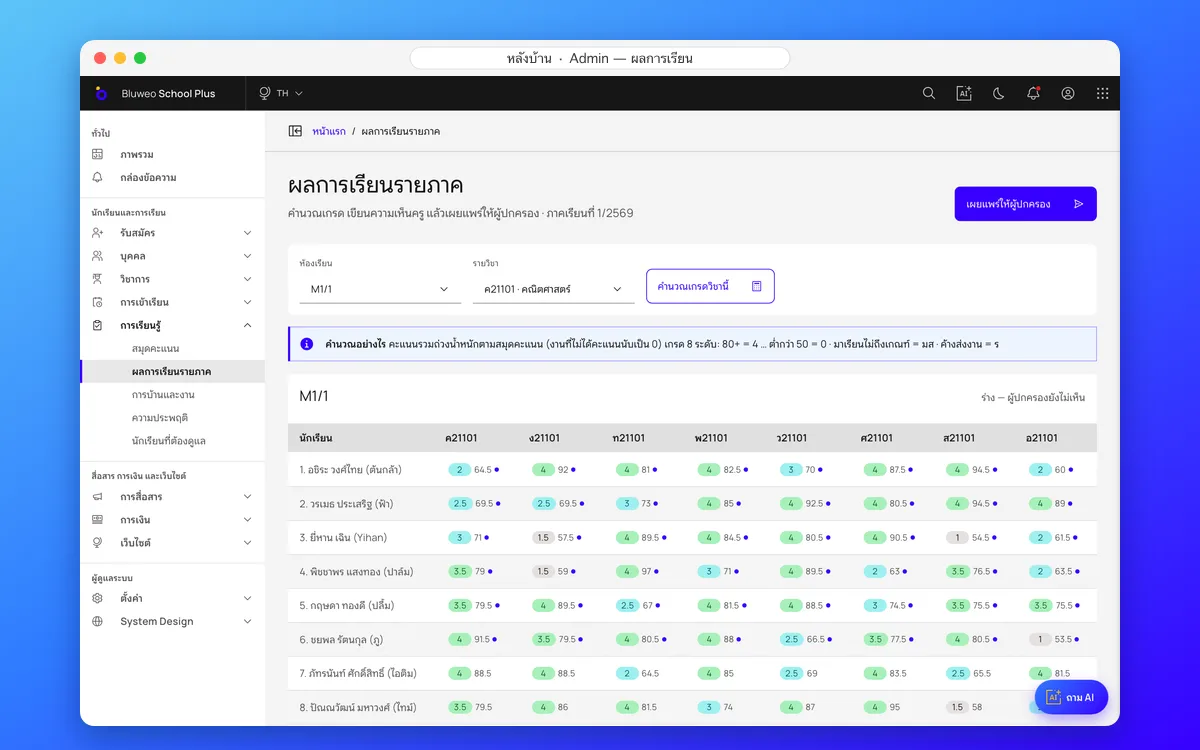
Back office: gradebook and term report cards
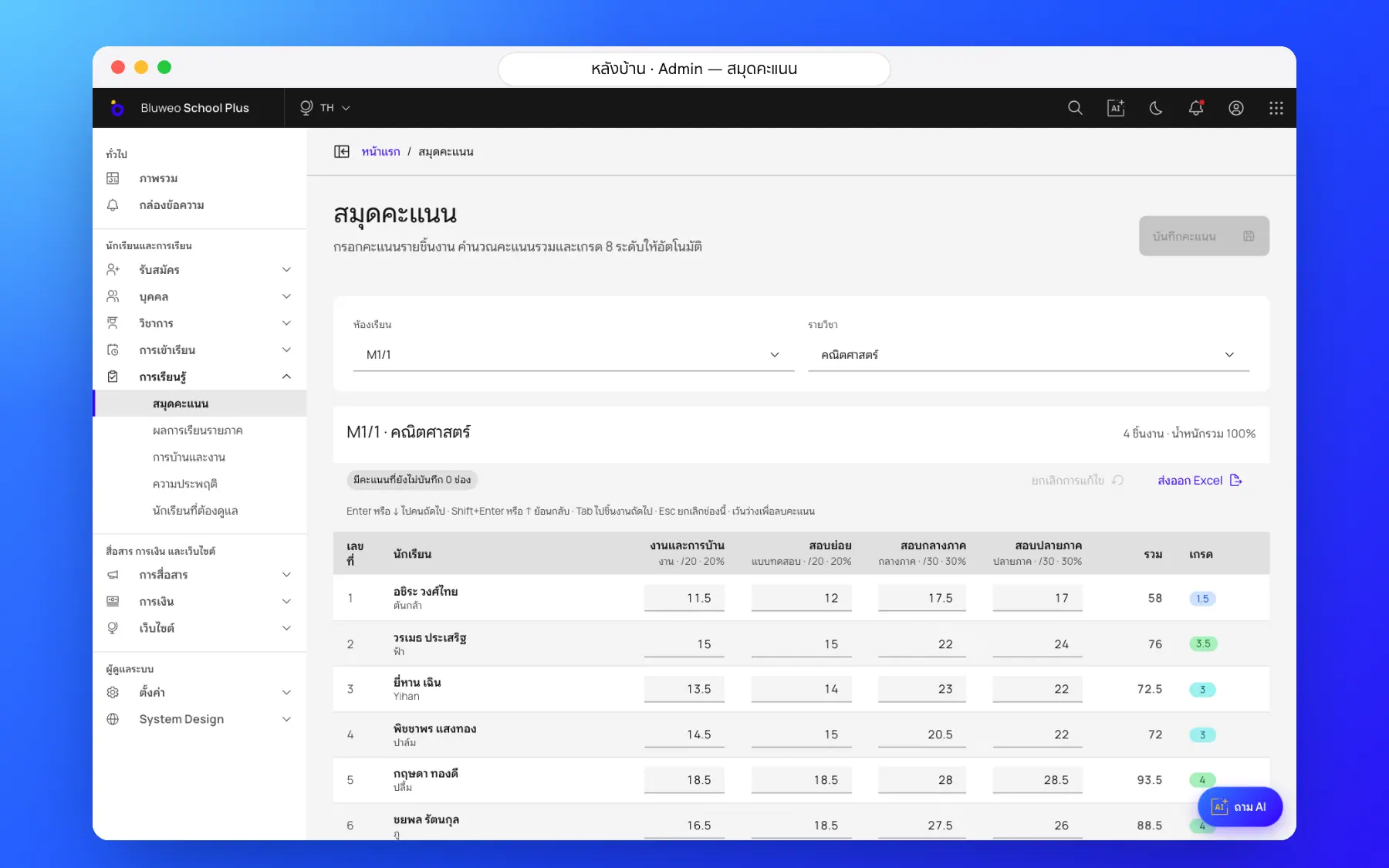
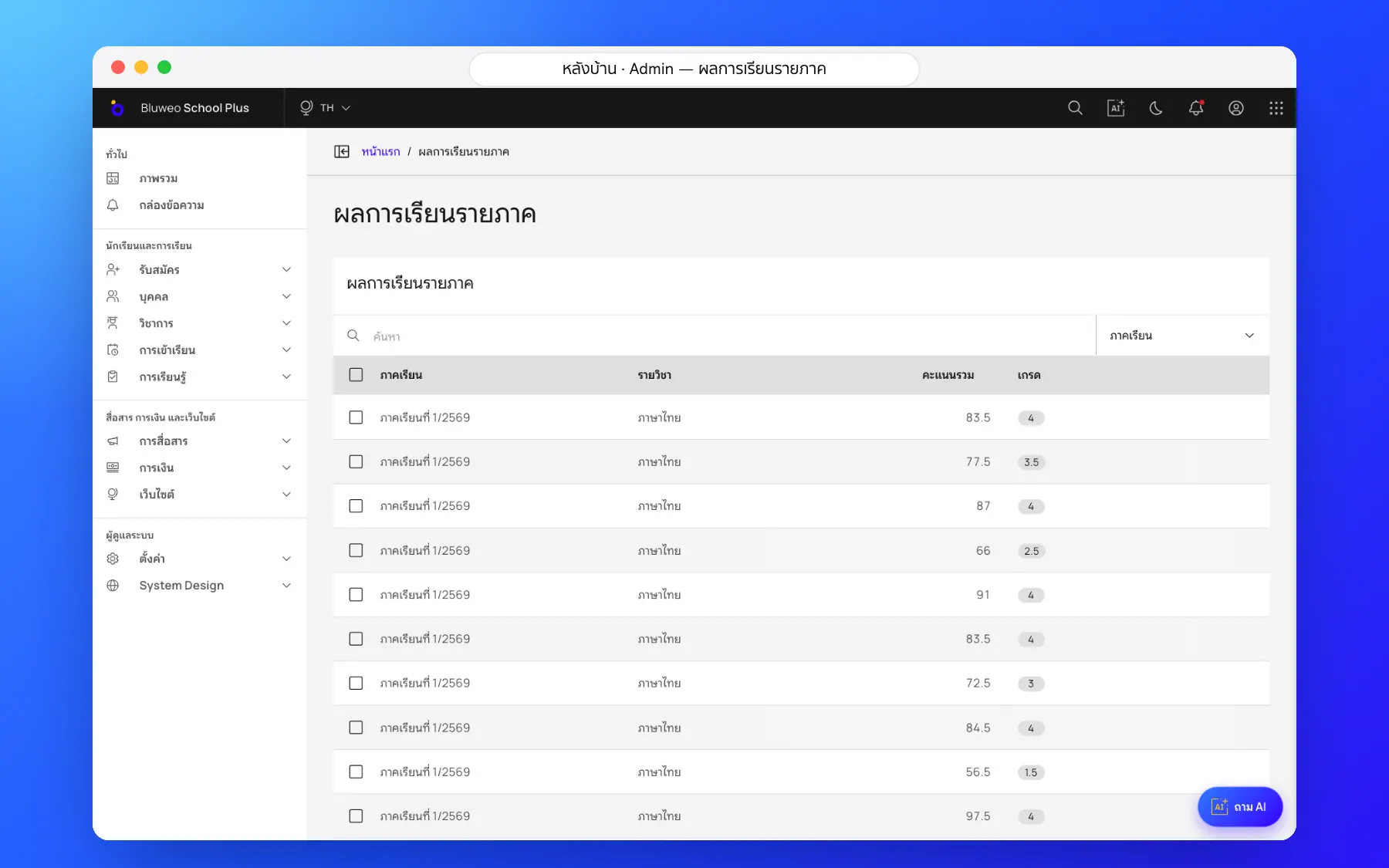
Teachers enter marks against the weights the school sets, and the system works out the 8-level grade and the ร or มส status. The academic office checks each class and the principal publishes to parents. Grading scales and forms can be set up for each country’s curriculum.
- Set the weights of coursework, midterm and final
- Grades 0–4, ร and มส applied automatically
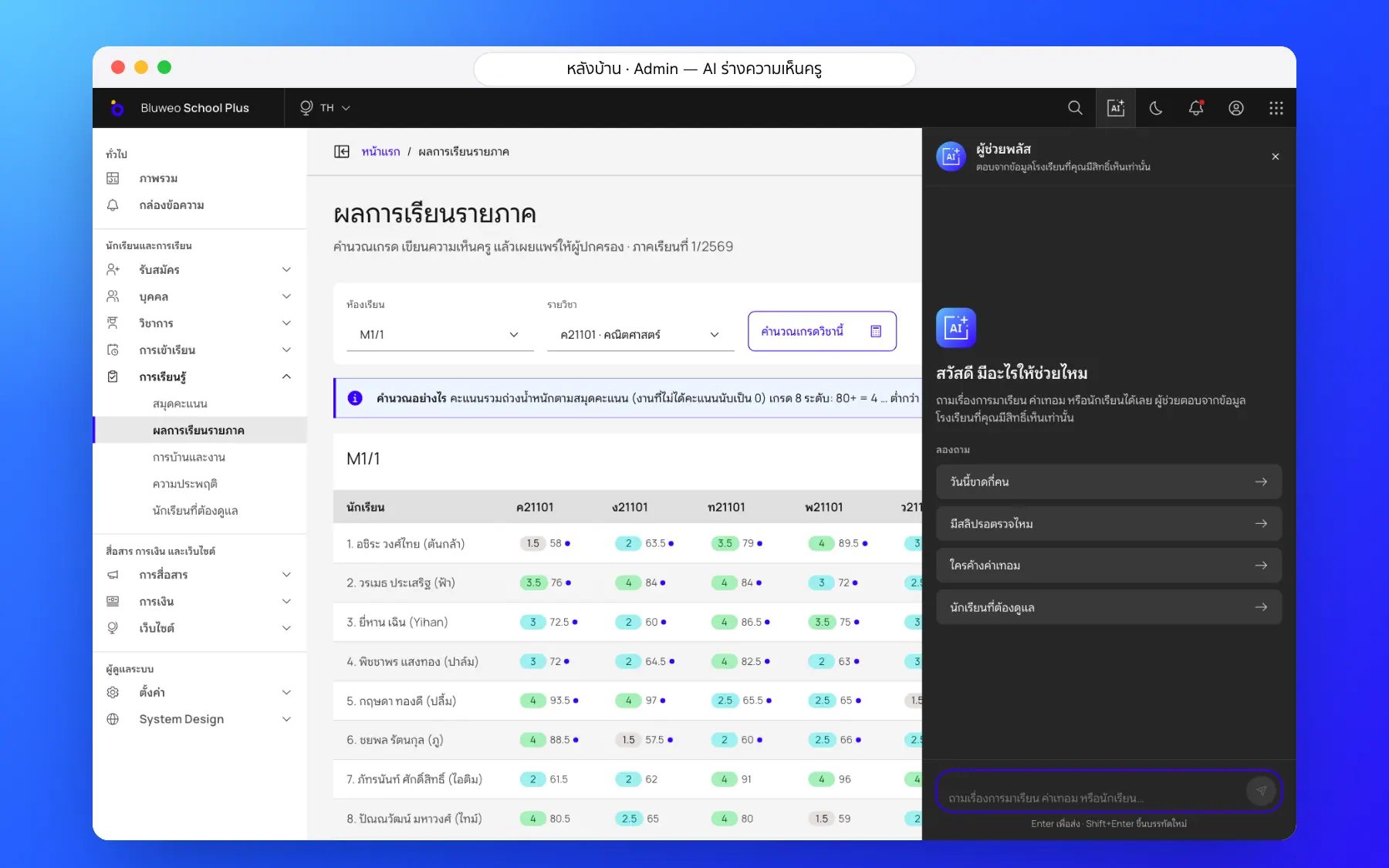
- AI-drafted teacher comments you can edit
- Grading scales and forms to fit your curriculum
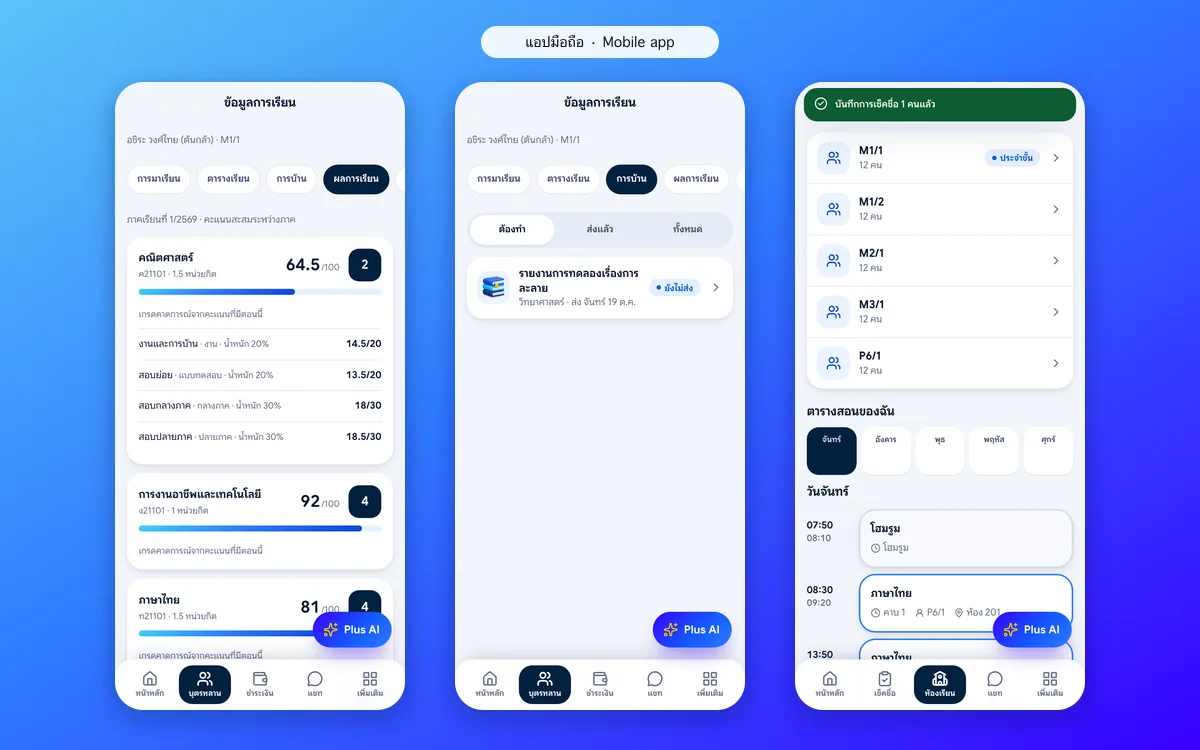
Parent and student apps: results the moment they are published
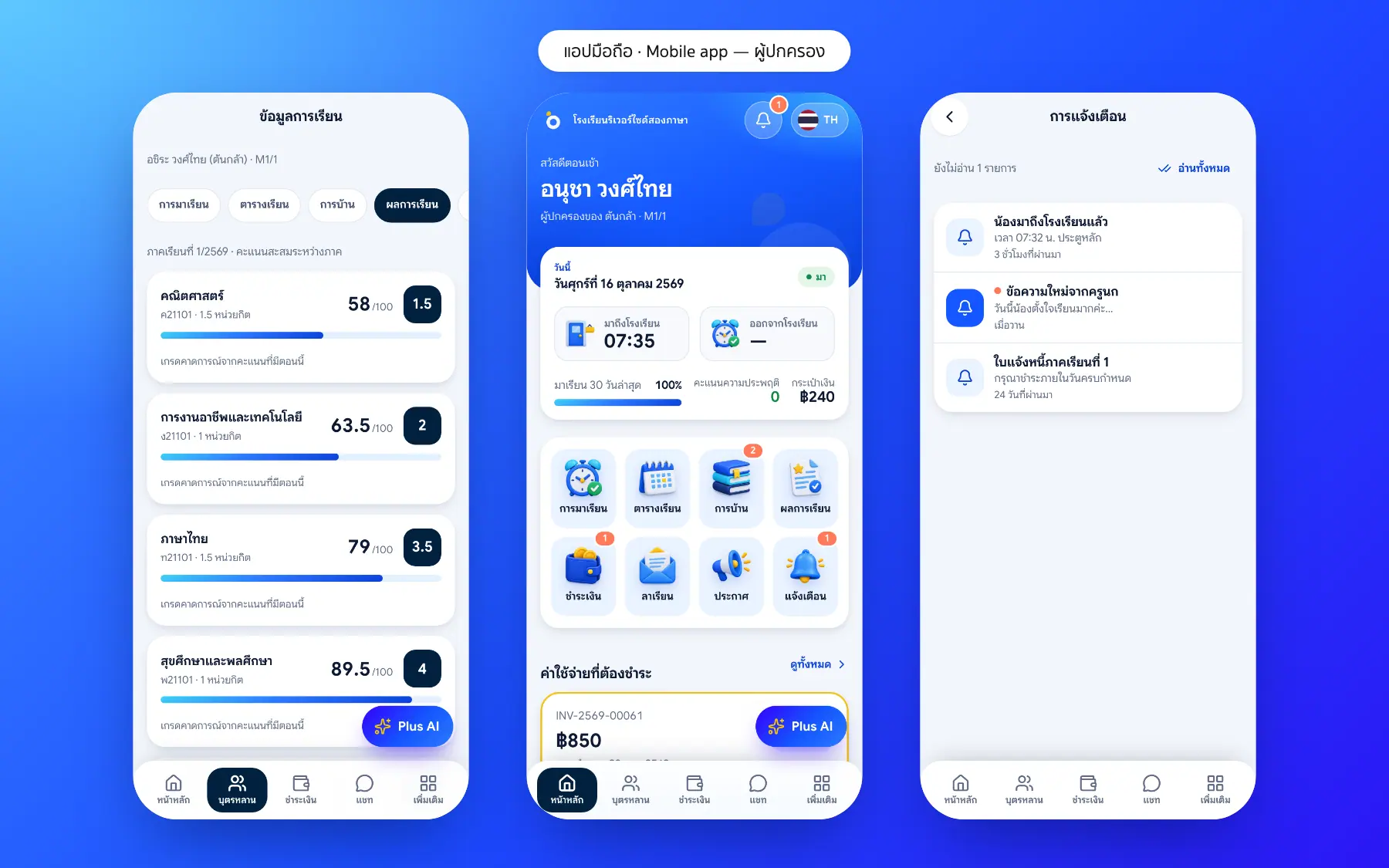
When the principal publishes, parents and students see each subject’s marks, grade and teacher comment in the app, next to homework. Teachers see the classes they teach and work to review.
- Subject marks and term grades
- Each teacher’s comment
- A notification when results are out
- Homework in the same app
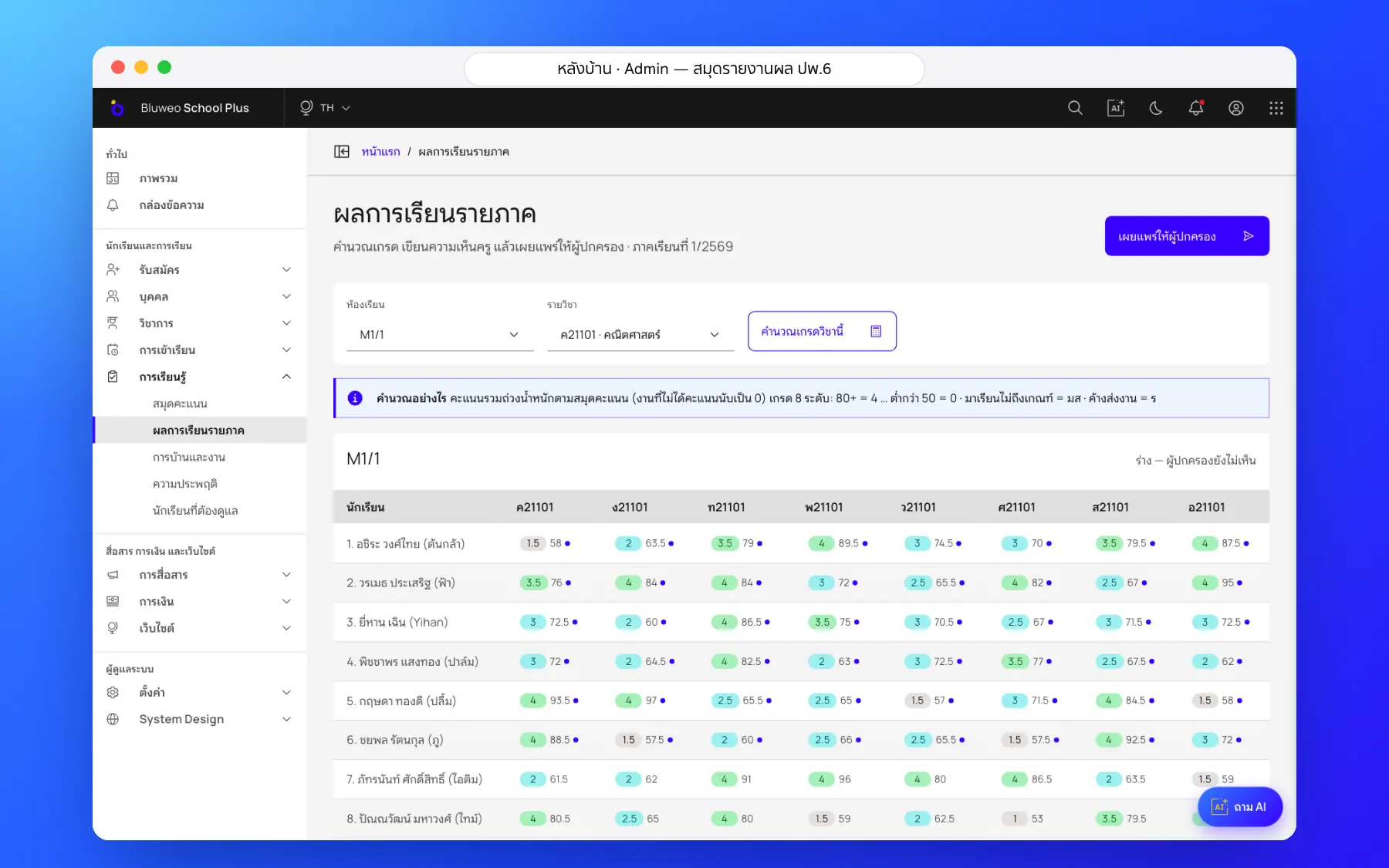
Report cards (ปพ.6) screenshots
Real screens from the live demo. Click a screenshot to see it large and step through them.
How it works
How a school uses the report cards (ปพ.6)
1. Teachers enter scores
Coursework, midterm and final scores in the gradebook.
2. Grades are worked out
Weighted totals become the 8-level grade, with มส and ร checks.
3. Teachers add comments
AI drafts from real data; teachers review and edit.
4. Publish to parents
Academic staff check and publish; parents see it in the app.
What it does
Everything it can do today
Weighted gradebook
Type scores straight through; totals and running grades appear as you go.
8-level grades with มส and ร
มส when attendance is below the threshold, ร when work is missing.
Teacher comments with AI
Thai and English drafts from real results; the teacher edits before saving.
Publish or withdraw a whole class
Parents are notified and see the results in the app.
Adjustable rules
Set grade scales and score weights for each school or curriculum.
Print ปพ.6
Report cards on the official form, printed or sent as a file.
Every term on record
A student’s results for every term in one place.
Several languages
Teacher comments can be shown in the parents’ language.
Who uses it
Everyone shares one set of data but sees only their part
Subject teachers
Enter scores once; the rest is worked out.
Academic office
Check a class’s results and publish report cards.
Parents
See scores and comments as soon as they are published.
Related features
Every feature shares one set of data, so they work together from day one
Homework
Teachers set work with due dates, students and parents see it in the app, and teachers review submissions in one place.
Learn more — HomeworkAI for schools
Ask school data in plain language, draft report comments and follow students at risk.
Learn more — AI for schoolsTimetable
Timetables by class, teacher and room, with a warning when a teacher or room clashes.
Learn more — TimetableReport card questions
Yes: 80 and above is 4, down in steps of 5 to below 50 for 0, plus มส and ร.
PDF output and the other ปพ. documents are on the roadmap. Today results are published to parents in the app.
It drafts them; the teacher always reads and edits before saving, and the system records which comments had AI help.
ร means the result is pending because work or marks are incomplete; มส means the student may not sit the exam because attendance is under 80%. The system applies both from marks and attendance.
AI drafts a comment from marks and attendance; the teacher edits and confirms it, and the principal approves before parents see it.