




Online homework system: set it once, students and parents see it at once
Teachers set work with a due date from their phone, it appears in the student and parent apps, and teachers review submissions on one screen.
What is the homework system?
The Bluweo School Plus homework system lets teachers set subject work with due dates. Students see what is due and what is late, parents follow it in the same app as attendance and grades, and teachers see work waiting for review on their home screen.
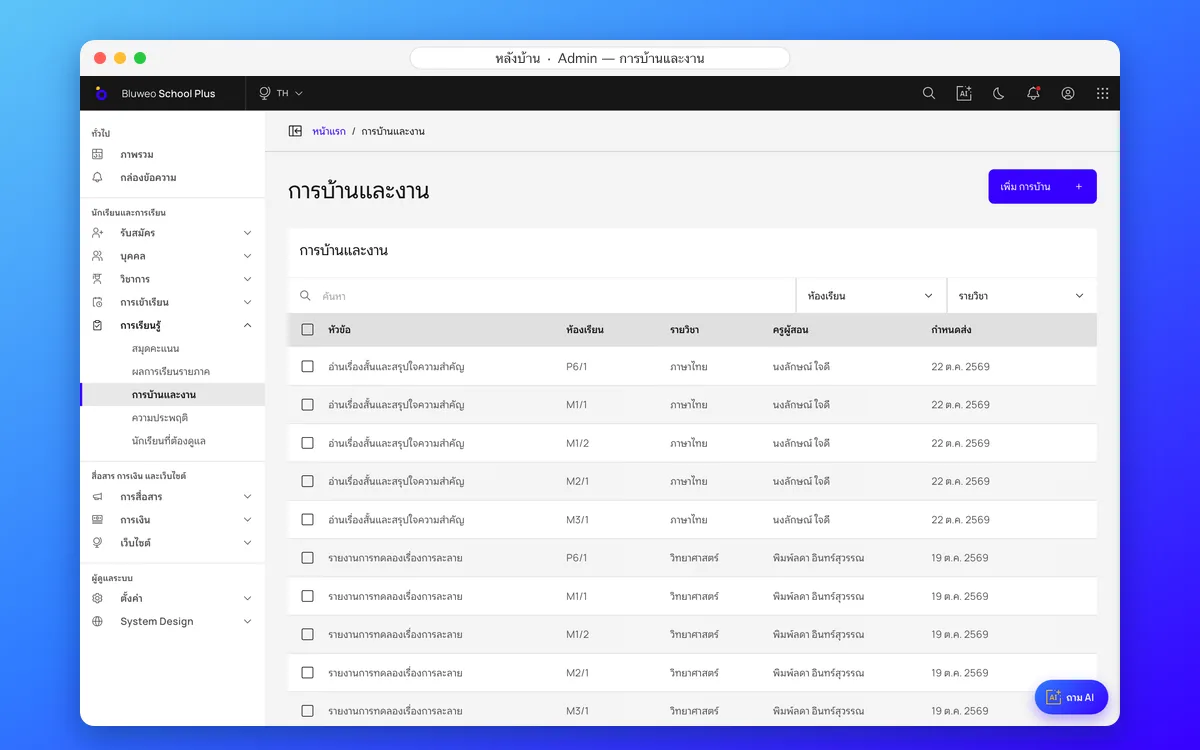
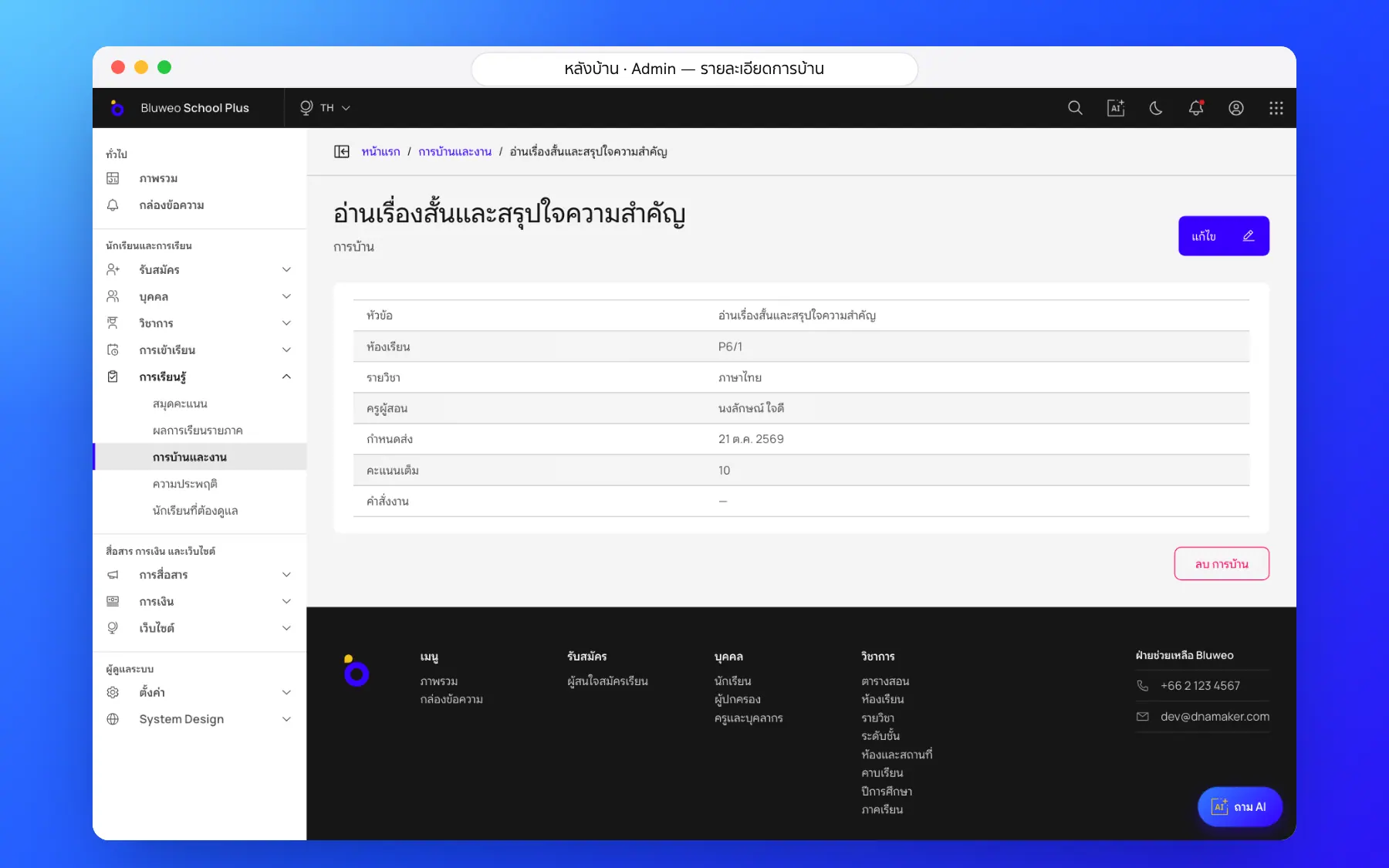
Back office: all the school’s homework in one place
The academic office sees homework for every class and subject with due dates and the teacher who set it, so students’ workload does not pile up on the same day.
- Every class and subject with due dates
- Search and filter by class or subject
- Each class’s workload at a glance
- Linked to the gradebook
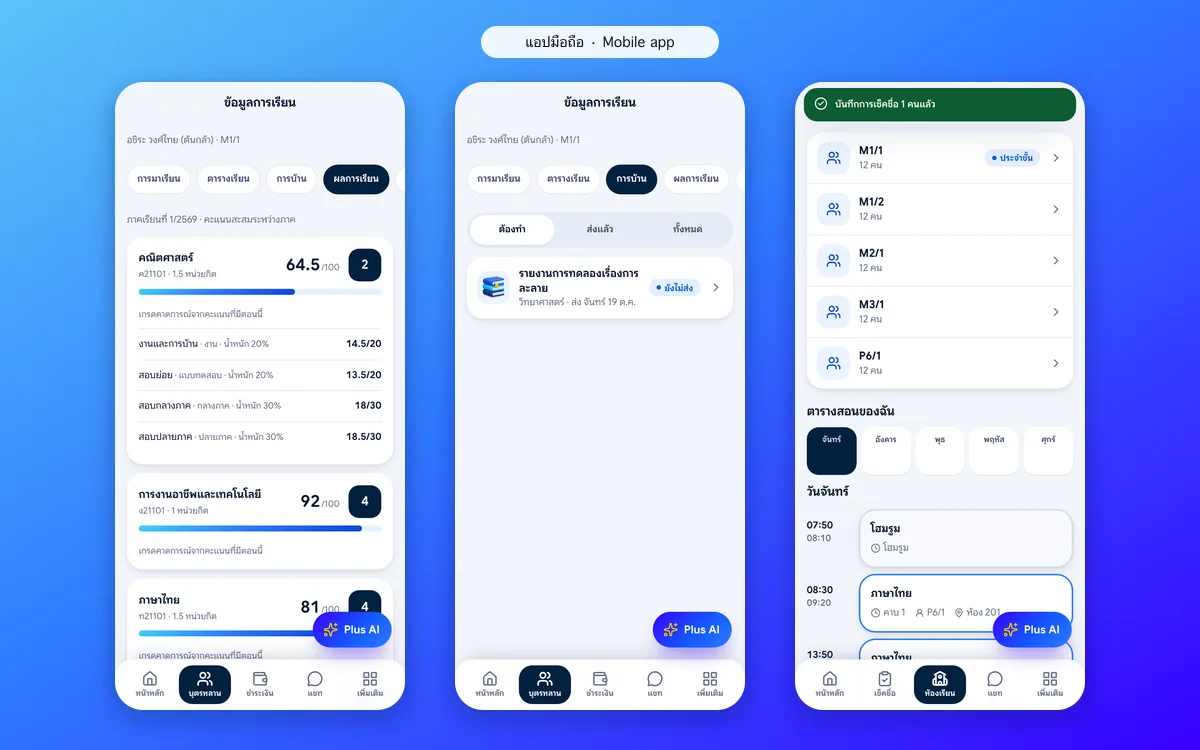
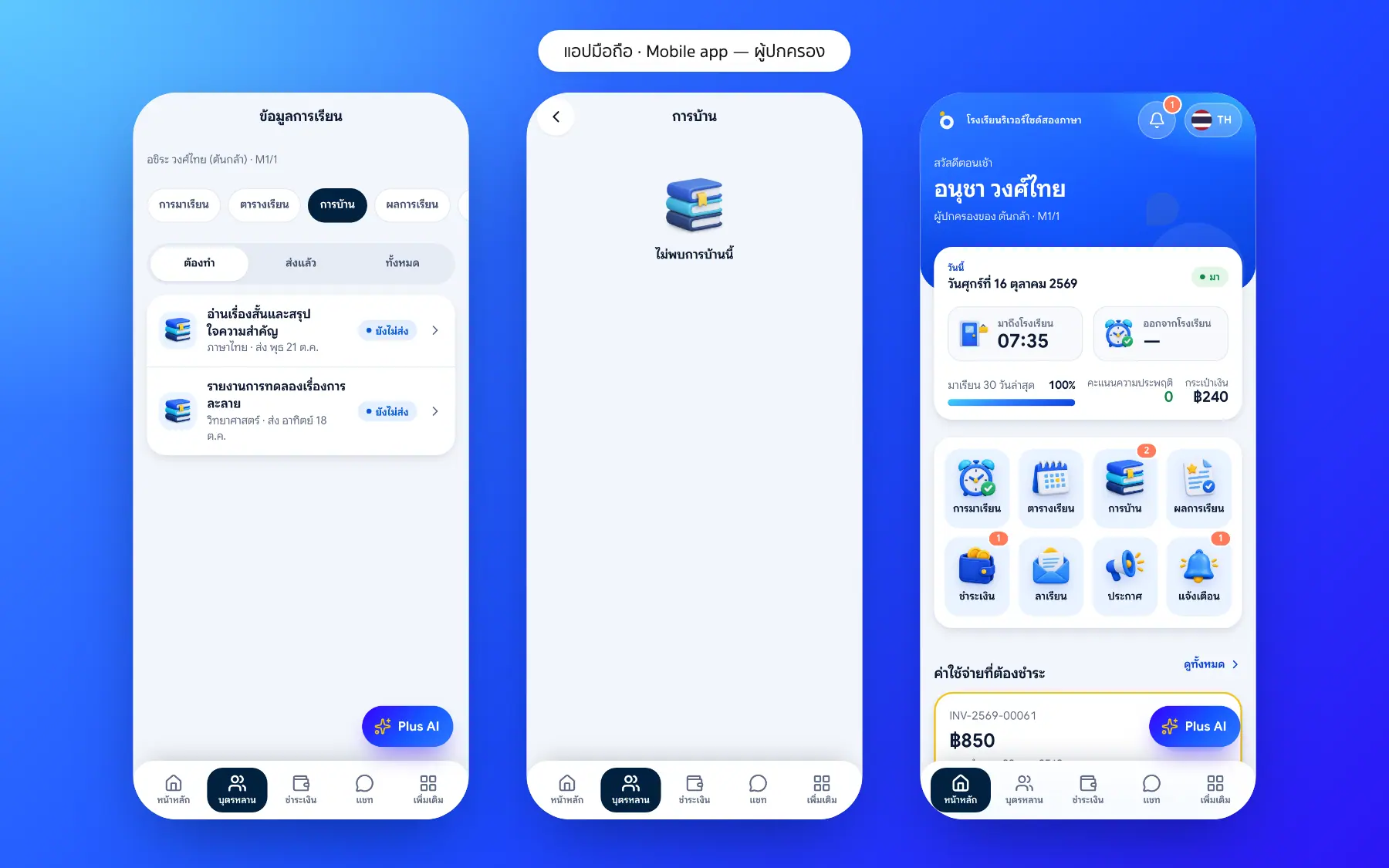
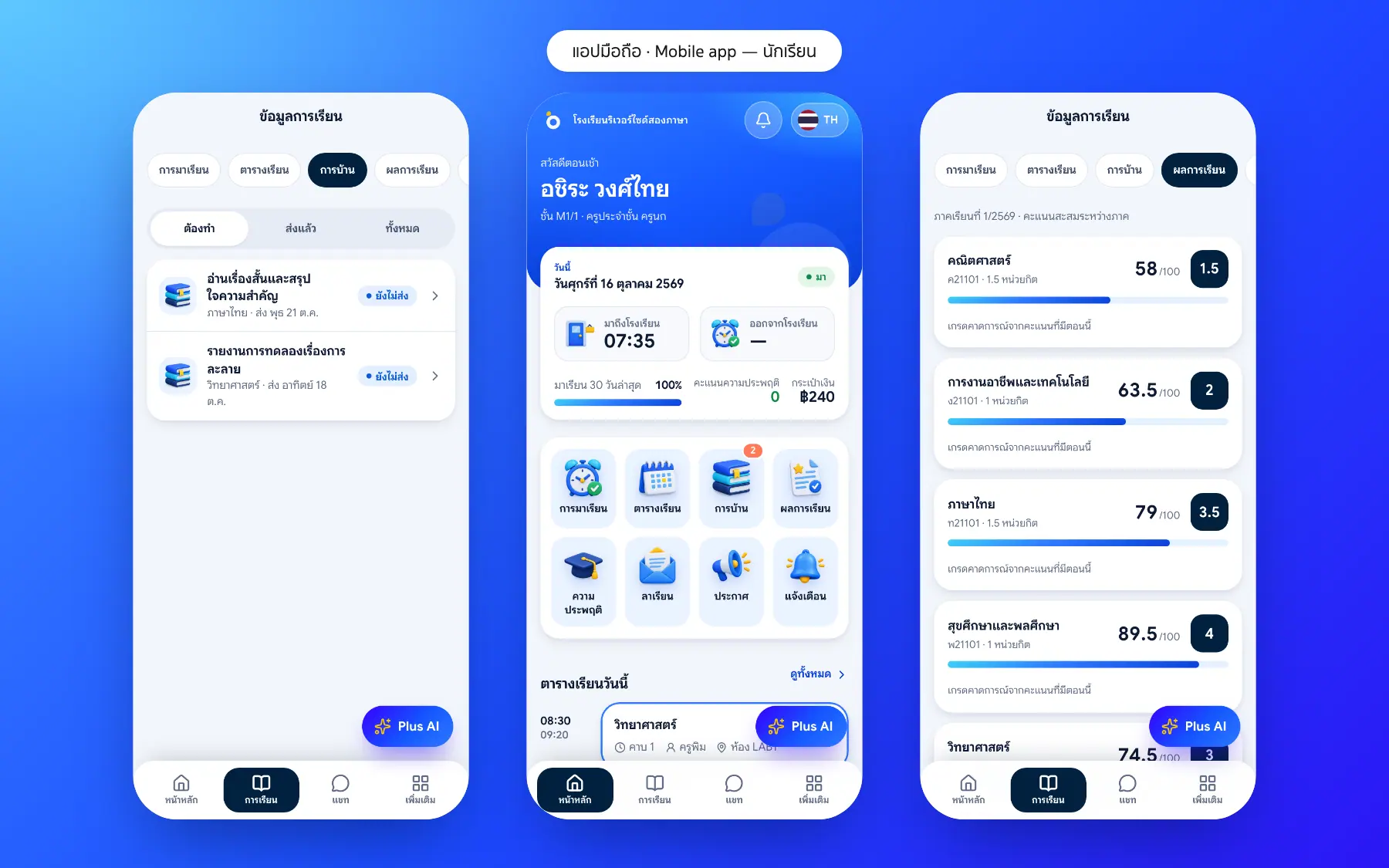
App: teachers set work, students and parents follow it
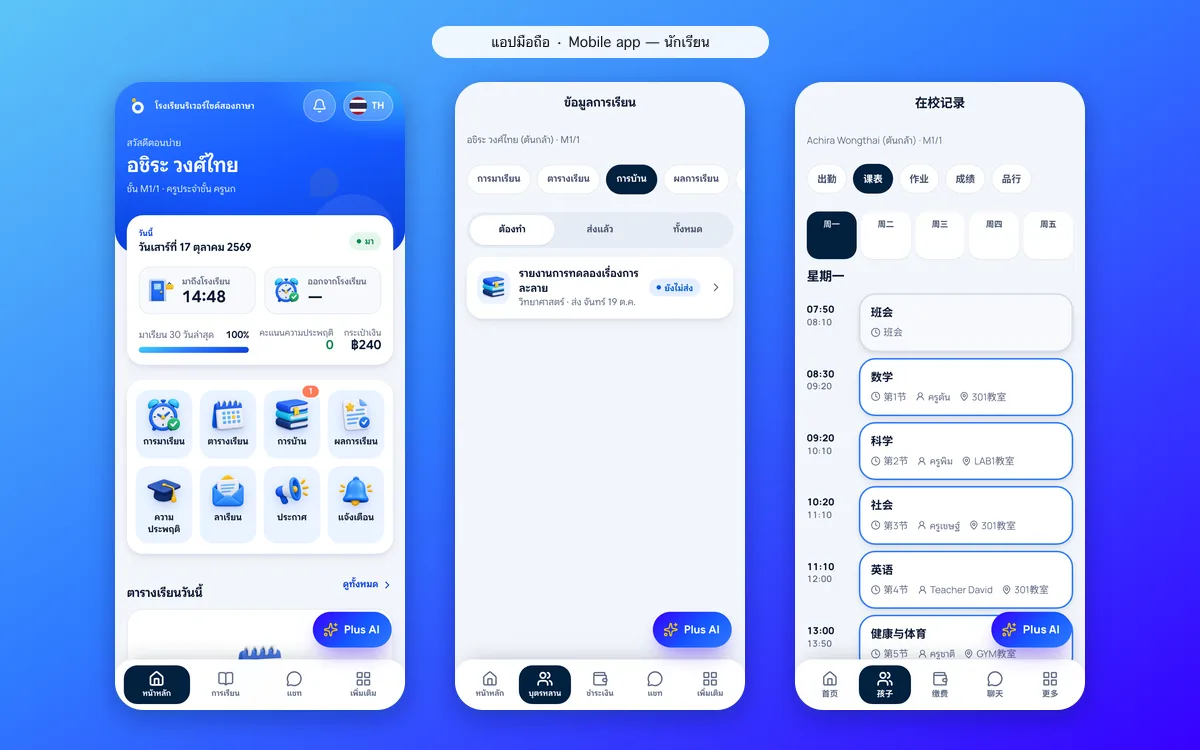
Teachers set work from their phone and see work to review on their home screen. Students see what is to do, handed in and late, and parents follow it in the same app.
- Set work with a due date from a phone
- To do, handed in and late, kept apart
- Work to review on the teacher’s home screen
- Parents see whether work is handed in
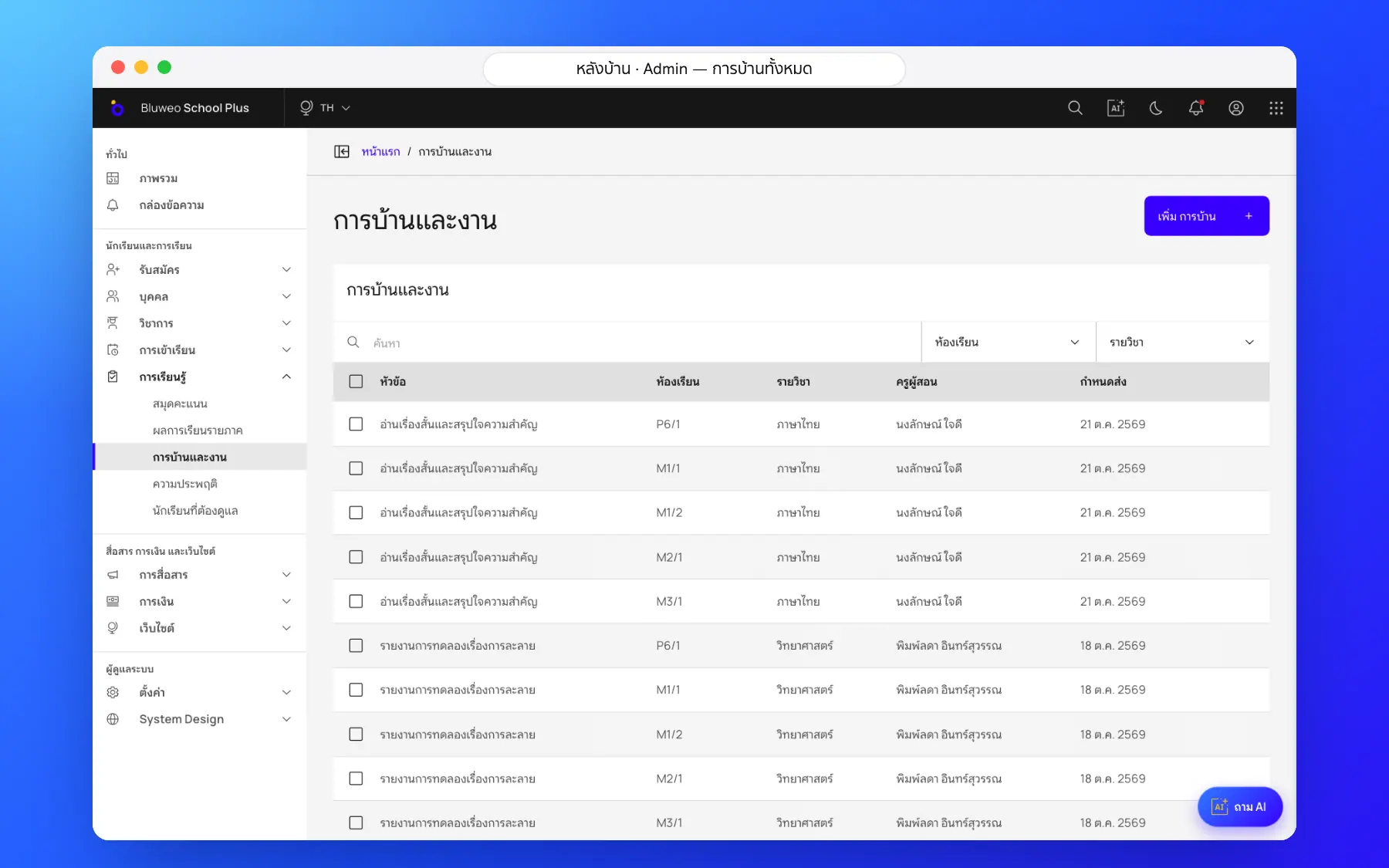
Homework screenshots
Real screens from the live demo. Click a screenshot to see it large and step through them.
How it works
How a school uses the homework
1. Teachers set work
Instructions, files and a due date for the chosen classes.
2. Students and parents see it
It appears in the app with an alert.
3. Hand in and check
Teachers see who has handed in and who hasn’t.
4. Marks go to the gradebook
Homework marks count towards coursework.
What it does
Everything it can do today
Set from a phone
Choose the class, subject and due date, and it appears in the students’ app at once.
Parents see it too
They know what work their child has, whether it is handed in, and what is late.
Work to review in one place
Teachers see how much work is waiting on their app’s home screen.
Linked to the gradebook
Homework marks carry into the gradebook and term reports.
Reminders
Students and parents are reminded before the deadline.
Overdue work stands out
Parents see what their child has not handed in.
Total workload
The academic office sees how much homework each class gets.
Reuse
Copy a task to another class or next term.
Who uses it
Everyone shares one set of data but sees only their part
Teachers
Set and check work in one place.
Parents
Know what their child has to hand in.
Students
Never miss a task or deadline.
Related features
Every feature shares one set of data, so they work together from day one
Report cards (ปพ.6)
Thai 8-level grades with the มส and ร rules and AI-drafted teacher comments; grading scales and report forms can be set up for each country and school.
Learn more — Report cards (ปพ.6)Timetable
Timetables by class, teacher and room, with a warning when a teacher or room clashes.
Learn more — TimetableParent and student app
Attendance, homework, grades, fees and chat with teachers in one app.
Learn more — Parent and student appHomework questions
In the student app, split into to do, handed in and late.
Yes. Parents see their child’s homework and its status in the parent app.
Yes. Homework marks carry into the gradebook and the grade calculation.
Yes. The back office lists homework for every class and subject with due dates, so work does not pile up on one day.
Yes. Teachers set and review work in the mobile app or in the back office on a computer, on the same data.