




School fee collection with PromptPay QR and one slip queue
Parents scan and pay in the app; finance confirms the slip; the system issues the receipt, updates the invoice and tells the parent.
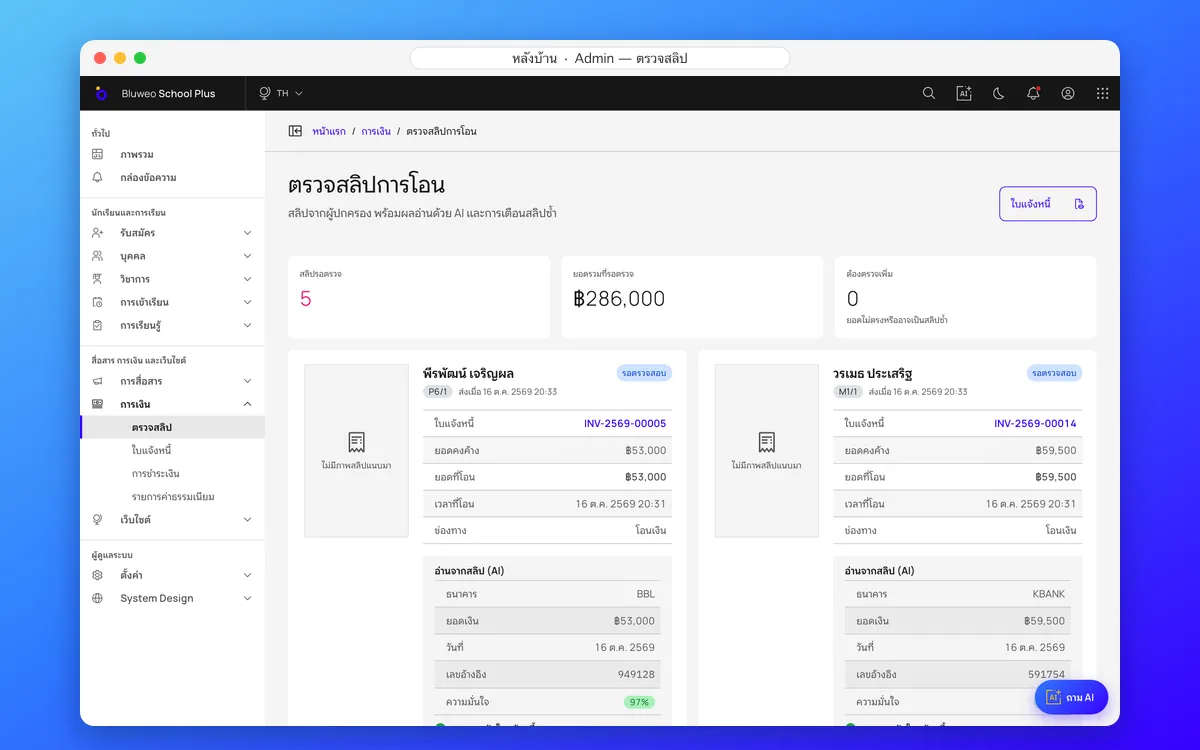
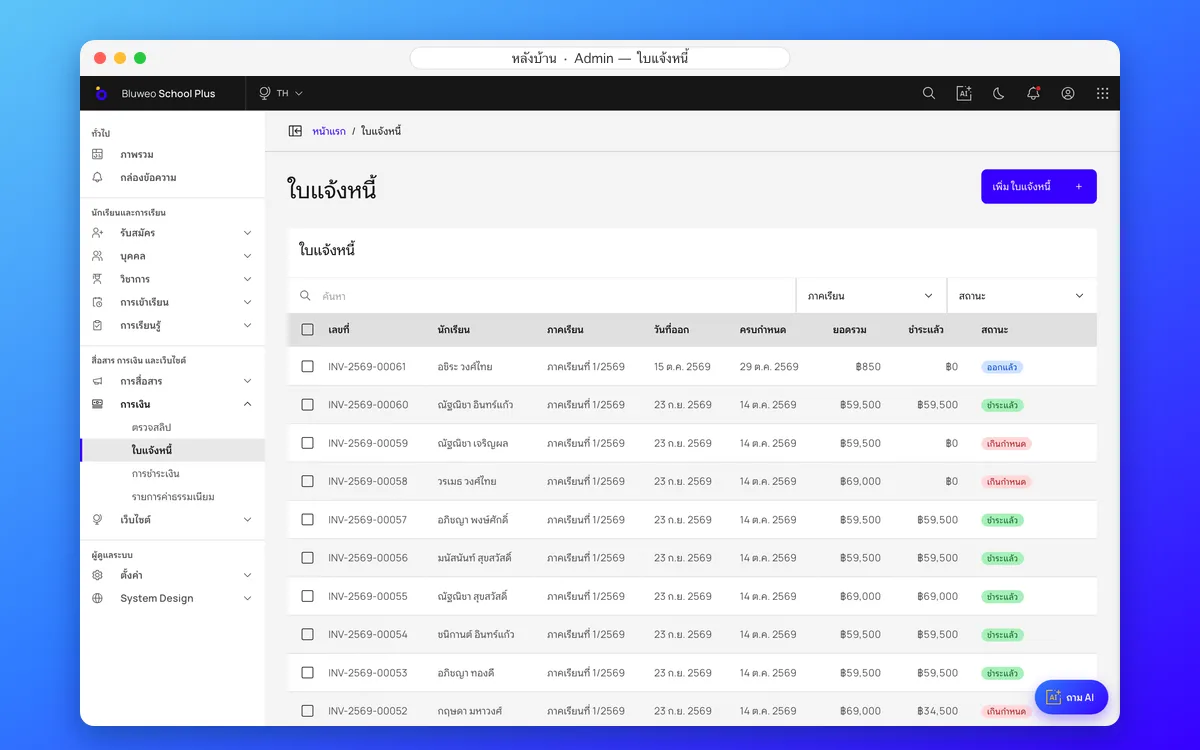
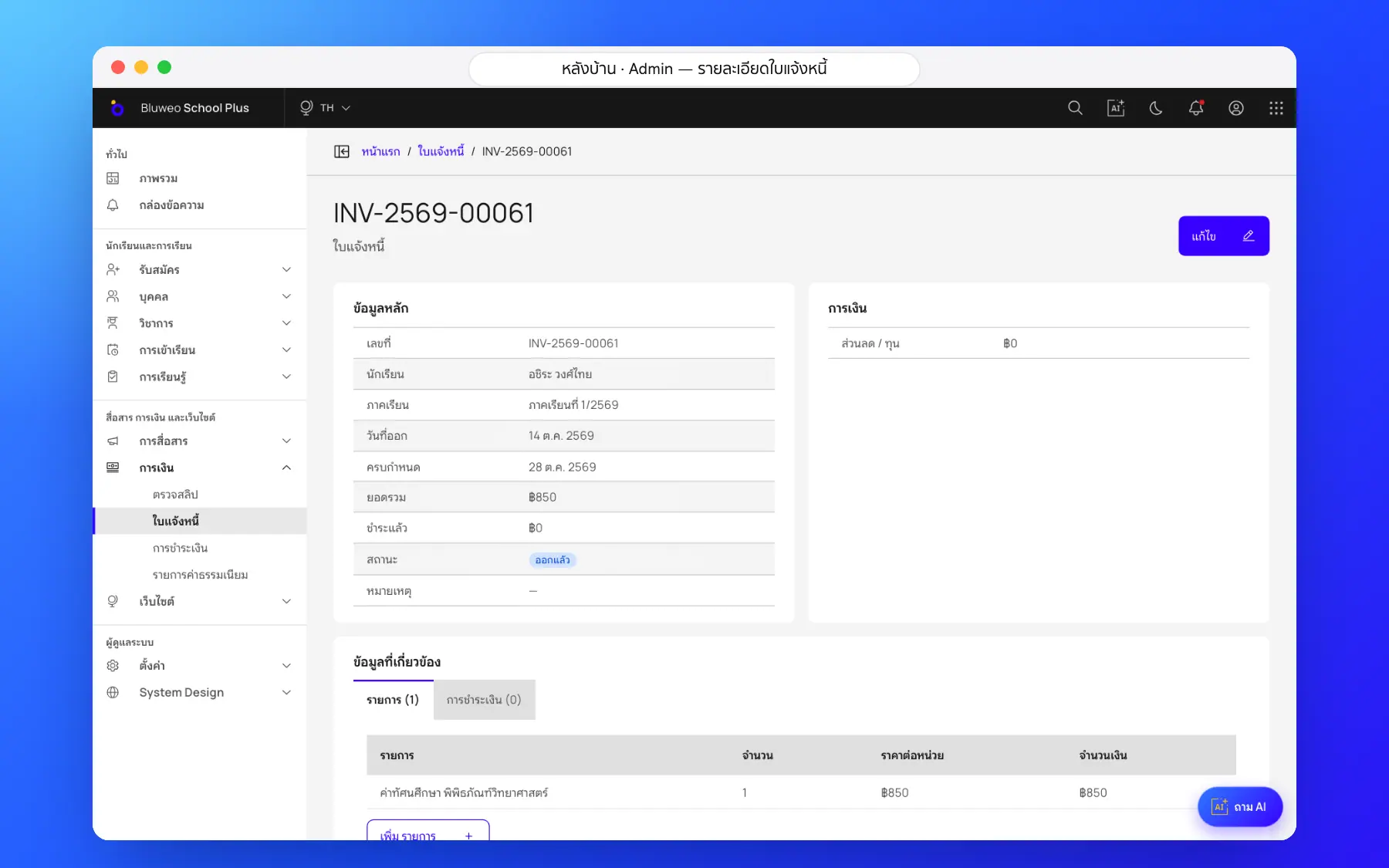
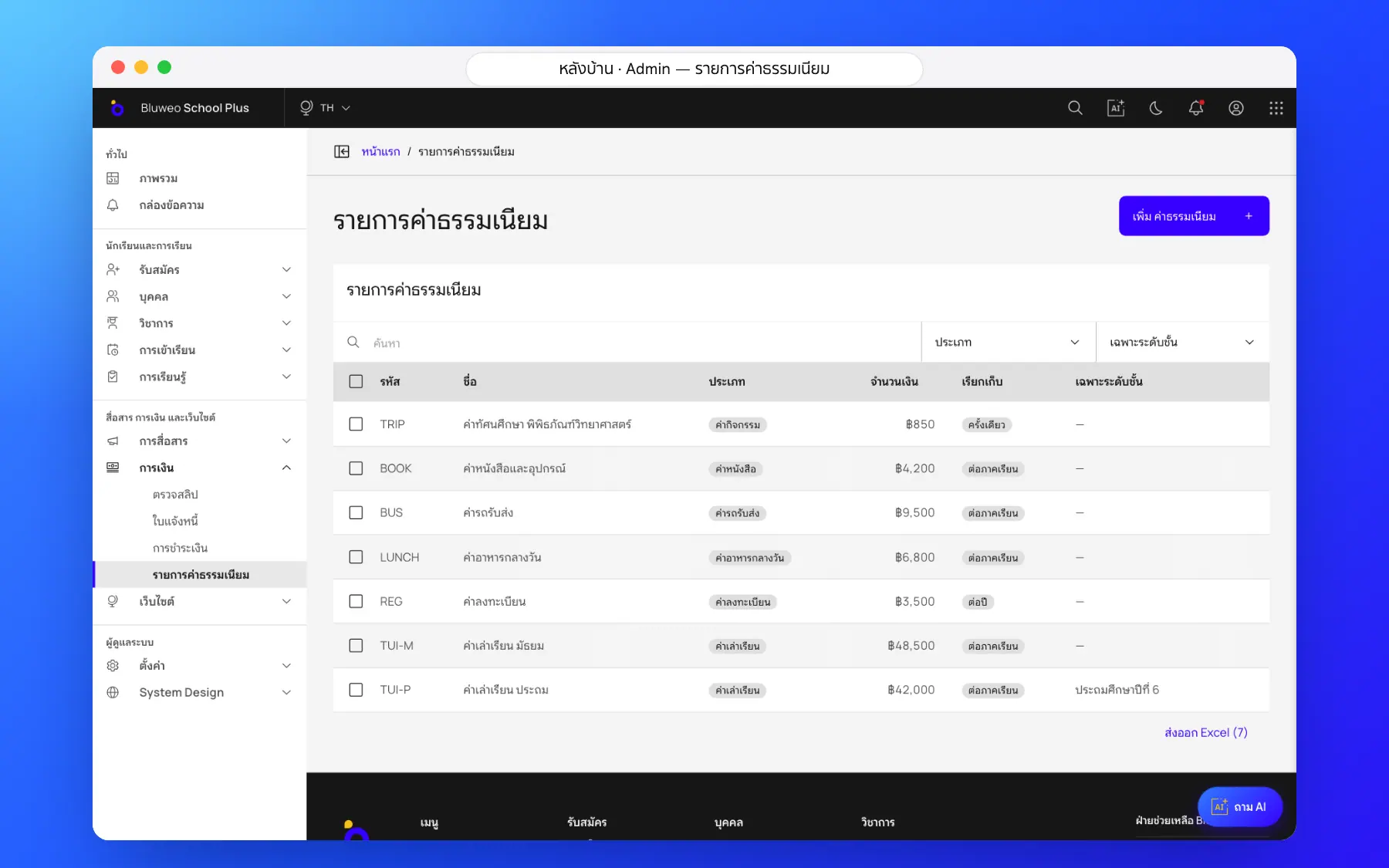
Back office: invoices and one slip queue
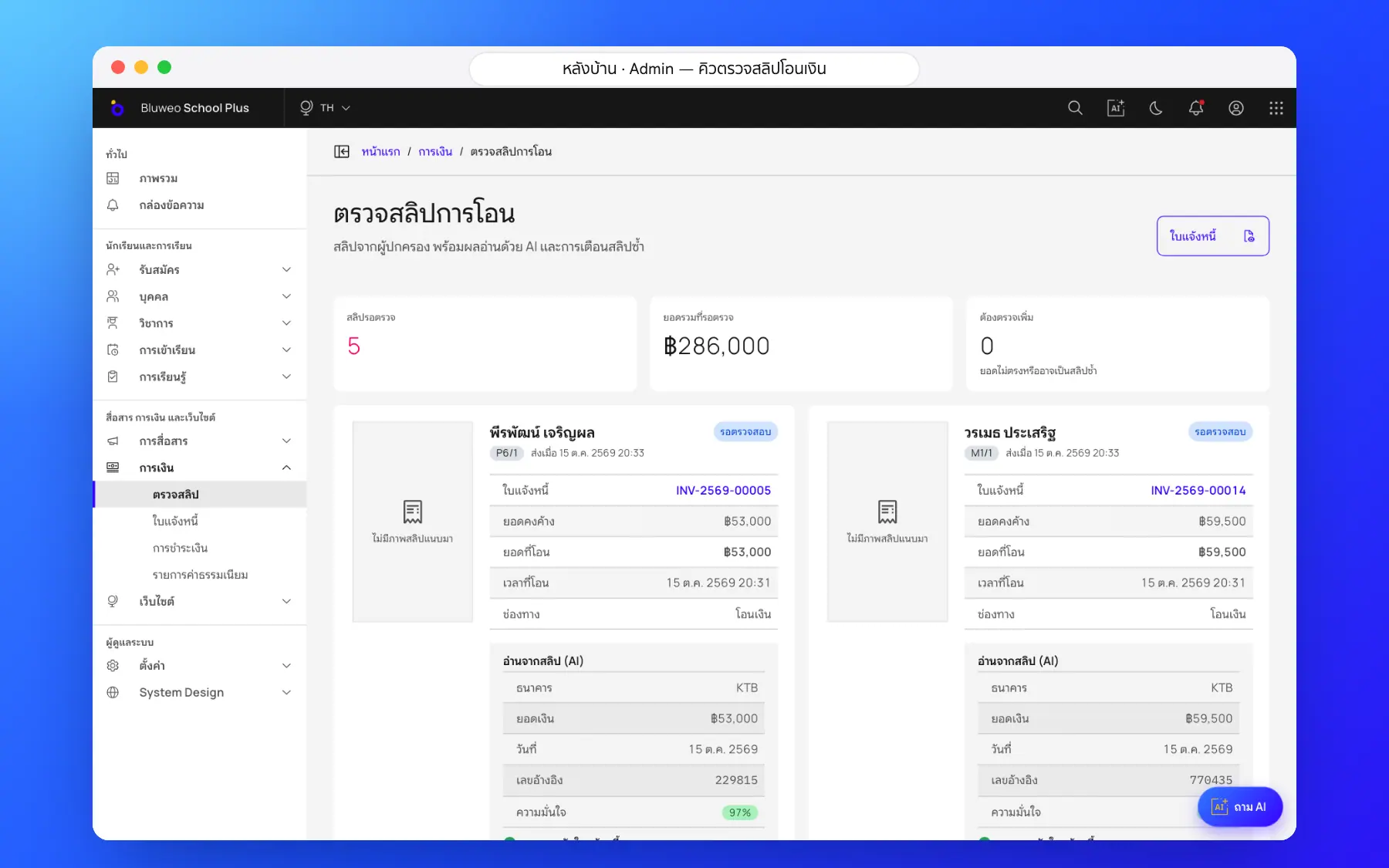
Finance issues invoices from the fee list and the system totals them. Slips that parents attach land in one queue next to the invoice, for finance to match and confirm. AI reading of the amount on a slip is in development.
- Invoice one student or a whole class at once
- Every slip waits in one queue
- The same slip cannot be sent twice
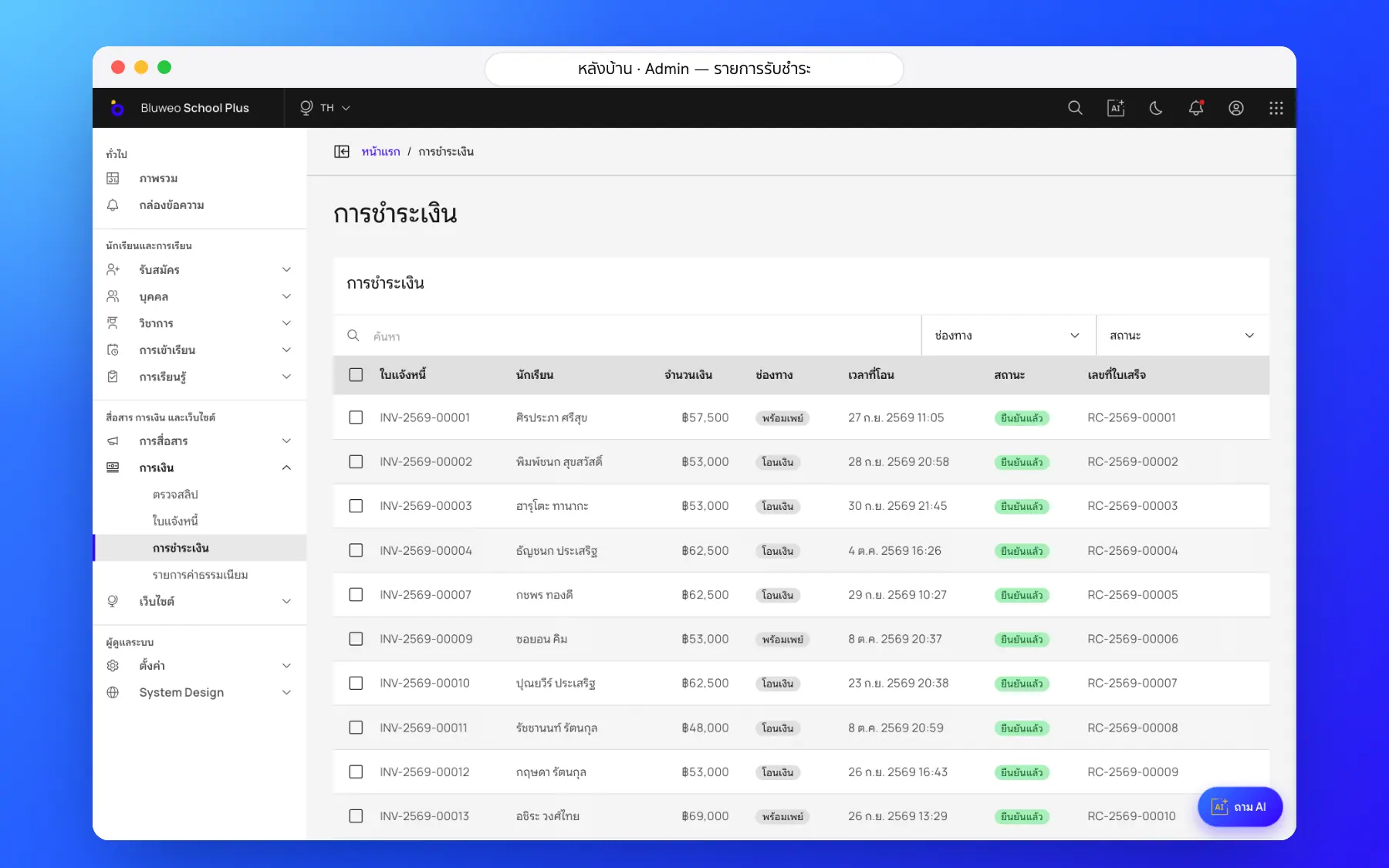
- Confirming issues the receipt and tells the parent
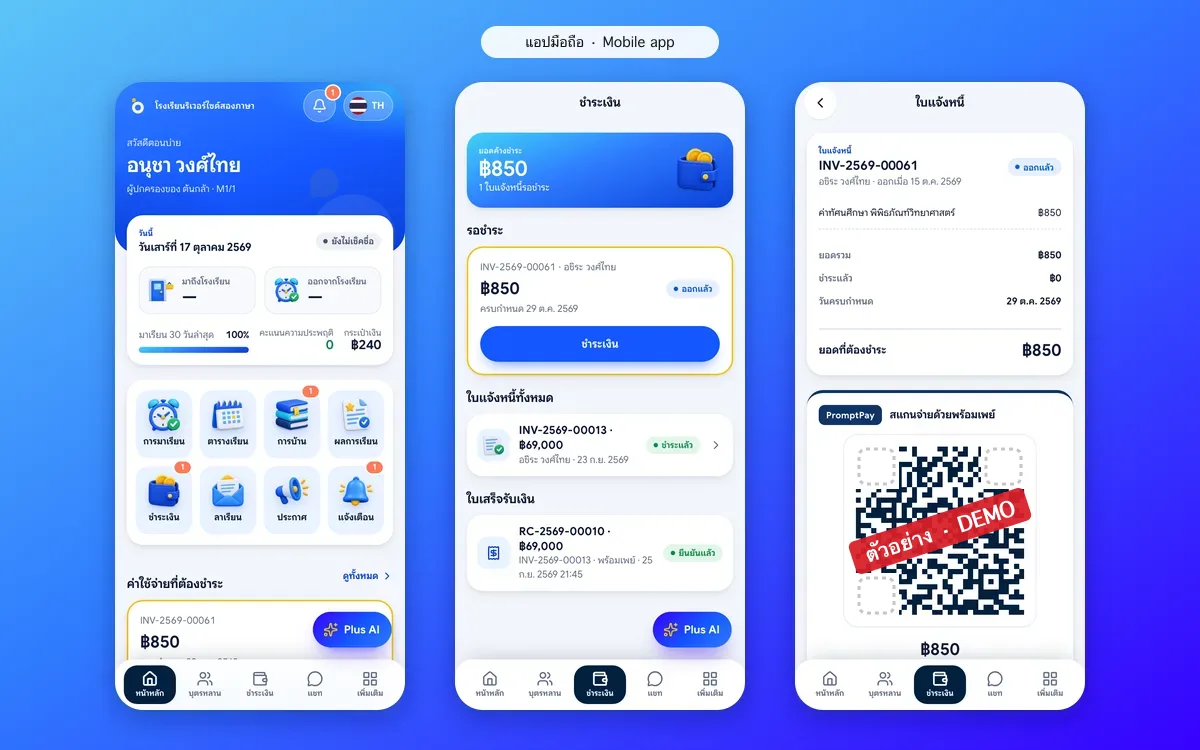
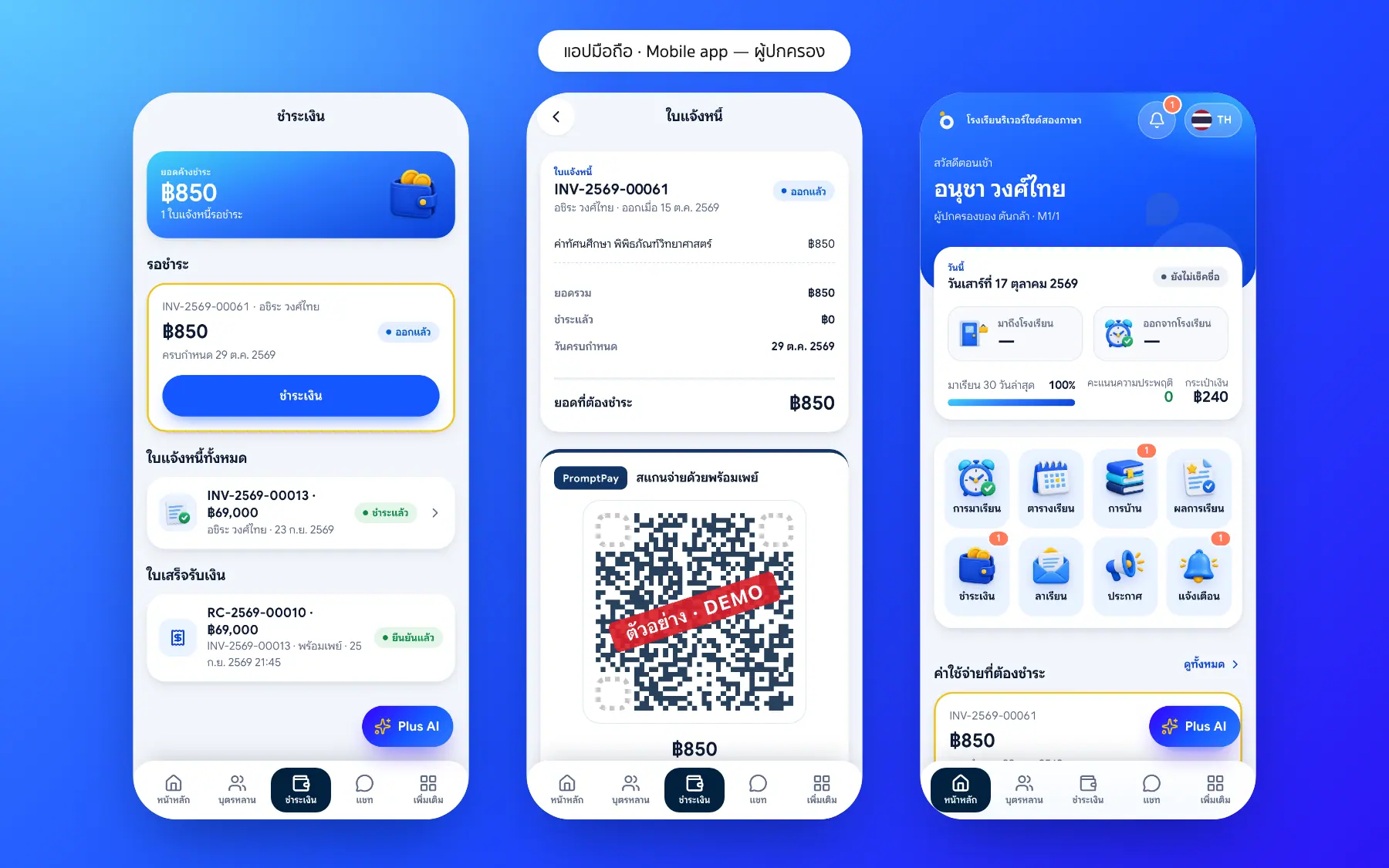
Parent app: pay fees by PromptPay QR
Parents see what is due on their home screen, open the invoice, scan the PromptPay QR in their banking app and attach the slip. When finance confirms, the receipt appears in the app.
- Amount and due date on the home screen
- A PromptPay QR for each invoice amount
- Attach the slip from the phone
- Every past receipt in the app
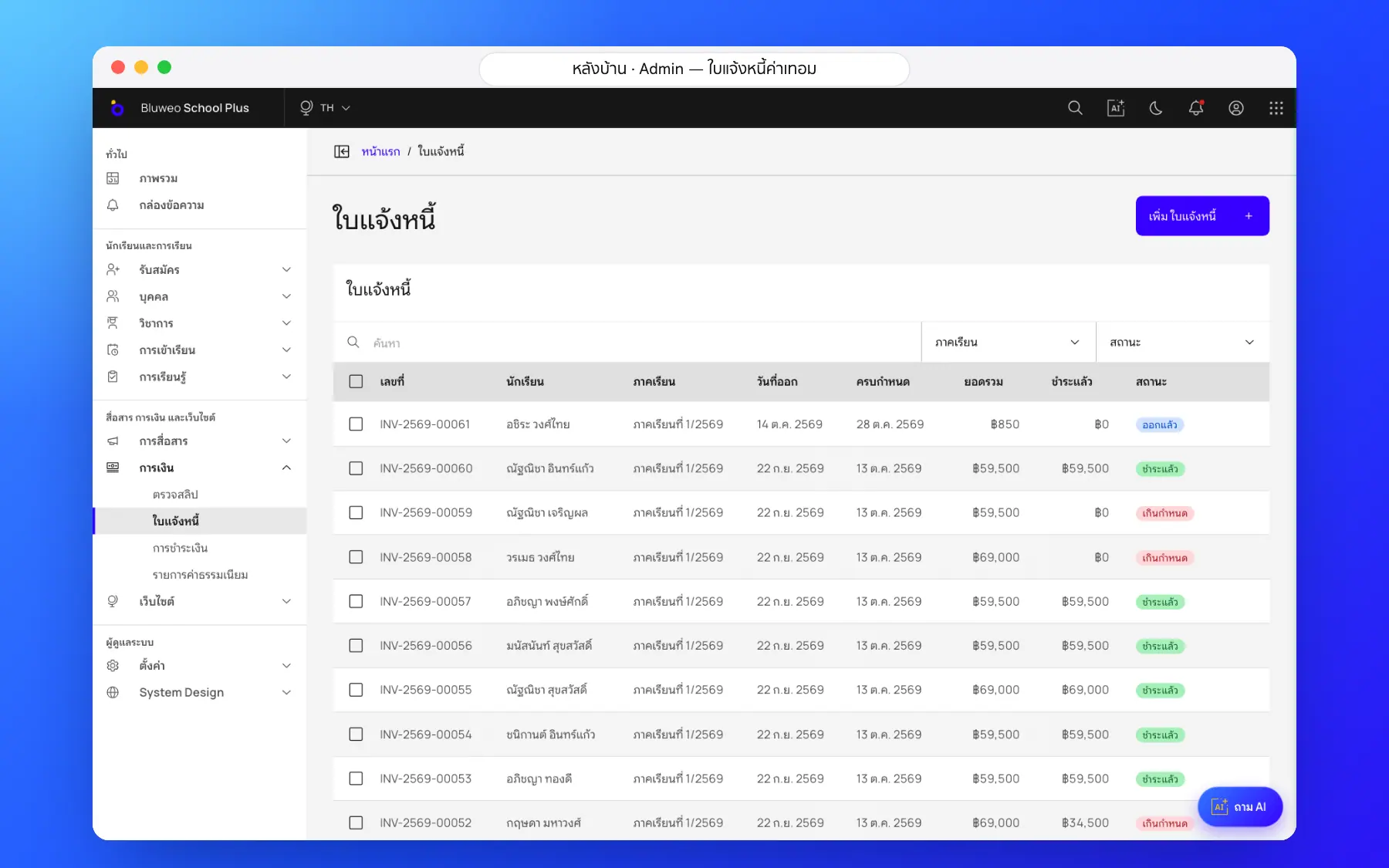
School fee collection screenshots
Real screens from the live demo. Click a screenshot to see it large and step through them.
How it works
How a school uses the school fee collection
1. Set the fees
Tuition, activity and bus fees for each level.
2. Invoice in one go
Invoice a whole level at once; sibling discounts are applied for you.
3. Parents pay in the app
Scan the PromptPay QR and upload the slip in the app.
4. Finance checks and receipts
Check slips in one queue; approval issues the receipt at once.
What it does
Everything it can do today
Invoices total themselves
Add or change lines; totals, discounts and status update at once.
PromptPay QR on every invoice
Money goes straight to the school; after a part payment the QR is for the balance.
A slip queue
Slips arrive as cards next to what is owed; confirm, or reject with a reason.
Duplicate slips blocked
The same slip file cannot be sent twice.
Duplicate-slip blocking
Reused slips and wrong amounts are caught before approval.
Reminders before the due date
Parents are reminded before the due date and when overdue.
Daily outstanding balance
Leaders see what is collected and outstanding every day.
Proper numbering
Invoice and receipt numbers run in sequence for auditing.
Who uses it
Everyone shares one set of data but sees only their part
Finance
Invoice, check slips and issue receipts in one place.
Parents
Pay by PromptPay and keep receipts in the app.
Owners
Know what is collected and outstanding day by day.
Related features
Every feature shares one set of data, so they work together from day one
Parent and student app
Attendance, homework, grades, fees and chat with teachers in one app.
Learn more — Parent and student appSchool communication
Announcements, an events calendar, notifications and teacher–parent chat.
Learn more — School communicationAdmissions and student records
Online applications from the website, every enquiry followed to enrolment, with guardian records.
Learn more — Admissions and student recordsFee questions
No. The PromptPay QR pays straight into the school’s own account.
That is on the roadmap. Today finance checks slips in one queue, and duplicates are already blocked.
When finance confirms a slip, a receipt number is issued and the parent is told in the app at once.
When finance confirms a slip, the system issues the receipt, updates the invoice and sends the receipt to the parent app automatically.