




A school website that finds new families, and that you edit yourself
The site you are reading is built with it: drag ready-made blocks, fill in the SEO fields and publish, without waiting for a developer.
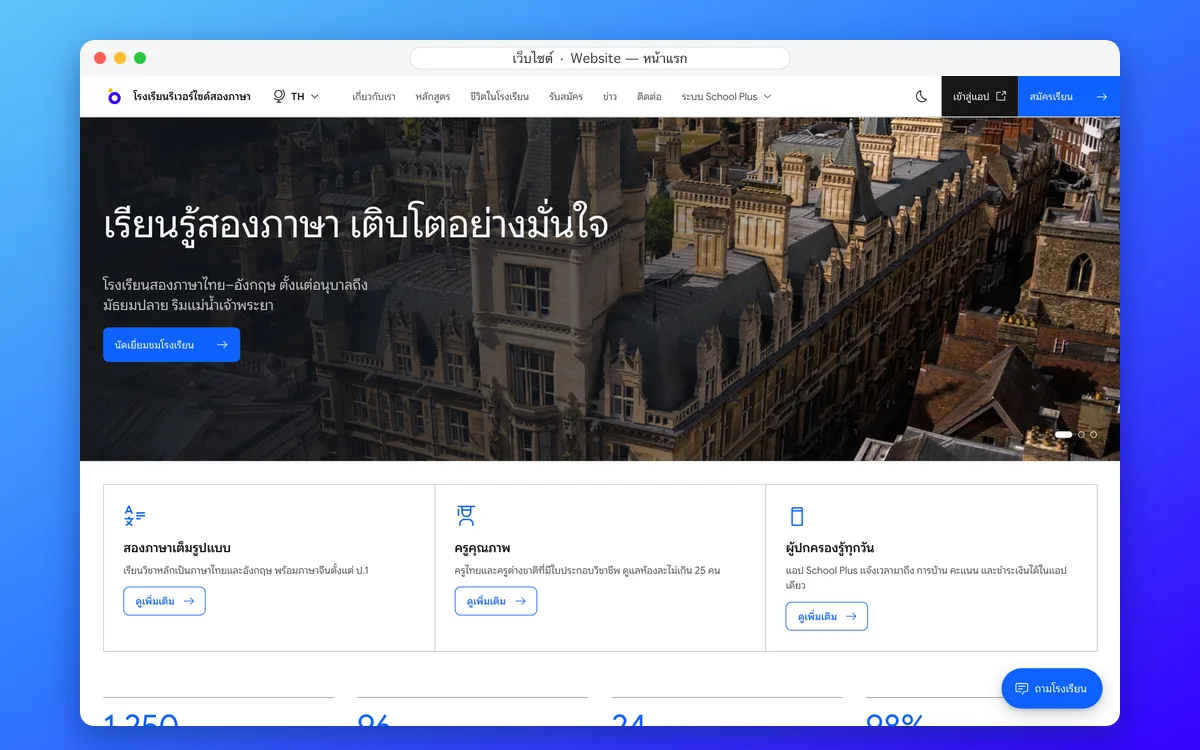
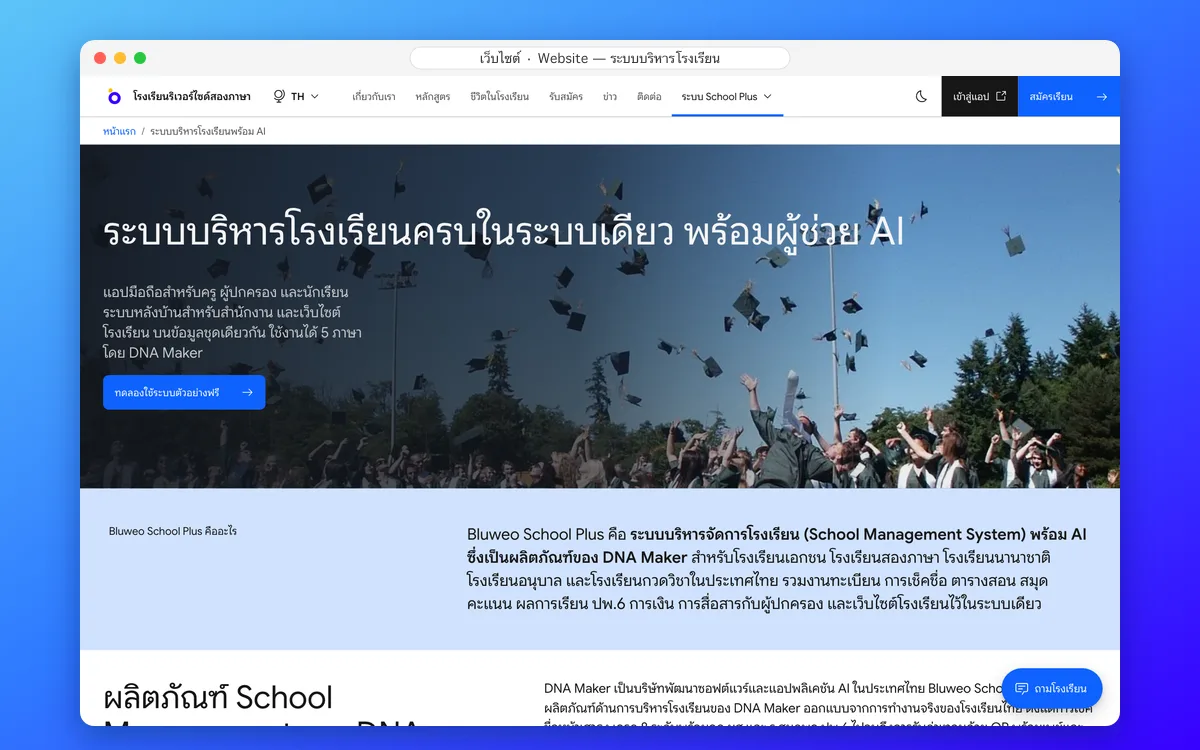
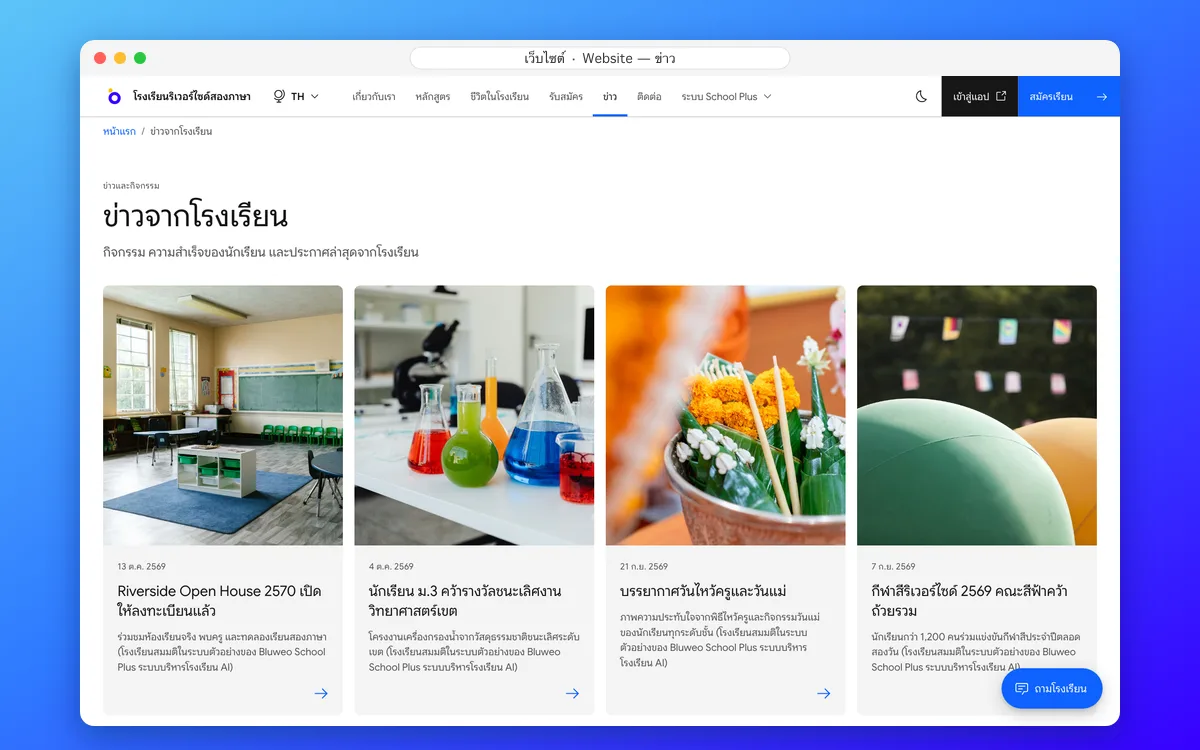
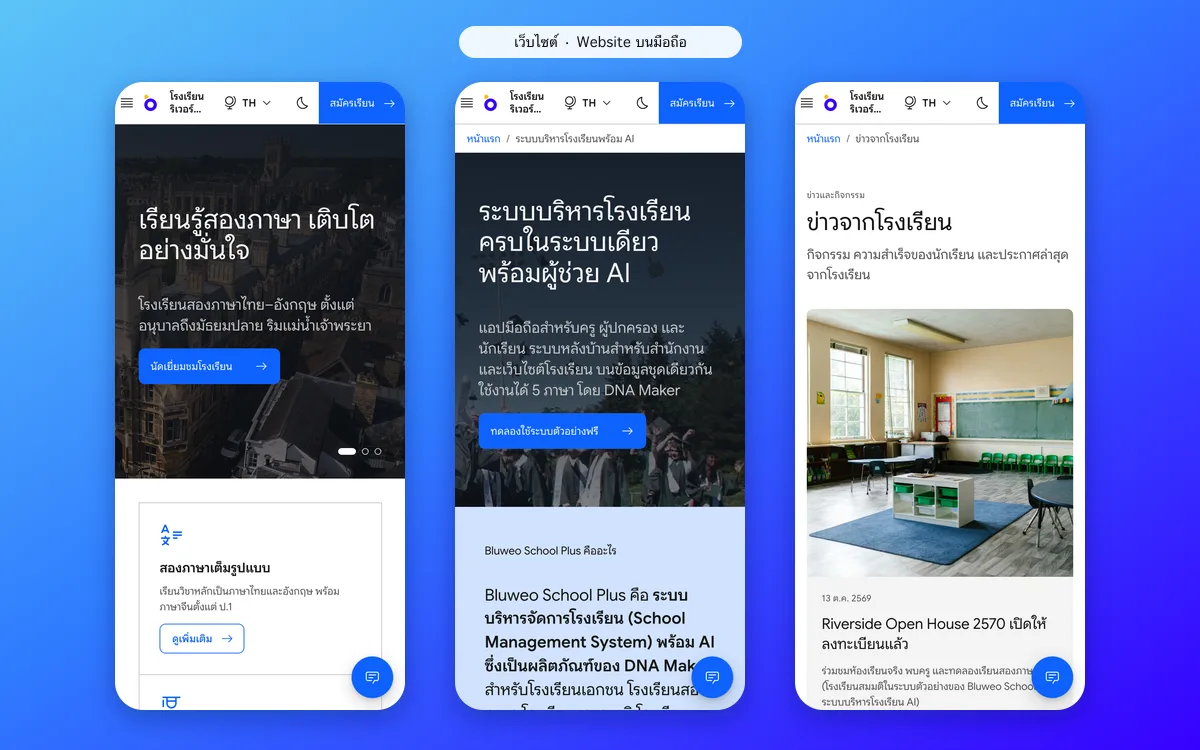
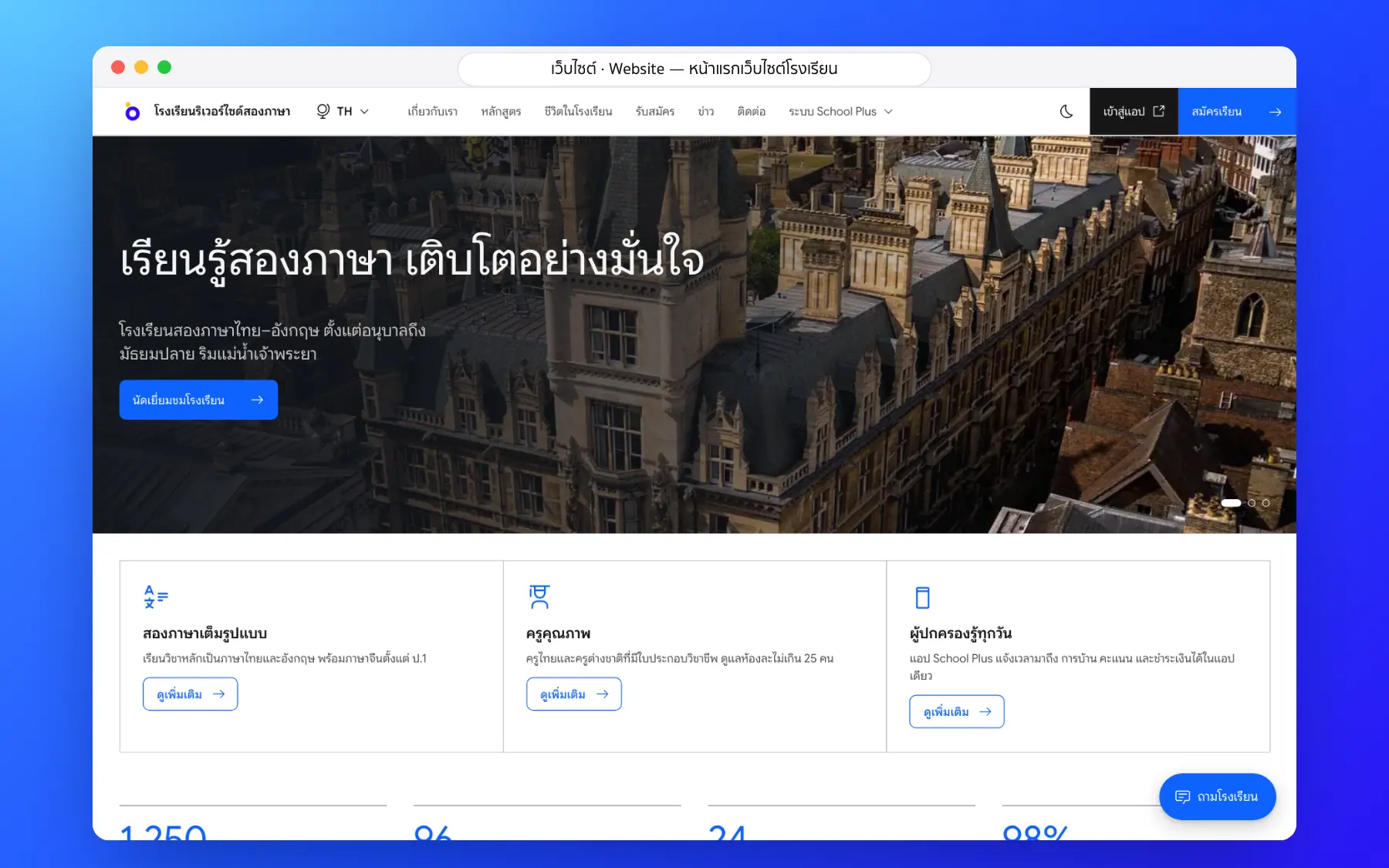
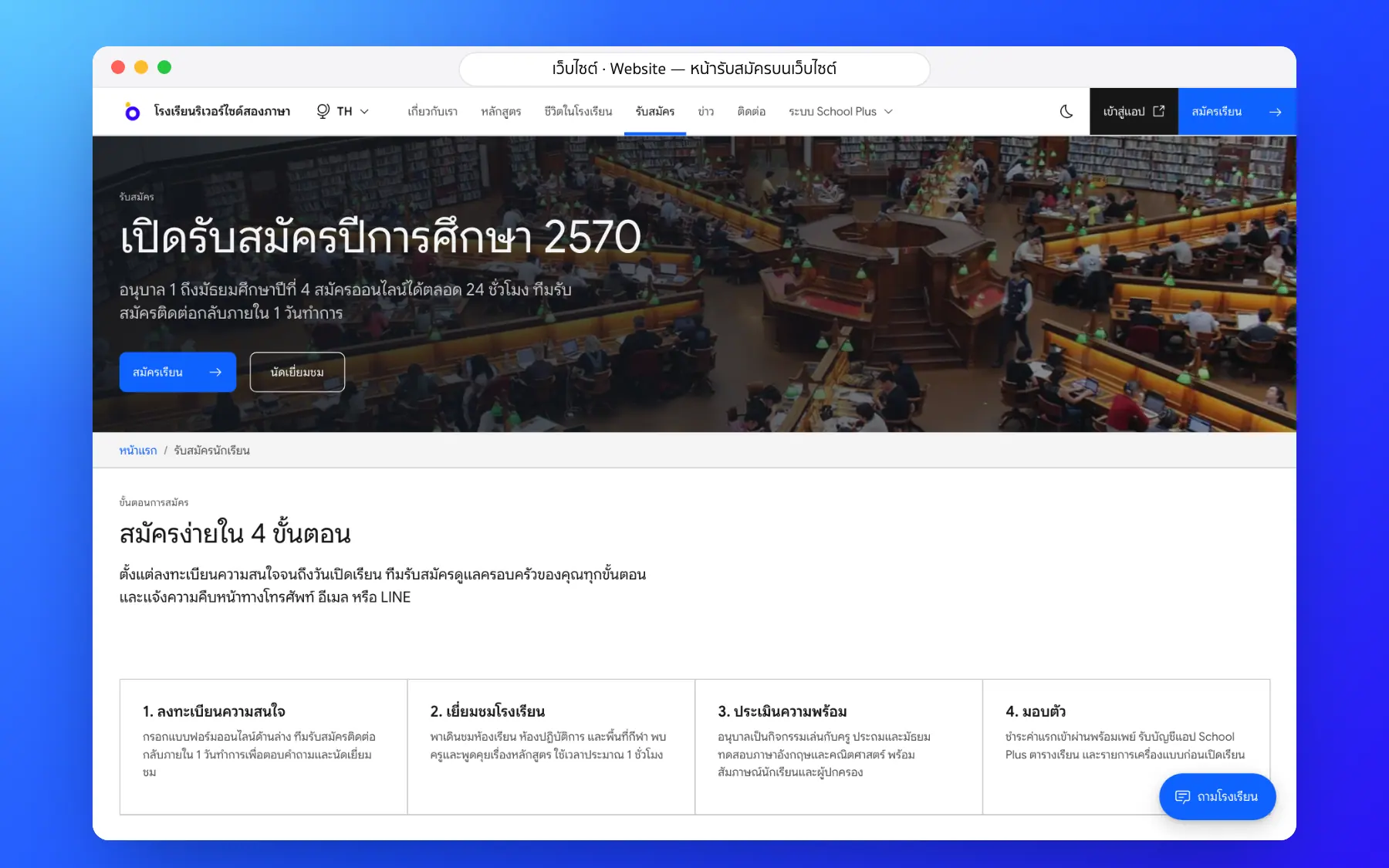
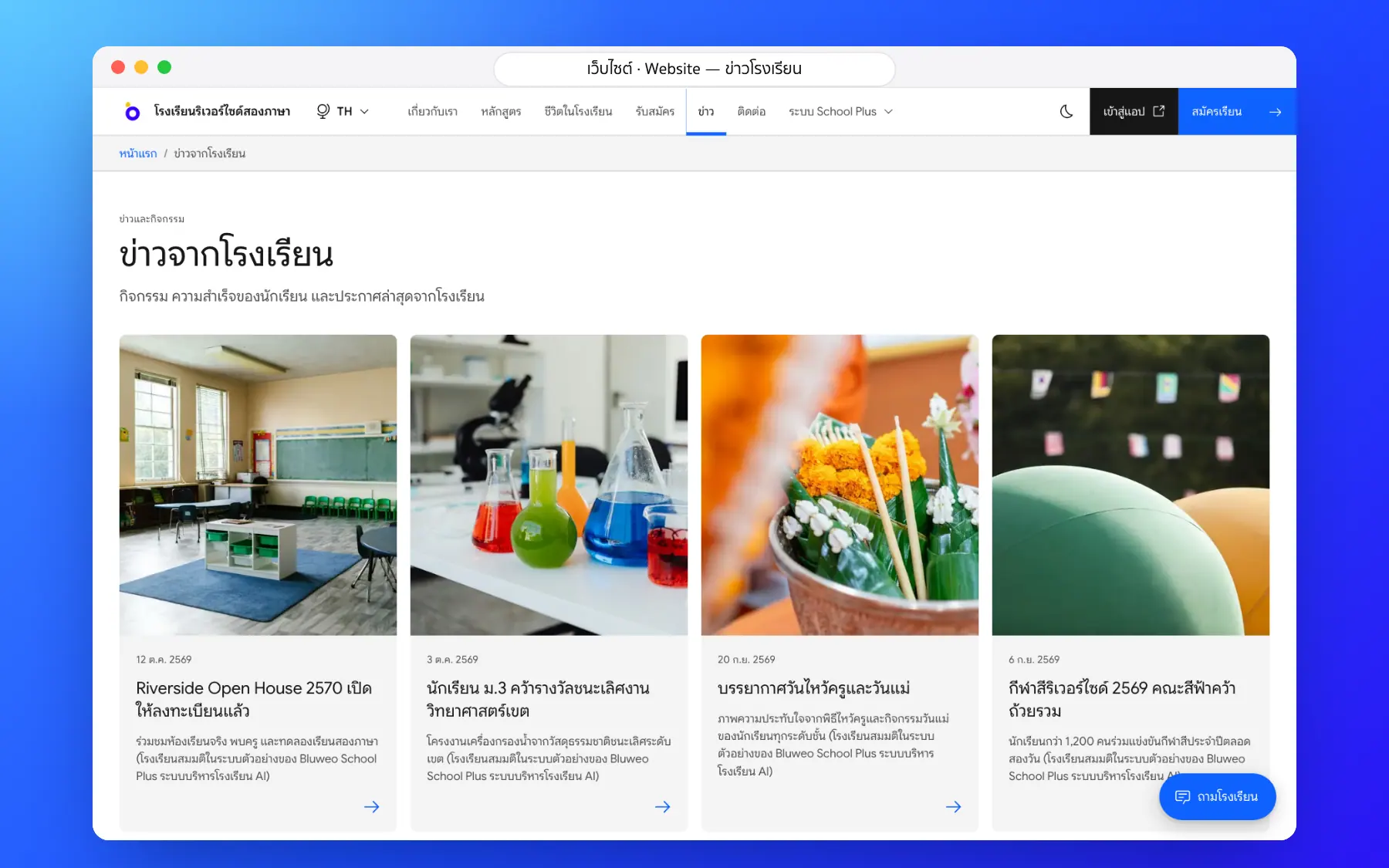
The website new families see, on desktop and phone
Home, academics, news, admissions and contact pages look good from day one, work on phones, load fast and have full SEO on every page: titles, descriptions, a sitemap and structured data for Google.
- Five languages, linked for Google
- The admissions form feeds the admissions system
- News and events with photos
- A Q&A box that answers from the site’s content
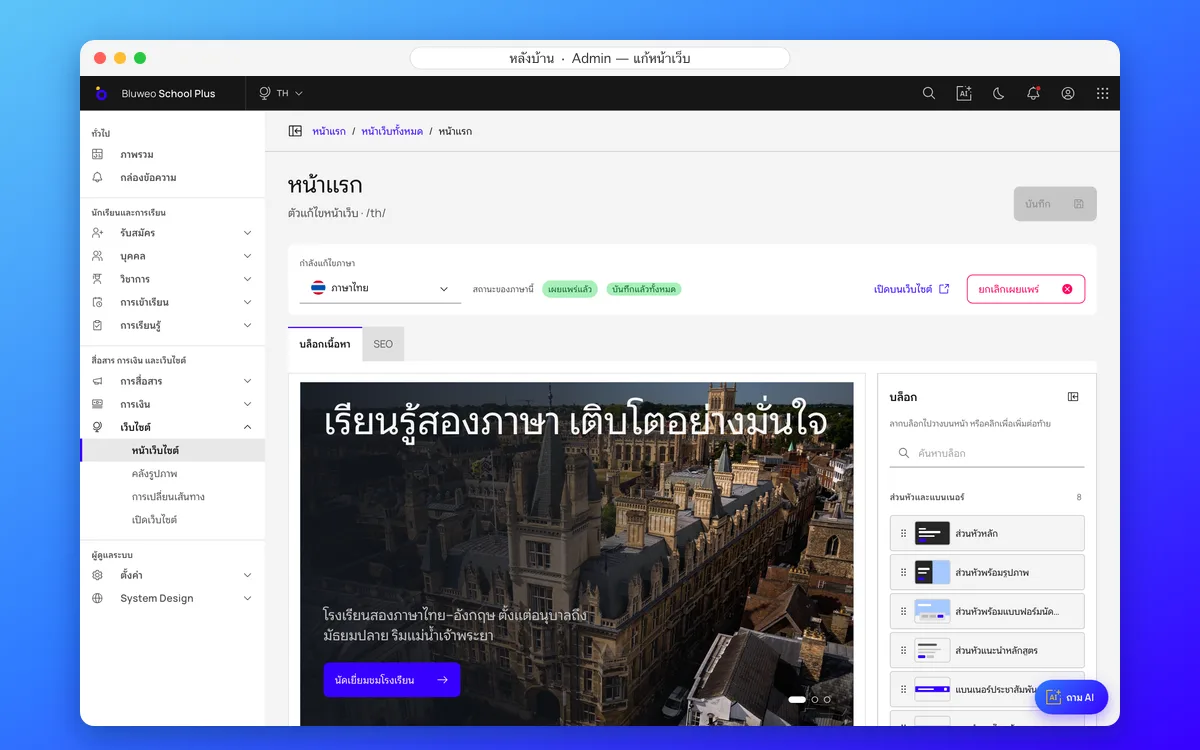
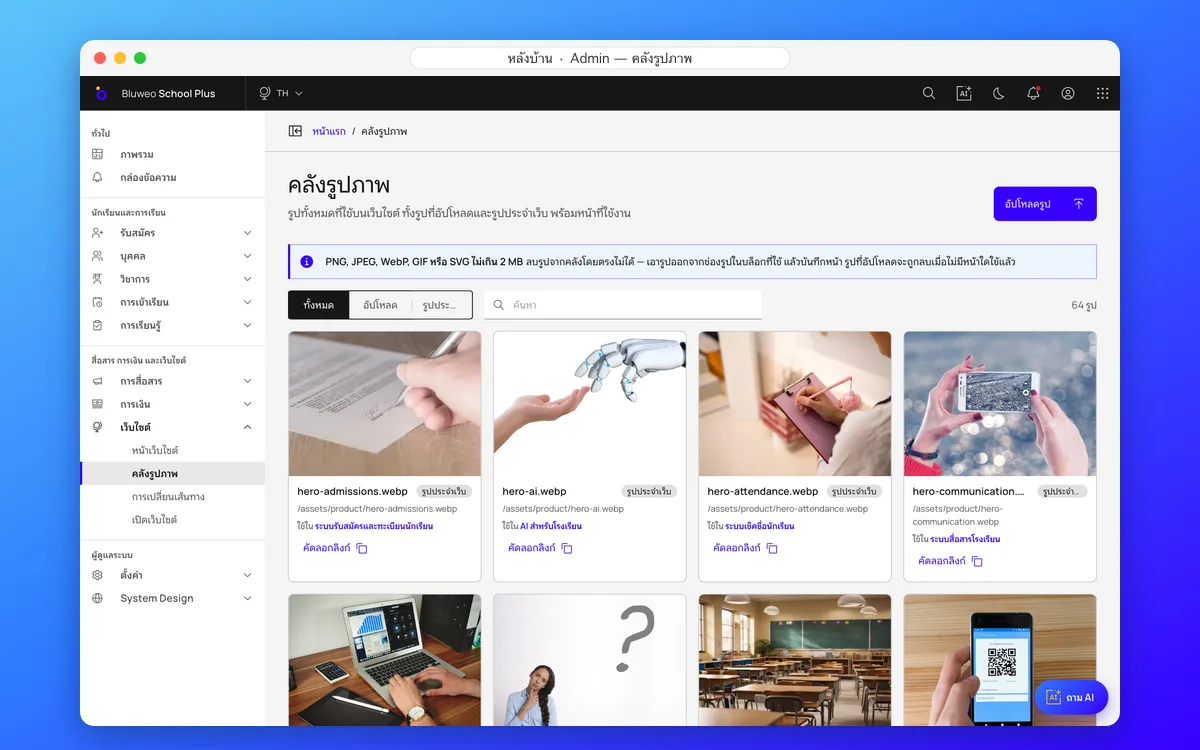
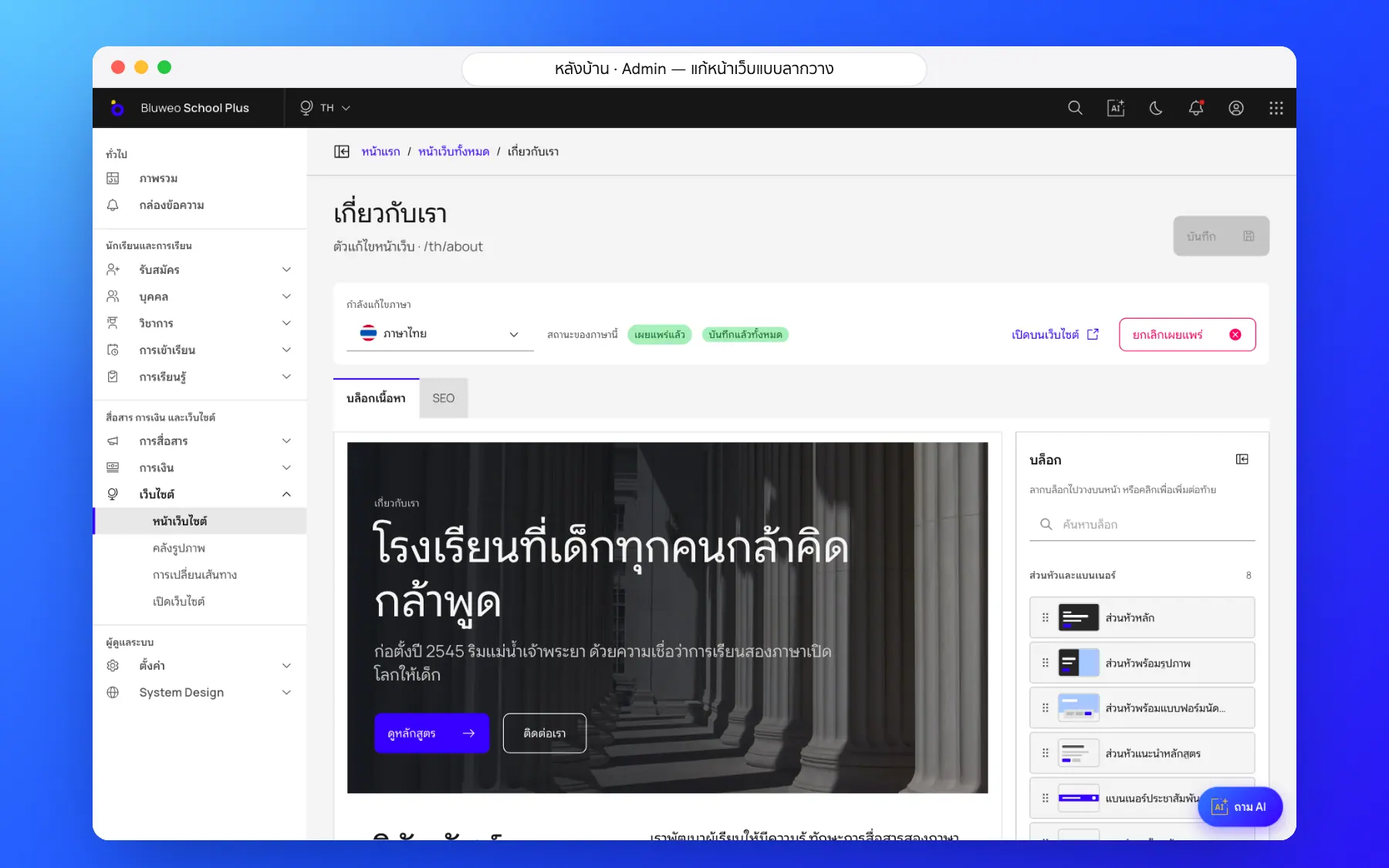
Back office: edit pages by drag and drop
The communications team picks ready-made blocks, writes text per language, chooses photos from the library, then sends for review or publishes, without waiting for a developer.
- More than 40 ready-made blocks
- Text per language, with a translator for each
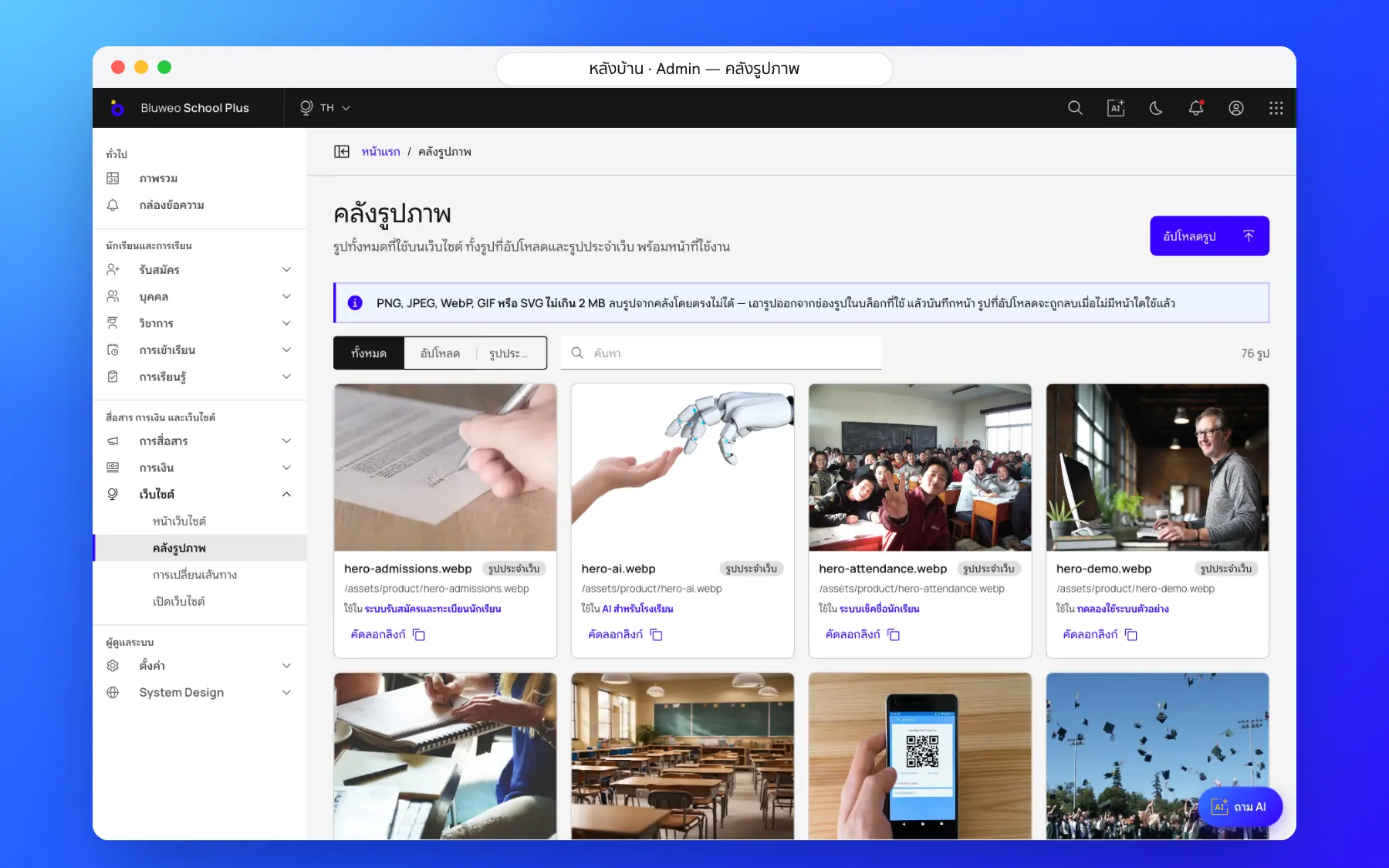
- A photo library that shows where each photo is used
- Title, description and share image on every page
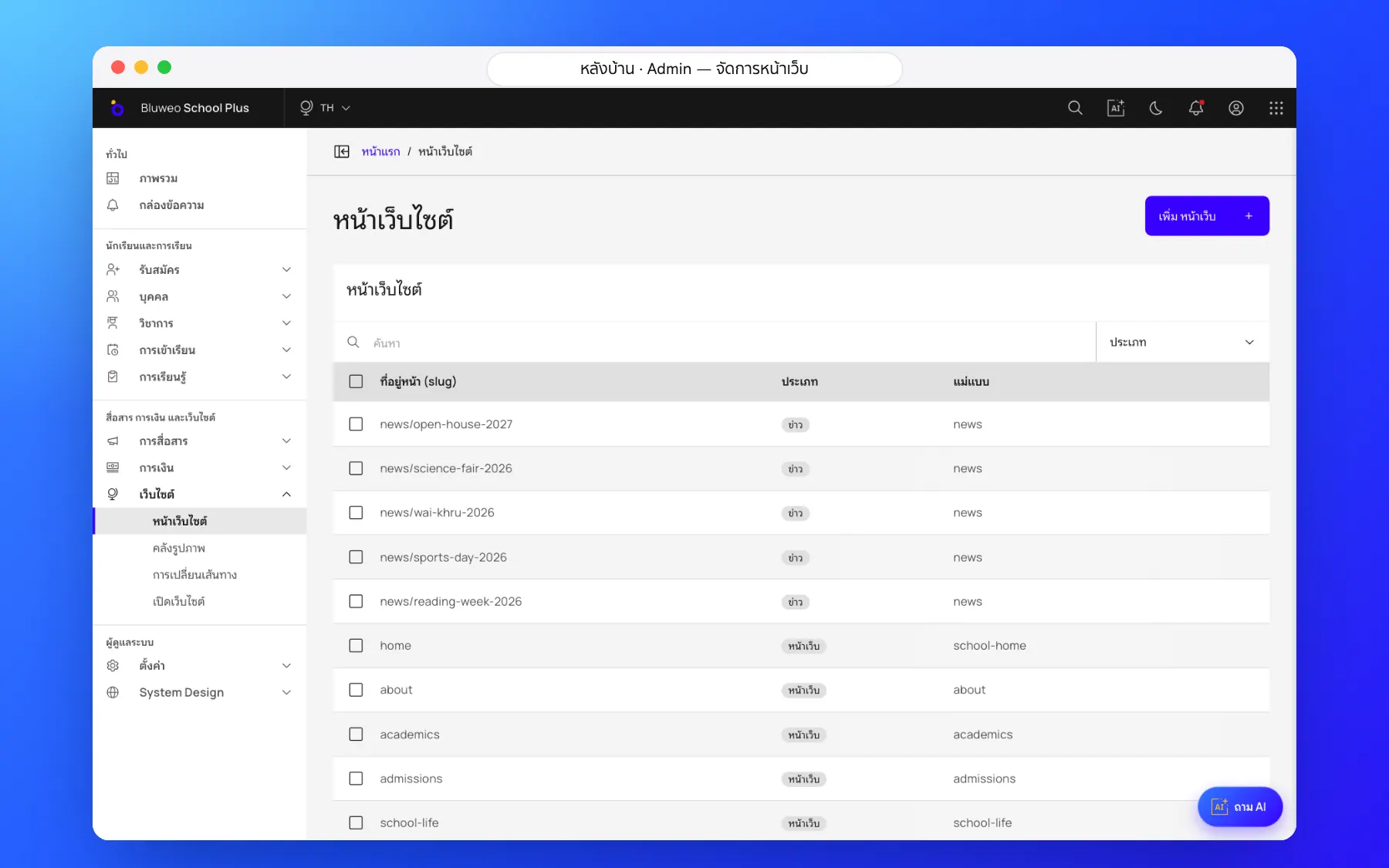
School website and CMS screenshots
Real screens from the live demo. Click a screenshot to see it large and step through them.
How it works
How a school uses the school website and cms
1. Pick a page and blocks
Start from a template page and drag in the blocks you need.
2. Add text and photos
Edit each language; upload photos or pick from the library.
3. Set the SEO
Title, description and share image for each language.
4. Publish
Save and the page changes at once, with a sitemap for Google.
What it does
Everything it can do today
Drag-and-drop page editor
40+ ready-made blocks that read well on phones.
SEO in five languages
An address per language, hreflang links, a sitemap and structured data.
Online admissions
Forms feed the admissions pipeline, with PDPA consent.
Approval workflow
Authors draft, editors edit, publishers publish; translators edit only their language.
Built-in application form
Applications from the website go straight into admissions.
News and events
Publish news with photos from the back office.
Fast pages
Images sized for each screen, quick on phones.
Question chat
Families can ask about admissions at any time.
Who uses it
Everyone shares one set of data but sees only their part
Marketing
Edit pages and news without waiting for a developer.
Translators
Translate each page into their language.
Admissions
Receive applications straight from the website.
Related features
Every feature shares one set of data, so they work together from day one
Admissions and student records
Online applications from the website, every enquiry followed to enrolment, with guardian records.
Learn more — Admissions and student recordsSchool communication
Announcements, an events calendar, notifications and teacher–parent chat.
Learn more — School communicationAI for schools
Ask school data in plain language, draft report comments and follow students at risk.
Learn more — AI for schoolsWebsite questions
The technical SEO is done for you; rankings depend on the school’s content. In our tests the home page scored 100 for SEO.
The website keeps serving the latest content from a backup copy.
Every page has a title, description, sitemap entry, language links and structured data following Google’s guidelines, which helps Google understand the site; no one can guarantee rankings.
Yes. The website, app and back office run on the school’s own domain, set up when you start.