




School communication app: notices, events and parent chat
Send a notice to the whole school, a level or one class; parents are notified in their own language and can chat with teachers without swapping personal numbers.
What is school communication in School Plus?
Bluweo School Plus brings announcements, an events calendar, notifications and teacher–parent chat into the same app as attendance, homework and fees. The school chooses who receives each message, and parents see only what concerns their own children.
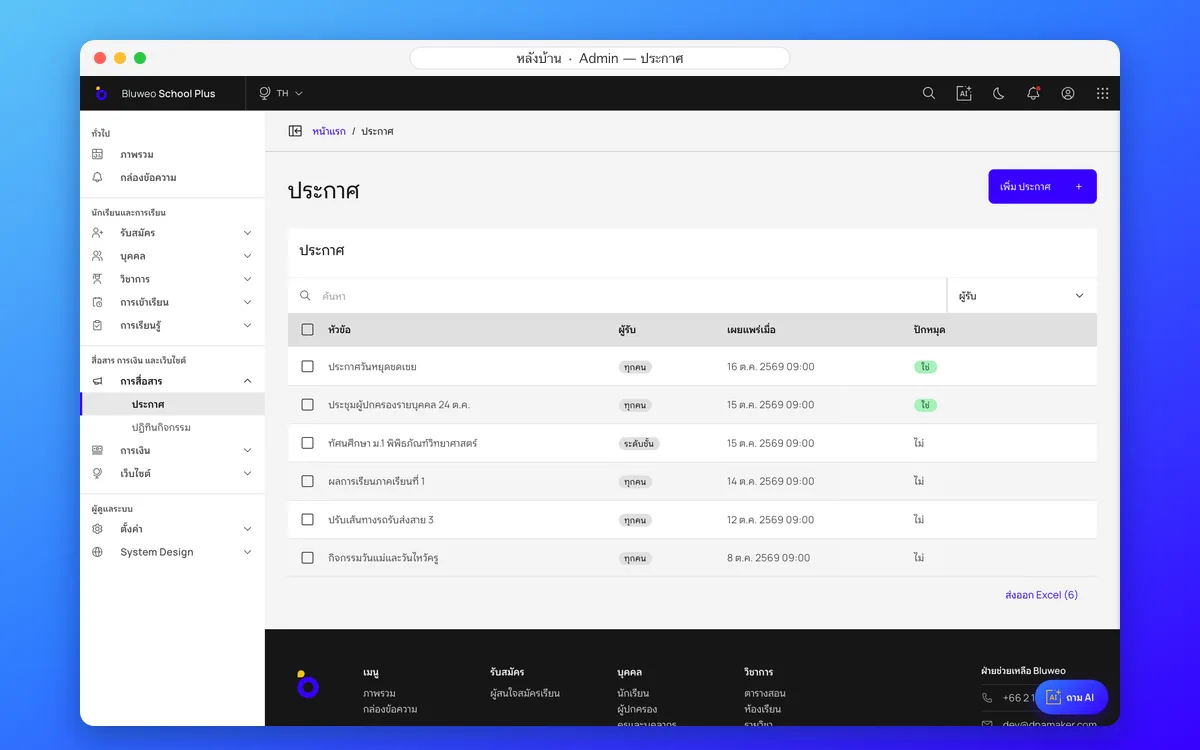
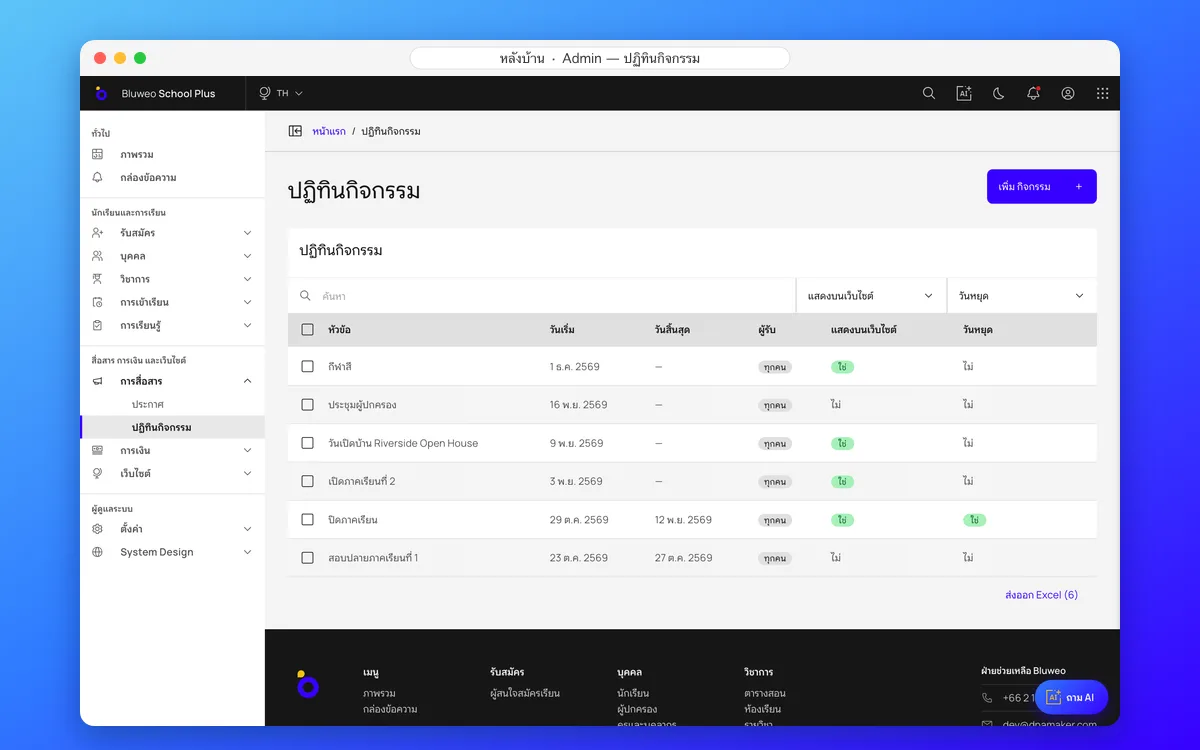
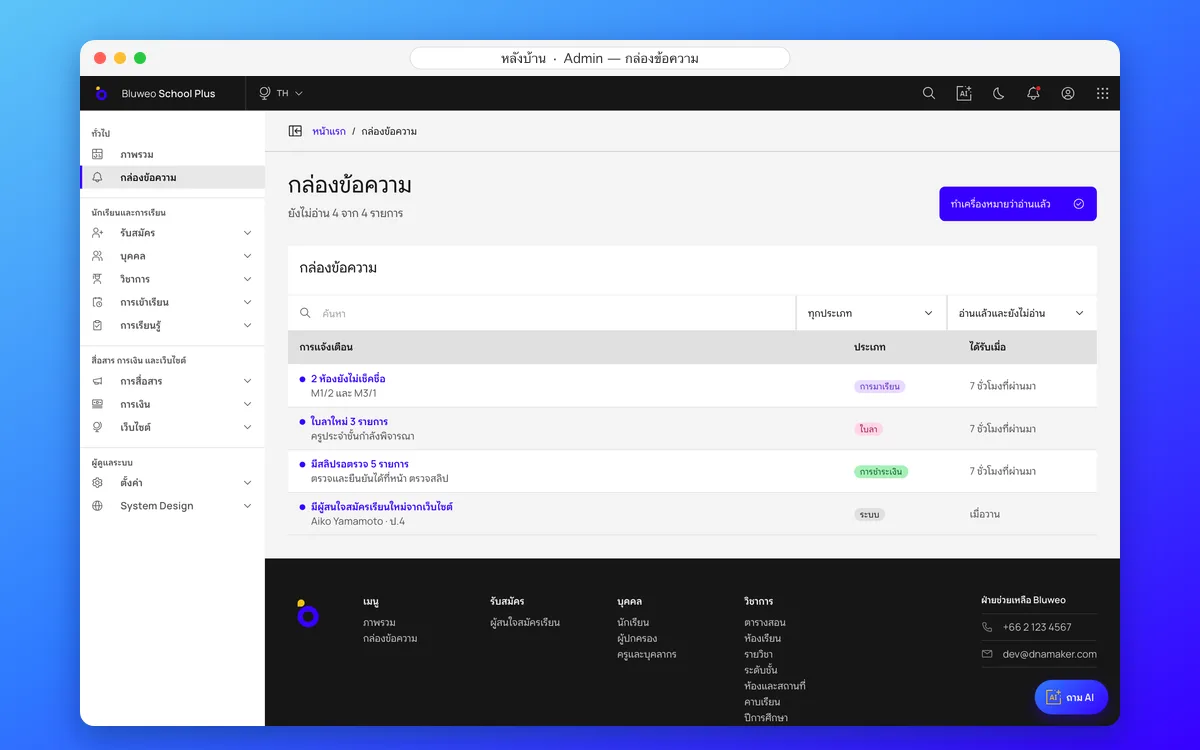
Back office: notices, events calendar and inbox
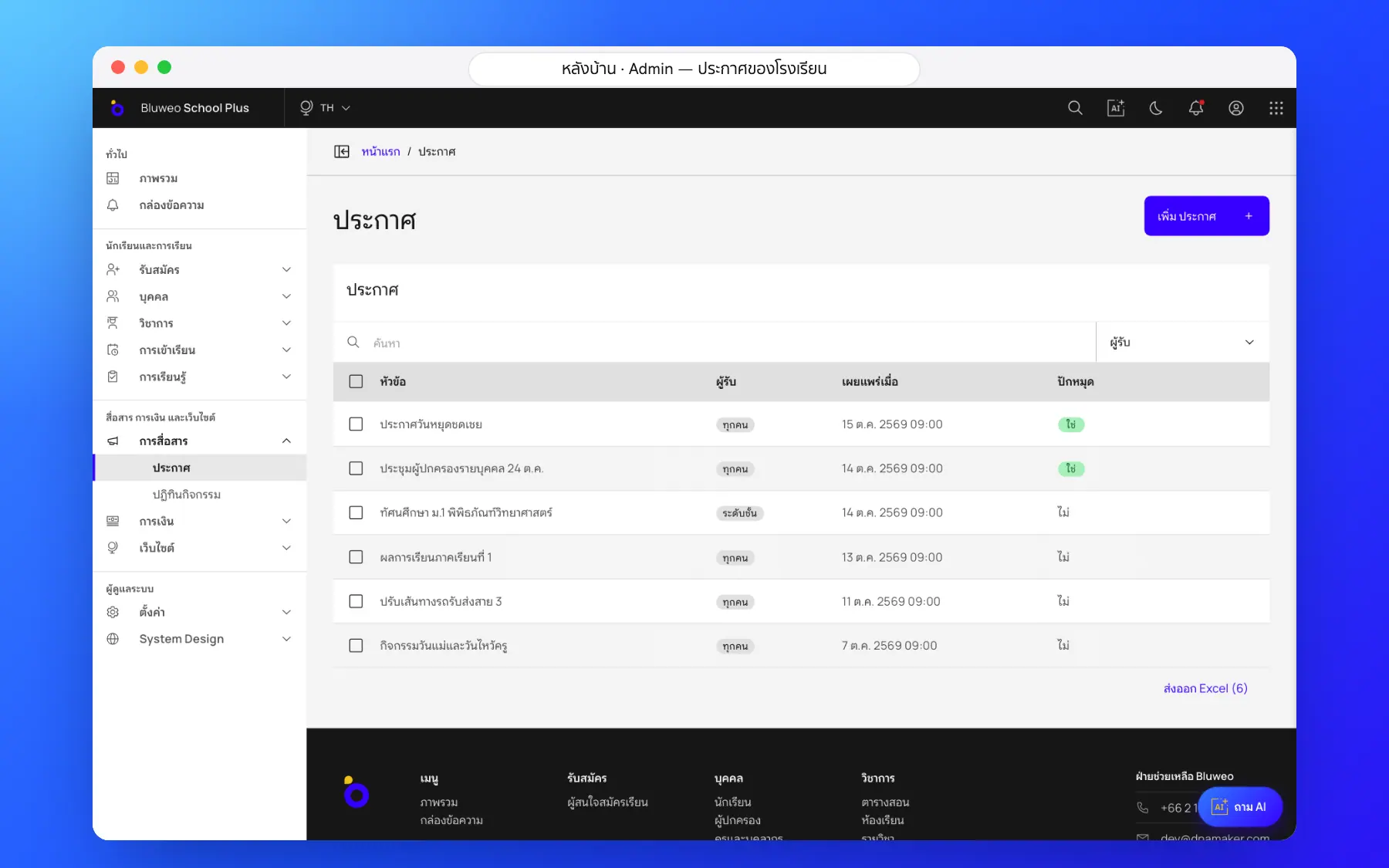
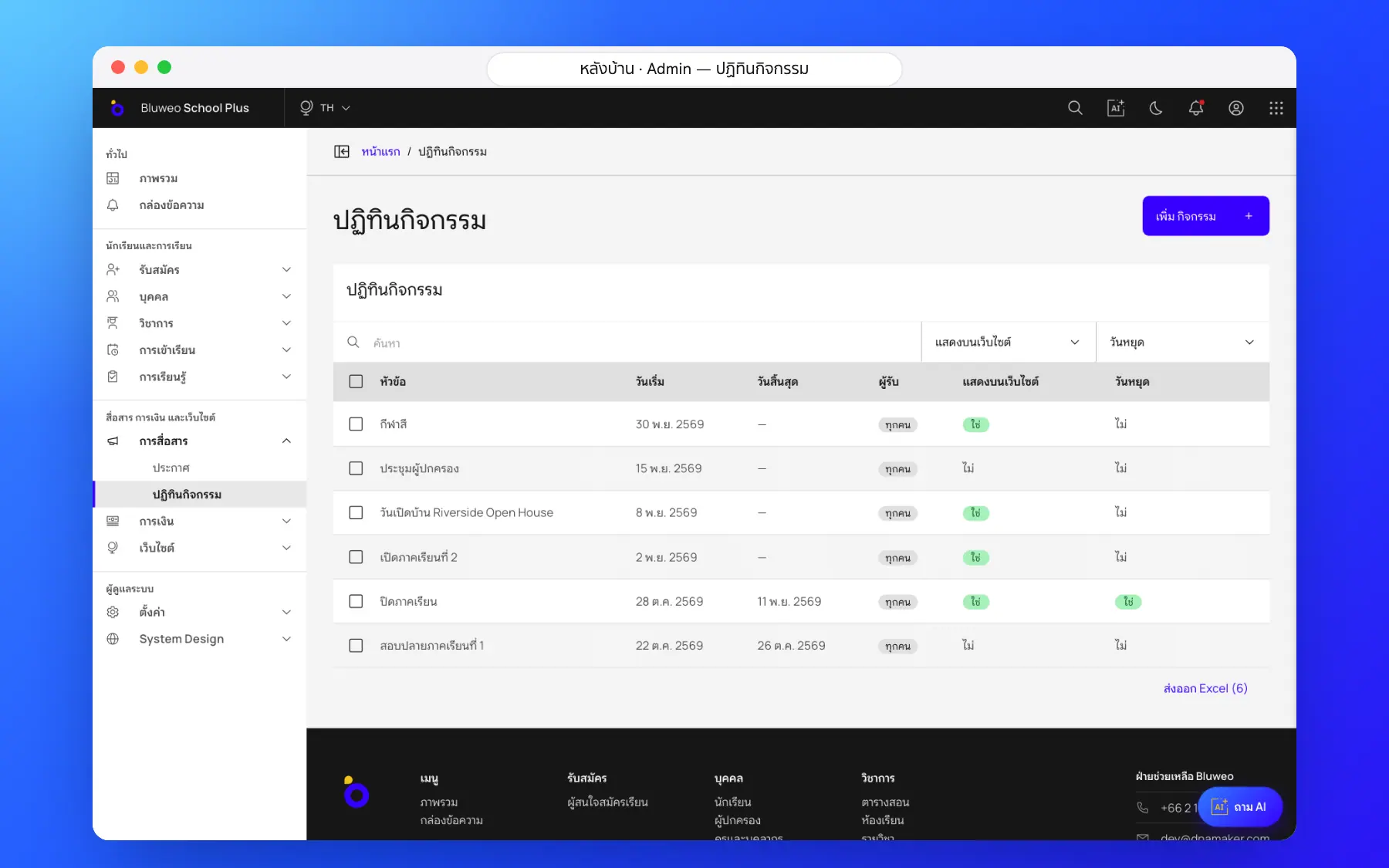
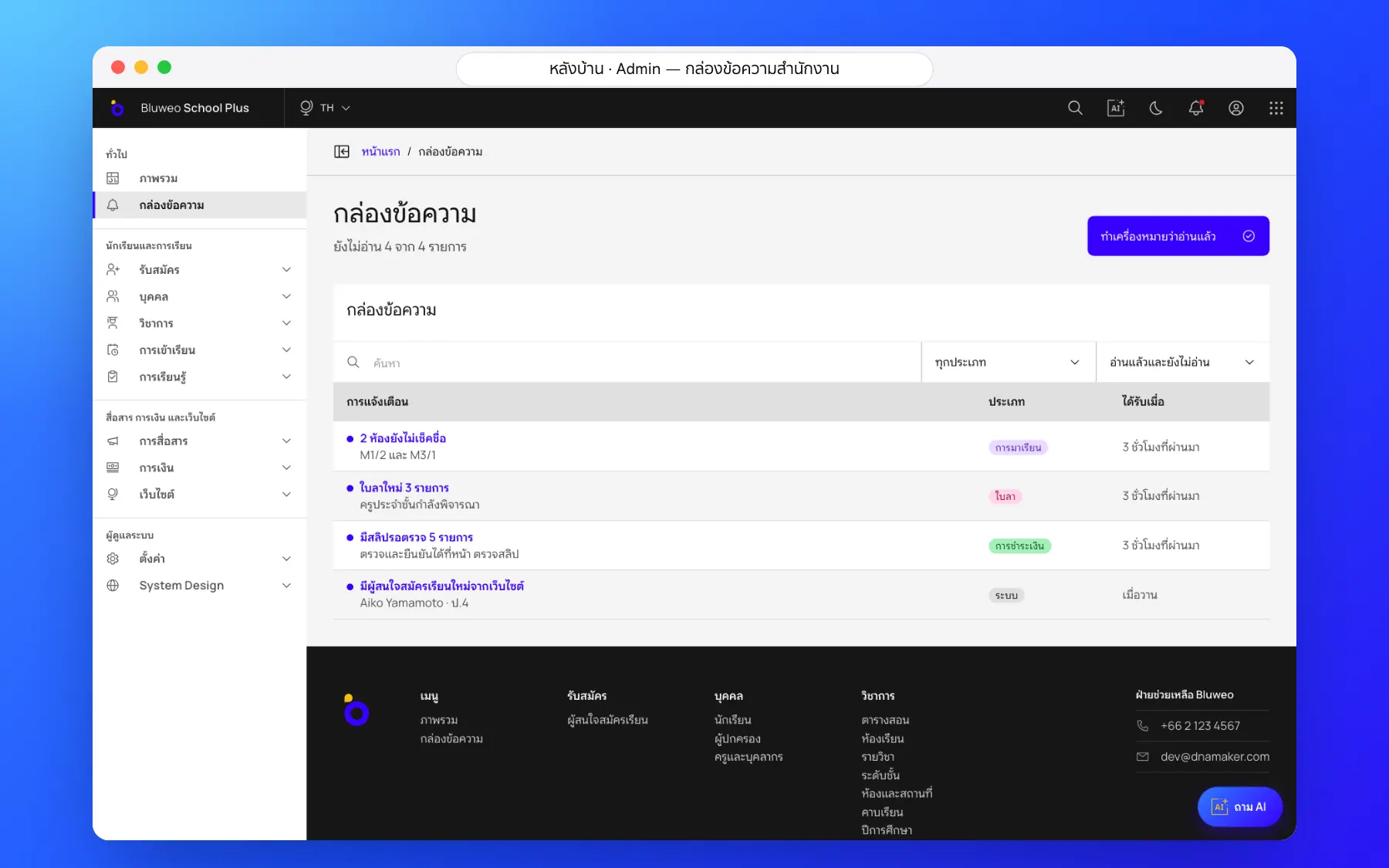
The office writes a notice once and picks the audience: the whole school, a level, a class or a role, with a publish time. Events go on the calendar, and messages from parents arrive in one inbox.
- Audience by school, level, class or role
- Scheduled publishing
- The school’s events calendar
- One inbox for every conversation
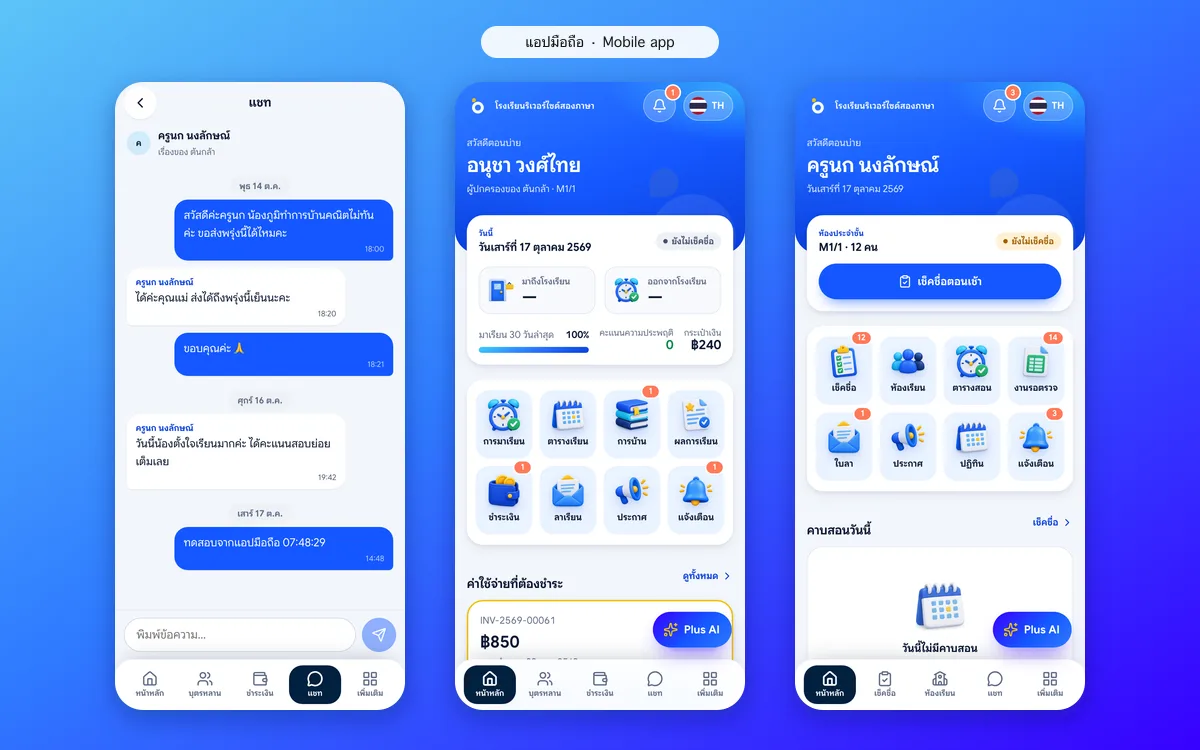
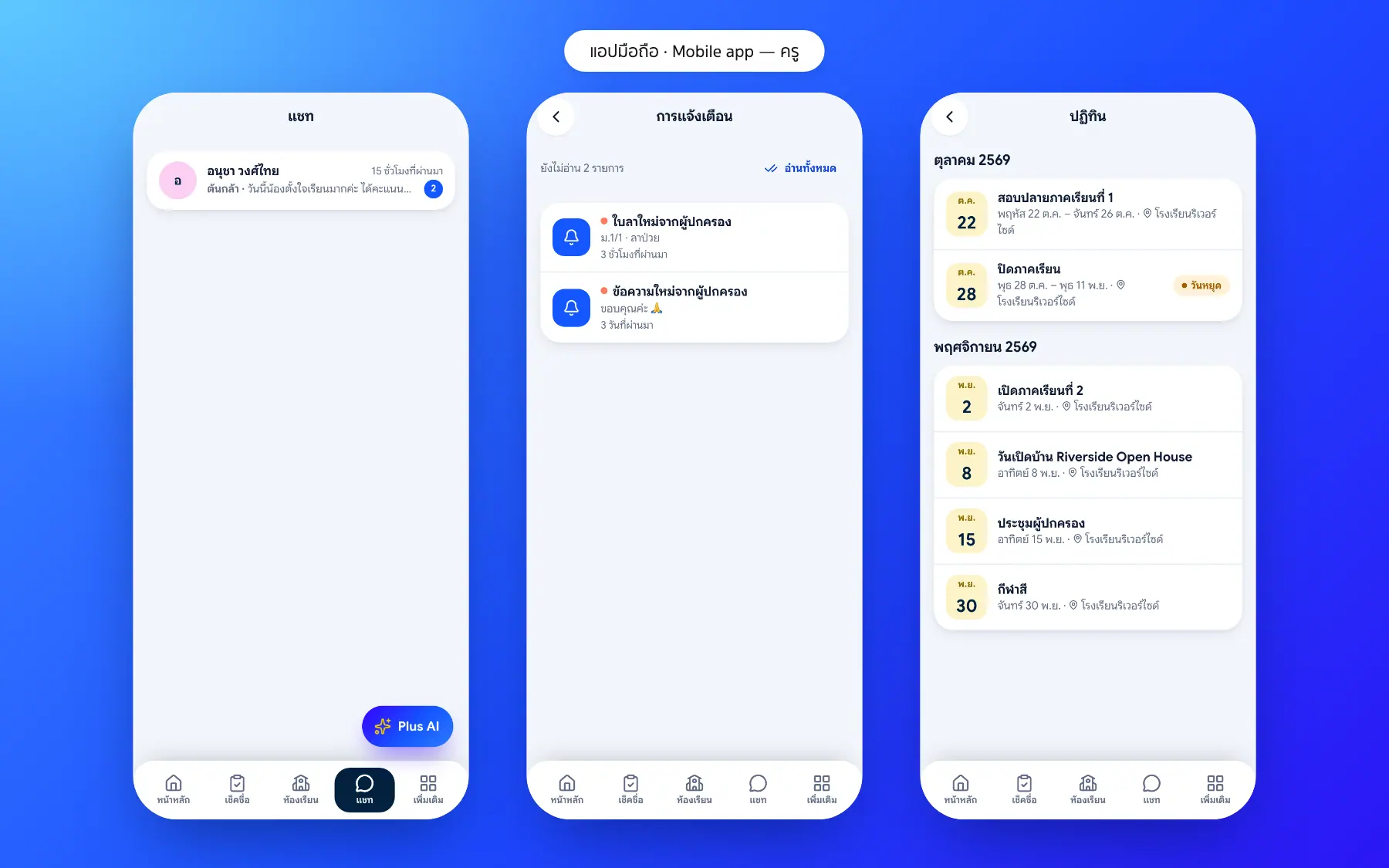
App: notifications and teacher–parent chat
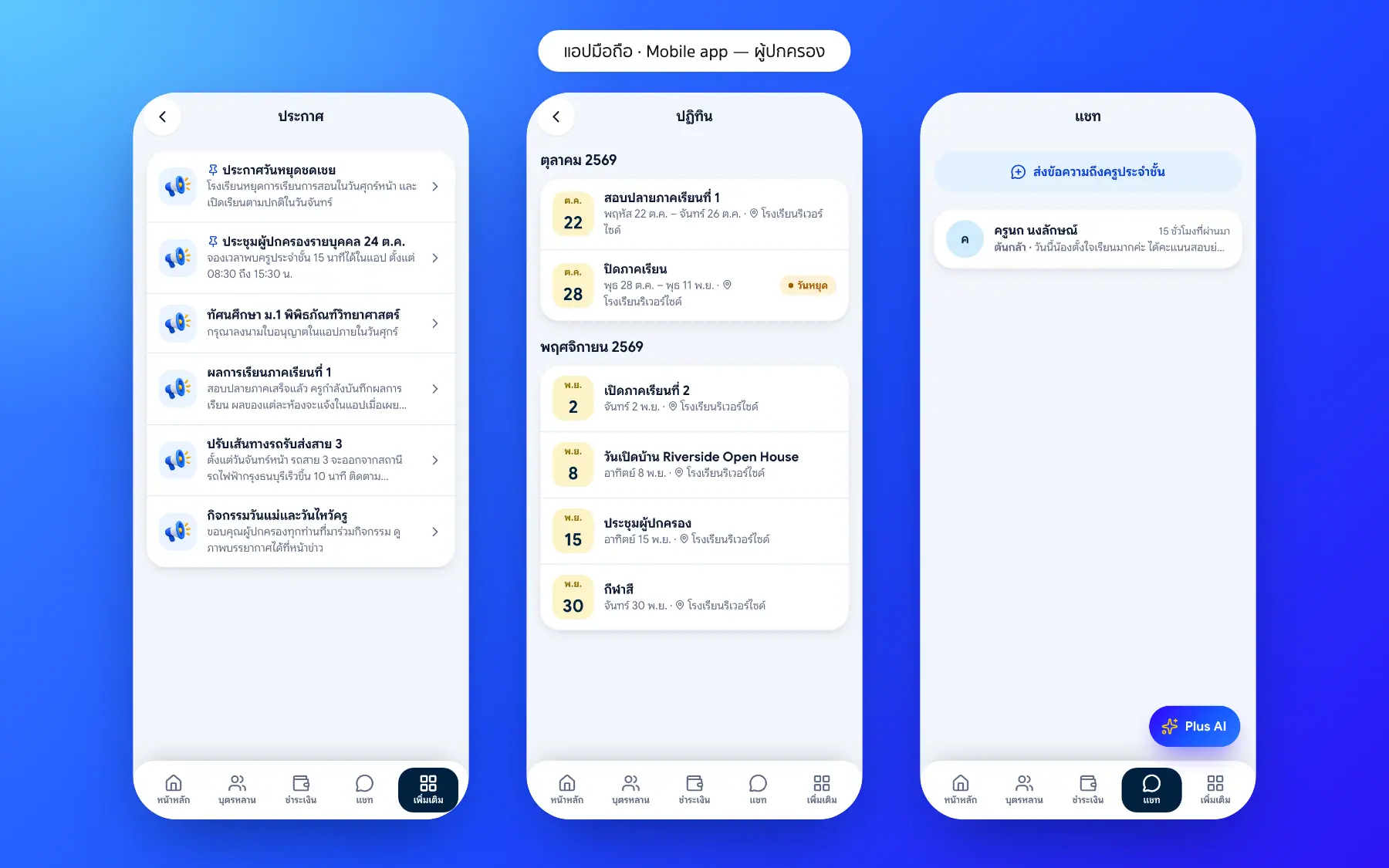
Parents are notified of notices, fees due and absences, and talk to teachers in the app without swapping personal numbers. Every conversation keeps its history.
- Notifications in the parent’s language
- Chat with teachers without personal numbers
- Conversation history
- Sending through a LINE OA is on the roadmap
School communication screenshots
Real screens from the live demo. Click a screenshot to see it large and step through them.
How it works
How a school uses the school communication
1. Write an announcement
Choose who gets it: the school, a level or a class.
2. Send or schedule
Now or at a set time, with an in-app alert.
3. Add to the calendar
Events and holidays appear in everyone’s calendar.
4. Carry on in chat
Parents ask teachers in each family’s chat.
What it does
Everything it can do today
Notices by group
Send to the whole school, a level, a class or chosen roles.
Events calendar
Holidays, exams, parent meetings and activities in the teacher, parent and student apps.
Instant notifications
Absences, fees due, reports published and new notices.
Teacher–parent chat
Talk about a student in the app, with history and no personal numbers.
Read or not
See who has read an announcement.
Teachers’ hours
Teachers set their chat hours, no late-night replies.
Several languages
Announcements show in the parent’s language.
Office inbox
Everything waiting for action in one inbox.
Who uses it
Everyone shares one set of data but sees only their part
Communications
Send news only to those who need it.
Teachers
Talk to parents without a personal LINE account.
Parents
Never miss school news or events.
Related features
Every feature shares one set of data, so they work together from day one
Parent and student app
Attendance, homework, grades, fees and chat with teachers in one app.
Learn more — Parent and student appStudent attendance
Morning roll call on a phone in seconds; parents are told at once when a child is absent.
Learn more — Student attendanceSchool website and CMS
Drag-and-drop pages, full SEO and five languages.
Learn more — School website and CMSCommunication questions
Yes. Send to the whole school, a level, a class or chosen roles.
The app works in five languages, Thai, English, Japanese, Korean and Chinese, and each parent picks their own.
Today notifications go through the app; sending through a LINE Official Account is on the roadmap.
Yes. Set a publish date and time and the notice reaches its audience then.
Yes. Every teacher–parent conversation stays in the inbox and the app to look back on.